Systems readiness built on commissioning and startup data - tracked from the start
The systems pillar of operational readiness cannot be verified from a PDF report. It requires live visibility into what the commissioning and startup programme is actually delivering - asset by asset, system by system, gate by gate.
CxPlanner connects commissioning and startup directly to the owner's readiness programme, so systems readiness reflects the real state of the field, not last week's status update.
Book a demo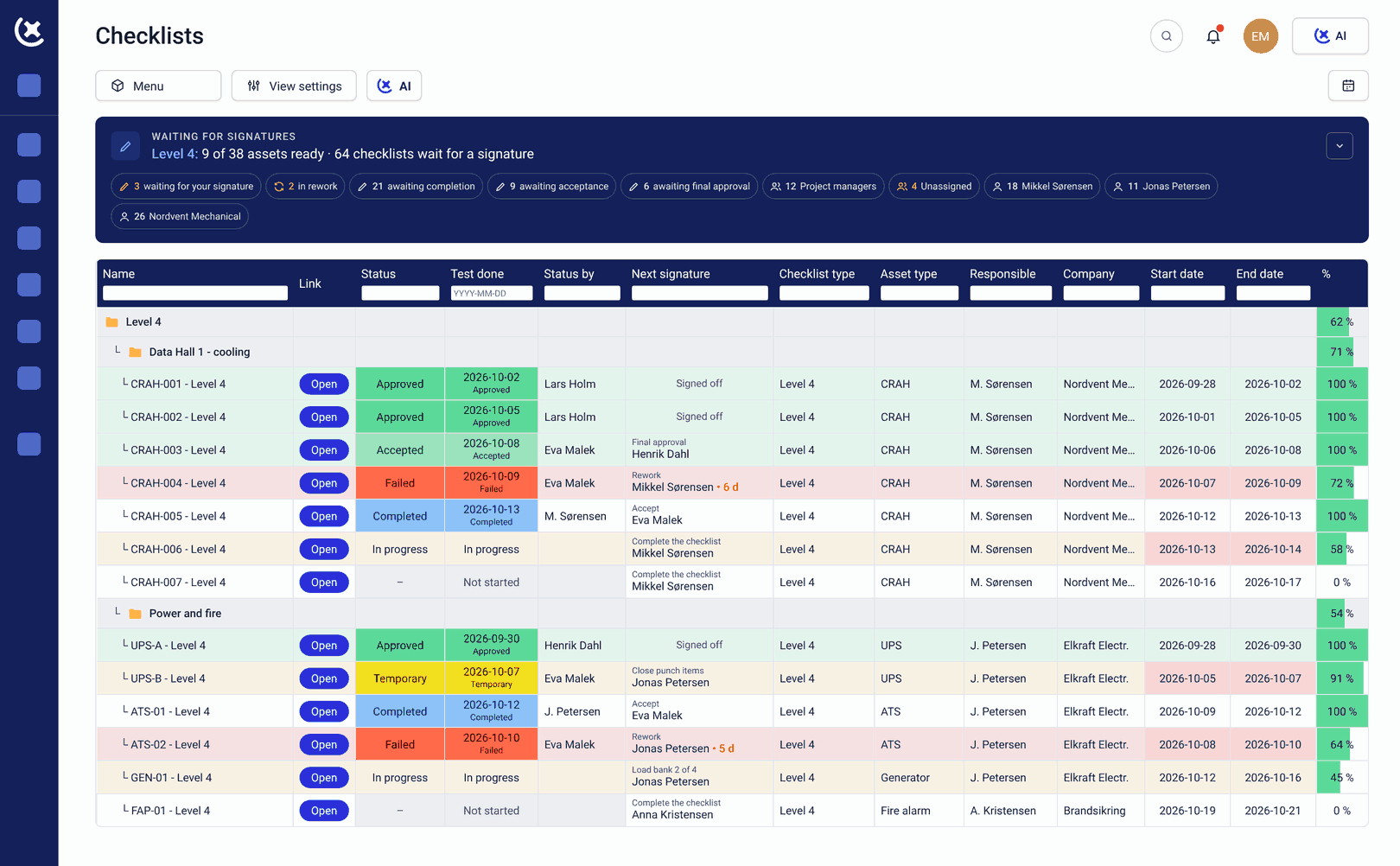
When readiness is tracked separately from commissioning and startup, gaps surface too late.
Most operational readiness programmes track systems readiness at one step removed from the commissioning programme.
The owner sees summaries, not data.
The commissioning and startup team does the work. The readiness team compiles a summary. By the time the owner sees the systems readiness picture, it reflects only what the Cx team chose to report. A test that failed and was re-run appears as complete before the re-test is verified.
Large programmes cannot be set up manually.
On a project with 10,000+ assets, building the asset hierarchy by hand - systems, sub-systems, assets, equipment, locations - is not feasible. Without bulk import from Excel, BIM, or CMMS sources, setup becomes the bottleneck before commissioning and startup has even begun.
Systems gaps surface too late.
Cross-system dependencies managed informally. Manpower shortfalls not visible until a subcontractor is weeks behind. Deficiencies that would have been straightforward to fix at L3 surface at the readiness gate review - when the cost and schedule impact are highest.
Live commissioning data feeds the readiness programme directly.
CxPlanner connects commissioning and startup to operational readiness in one platform. The owner sees the same data the field teams use to execute the work - asset records, test results, punch items, and gate sign-offs - live in their readiness dashboard.
Systems readiness in CxPlanner reflects the actual state of the commissioning programme. When a test passes, the readiness picture updates. When a gate slips, the owner sees it the same day.
Here's how it works:
Assets registered in the commissioning programme
Every asset linked to its system, its level, and its test requirements from the start of the commissioning and startup programme.
Test results submitted by field teams
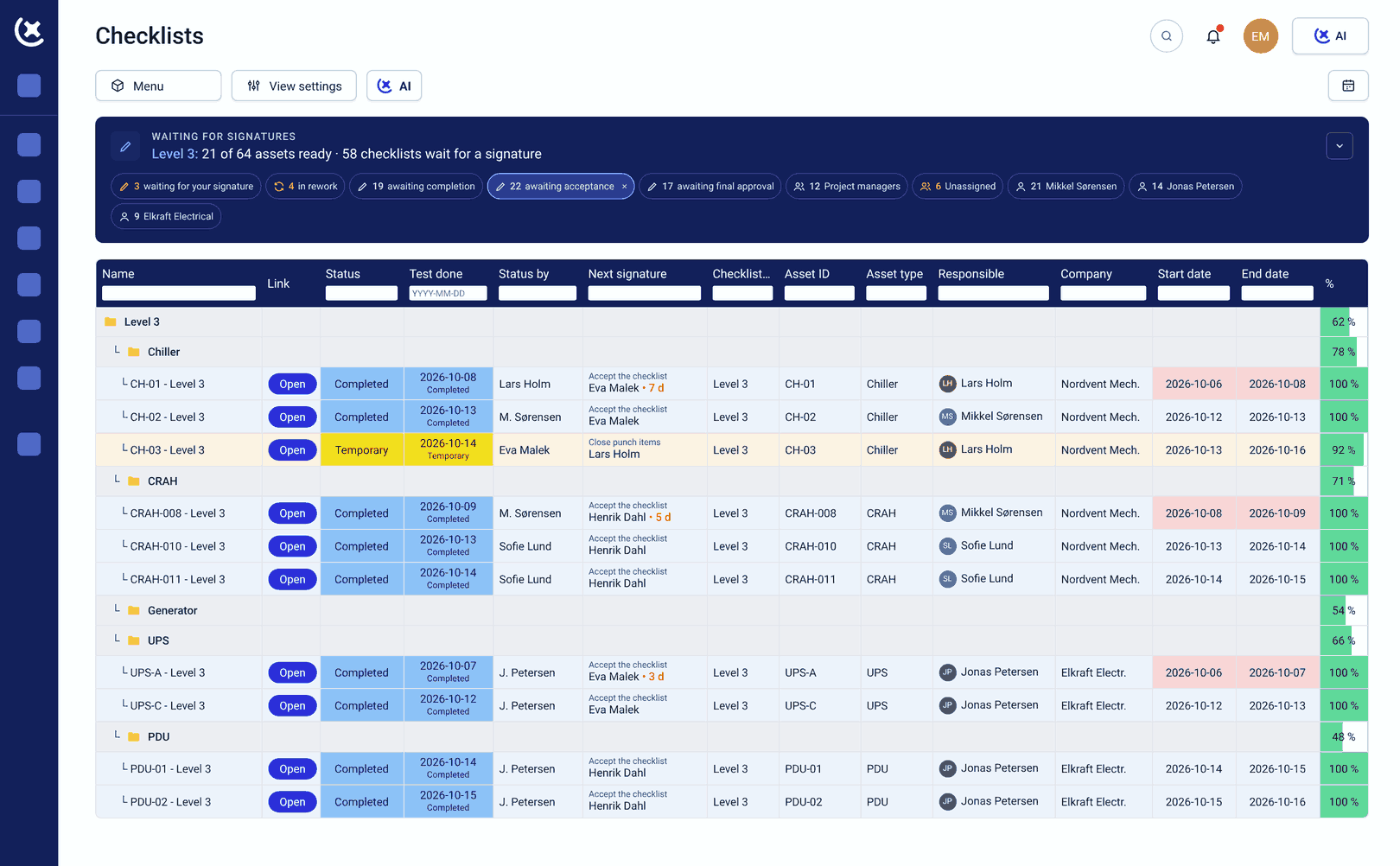
Commissioning engineers and subcontractors submit results directly - they appear in both the commissioning programme and the readiness dashboard in real time.
Gate sign-offs tracked against readiness milestones
Each commissioning gate links to a systems readiness milestone - so the owner sees precisely where the commissioning programme and the readiness programme align.
Deficiencies surface in the readiness view
Open punch items, failed tests, and overdue sign-offs appear automatically in the operational readiness platform dashboard - not in a weekly report.
Systems readiness confirmed at handover
When the commissioning programme is complete, the systems readiness record is already built - drawn from the live data accumulated throughout.
What CxPlanner covers for systems readiness
Live commissioning data connected to the readiness programme - no re-entry, no summaries.
Bulk import from Excel, BIM, or CMMS
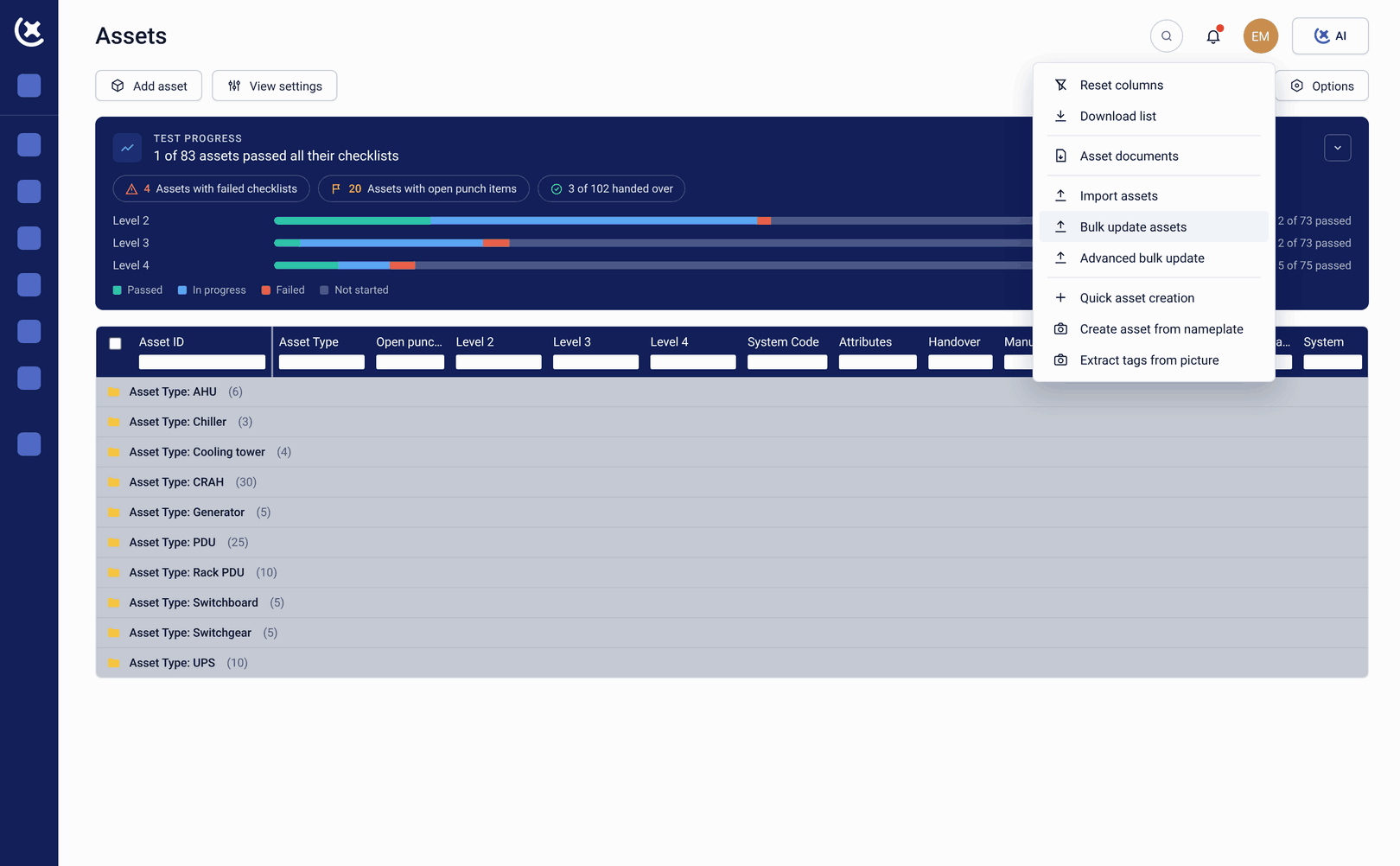
Import asset registers from Excel, BIM, or CMMS. Systems → sub-systems → assets → equipment → locations structured in one operation. Commissioning and startup programmes with 10,000+ assets set up without manual entry per asset.
Every test type tracked against the specific asset
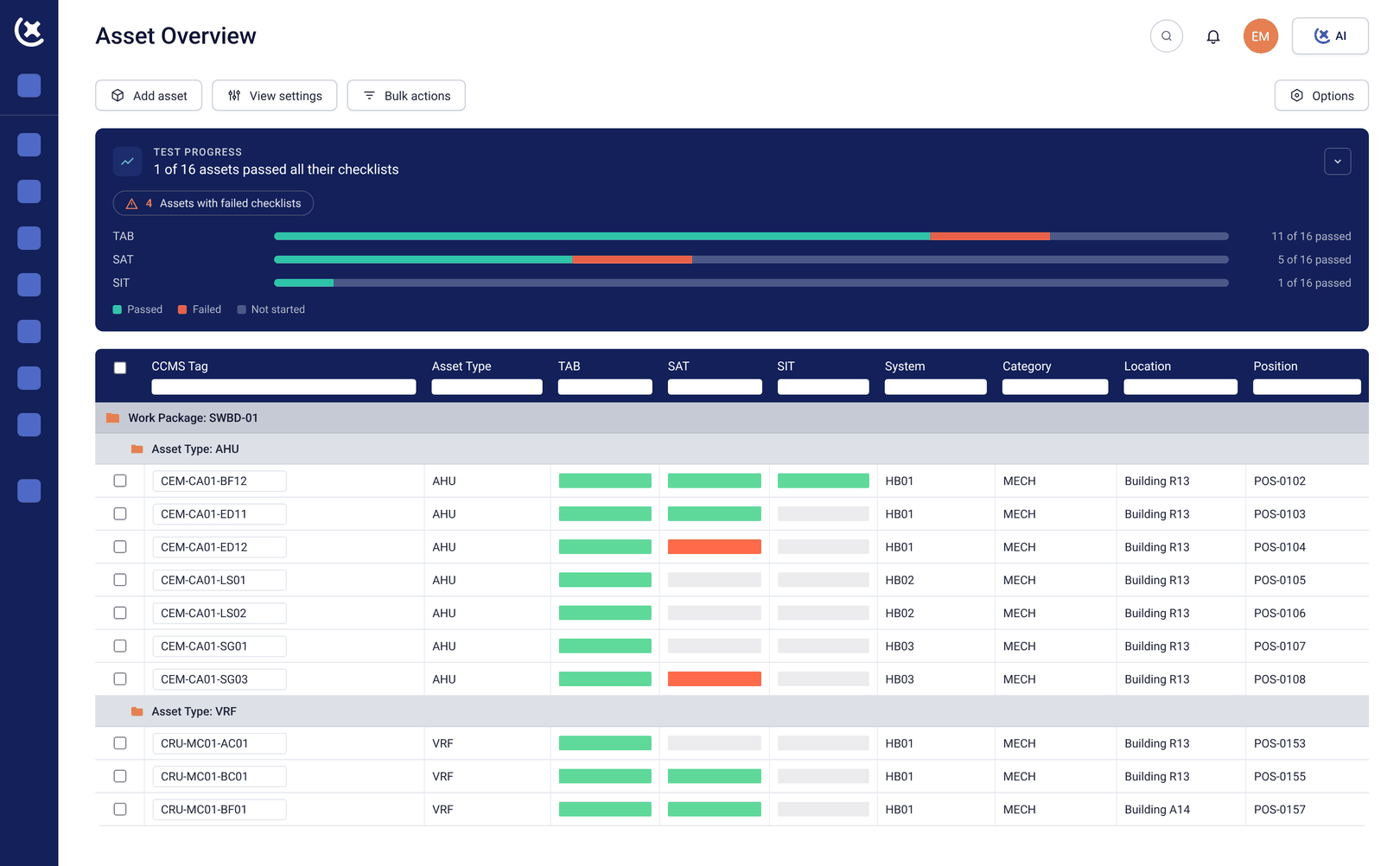
Every test type tracked against the specific asset it covers. Pre-Functional Checks at L2, Functional Performance Tests at L3-L4, Integrated Systems Testing at L5. Industrial workflows - Pre-commissioning, Cold Cx, Hot Cx, Energization - tracked in the same system alongside Level testing.
Dependencies enforced automatically, not managed informally
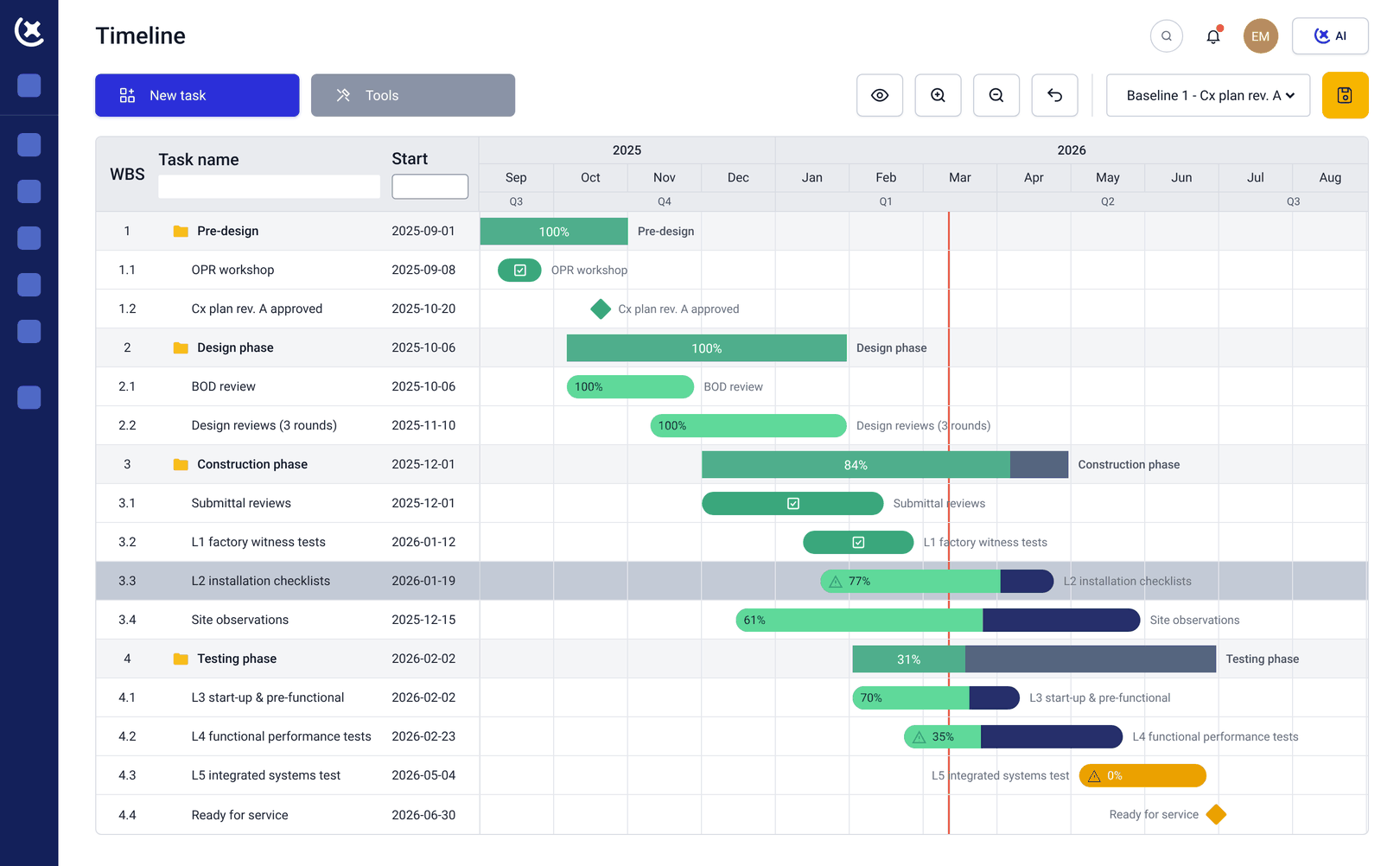
System B cannot begin commissioning and startup testing until System A is signed off. Dependencies configured in the platform and enforced automatically - not managed informally between subcontractor teams on site.
See resourcing gaps before they cascade
See whether the resources assigned to each system are sufficient to complete the commissioning and startup programme on schedule. Subcontractor shortfalls visible before they cascade into gate delays.
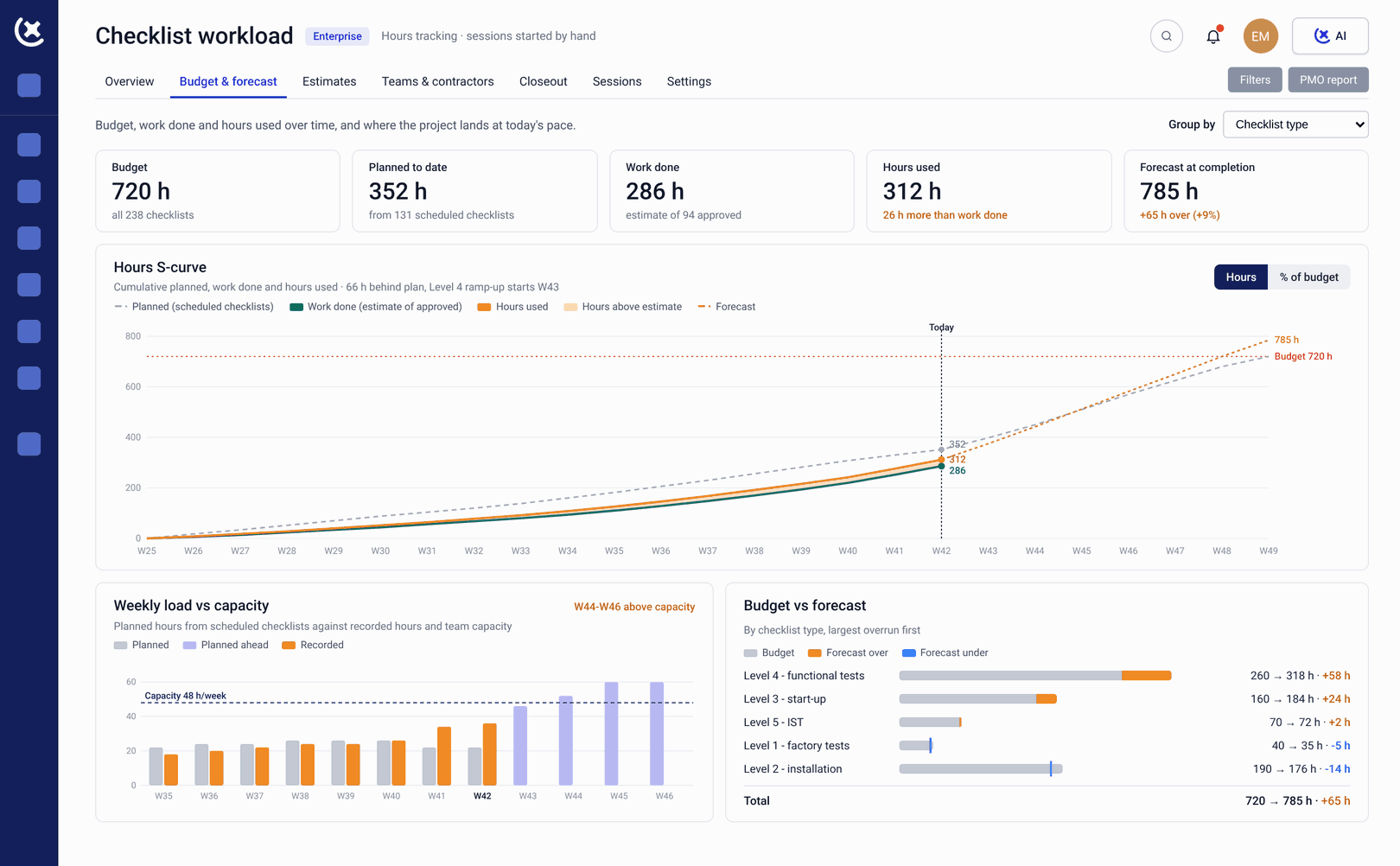
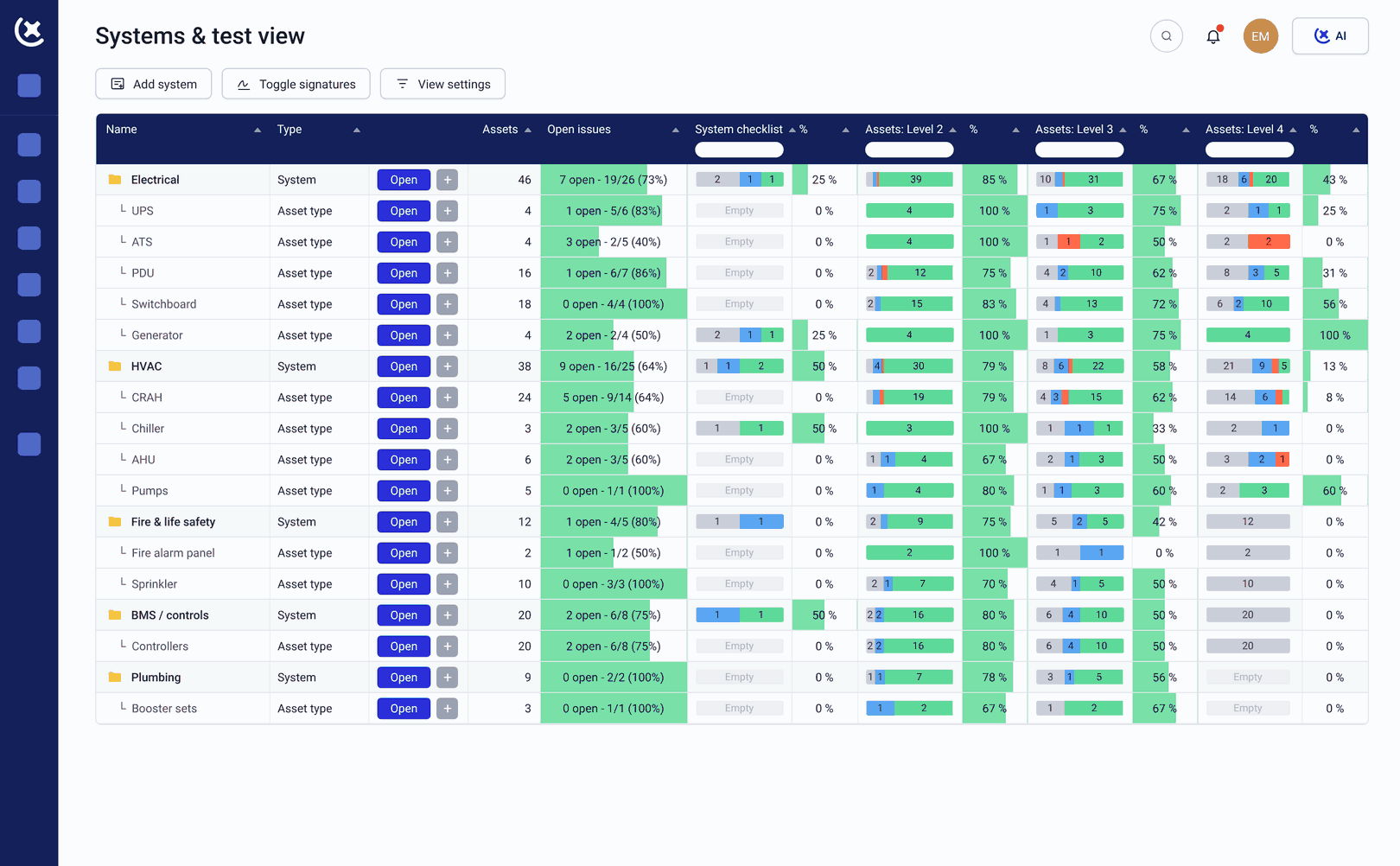
Photo evidence and sign-offs captured in the field
Field teams execute check-sheets, capture photo evidence, and record sign-offs on mobile or tablet. Comments, observations, and deficiencies attached directly to the asset. No paper, no re-entry back at the office.
Visual readiness over time, system by system
Visual readiness over time - which systems are on track, which are behind, and what the projected completion picture looks like. The programme director and owner see the same skyline view built from live commissioning and startup data.
What changes when systems readiness is automatically updated
The owner stops managing the gap between the commissioning team and the readiness programme.
Systems gaps surface in time to be fixed cheaply.
A deficiency caught at L3 is a field correction. The same deficiency caught at the readiness gate review is a schedule conversation. Live commissioning and startup visibility means the owner sees gaps the same day they appear.
No re-entry between commissioning and readiness.
Because both programmes run in the same platform, the data the Cx team generates during commissioning and startup is the same data that populates the systems readiness record. Nothing is transferred. Nothing is lost.
Systems readiness is proven.
At handover, the systems readiness record is built from the actual commissioning data - test results, gate sign-offs, deficiency closures. The owner does not assert that systems are ready. The platform demonstrates it.
See how CxPlanner handles your commissioning and startup programme
If your systems readiness picture currently depends on what the Cx team chooses to report, book a walkthrough. We will show you what live commissioning and startup visibility looks like in the readiness dashboard.
Book a demoRequest a walkthroughCommon questions about systems readiness and commissioning
Does CxPlanner connect commissioning and operational readiness in one platform?
Yes. CxPlanner's commissioning, completion, and operational readiness products share the same platform. The owner sees commissioning and startup data live in their readiness dashboard - without a separate reporting step from the Cx team.
How does systems readiness connect to the three-pillar model?
Systems readiness is the first pillar - verifying that physical systems work as designed through commissioning and startup. CxPlanner connects all three pillars (systems, people, information) in one operational readiness platform, so the owner sees a complete readiness picture.
Can the owner see commissioning progress without being involved in the day-to-day work?
Yes. Owners access the same live dashboard the Cx team uses - without participating in the commissioning and startup workflow. They see test programme status, gate progress, and open deficiencies in real time.
What happens to systems readiness data at handover?
The systems readiness record is built from the actual commissioning and startup data accumulated throughout the programme. At handover, the record is complete - drawn from live data, not compiled from scattered sources.