Operational readiness manager insight, live across every system
As an operational readiness manager or owner representative, your job is to know whether the facility will be ready - not to compile the evidence yourself. CxPlanner gives owners and developers a live readiness picture across systems, people, and information that updates automatically from the work happening in the field. The answer is always current. You do not have to ask for it.
Book a demo
Used by owners, developers, and operational readiness managers to track Day 1 readiness without chasing the delivery team.
Owners and developers see commissioning through reports compiled by someone else
Status exists. You just cannot see it in real time.
The Cx team knows where the programme stands. The OR&A team knows what is outstanding. The documentation lead knows what is missing. As owner project manager commissioning representative, you find out at the weekly meeting - or after something has already gone wrong.
Readiness across three pillars is never in one place.
Systems readiness sits in the commissioning tool. People readiness sits in HR or training systems. Information readiness sits in a shared drive. A single readiness picture means someone pulling all three together on request, not continuously.
The commissioning team and the readiness team measure different things.
Commissioning completion means systems are verified. Operational readiness means the facility can be operated. Run in separate tools, the owner is left reconciling two pictures to answer one question: are we actually ready?
Owners see live readiness - without asking the delivery team for a report
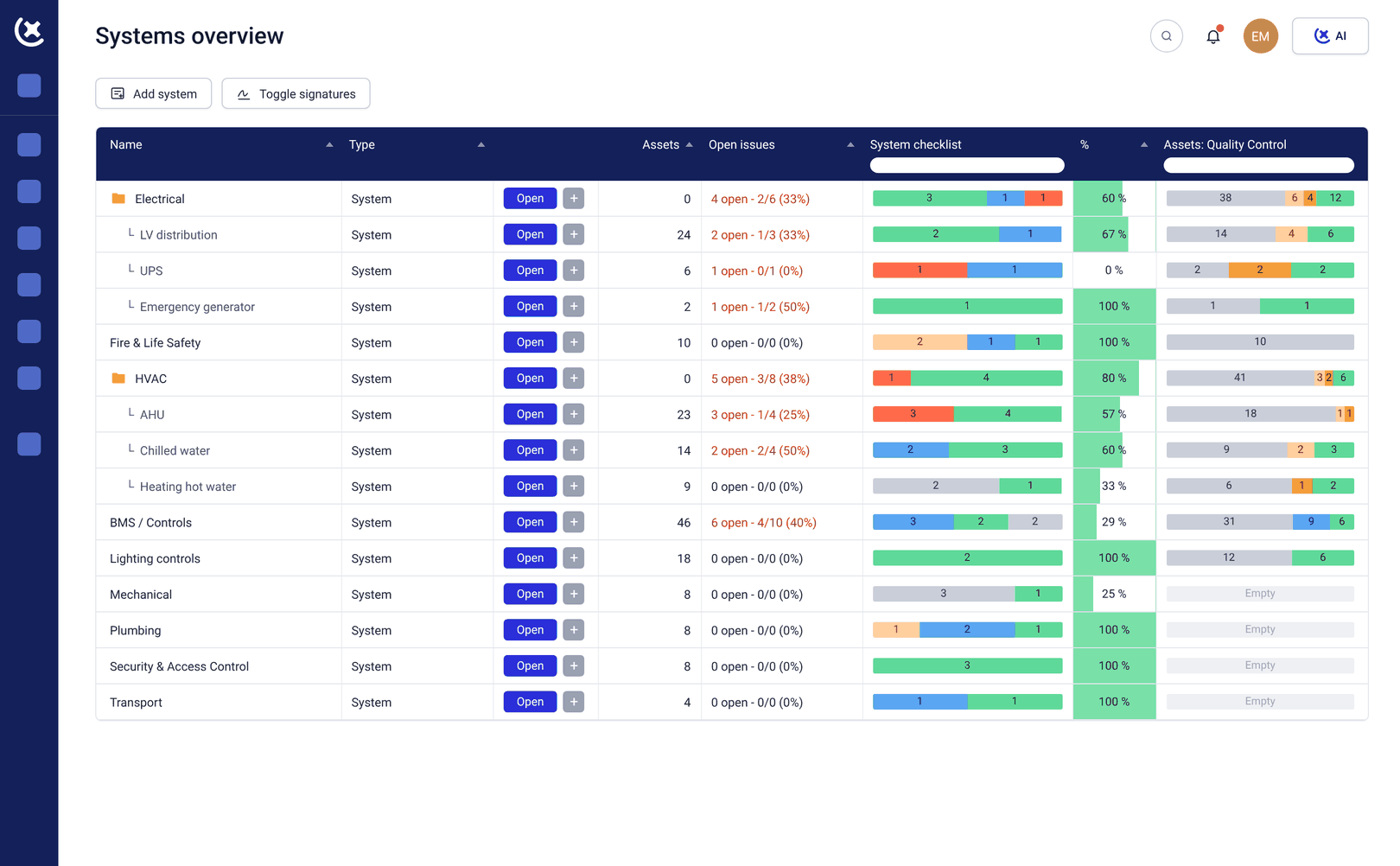
CxPlanner connects commissioning execution and operational readiness tracking in the same platform. The Cx team does their work in CxPlanner. The operational readiness team tracks training, documentation, and gate milestones in CxPlanner. The owner sees all of it - without an intermediate reporting step.
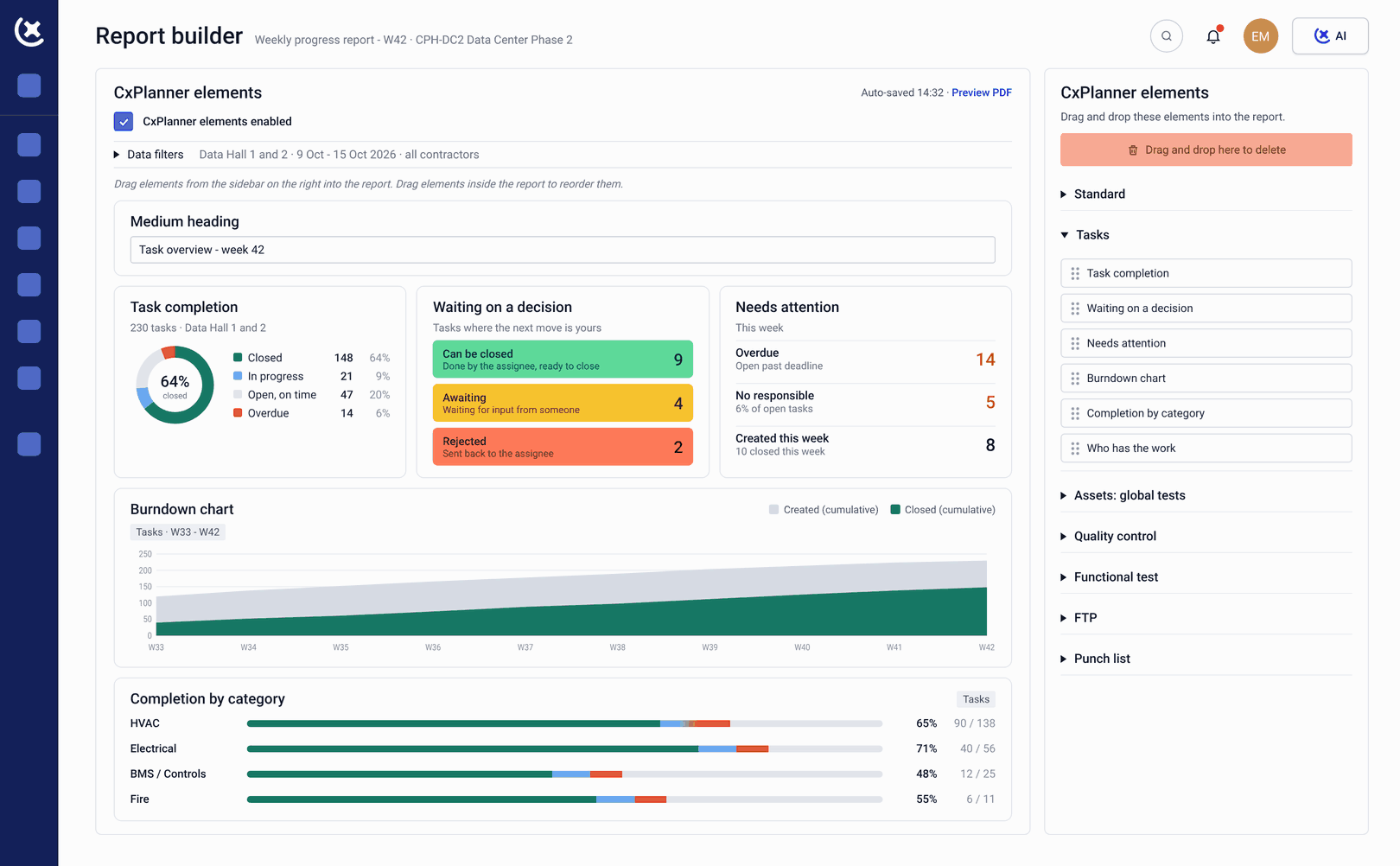
The operational readiness manager dashboard shows systems, people, and information readiness in real time. What is complete. What is outstanding. What is at risk of missing the Day 1 target. Updated from the work happening in the field - not compiled the night before you ask.
Readiness gates and contractual milestones are tracked as live items with the evidence attached. The owner does not have to trust a status report. The platform shows the actual commissioning records, training sign-offs, and documentation completions that underpin each gate.
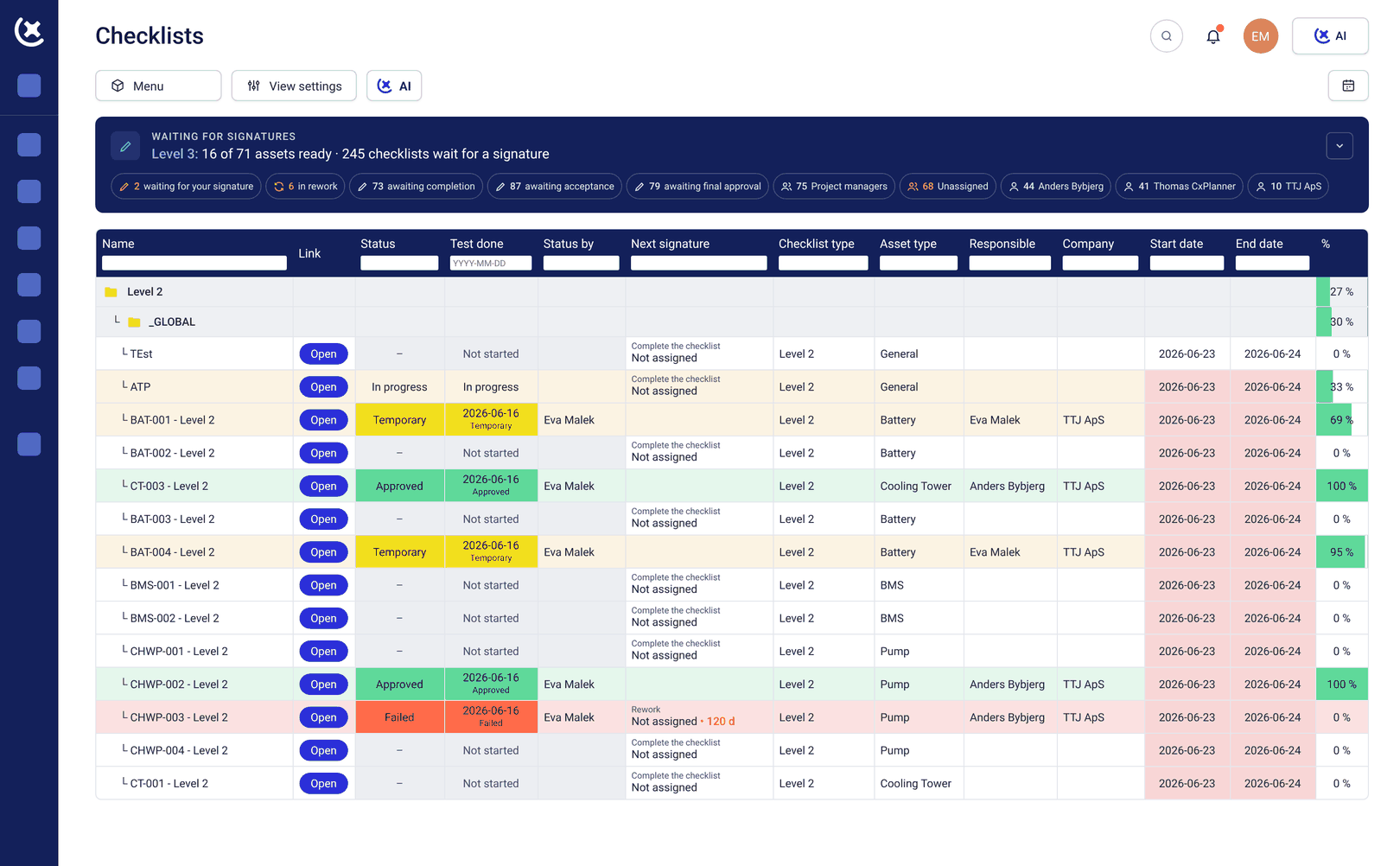
What CxPlanner gives owners and developers
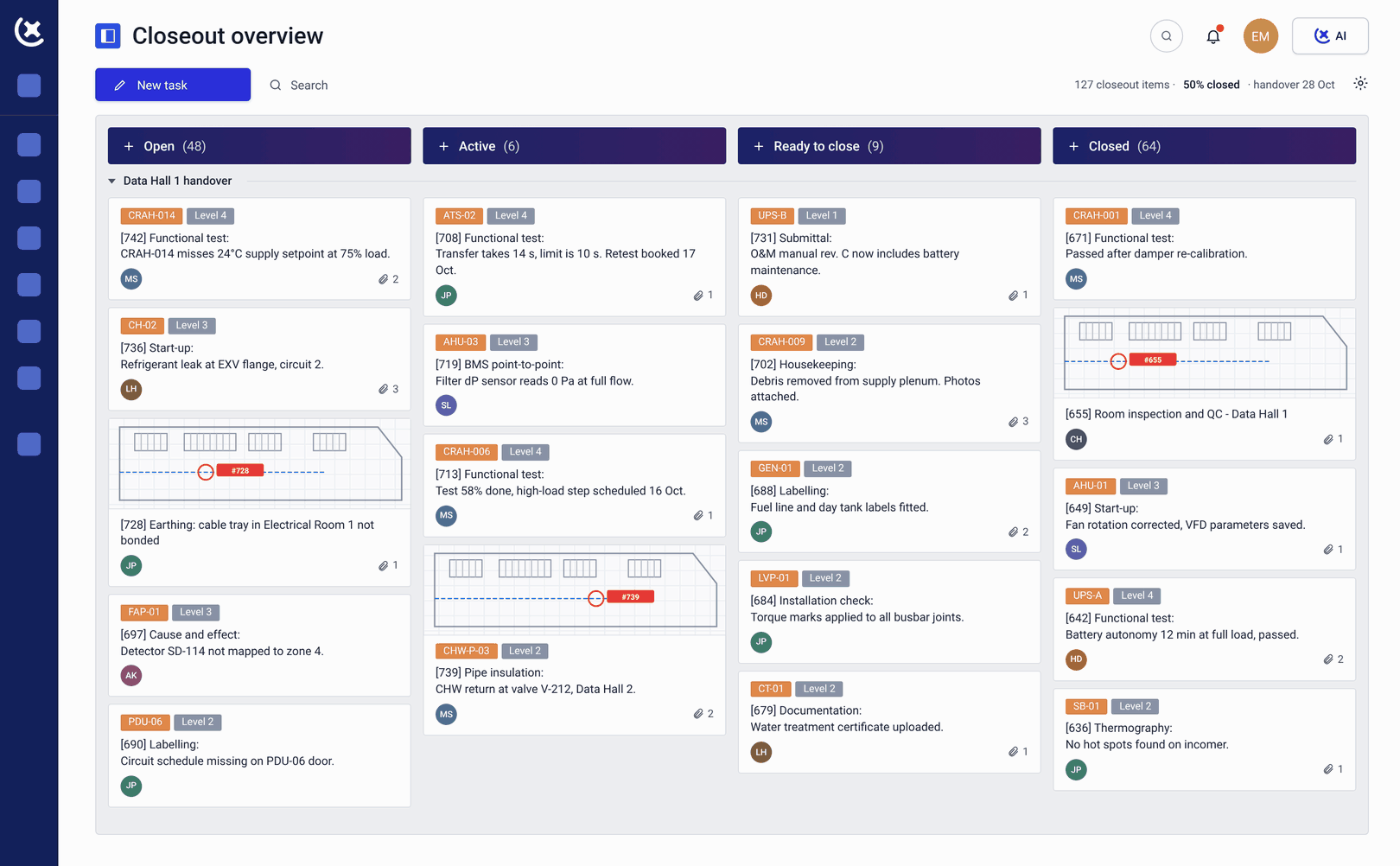
Current position across all three pillars
Systems, people, and information readiness visible in real time - updated automatically. The owner sees the current position across all three pillars without requesting a report or attending a status meeting.
Records, not a summary prepared for review
Contractual readiness milestones tracked as live gates. Each gate shows the commissioning records, training sign-offs, and documentation completions that demonstrate readiness - not a summary someone prepared for the review.
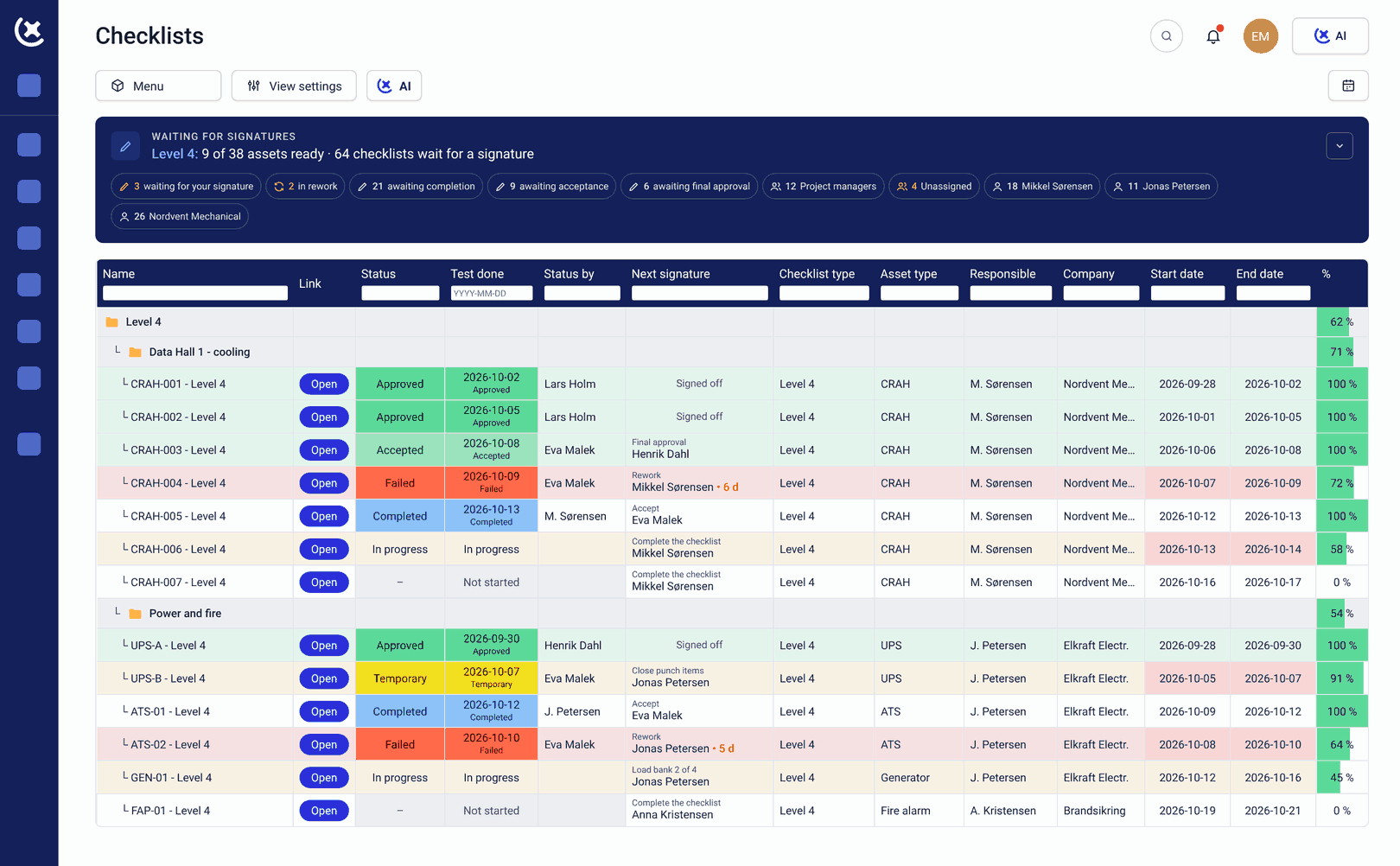
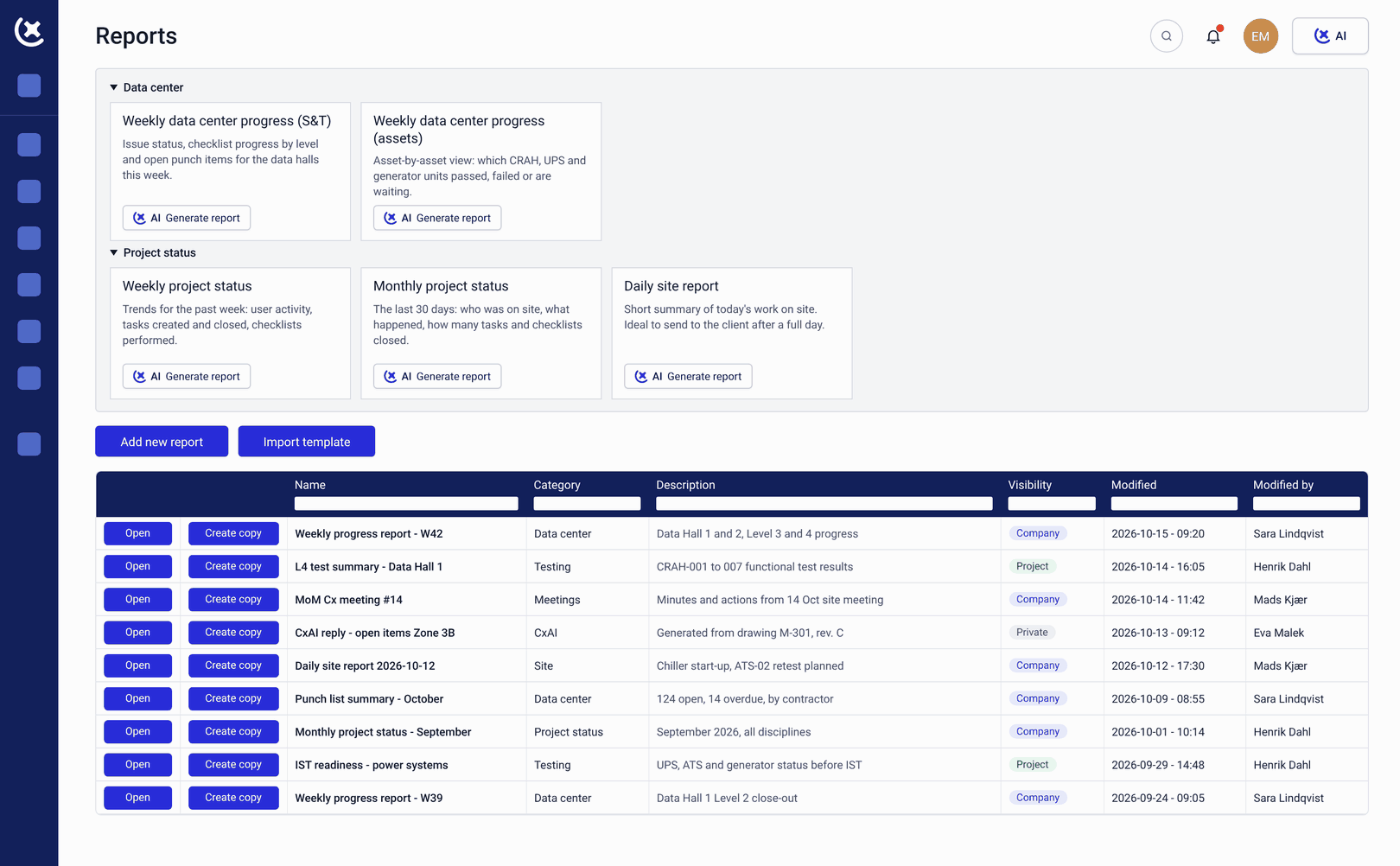
Weeks before the review, not the day before
Overdue items and at-risk milestones surfaced automatically. The operational readiness manager sees what needs attention weeks before a gate review - not the day before it.
The owner sees the data, not the tools
Owner-level access gives a complete readiness picture without requiring the owner to manage the delivery team's tools. The owner sees the data. The delivery team uses the platform to do the work. No separate system to maintain.
Not assembled retrospectively
Every test result, training sign-off, and gate confirmation logged with user and timestamp. For projects where Day 1 readiness is a contractual or regulatory requirement, the evidence trail is in the platform - not assembled retrospectively.
Key outcomes for owners and developers working with readiness
The weekly status call becomes optional.
When the readiness dashboard is always current, the owner does not need a weekly meeting to find out where things stand. The picture is there. The meeting becomes a decision forum, not an information transfer.
Gate decisions are made on what is actually true.
When gate evidence is drawn from live commissioning and readiness data, the owner is approving current status - not a compiled snapshot. Gate sign-offs carry the weight they should carry because the evidence is real.
Risks surface with enough time to act on them.
An overdue training milestone visible six weeks before Day 1 is a recoverable problem. The same gap discovered at the final gate review is not. CxPlanner gives the owner project manager commissioning representative continuous visibility - not periodic snapshots.
Related solutions
Day 1 assurance
The platform feature that tracks readiness across all three pillars against contractual Day 1 requirements.
Explore Day 1 assuranceFor program directors
The programme delivery perspective - gate management, multi-party coordination, and milestone tracking.
Explore program directorsSee what the owner's readiness picture looks like when it does not require a phone call
Most owners see commissioning through reports compiled by someone else. CxPlanner gives owners the live picture directly. Book a walkthrough and bring your current programme.
Book a demoRequest a walkthroughCommon questions from owners and developers
What does an operational readiness manager actually see in CxPlanner?
A live dashboard showing systems, people, and information readiness across the project - updated automatically from commissioning and OR activities. Outstanding items, at-risk milestones, and gate progress are all visible without requesting a report. The operational readiness manager sees what is actually true, not what was summarised for the last status meeting.
Does the owner need to be involved in the delivery team's day-to-day work to use CxPlanner?
No. Owner-level access gives a complete readiness picture without requiring involvement in delivery. The commissioning team and readiness team use CxPlanner to do their work. The owner sees the output of that work in real time - without managing a separate tool or requesting exports.
How does CxPlanner connect commissioning progress to operational readiness for the owner?
Commissioning execution happens in CxPlanner. As systems are tested and signed off, that data feeds the owner's readiness dashboard automatically. Systems readiness updates from the Cx team's work. People and information readiness update from the readiness team's work. The owner sees all three in one place.
What happens when the owner needs to demonstrate readiness to a lender, regulator, or insurer?
Every gate sign-off, training completion, and commissioning record in CxPlanner is logged with user, timestamp, and evidence. The audit trail is structured and retrievable from the day each activity is completed - not assembled before the review.