Asset manager commissioning data, linked to every asset
As an asset manager commissioning or operator lead, you inherit what the project team built. If the documentation is structured, searchable, and linked to the assets it describes, you can run the facility from the first shift. If it arrives as a folder of PDFs on a hard drive, you spend the first months rebuilding information the project team already had. CxPlanner determines which of those handovers you receive.
Book a demo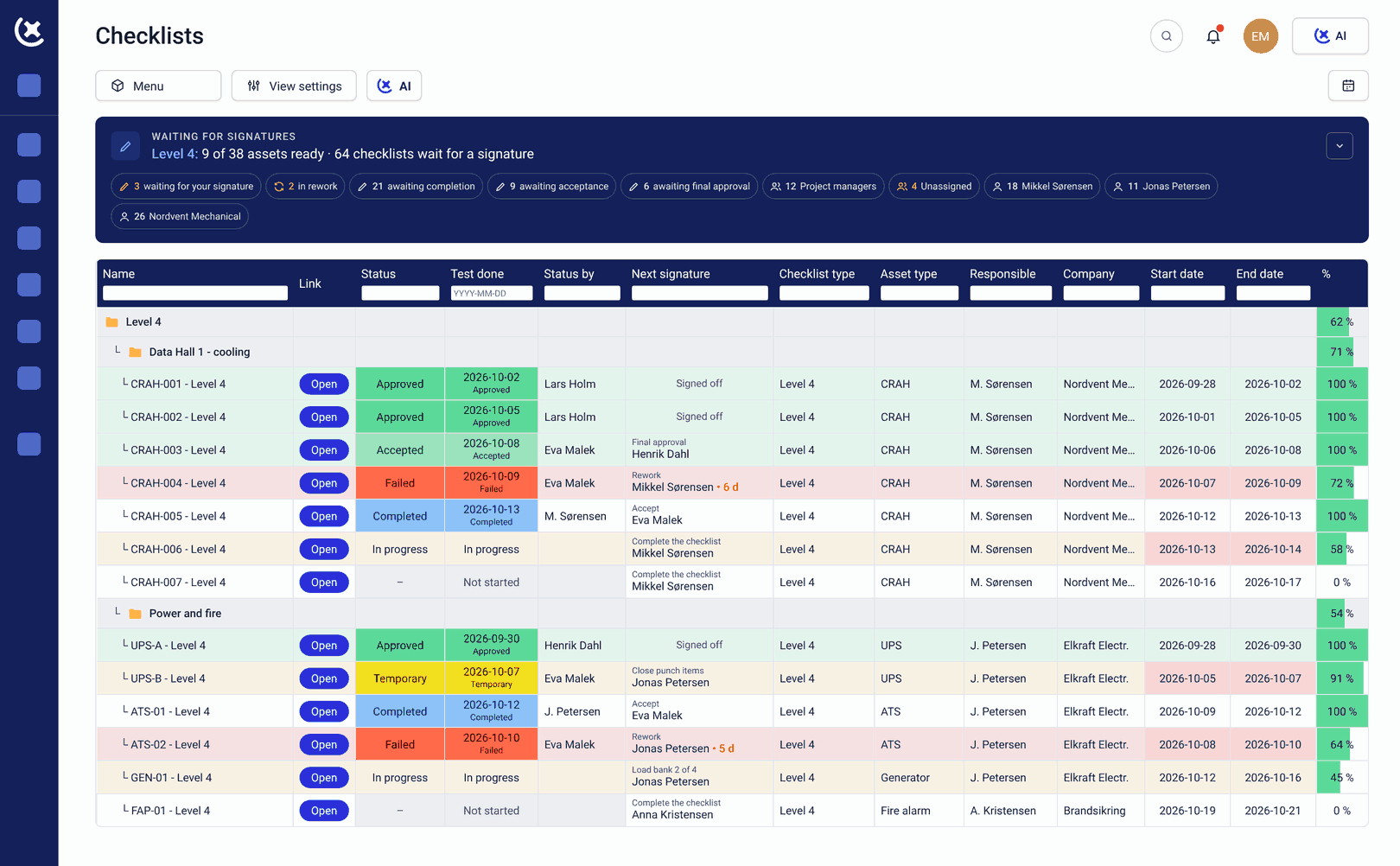
Used by operators and asset managers to inherit structured, asset-linked documentation from Day 1 of operations.
Operators inherit the consequences of how documentation was managed, good or bad.
The handover package is a folder.
Vendor manuals, test results, as-built drawings, and maintenance procedures filed by contractor and date. The maintenance engineer looking for the commissioning record for a specific pump navigates a project folder structure. Finding the right document takes longer than the actual maintenance task.
SOPs and runbooks weren't for the operator.
Operating procedures written under project schedule pressure are typically written against design intent. The operator receives documentation that is formally complete and practically inadequate. Gaps surface not in review but on the first fault.
Competency records have no connection to the assets they cover.
Training completions and sign-offs may exist somewhere. Whether the operator in front of a specific system is qualified to run it is a question that requires manually cross-referencing training records against asset assignments - a check that happens informally or not at all.
Asset-linked documentation and operator sign-off, built throughout the project.
CxPlanner builds the handover record throughout the project, so the asset manager commissioning team inherits structured documentation, not a compiled archive.
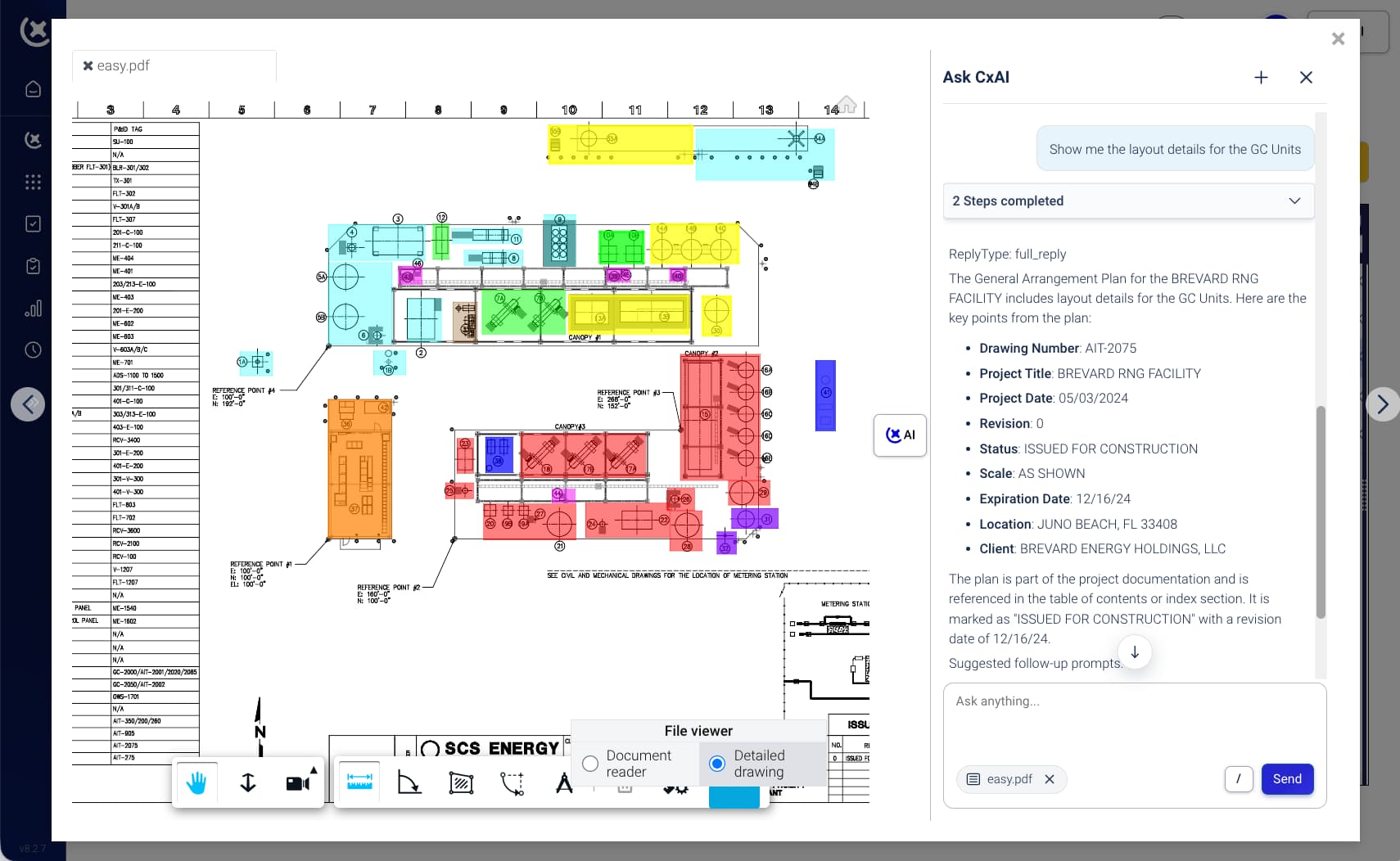
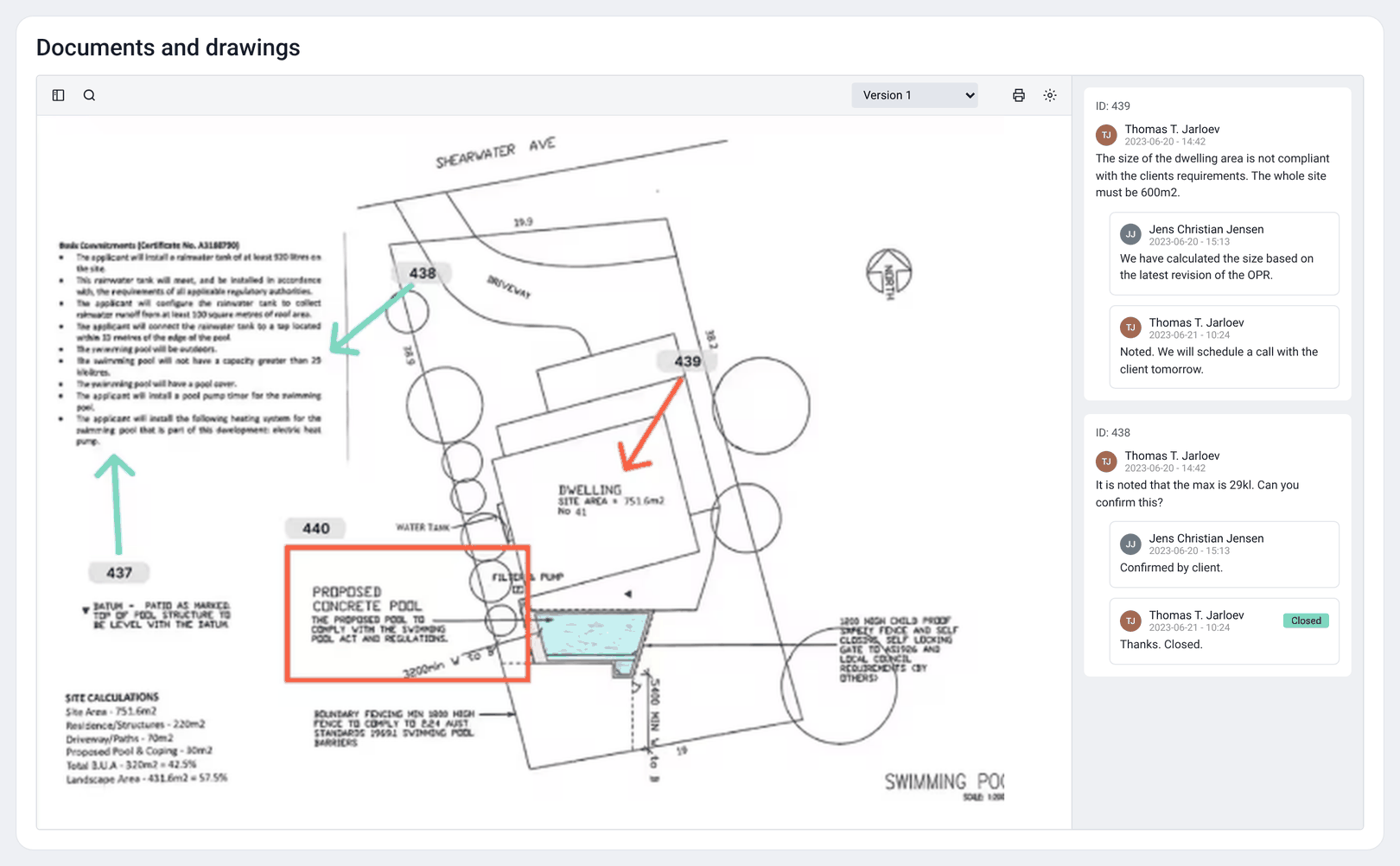
Every O&M manual, test result, and SOP is linked to its asset as the project progresses. The operator navigates by asset, not by contractor or date. Finding a maintenance procedure takes seconds, not a search through 4,000 files.
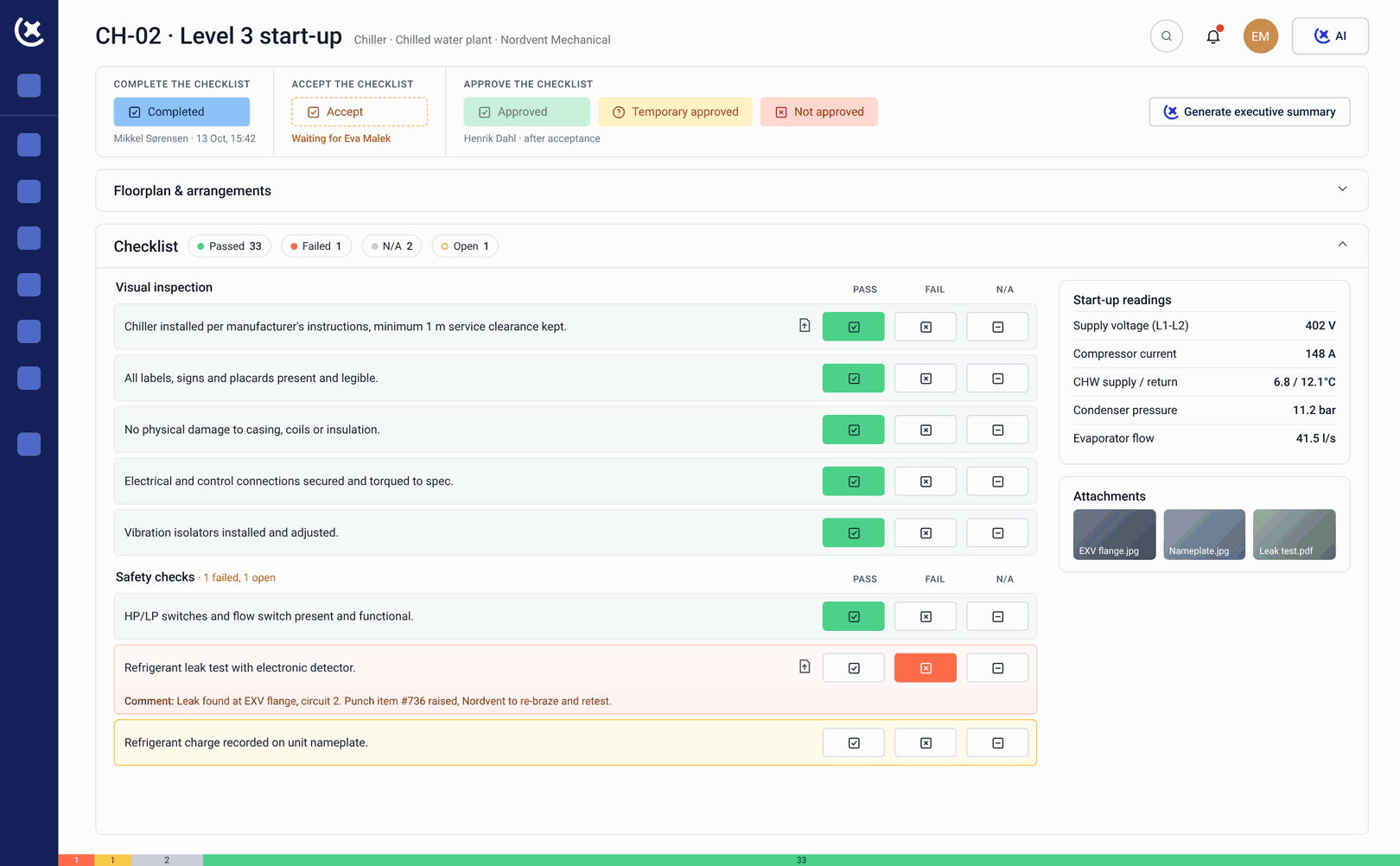
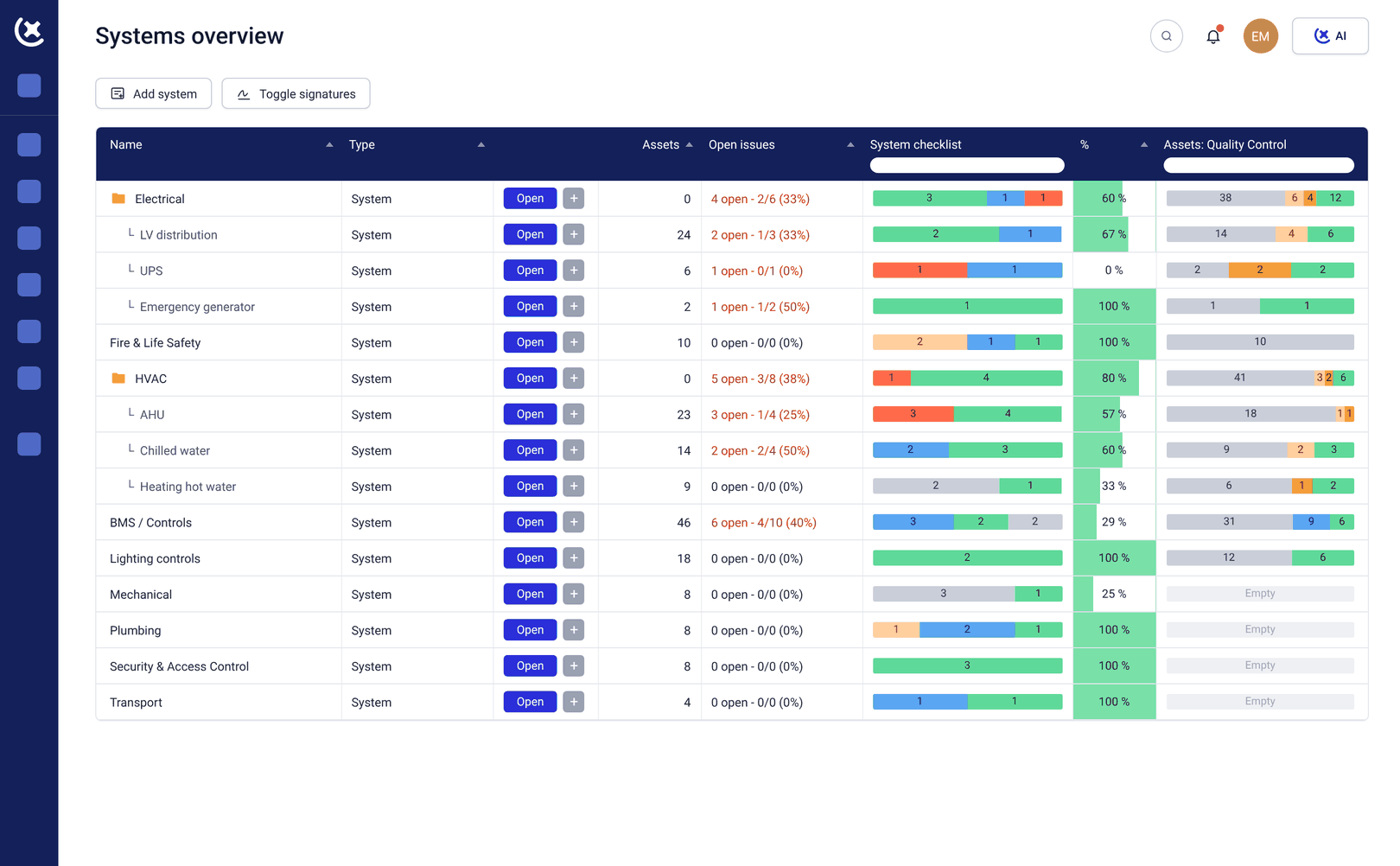
Operator training records are tracked alongside commissioning, linked to the assets each operator is qualified for. Before handover, the operations handover software record confirms who is signed off for what.
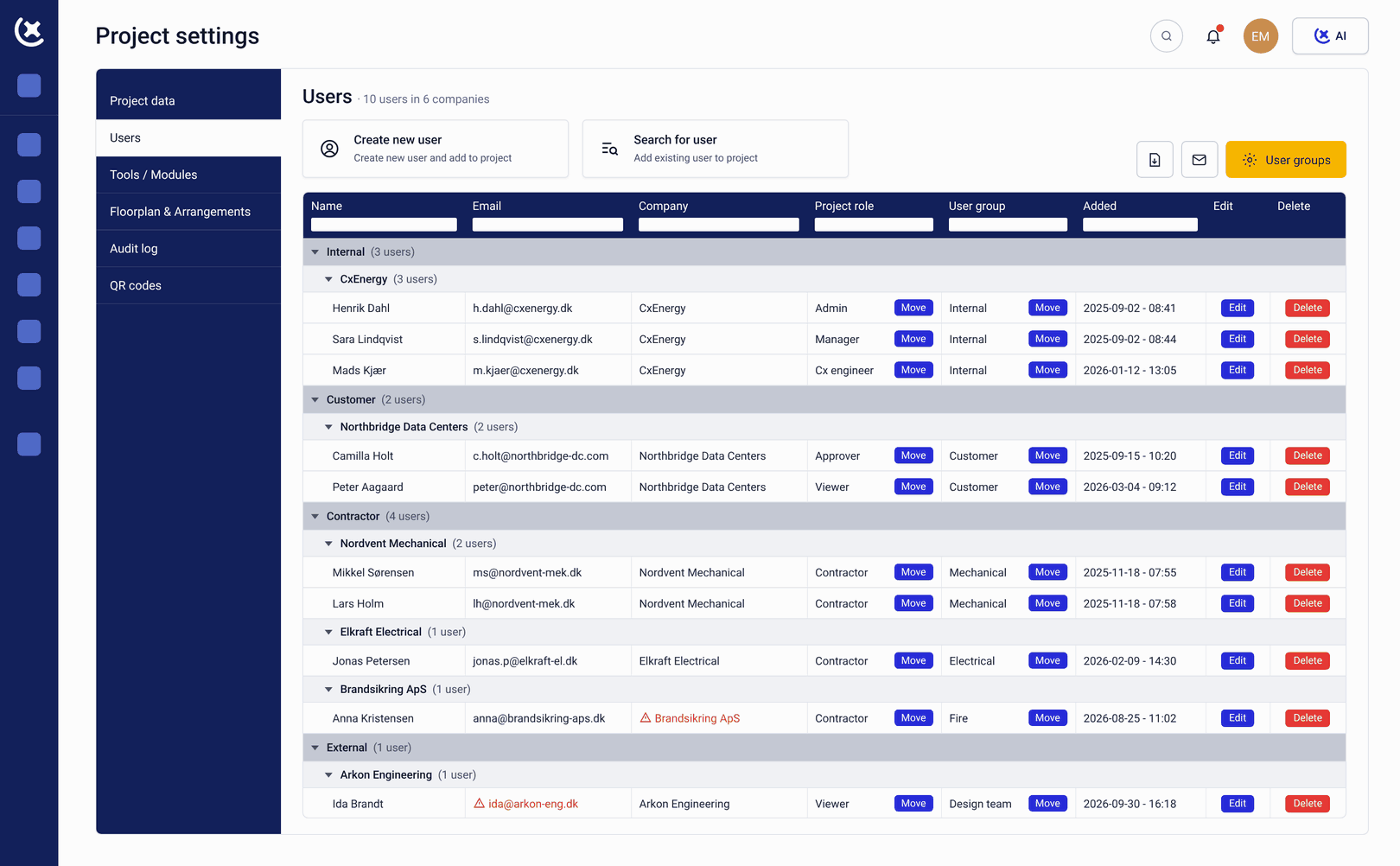
SOPs are written and reviewed inside CxPlanner as the project progresses, linked to the systems they describe and checked against actual commissioning behaviour.
What CxPlanner gives operators and asset managers
The right document found in seconds
O&M manuals, test results, inspection records, and SOPs linked to specific assets throughout the project. The operator navigates to the asset - not to a folder. The right document is found in seconds.
Who can operate what, before the team leaves
Operator training recorded against the specific assets each operator is qualified for. The handover record confirms who can operate what - before the project team leaves.
Written alongside commissioning, not at project close
Operating procedures written and reviewed inside CxPlanner alongside commissioning - linked to the systems they cover.
Known before the first unplanned event
Critical spares strategy and maintenance baselines built into the asset record throughout the project. The maintenance team knows what is on site and what each part belongs to before the first unplanned event.
Found on the floor, not at a desk
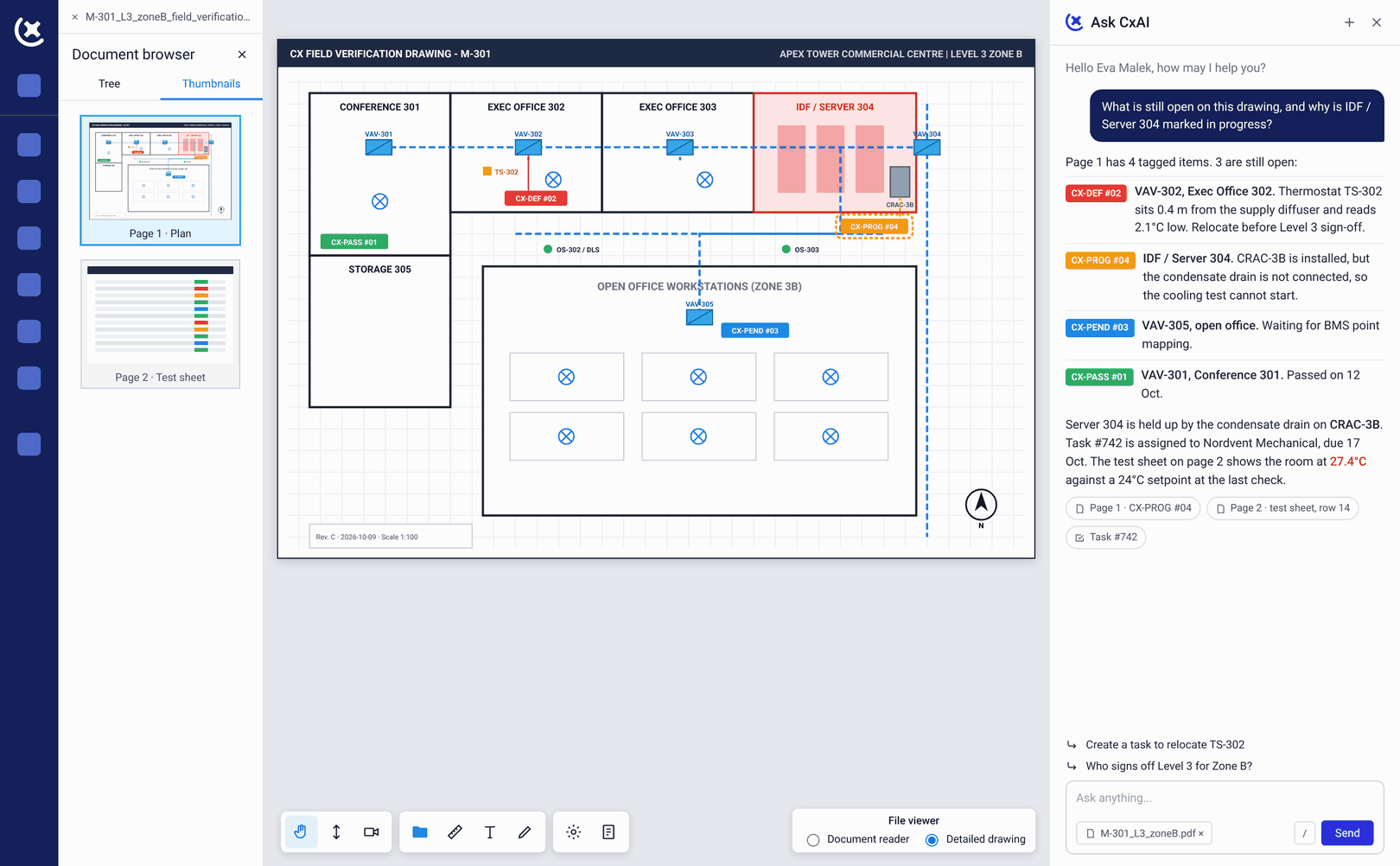
The complete asset manager commissioning and operational readiness record accessible on desktop, tablet, or mobile. The maintenance engineer finds what they need on the floor.
How the handover changes when it is built throughout the project
Day 1 means operating - not searching.
When documentation is asset-linked and searchable before the project team leaves, the operator can run the facility from the first shift. The first months are not spent rebuilding an information architecture that should have been built during the project.
The first breakdown is manageable because the information is there.
Maintenance procedure for the specific pump model. Spare part number and location. Commissioning test results confirming baseline performance. All linked to the asset. All there when needed - not retrieved from a project archive or a former team member's email.
Knowledge loss at handover becomes a solvable problem.
With CxPlanner, the institutional knowledge built during commissioning - system behaviour, configuration decisions, known edge cases - is captured in the platform before the project team demobilises. The operations handover software record includes what was learned throughout the process.
Related solutions
Information readiness
The platform feature for O&M documentation, SOPs, and asset-linked handover packages.
Explore information readinessPeople readiness
Operator training management and competency sign-offs linked to specific assets.
Explore people readinessHandover management
Sign-off workflows and digital handover package compilation throughout the project.
Explore handover managementSee the difference a structured handover package makes
Most handover packages are structured for project delivery - not for the maintenance team that will use them. CxPlanner builds the record for the operator from the start. Book a walkthrough.
Book a demoRequest a walkthroughCommon questions from operators and asset managers
What does an operator or asset manager actually receive from a CxPlanner project?
A structured, asset-linked documentation record: O&M manuals and test results linked to specific assets, SOPs reviewed against actual commissioning behaviour, operator competency sign-offs recorded against the assets they cover, spare parts data and maintenance baselines loaded against specific equipment. Navigable by asset on desktop, tablet, or mobile.
How does CxPlanner handle the transition from the project team to the operations team?
Handover workflows in CxPlanner confirm that operators are trained, signed off, and ready to take responsibility for each system before the project team demobilises. The asset manager commissioning record reflects who is qualified for what - documented, timestamped, and linked to specific assets.
What happens when the operator needs to find documentation for a specific piece of equipment?
They navigate to the asset in CxPlanner. Every document linked to that asset - O&M manual, test results, commissioning sign-offs, maintenance baselines - is there. No folder structure to navigate. No search across a shared drive. The right document in seconds.
Does CxPlanner connect to a CMMS for ongoing maintenance?
Asset data in CxPlanner is structured for downstream CMMS integration using standard reference taxonomy. The maintenance team inherits a usable, structured asset record - not a spreadsheet of tag numbers to re-enter into Maximo, SAP PM, or similar systems.