
The data center commissioning platform for asset & system testing at scale
Most commissioning tools are not built for the Level testing model. CxPlanner is. The data center commissioning platform connects L1 through L5 testing, scheduling, asset records, system structures and (sub)contractor check-sheets in one software platform, so the owner Cx team sees the full program - in real time.
Book a demo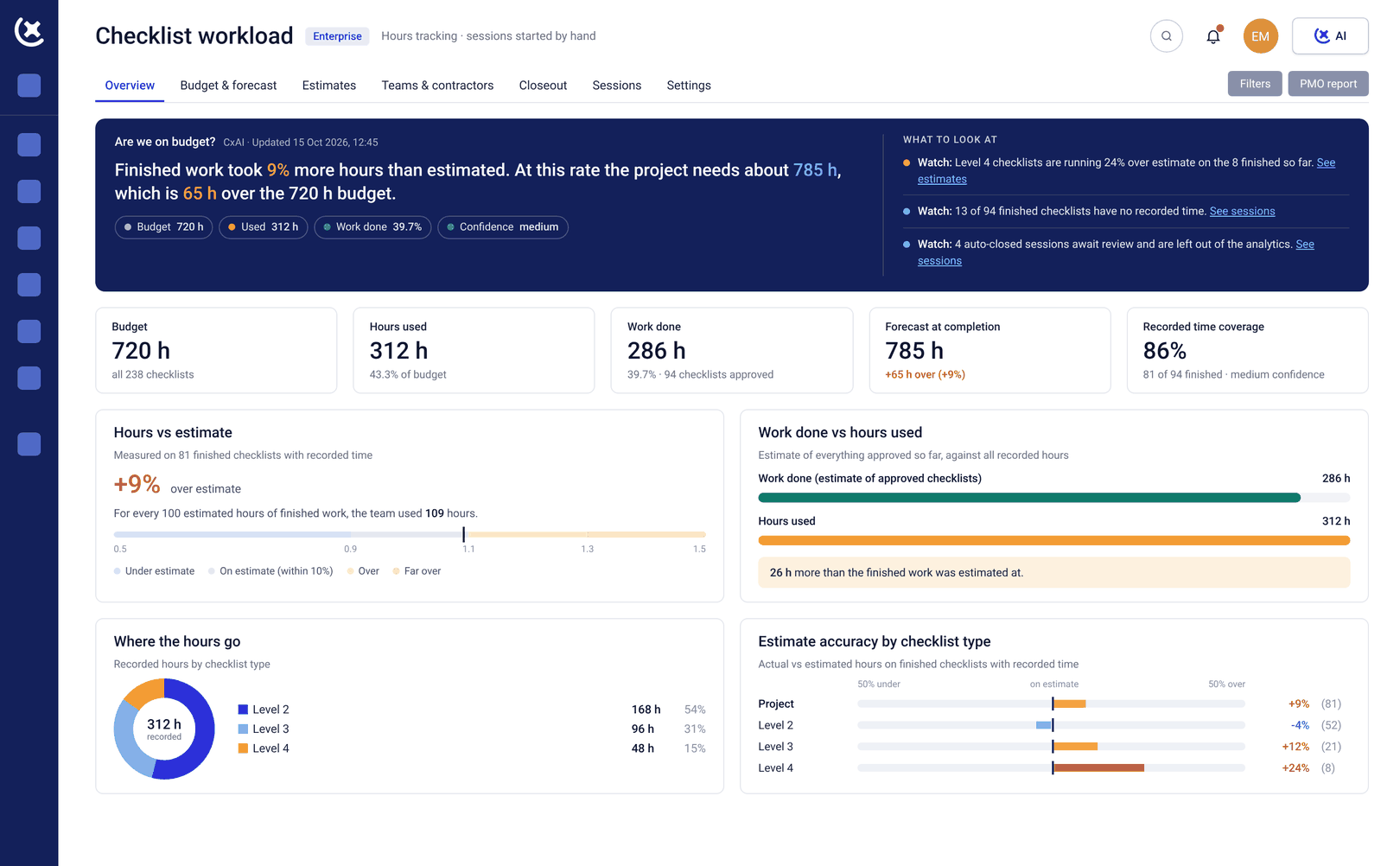
Used by commissioning teams on hyperscale, colocation, and enterprise data center projects worldwide.






Why choose the CxPlanner data center commissioning platform
Built for the Level testing model. CxPlanner structures the full commissioning program around L1-L5 and any system testing from the start. Every asset, check-sheet, and test result belongs to a level - and carries the color tag that goes with it, Red through White. Gate enforcement is in the system.
One platform for the owner Cx team and every subcontractor. Electrical and mechanical subcontractors, the owner Cx team, and the project owner all work in the same data center commissioning platform. No separate logins to separate tools. No weekly reconciliation across systems.
75% time saving on data capture with CxAI. CxAI syncs nameplate data, extracts tags from P&IDs, and generates test scripts - removing the manual data entry that slows every L2 and L3 cycle. It even creates your reports and insights on the fly for you! Documented from real project usage.
Schedule and test program in the same system. CxPlanner replaces Smartsheet for commissioning scheduling on data center builds. The commissioning process runs from real project data - so the picture the owner Cx team sees is the one currently on site.
One platform from first inspection to final handover
CxPlanner replaces the disconnected stack of spreadsheets, shared drives, and email threads with a single connected platform - built specifically for commissioning workflows on complex projects.
Every asset, checklist, test script, issue, and sign-off lives in one place. Status is live. Documentation is generated automatically. The Cx lead sees the full picture. Subcontractors work from clear assignments. Owners get reporting without the team stopping to compile it.
And CxAI removes the admin work that fills the hours between actual commissioning - generating test scripts, summarizing project status, drafting follow-up emails, and analyzing field data as it comes in.
One platform, every use case.
Planning & scheduling
Sequence the full commissioning program so nothing depends on someone remembering the next step.
See how scheduling works
Execution & tracking
Run tests and track status from the field, so issues surface immediately instead of at handover.
See how tracking works
Managing quality & issues
Capture, assign and close out punch items before they pile up into a handover backlog.
See how issue tracking works
Replacing Excel & manual workflows
Move off spreadsheets and Word documents onto one live system that everyone actually updates.
See how the switch works
Collaboration across teams
Keep owners, CxA and trades in sync, so no one is working from an outdated version.
See how teams stay in sync
Everything your commissioning program needs - connected
Checklists, L1-L5, & QA/QC
Electrical and mechanical subcontractors complete check-sheets directly in CxPlanner data center commissioning platform - on mobile or tablet, to the documentation standard the Cx team requires. After that system based integration checklists combine these data points on a higher level.
CxAI generates checklist templates from project documentation when the library does not already cover what you need. First-submission rejection rates drop. L2 and L3 gates close faster.
Learn more about checklists & QA/QC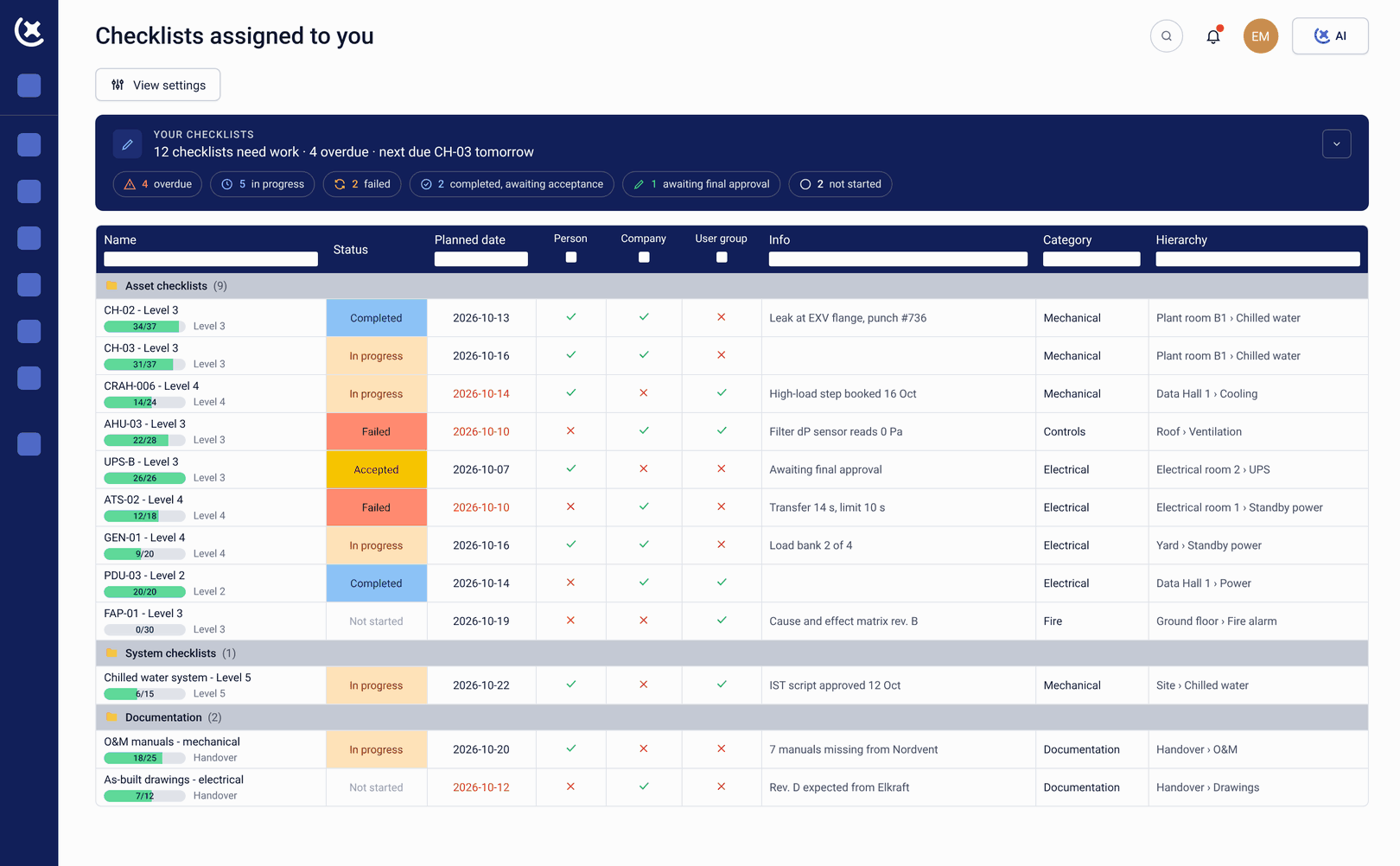
Global test view
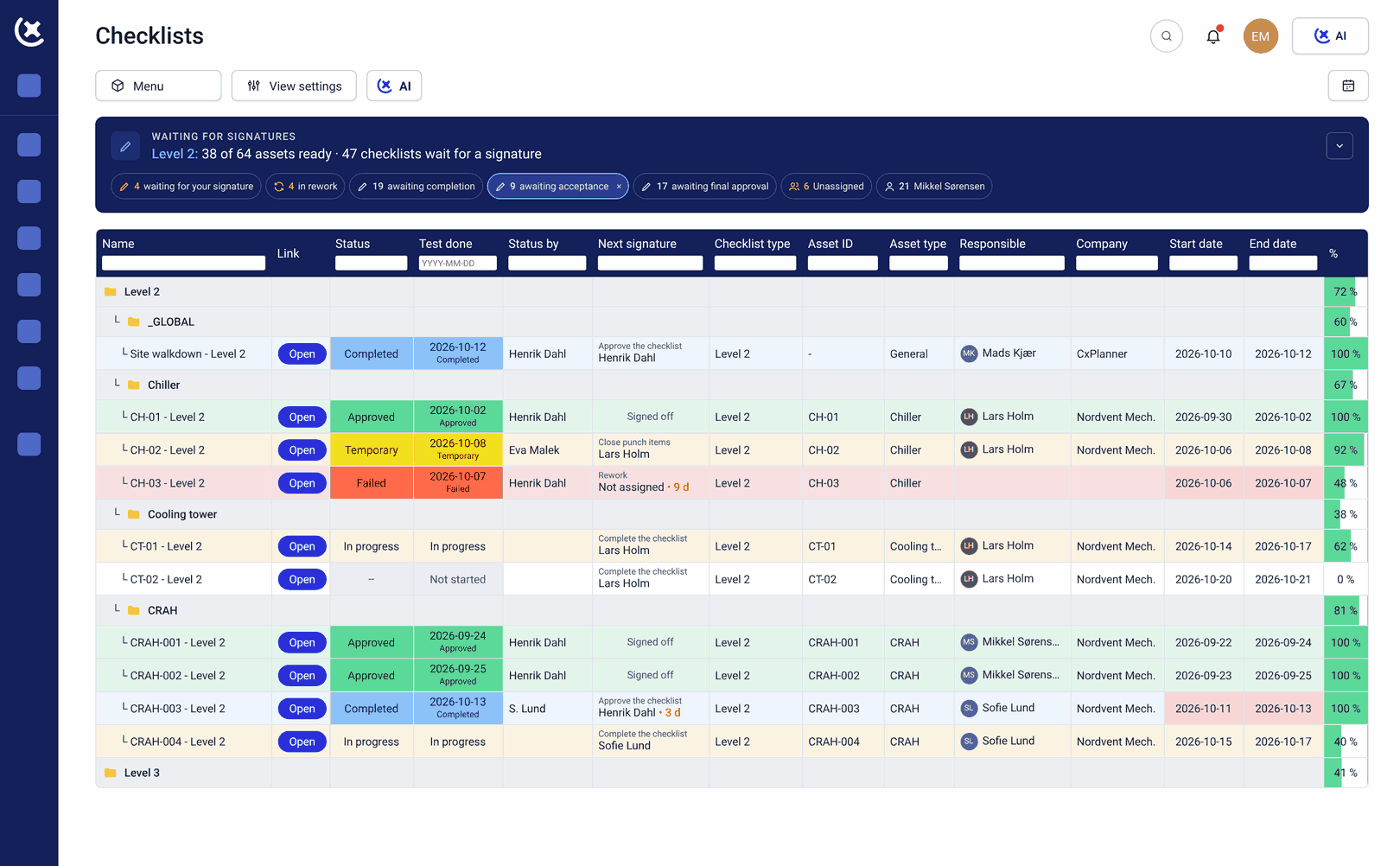
Imagine seeing the progress of all systems and assets in one overview. And when you need to dive in and see the actual progress of L3 on Rack PDU's; well, then it's just 3 clicks. That's CxPlanner data center commissioning platform.
The owner Cx team sees what is signed off, what is in progress, and what is blocked. Gate enforcement is built in: L4 cannot start until L3 is complete. Every asset carries its color tag, so status reads at a glance, whether the Cx team is looking at a dashboard or standing in the plant room. Data center testing status is always up to date.
Learn more about global test viewPlanning & scheduling
The commissioning schedule is built from the assets and tests already in the platform - not created separately in Smartsheets or Primavera P6 and synced manually every time there's an update.
Dependencies between levels and even between subcontractor scopes are tracked in the same system as the tests. A change on site updates the schedule automatically. The commissioning process runs in one system.
Learn more about planning & scheduling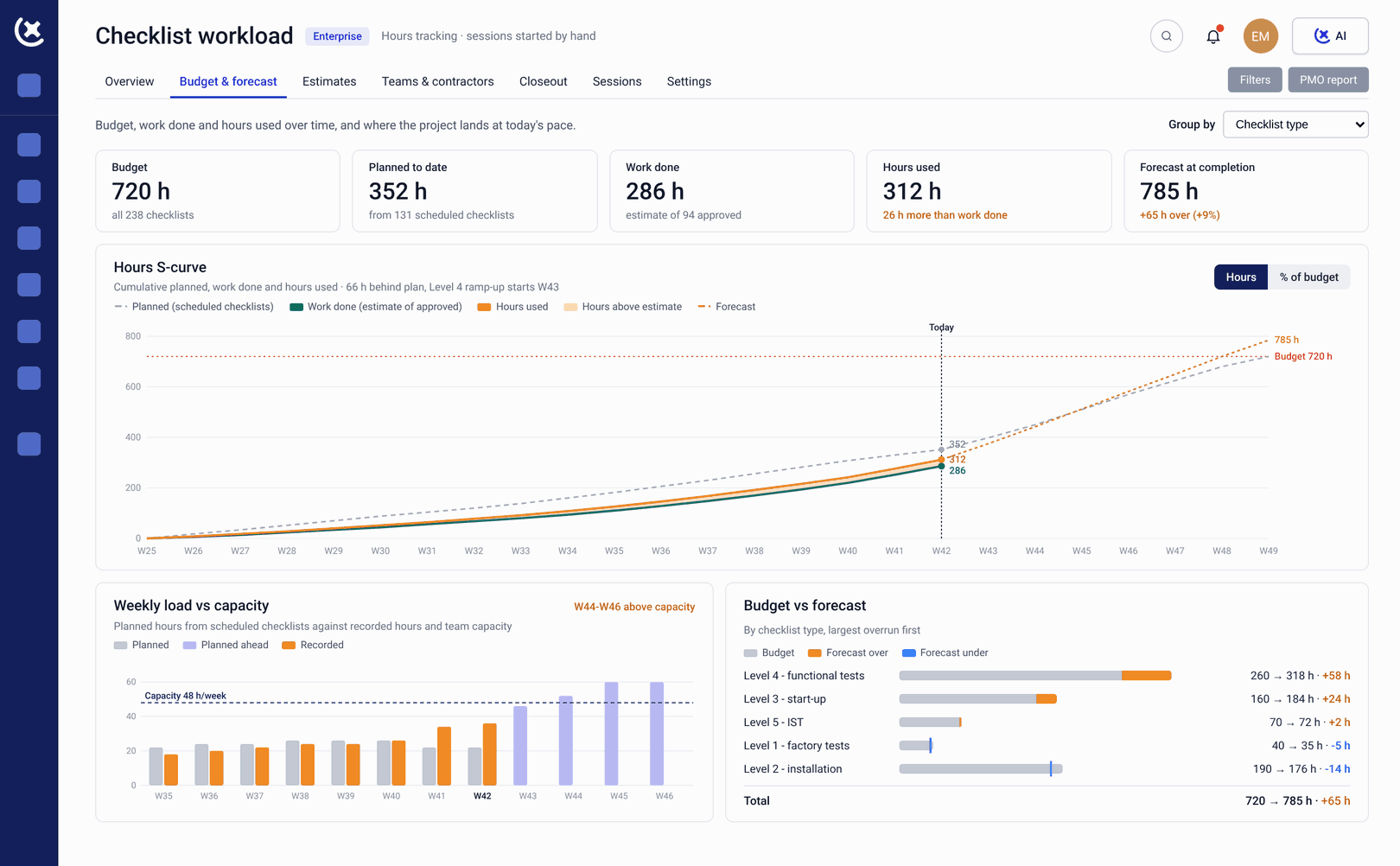
One platform, every industry.
Hyperscale
Run the same commissioning structure across every facility in the portfolio, with consistent checklists and reporting no matter the site.
See how hyperscale works
Colocation
Give every tenant and owner the same level of test visibility, without manually rebuilding reports for each customer.
See how colocation works
Enterprise
Bring corporate data center delivery up to the same commissioning standard used on critical infrastructure projects.
See how enterprise works
Edge data centers
Standardize commissioning across distributed, smaller-footprint sites without losing track of any single facility.
See how edge works
Modular DC commissioning
Track FAT and SAT as one commissioning record per module, with templates that carry over to every new deployment.
See how modular works
Issue resolution log
Every punch item tracked from site to sign-off, across all subcontractor scopes, in one live log. Issues are raised on mobile with photos and floor plan location attached at the point of logging.
CxAI finds overdue items and drafts follow-up emails. The owner Cx team stops chasing individually and sees every blocker the day it appears.
Learn more about issue resolution log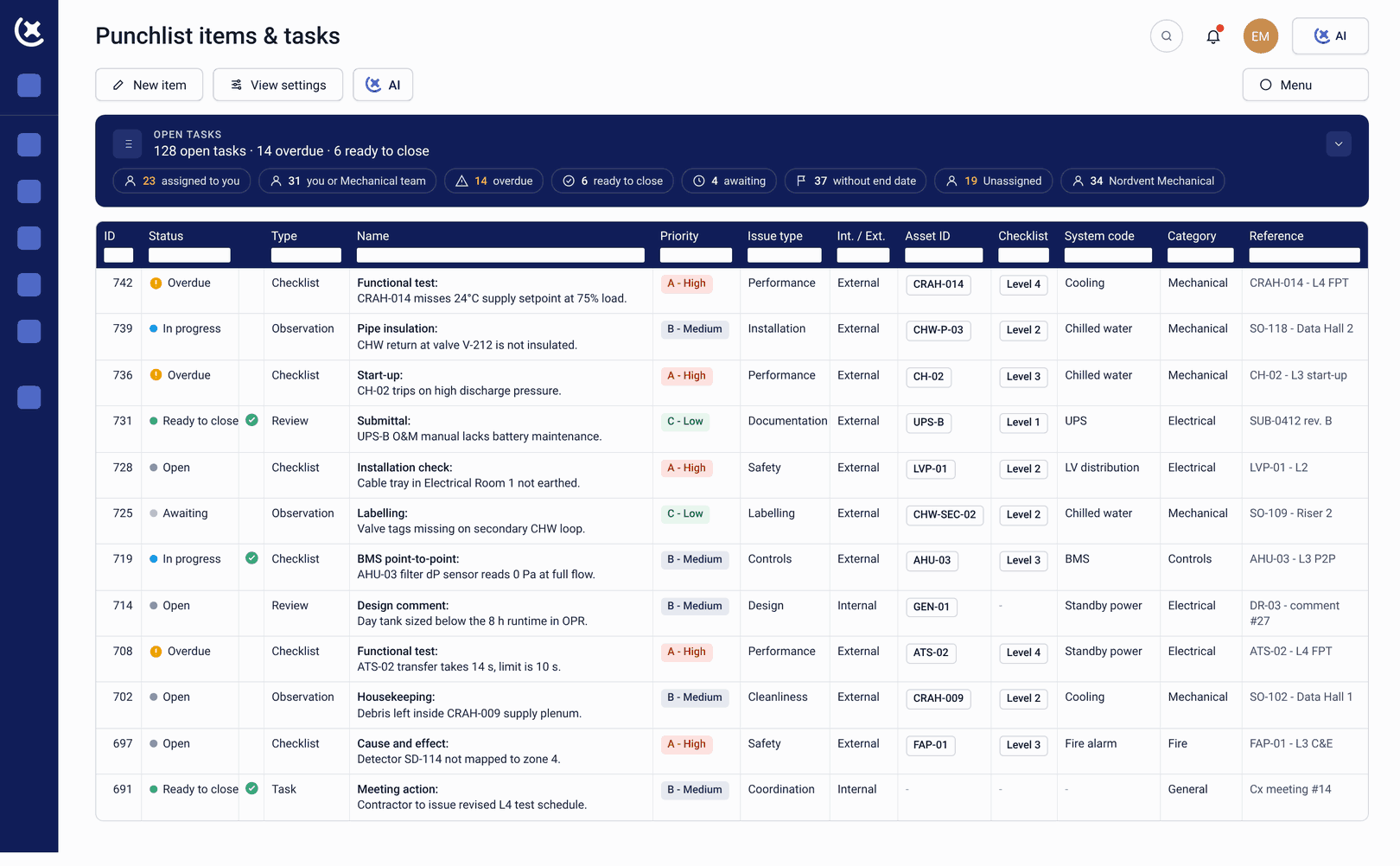
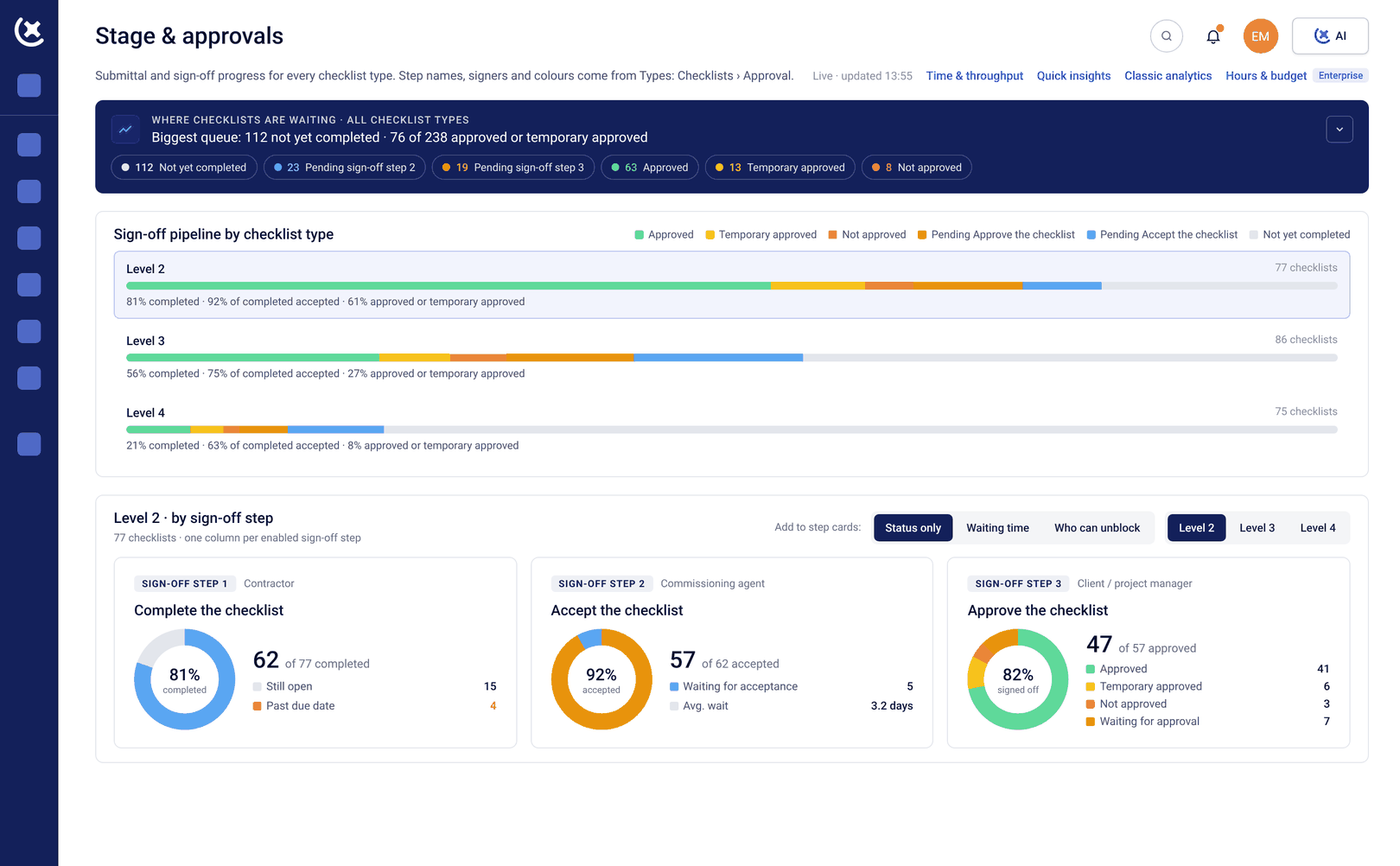
Live dashboards & progress analytics
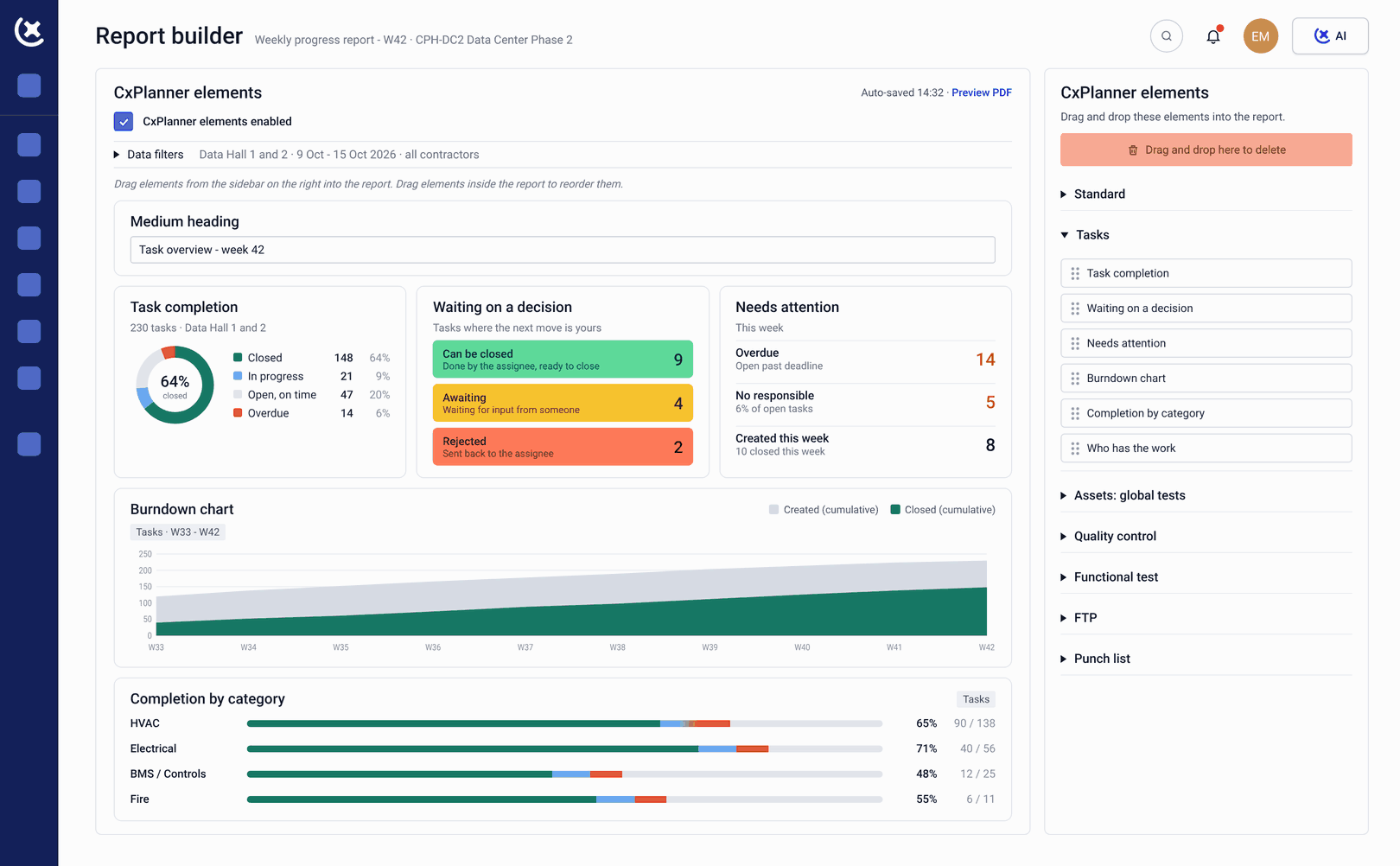
Live progress dashboards across all Levels, all subcontractor scopes, and all systems. The Friday afternoon status report compiles itself. Blockers surface automatically.
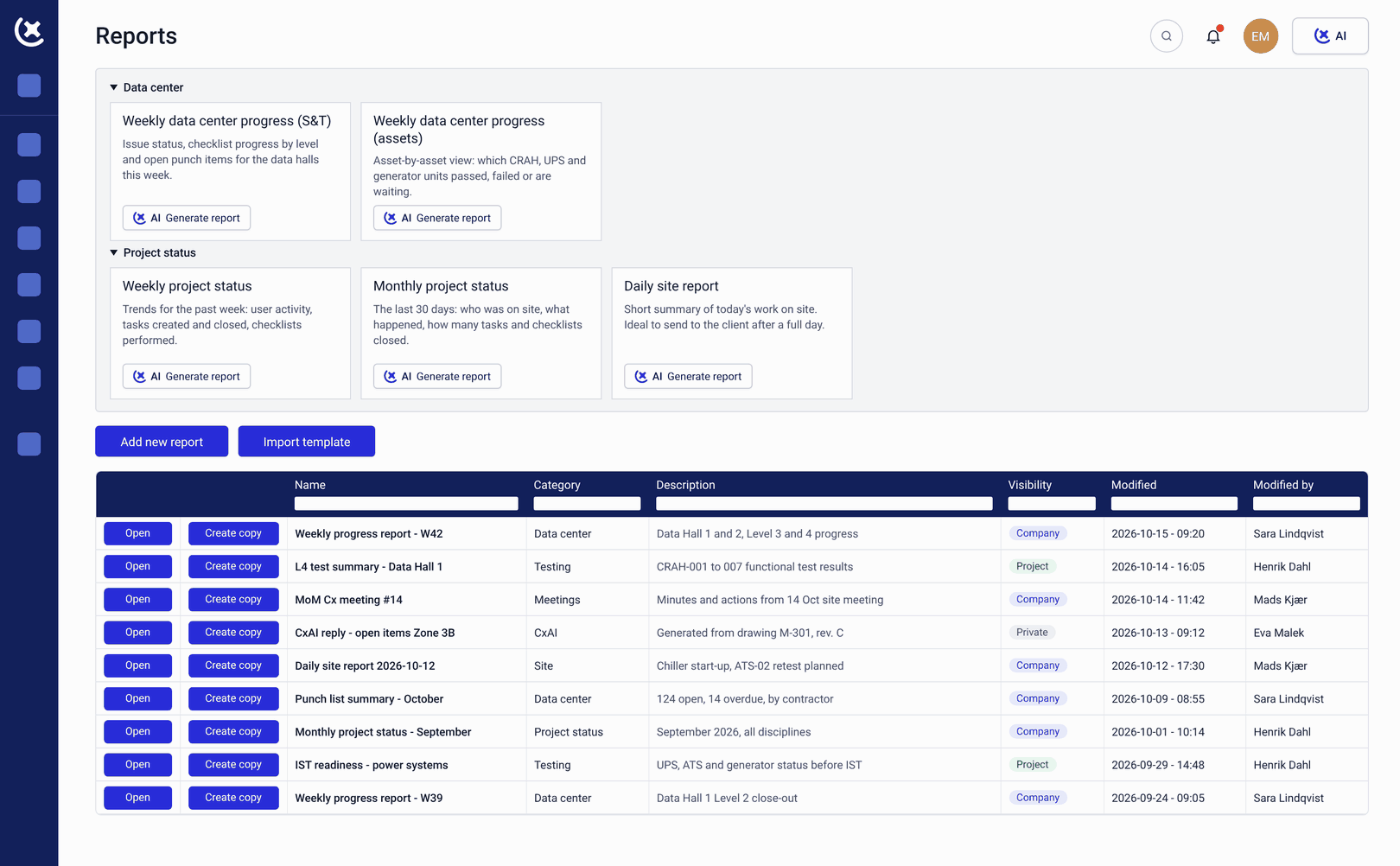
Need a specific insight? Ask the CxAI to create custom reports for you and send them out with one click. Owners and clients see the same live data the Cx lead sees - without waiting for a weekly update. The CxPlanner data center commissioning platform reflects what is actually on site.
Learn more about dashboard and analyticsTemplate Center
A shared library of commissioning checklist templates for L1 through L5 - version-controlled, accessible to the whole team, and generated by CxAI from project documentation when needed.
Once the template is approved, use CxPlanner's automated workflow to import thousands of assets with a click of a button.
Learn more about template center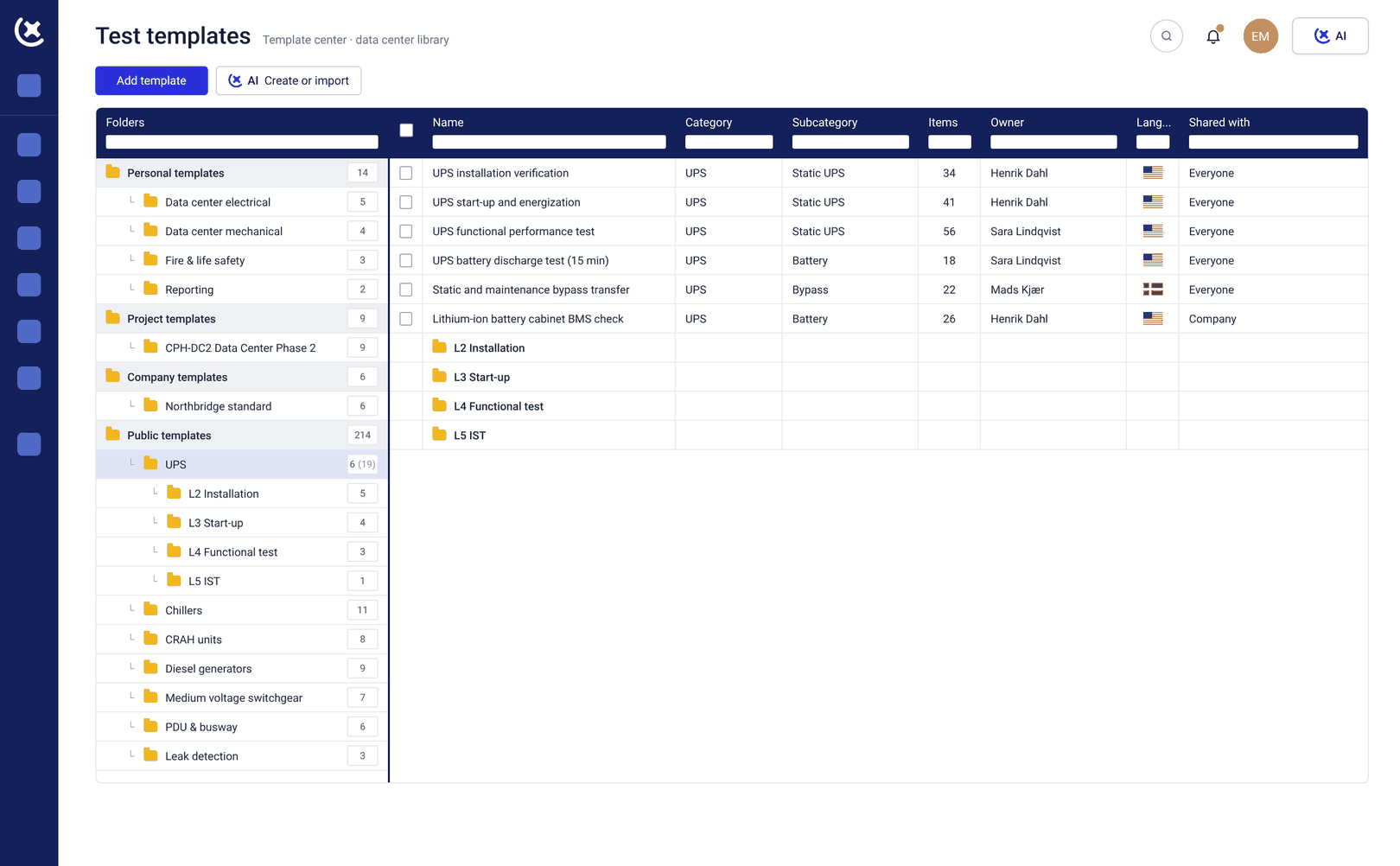
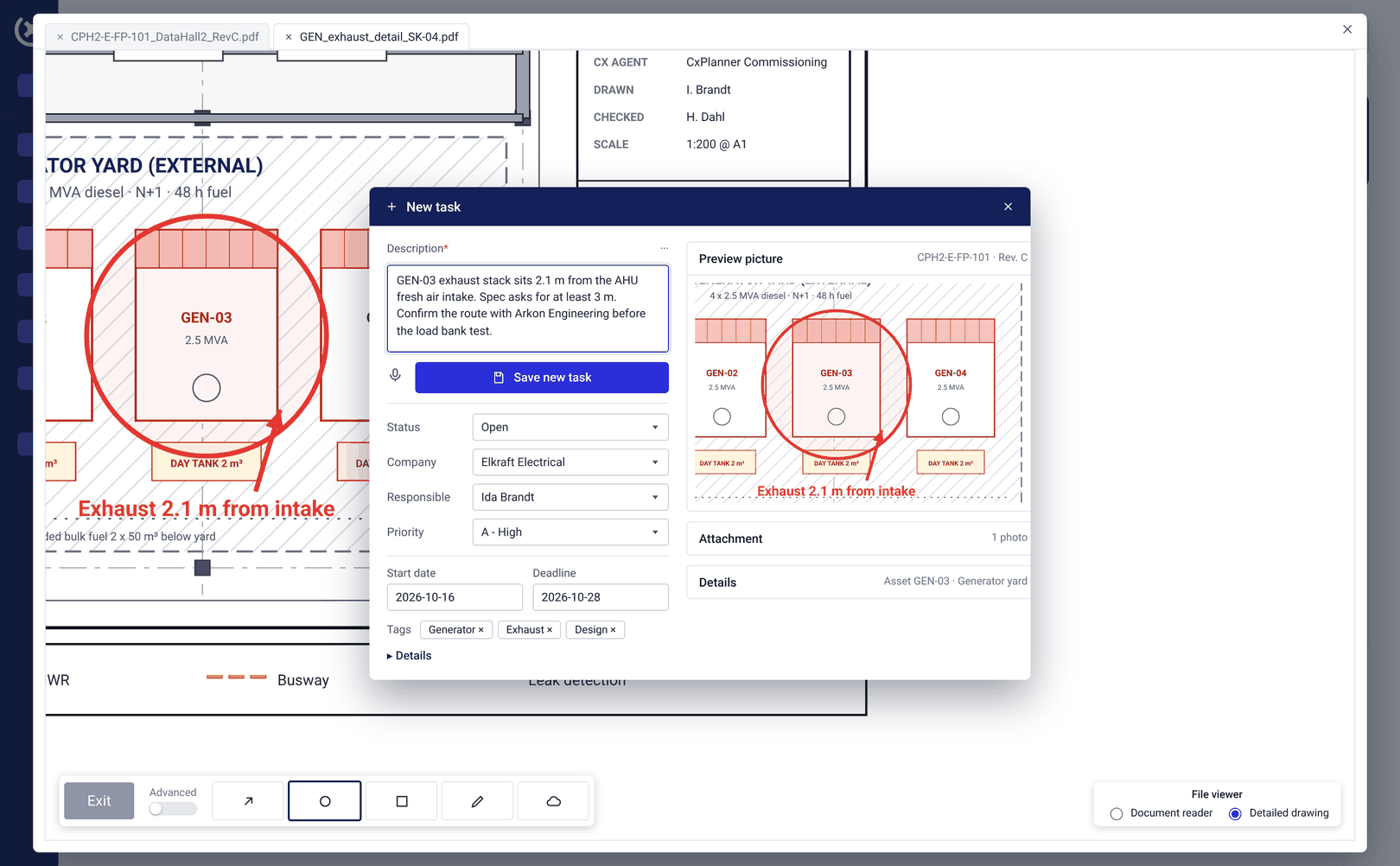
Drawings & P&IDs: Mark the issue directly
Upload floorplans showing the datahalls, P&IDs for systems, and schematics directly into the data center commissioning platform. Issues are marked on the drawing at the point where they happened. Assets are linked to their physical location. The layout diagram always reflects the current state of the build.
Learn more about floor plansCloseout overview
Open punch items, incomplete check-sheets, outstanding gate sign-offs, and documentation gaps tracked in one live view throughout the commissioning programme.
Construction closeout is a deliverable tracked from the start - not a sprint assembled in the final three weeks before handover.
Learn more about closeout overview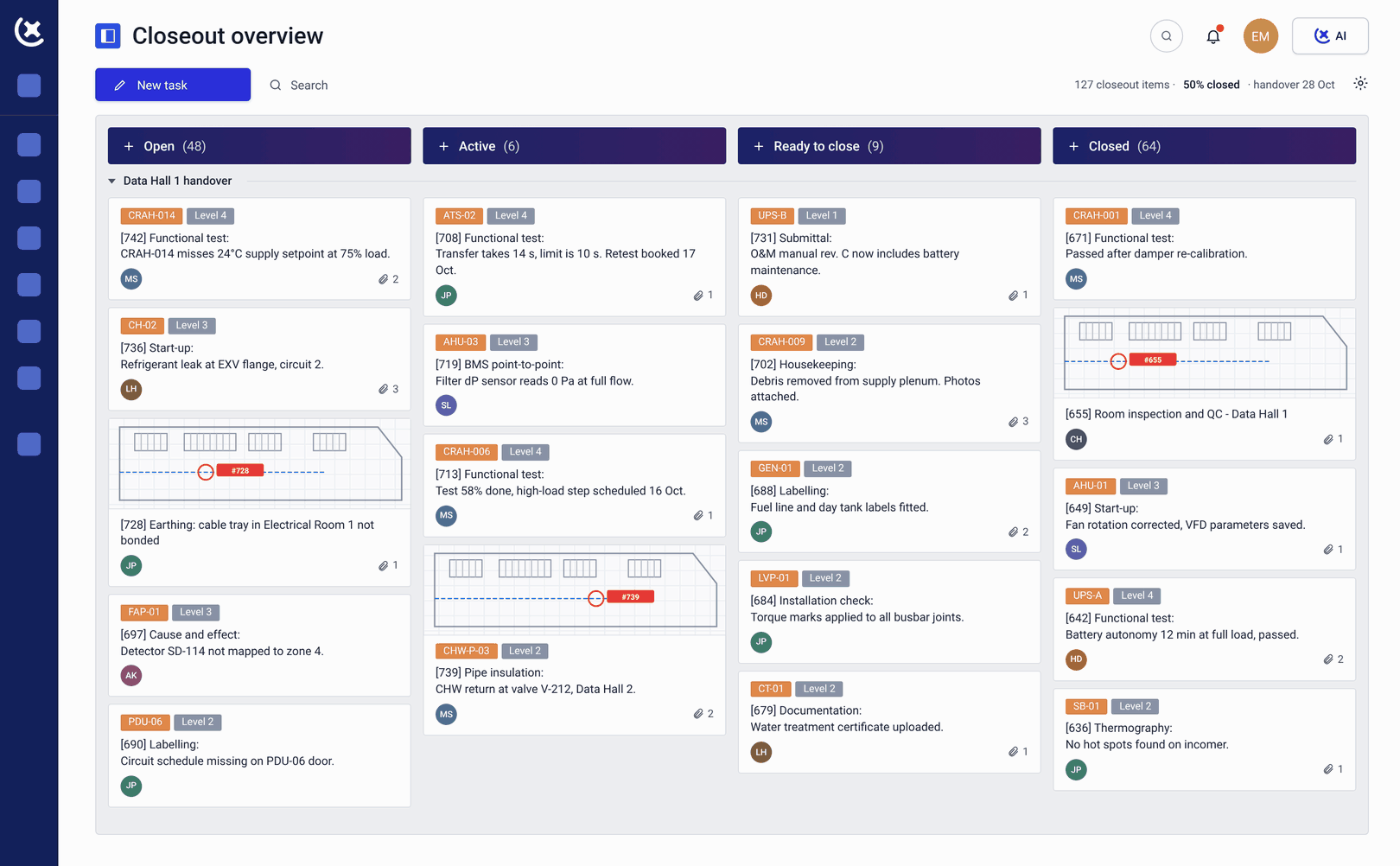
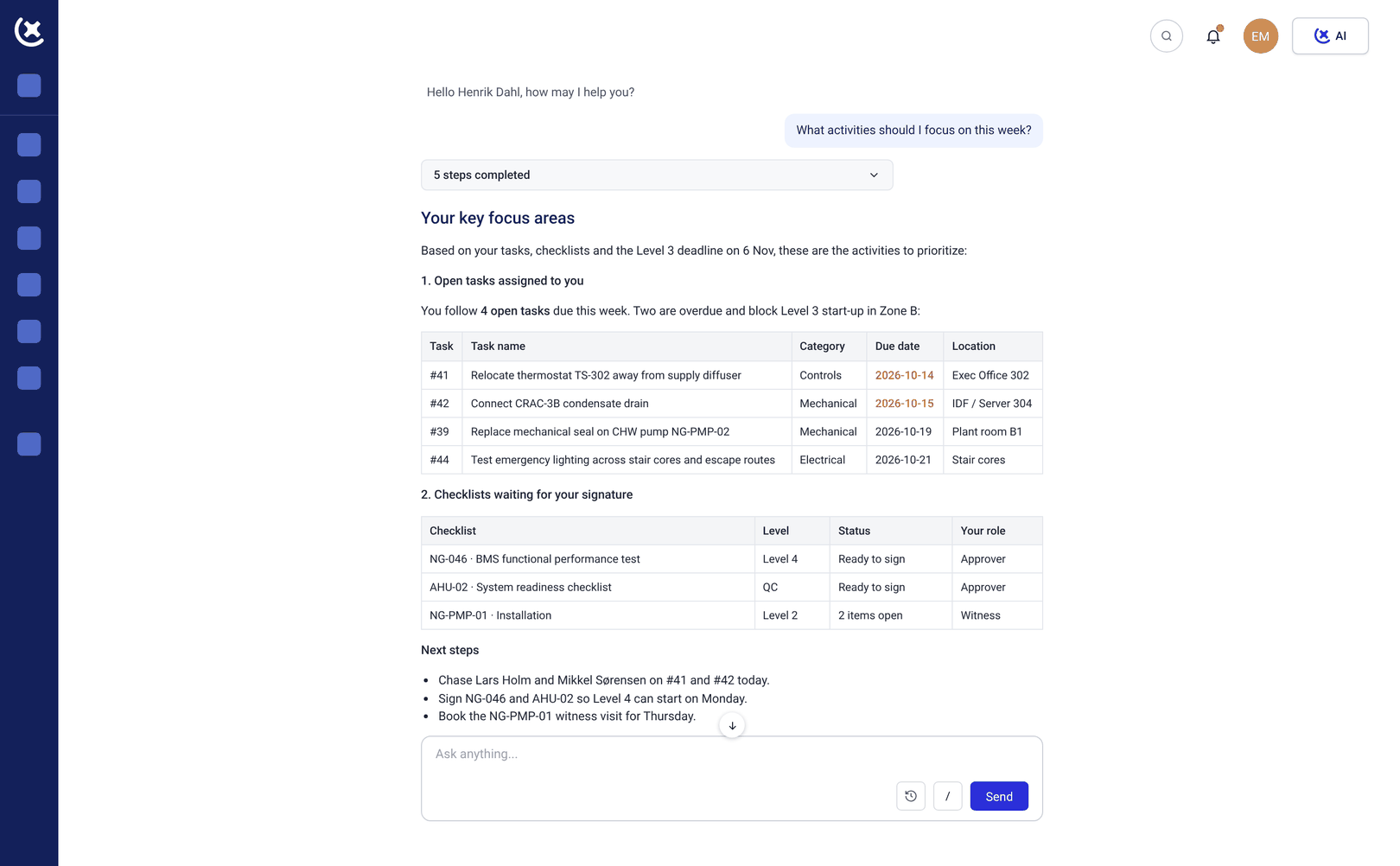
CxAI in Data center commissioning
AI-assisted commissioning workflows: test script generation, automated reporting, photo analysis, and follow-up emails. Built for commissioning professionals, not adapted from something else.
Learn more about CxAIOne software, for every project.
Owners
Real-time project visibility without being embedded in the day-to-day. Track commissioning progress, review documentation, and sign off on milestones - without waiting for the Friday status report.
See how owners stay informed
Commissioning consultants
Run the full commissioning program from one place. Assign checklists, track issues, coordinate subcontractors, and generate handover documentation - without the admin overhead.
See how consultants run the program
General contractors
Stay aligned with the commissioning schedule. See what's open, what's overdue, and what's blocking the next phase - without digging through email threads.
See how contractors stay aligned
Subcontractors
Complete check-sheets on mobile, to the format the Cx team requires. Fix rejections fast with specific comments, and scan nameplates instead of typing asset data by hand.
See how subcontractors work faster
Vendors & service providers
Submit documentation directly to the standard the Cx team requires. Track submission status without chasing, and get specific comments the moment something needs fixing.
See how vendors submit fasterCommon questions about the data center commissioning platform
Is CxPlanner built specifically for L1-L5 testing?
Yes. The data center commissioning platform is structured around the Level testing model. Each level is a gate - color tags, assets, check-sheets, and test results are linked to their level, and progress through each gate is tracked in real time.
Can electrical and mechanical subcontractors work in the same platform?
Yes. Subcontractors access CxPlanner on mobile, tablet, or desktop. Check-sheets meet the documentation standard the Cx team requires - so submissions pass first time, not after a round of rejections.
Does CxPlanner replace Smartsheet for commissioning scheduling?
Yes. The CxPlanner commissioning schedule is built from asset and test data already in CxPlanner without a separate scheduling tool to maintain or sync with. The commissioning process runs in one system.
Does the platform scale to hyperscale projects with thousands of assets?
Yes. CxPlanner handles projects with thousands of assets, multiple simultaneous subcontractor scopes, and delivery phases running in parallel. You activate only the workflows and modules needed for the scale of your build.
"See the data center commissioning platform in action"
CxPlanners data center commissioning platform was built for the Level testing model and hyperscale schedule complexity. Book a walkthrough and bring your current programme - we will show you exactly where it fits.