Checklist generator
CxAI Checklist generator
Draft a full checklist from asset type and focus area in seconds, then review and adjust before you run it.
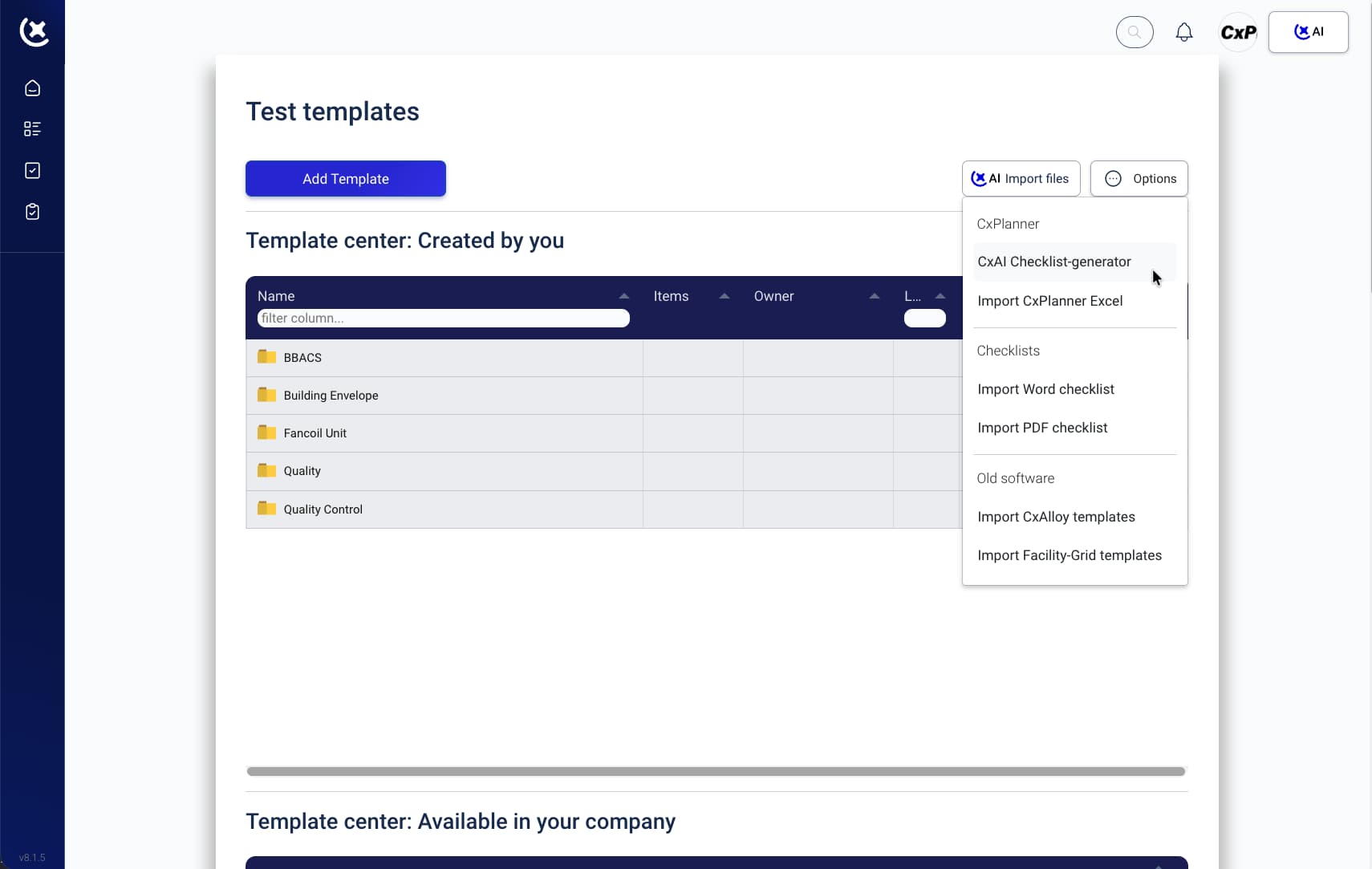 View checklist generator
See what your team stops doing manually.
Checklist generator
Draft a full checklist from asset type and focus area in seconds, then review and adjust before you run it.
View checklist generatorMCP Integration
Connect leading AI models to CxPlanner workflows so your team can ask better project questions in the tools they already use.
 View integration details
Photo recognition
Capture site photos and use AI to identify relevant details faster, without manual sorting and note cleanup.
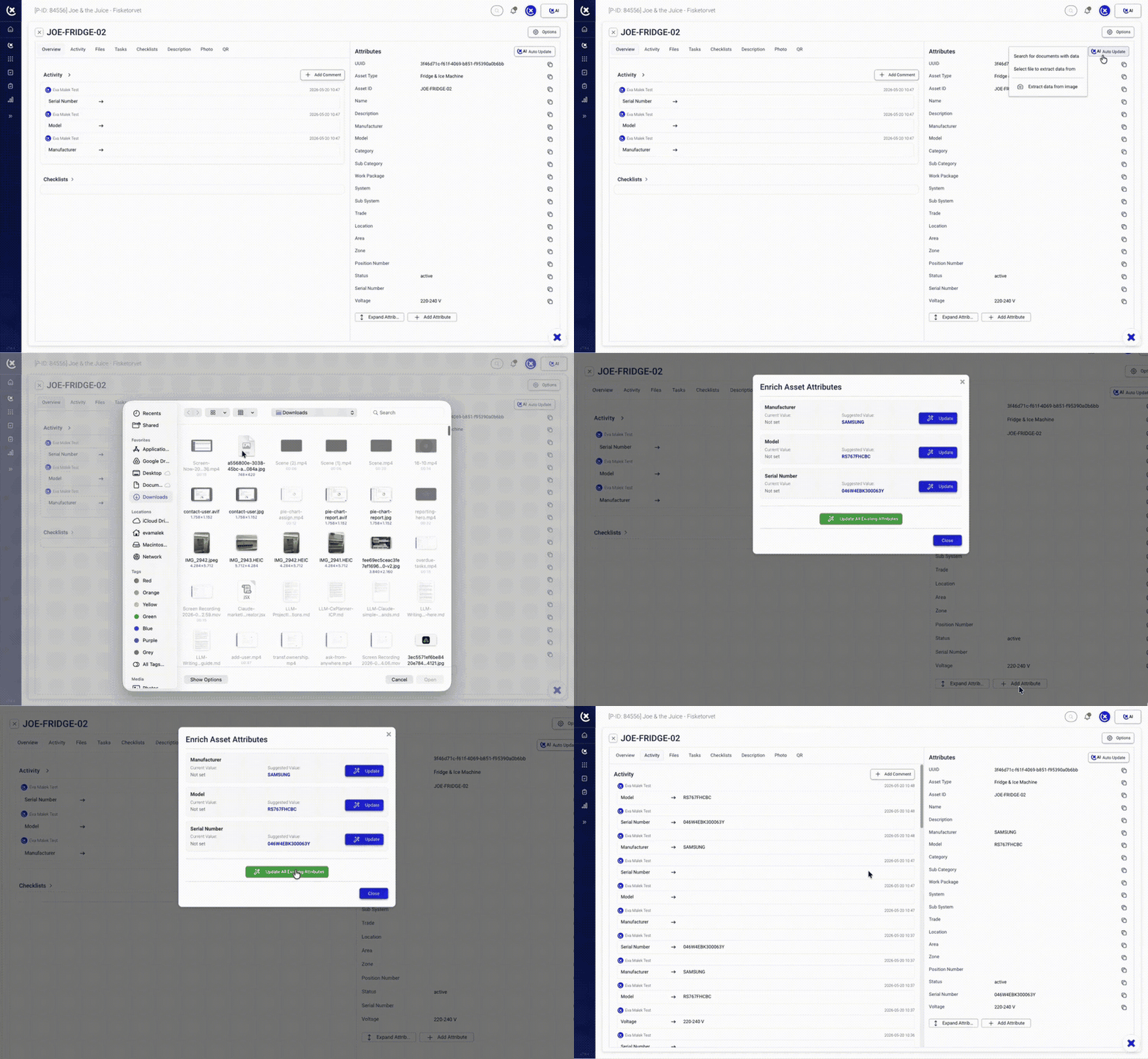 See photo recognition
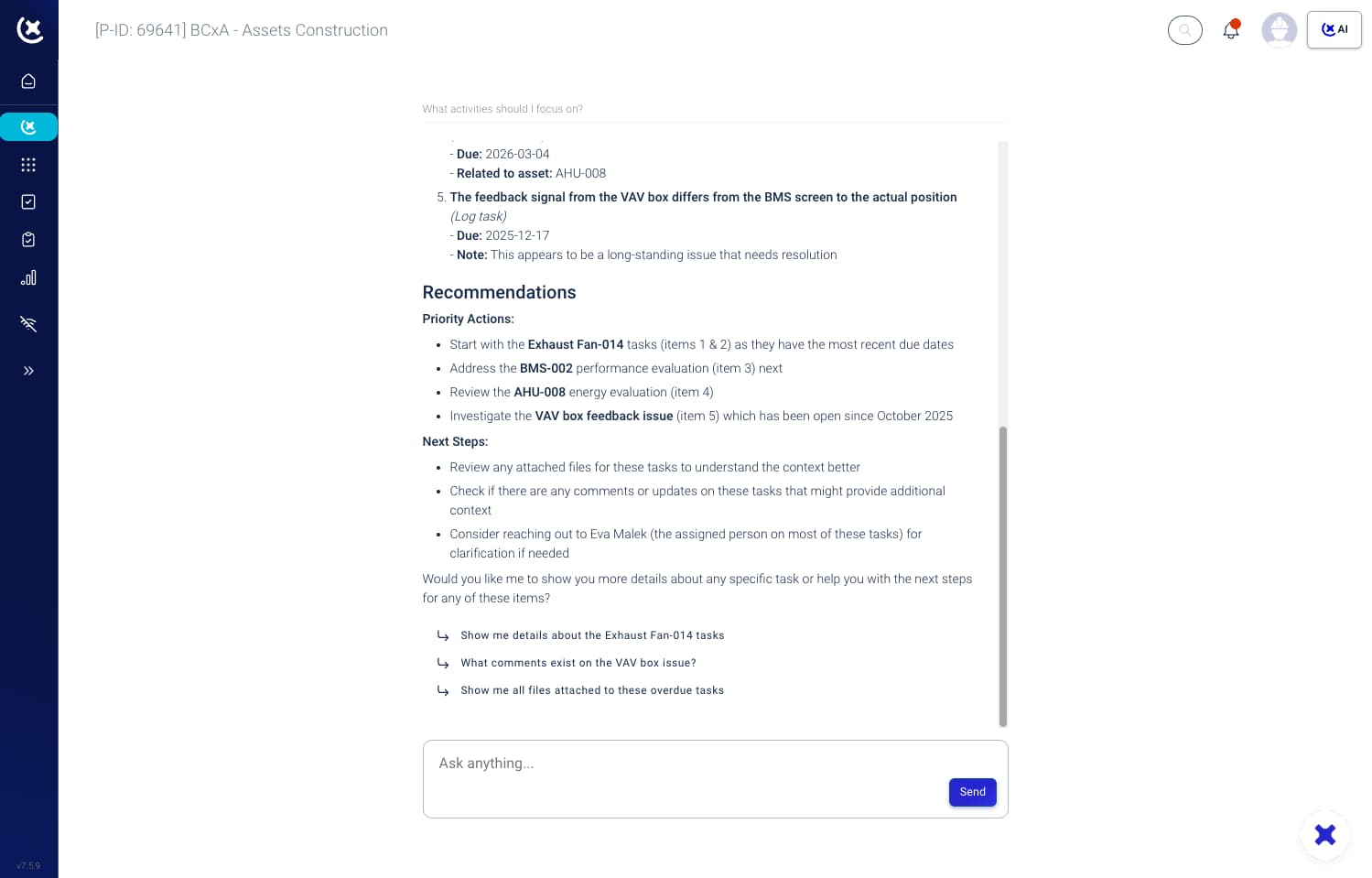
Ask CxAI - Your assistant
Ask CxAI questions about project documents, workflows, and files so teams can get answers without digging through folders.
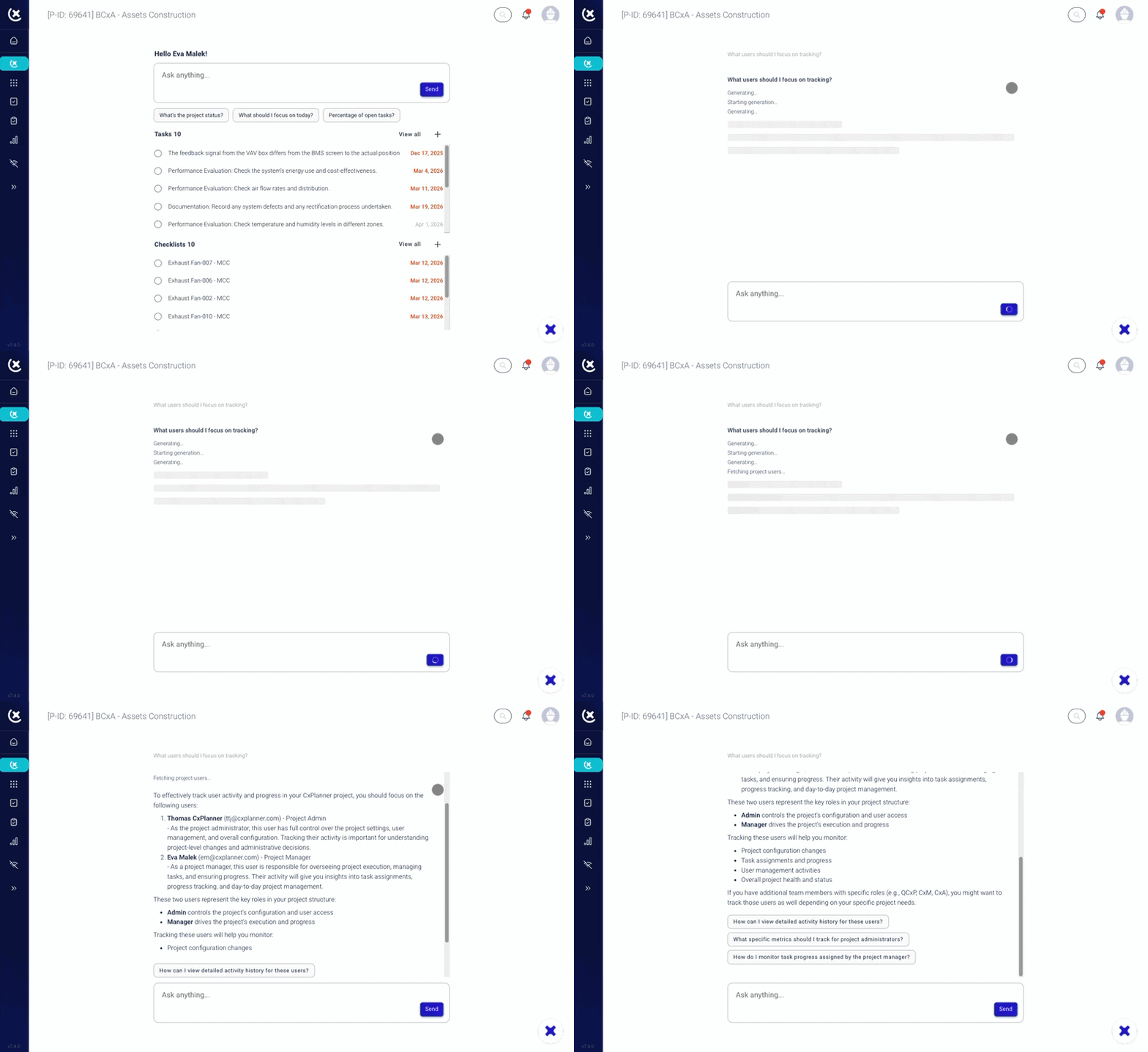 Explore the assistant
Documentation - ask your specs
Ask questions across specification documents and find the details you need without manual page-by-page review.
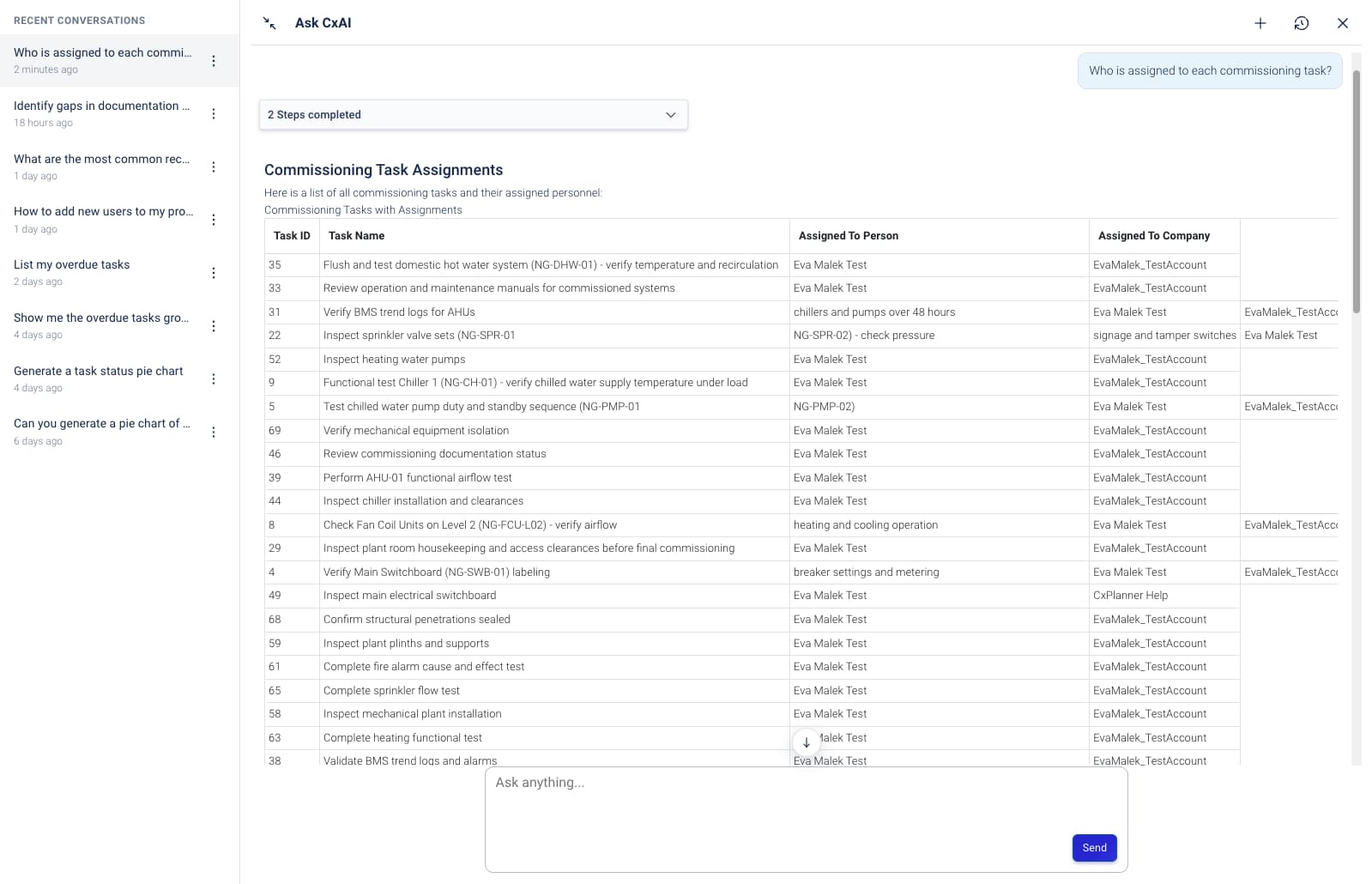 See spec search
P&ID Extraction
Pull tag and equipment data from P&IDs faster so teams spend less time on repetitive document work.
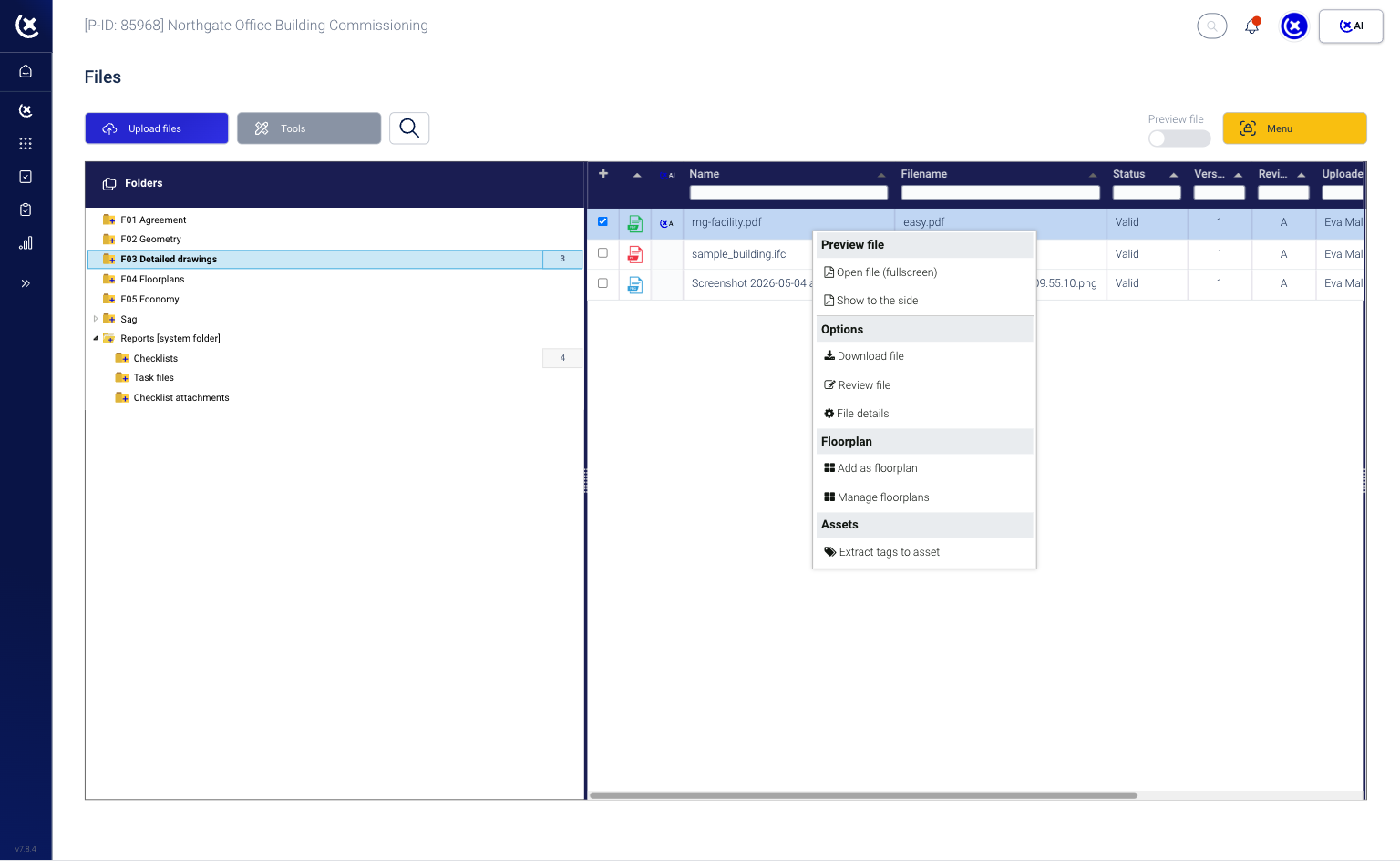 View tag extraction
File insights
Surface file changes quickly so your team can focus review time where it matters most.
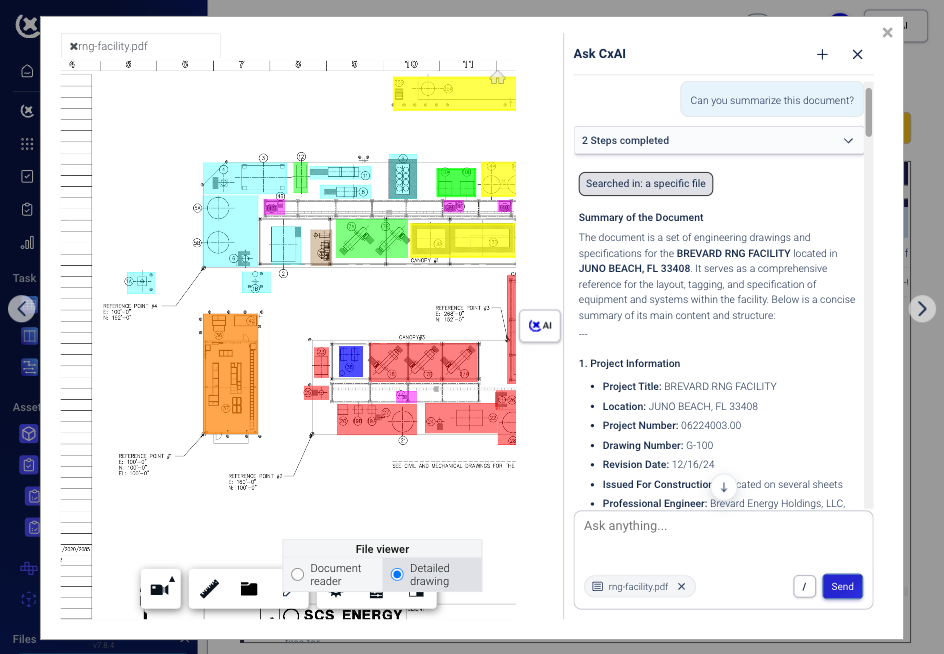 Explore file insights
Auto real-time reports
Generate real-time reporting that helps teams track progress and reduce manual status updates.
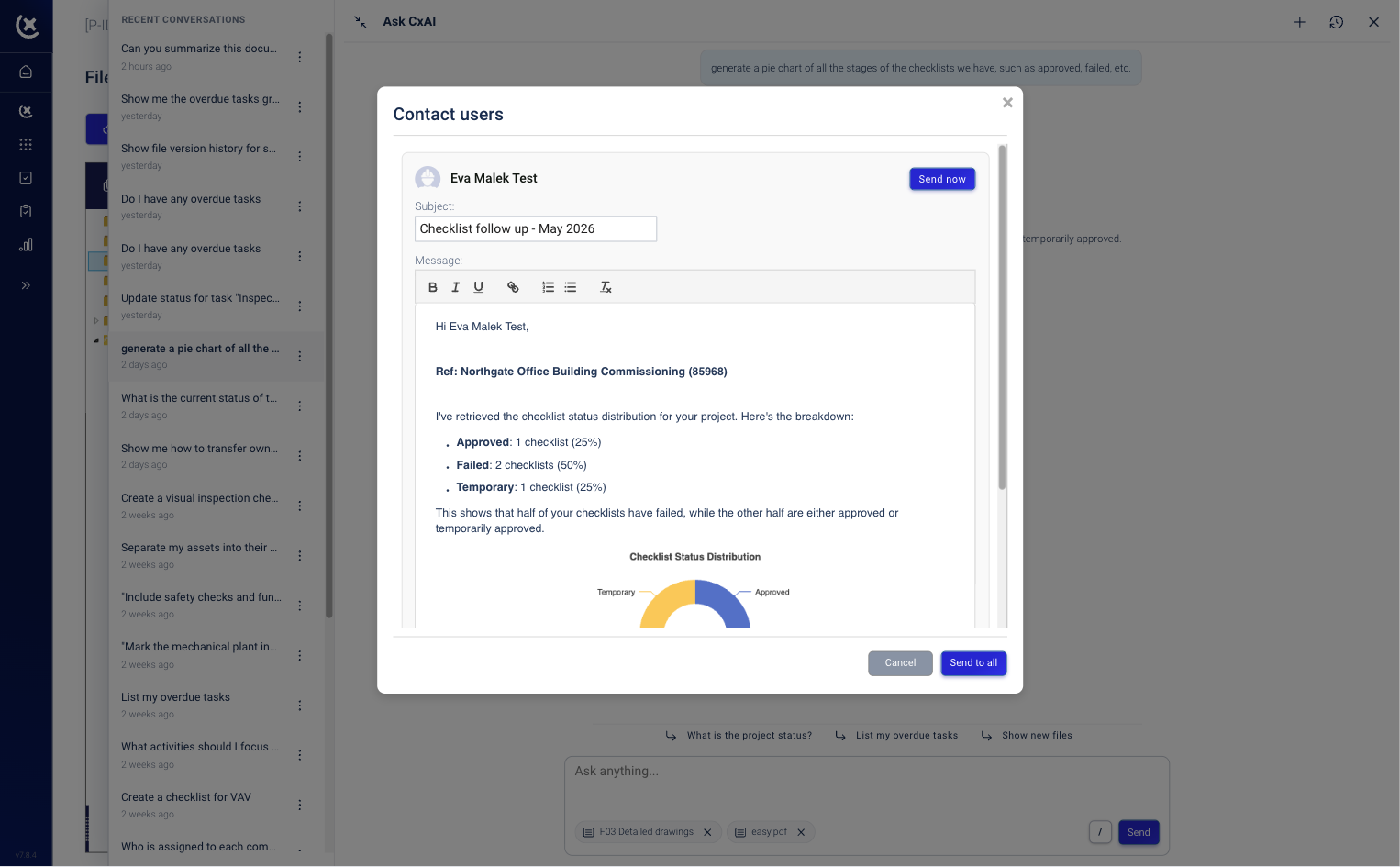 See reporting tools
Your platform guide
Use built-in guidance to help new and experienced users move through commissioning tasks with less friction.
 View platform guidance
At CxPlanner, cybersecurity and data privacy are built into every layer of our AI solution.
CxAI uses closed-loop LLM models that are pre-trained and hosted entirely within CxPlanner's own infrastructure. This means your data never leaves our secure environment and is never shared with third-party providers.
We also enforce strict data isolation between clients, ensuring that each customer's data remains fully separated. Our AI models are never trained on client data - your information stays yours at all times.
In short: you retain full ownership of your data, and it remains secure within CxPlanner's platform.
AI can help commissioning teams reduce manual document review, find answers faster, extract useful data from drawings, and identify file changes without relying on fully manual workflows.
Yes. CxAI helps teams search specification documents and find relevant project details faster, without digging through files page by page.
CxAI includes tools that help teams extract tag and equipment data from P&IDs to reduce repetitive document work and speed up review workflows.
CxAI can help surface updated files so teams can focus review time on the changes that matter most instead of manually checking every document.
CxAI is designed to support real commissioning workflows across project documentation, drawing review, file tracking, and reporting.
- Thomas T. Jarloev
Founder & CEO of CxPlanner, QCxP, CxM, CxA
15+ years in commissioning · CxAP · CxM · QCxP · First in the EU to hold both CxM and CxAP · Author of commissioning books + guidelines