Digital handover documentation built throughout the programme
A digital handover package is not a folder of vendor PDFs. It is structured, asset-linked documentation the operator can actually use - SOPs they can find, as-built drawings connected to the systems they describe, spare parts data with recommended stock levels, and maintenance schedules ready to load into the CMMS.
CxPlanner builds the digital handover package throughout the OR programme. At handover, it is already complete.
Book a demo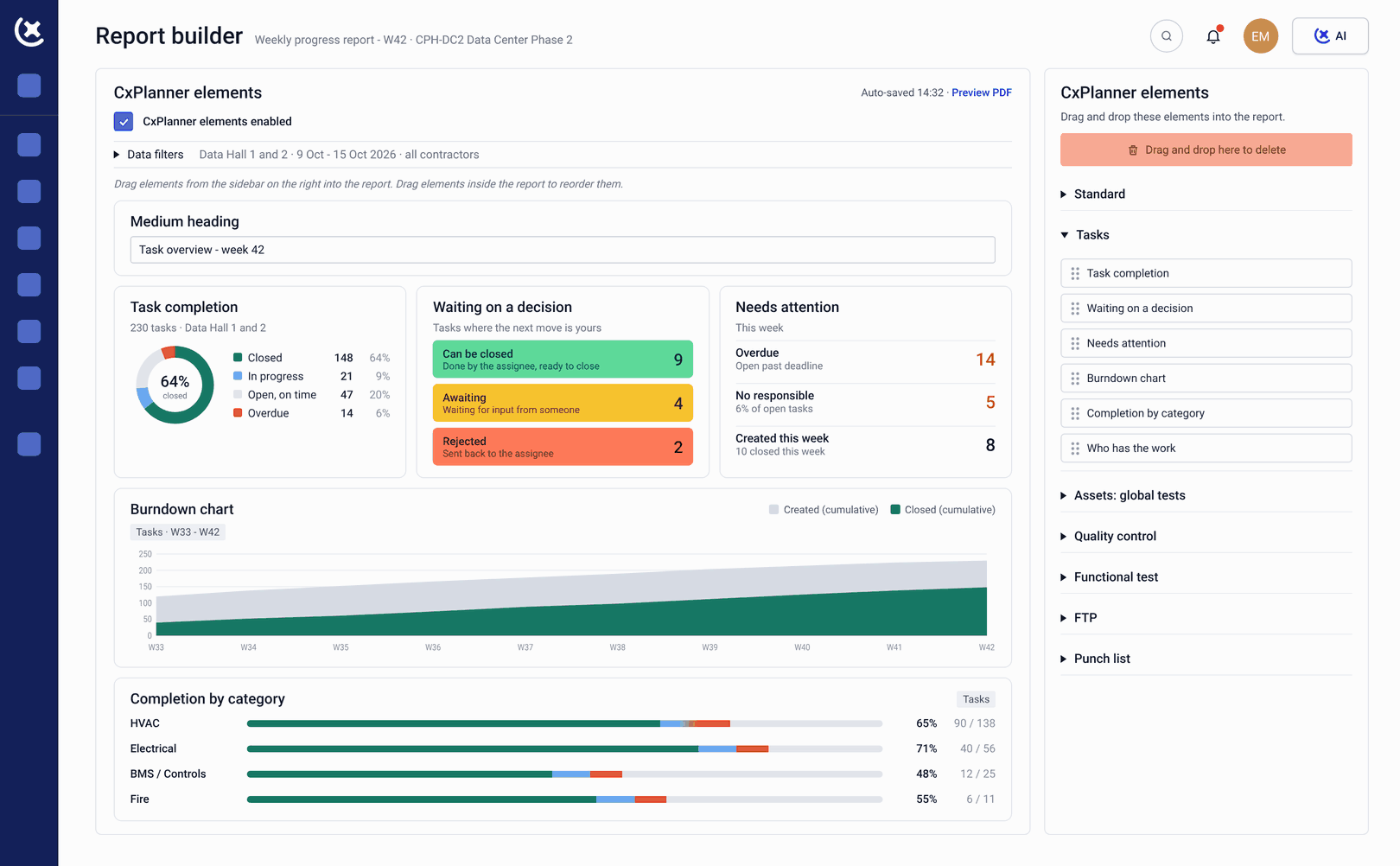
The operator is handed a folder of PDFs they cannot use
Information readiness is the dimension most frequently confused with document delivery. They are not the same thing.
Documentation delivered as a volume, not a resource.
The contractor delivers a 40 GB folder of vendor PDFs. The digital handover is technically complete. The operator cannot find the SOP for Cooling System A, the spare parts list for the UPS, or the maintenance baseline for the BMS - because nothing is indexed, linked, or structured for operational use.
O&M documentation compiled under pressure at the end.
When information readiness is treated as a closeout activity, the asset handover package is assembled in the final weeks - from scattered sources, by people who are simultaneously closing out everything else. The result is inconsistent, incomplete, and often unusable.
Documentation is not connected to the assets it covers.
The SOP for Pump 7 is in a folder. Pump 7 is in the asset register. Nobody has connected them. The operator running Pump 7 on Day 1 cannot navigate from the asset to the documentation they need.
One connected platform where documentation is linked to assets and built from day one
CxPlanner structures the digital handover package around the asset register - so every document is linked to the asset or system it belongs to. SOPs, O&M manuals, spare parts data, and maintenance baselines are connected to the assets from the moment they are uploaded. The operator navigates from the asset to the documentation.
Information readiness is tracked as a parallel workstream throughout the operational readiness programme. The documentation package is built incrementally. See the full operational readiness platform overview for how information readiness fits the other two pillars.
Here's how it works
Asset register established
Every asset linked to its system, its maintenance requirements, and its documentation needs from the start of the programme.
Documentation uploaded and linked
O&M manuals, SOPs, and vendor documentation uploaded to CxPlanner and linked to the specific assets they cover - building the digital handover package incrementally.
Spare parts data structured
Spare parts strategy and critical spares data recorded against the assets they support - structured for use by the maintenance team, not filed as a vendor spreadsheet.
Maintenance baselines set
Maintenance schedules and baselines established in CxPlanner and connected to the asset register - ready to transfer to the CMMS at handover.
Information readiness confirmed at the gate
The information pillar of the readiness gate cannot be signed off until all required documentation is linked, structured, and complete - enforced in the platform.
How CxPlanner covers information readiness and digital handovers
Asset-linked documentation, spare parts data, and maintenance baselines - built throughout the programme.
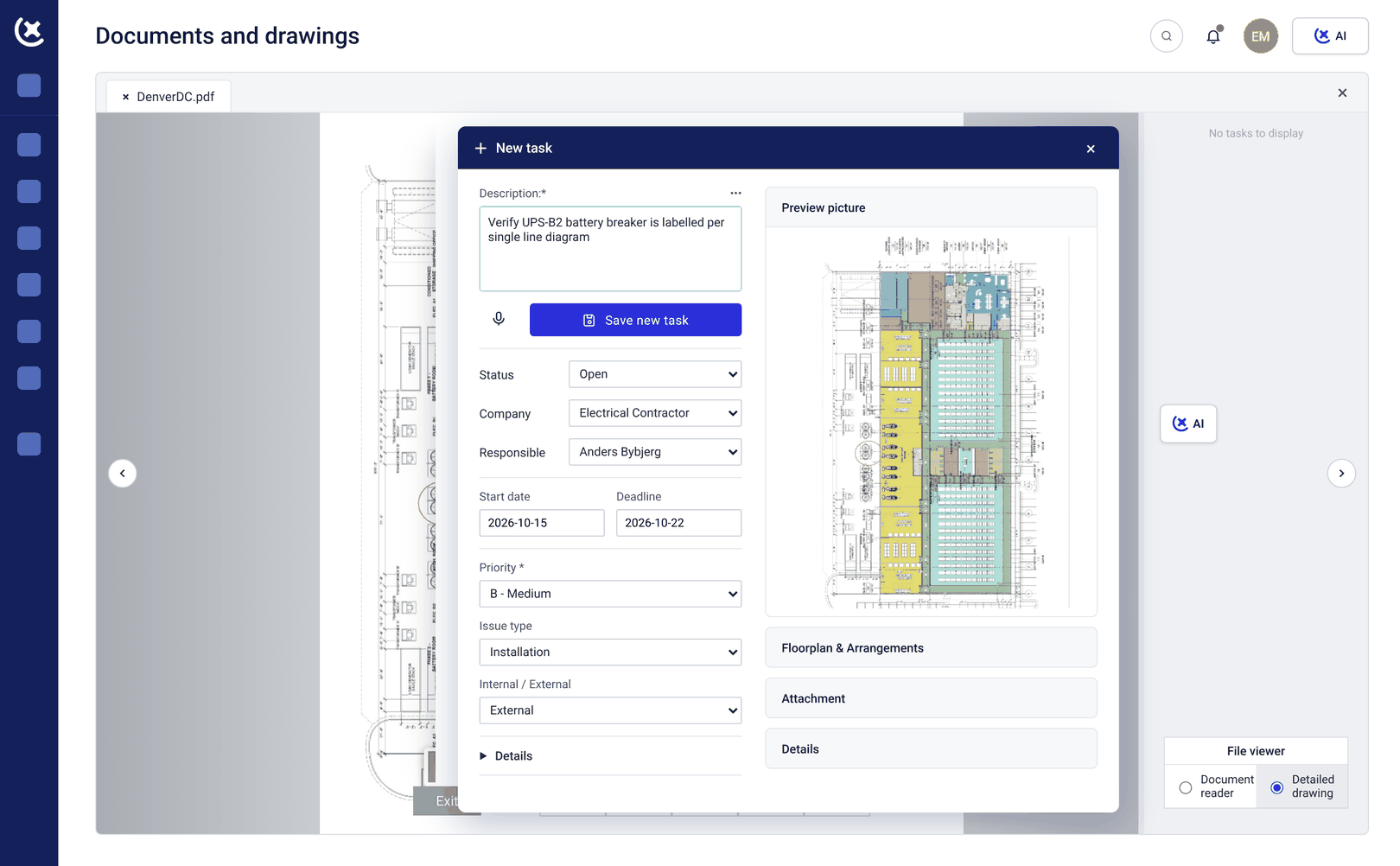
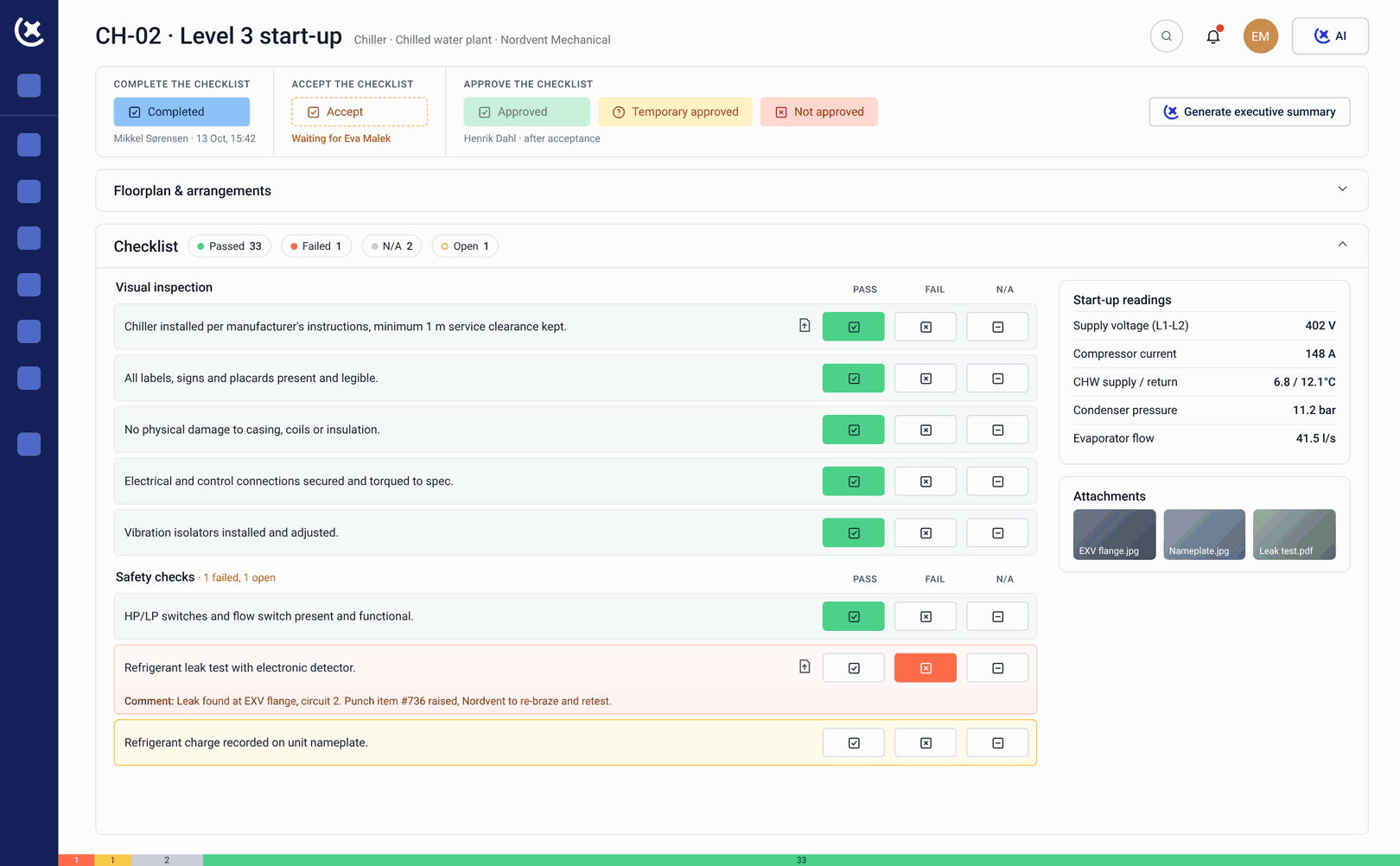
Navigate from the asset to its documentation
SOPs, O&M manuals, vendor manuals, and maintenance procedures linked to the specific assets they cover. The operator navigates from the asset to its documentation - searchable, structured, and accessible from Day 1. Not from a folder to a file they hope is the right one.
Linked to the systems and assets they describe
As-built drawings and redlines linked to the systems and assets they describe - not filed by contractor or date. The operator or maintenance engineer navigates from the asset to the current drawing, not to a drawing register they have to search manually.
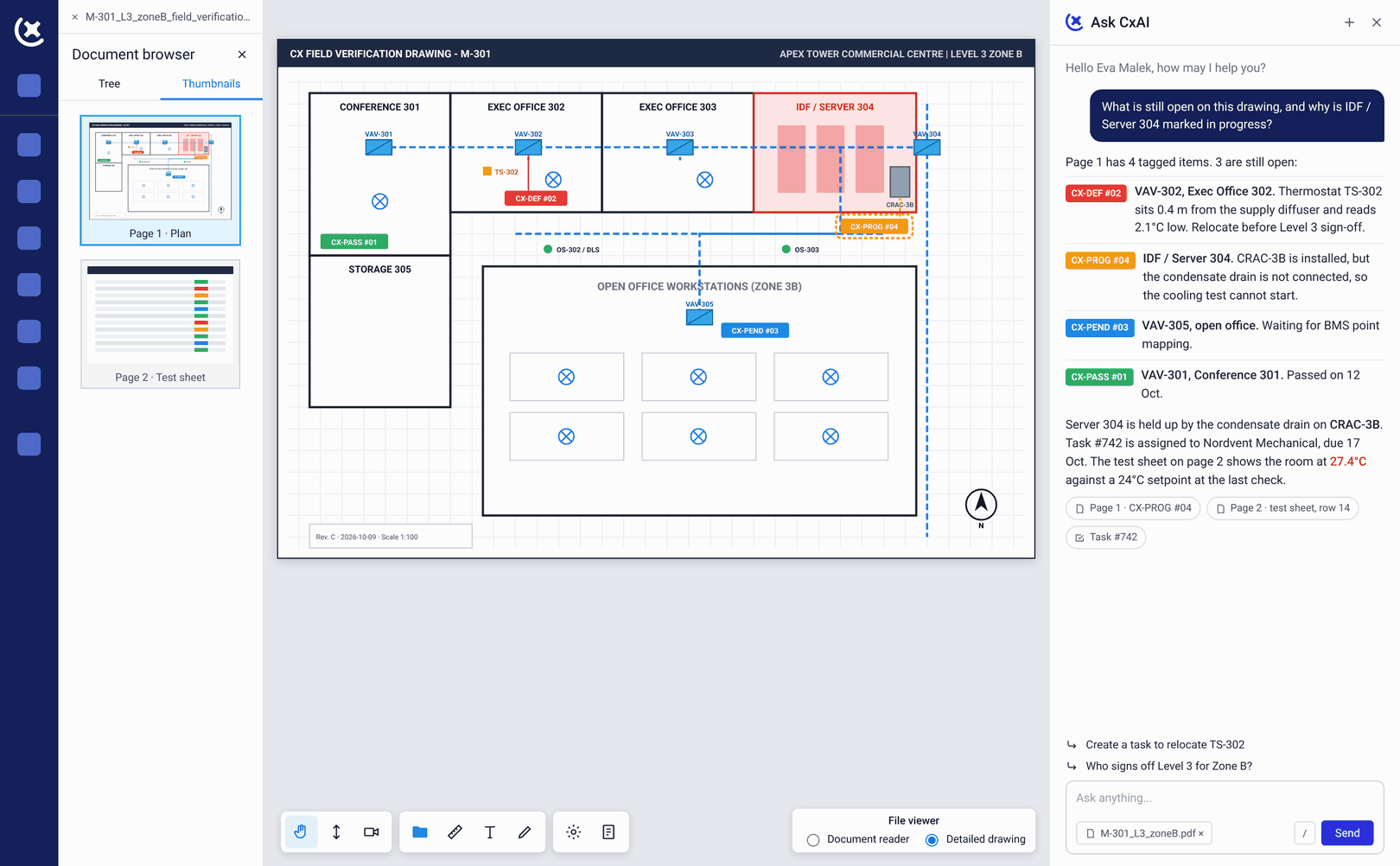
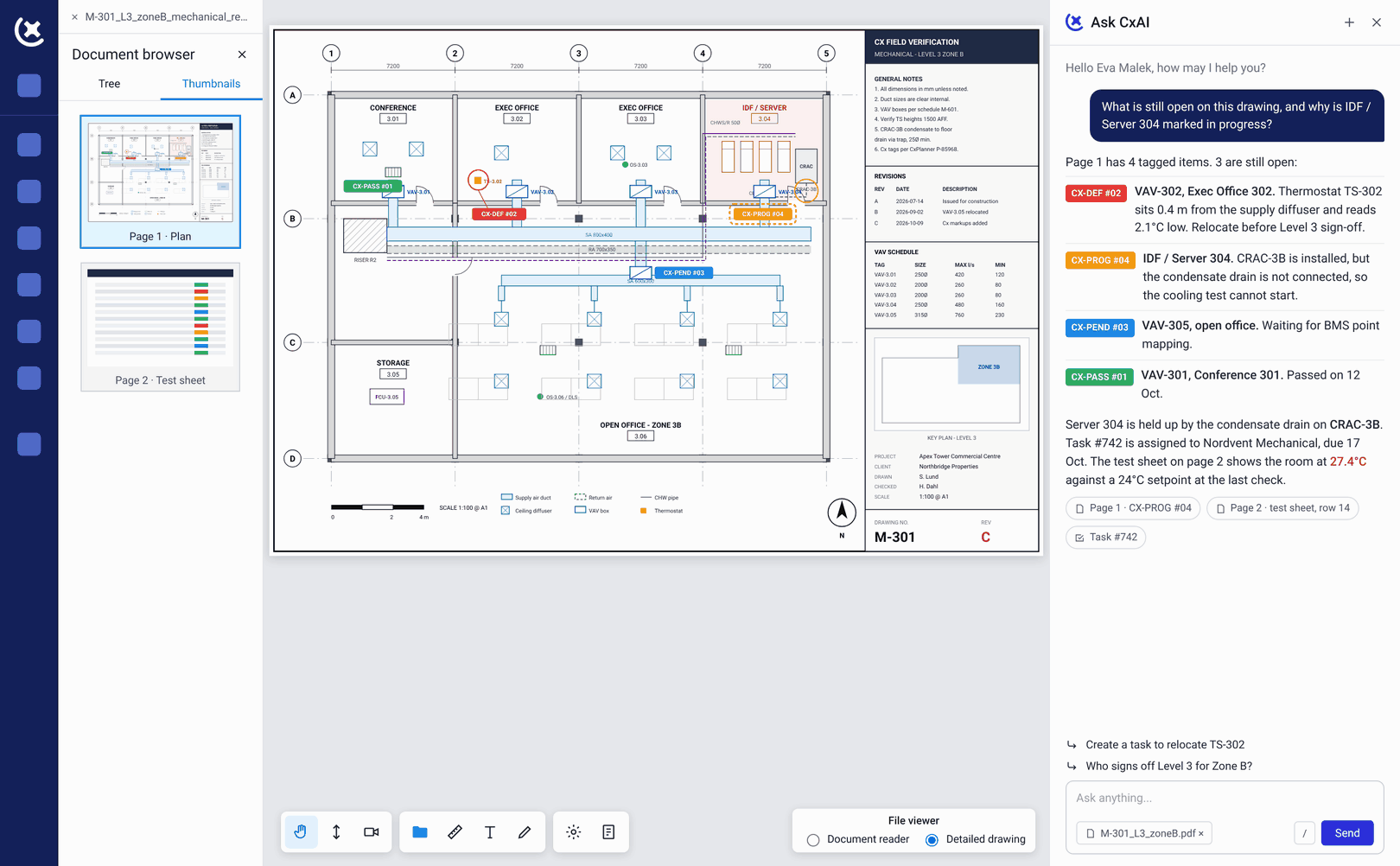
Find the startup sequence by navigating to the system
Sequences of operation structured and linked to the specific systems they describe. The operator finds the startup sequence for Cooling System A by navigating to Cooling System A - not by searching a documentation folder.
Structured for the maintenance team from Day 1
Spare parts strategy, critical spares, and recommended stock levels recorded against specific assets. Structured for the maintenance team from Day 1 - not delivered as a vendor spreadsheet with no asset context.
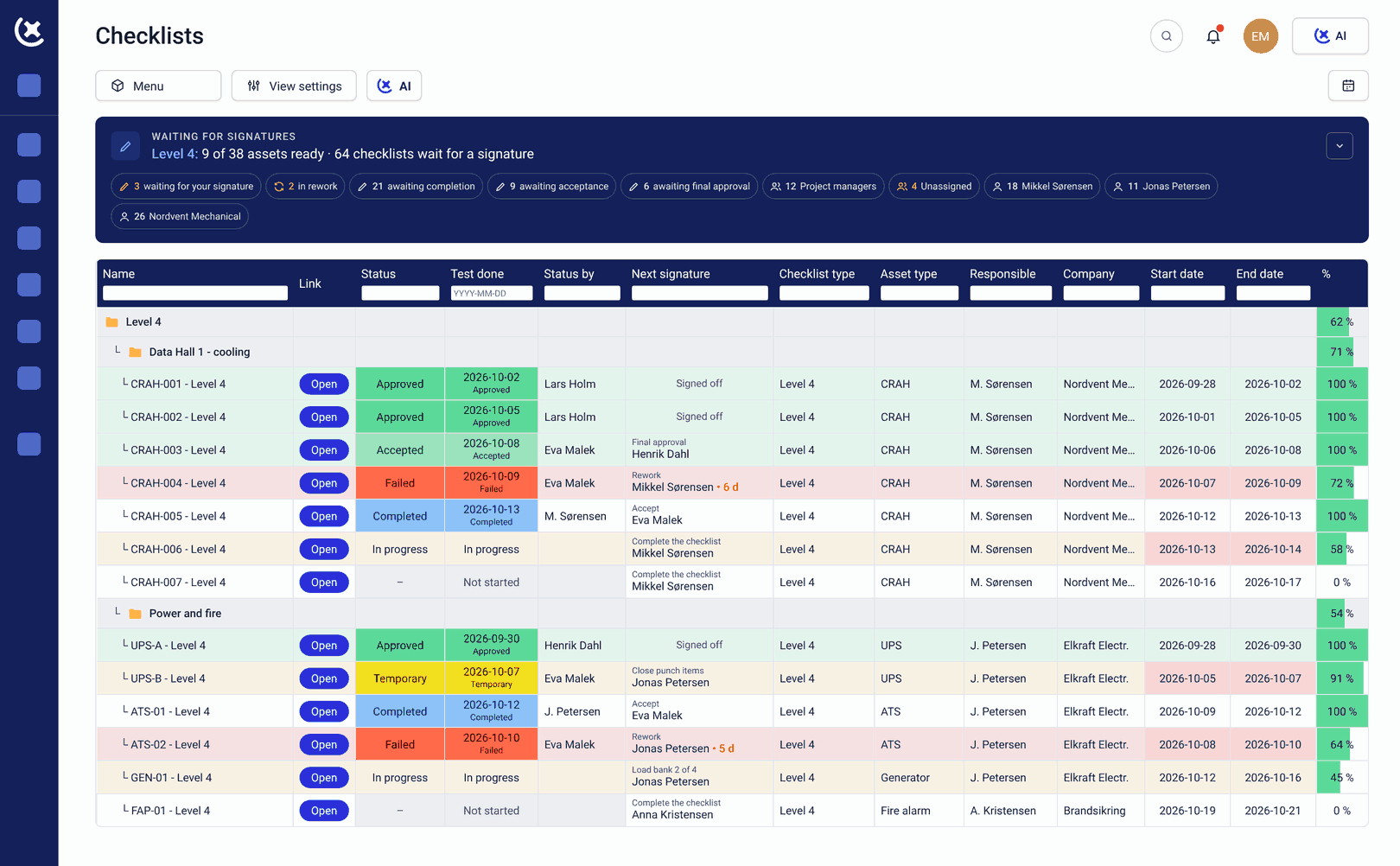
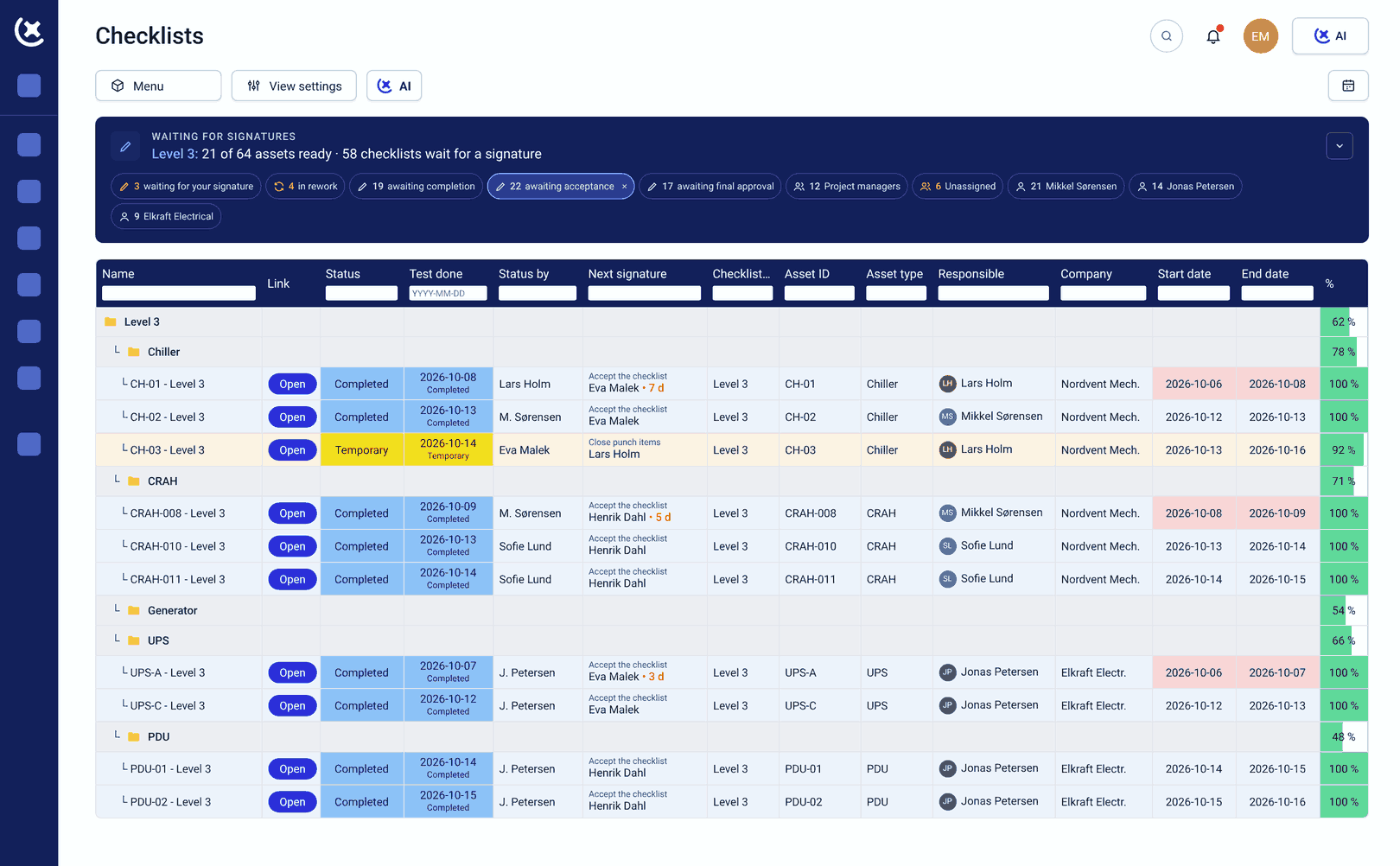
Data that transfers cleanly to the CMMS
Maintenance schedules and baselines established in CxPlanner and linked to the asset register throughout the programme. At asset handover, this data transfers cleanly to the CMMS. The maintenance team inherits a structured starting point, not a blank system.
Complete when the programme is complete
The digital handover package accumulates throughout the programme - uploaded, linked, and structured as the project progresses. Nothing assembled in a final-week sprint. Complete when the programme is complete.
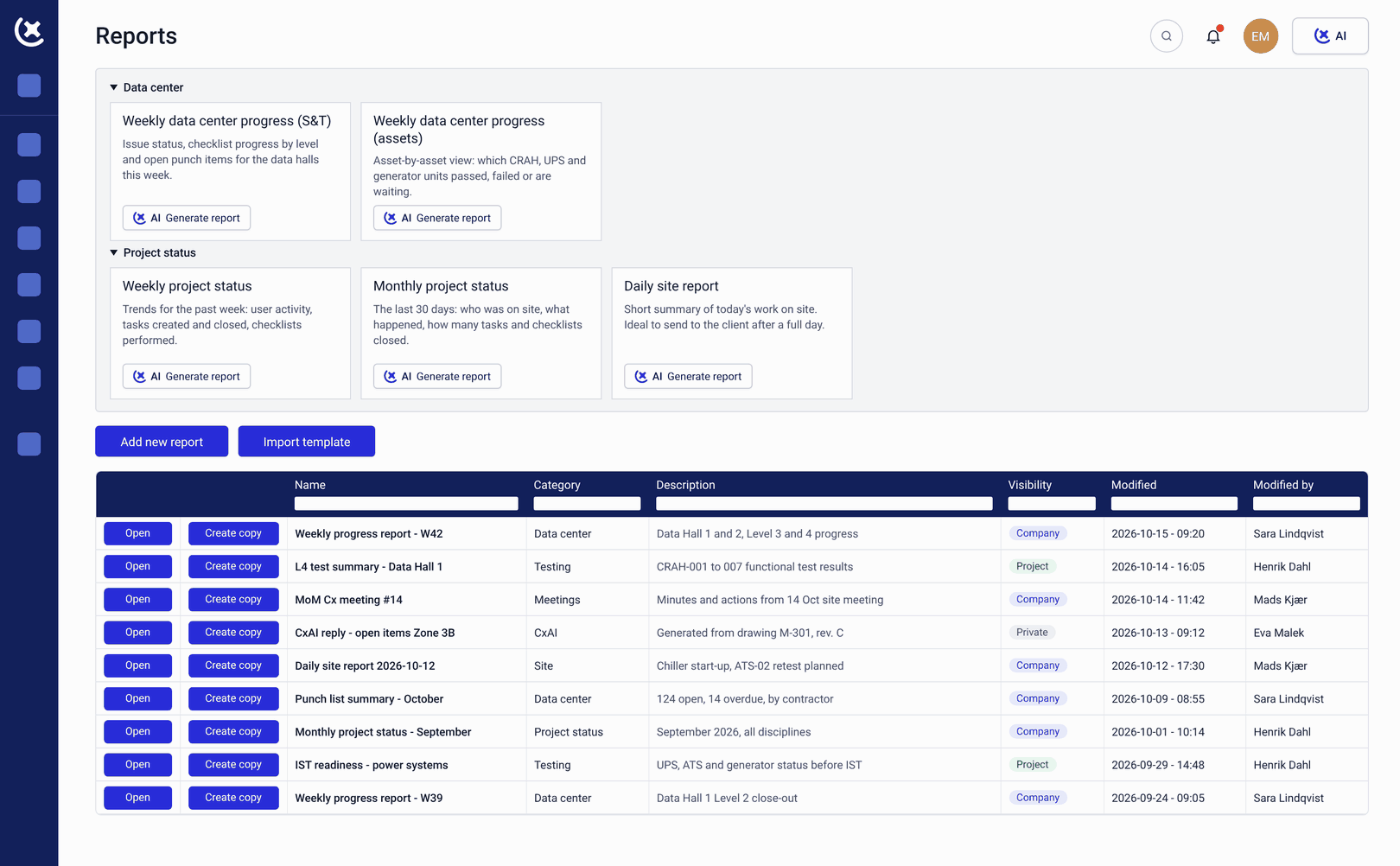
What you gain, when information is structured digitally from the start
The operator inherits documentation they can use - not a volume they have to navigate without an index.
The operator finds what they need on Day 1.
When the digital handover package is asset-linked and structured throughout the programme, the operator navigates from any asset to its SOP, its spare parts list, and its maintenance baseline. Not from a folder to a file they hope is the right one.
No compilation sprint in the final weeks.
Because documentation is uploaded and linked throughout the programme, the asset handover package is complete when the programme is complete - not assembled from scattered sources under deadline pressure.
The CMMS starts with clean data.
Maintenance baselines and spare parts data structured in CxPlanner transfer cleanly to the operator's CMMS at handover. The maintenance team inherits a structured, asset-linked starting point - not a blank system and a folder of PDFs.
Build the digital handover package with CxPlanner
If your information readiness package is currently assembled in the final weeks before handover, book a walkthrough. We will show you how digital handover documentation is built and structured in CxPlanner from programme start.
Book a demoRequest a walkthroughCommon questions about digital handover and information readiness
What is the difference between document delivery and digital handover?
Document delivery is handing over a folder of files. Digital handover - true information readiness - means structured, asset-linked documentation the operator can actually use: SOPs and sequences of operation they can find, as-built drawings connected to the assets they describe, spare parts data with recommended stock levels, and maintenance baselines ready to load into the CMMS.
Can CxPlanner connect documentation to specific assets?
Yes. SOPs, O&M manuals, vendor manuals, as-built drawings, and sequences of operation are linked in CxPlanner to the specific assets they cover. The operator navigates from the asset to its documentation - not from a folder to a file.
How does CxPlanner handle spare parts data at handover?
Spare parts strategy, critical spares, and recommended stock levels are recorded in CxPlanner against the assets they support - structured for the maintenance team. At asset handover, this data transfers cleanly to the CMMS rather than being delivered as a vendor spreadsheet with no asset context.
How does CxPlanner handle as-built drawings and redlines?
As-built drawings and redlines are uploaded and linked to the systems and assets they describe throughout the programme. The operator navigates from the asset to the current drawing - not to a drawing register they have to search manually.
Does information readiness connect to the readiness gate sign-off?
Yes. The information pillar of the readiness gate cannot be signed off until all required documentation is linked, structured, and complete in CxPlanner. Gate enforcement is built into the platform - the digital handover package must be complete before the gate closes.