A checklist summary
you don't have to write
No blank page.
No typing up findings by hand.
Get a report-ready summary the moment the checklist is done.
Two ways to get your summary
The findings, photos, and comments are already in the checklist. CxAI turns them into a written summary - however you'd rather ask for it.
Use the button when you want a full write-up. Ask in the sidebar when you just want an answer.
- Run the auto-generator on any checklist
- Or just ask CxAI in the sidebar
- Same checklist data, same quality summary either way
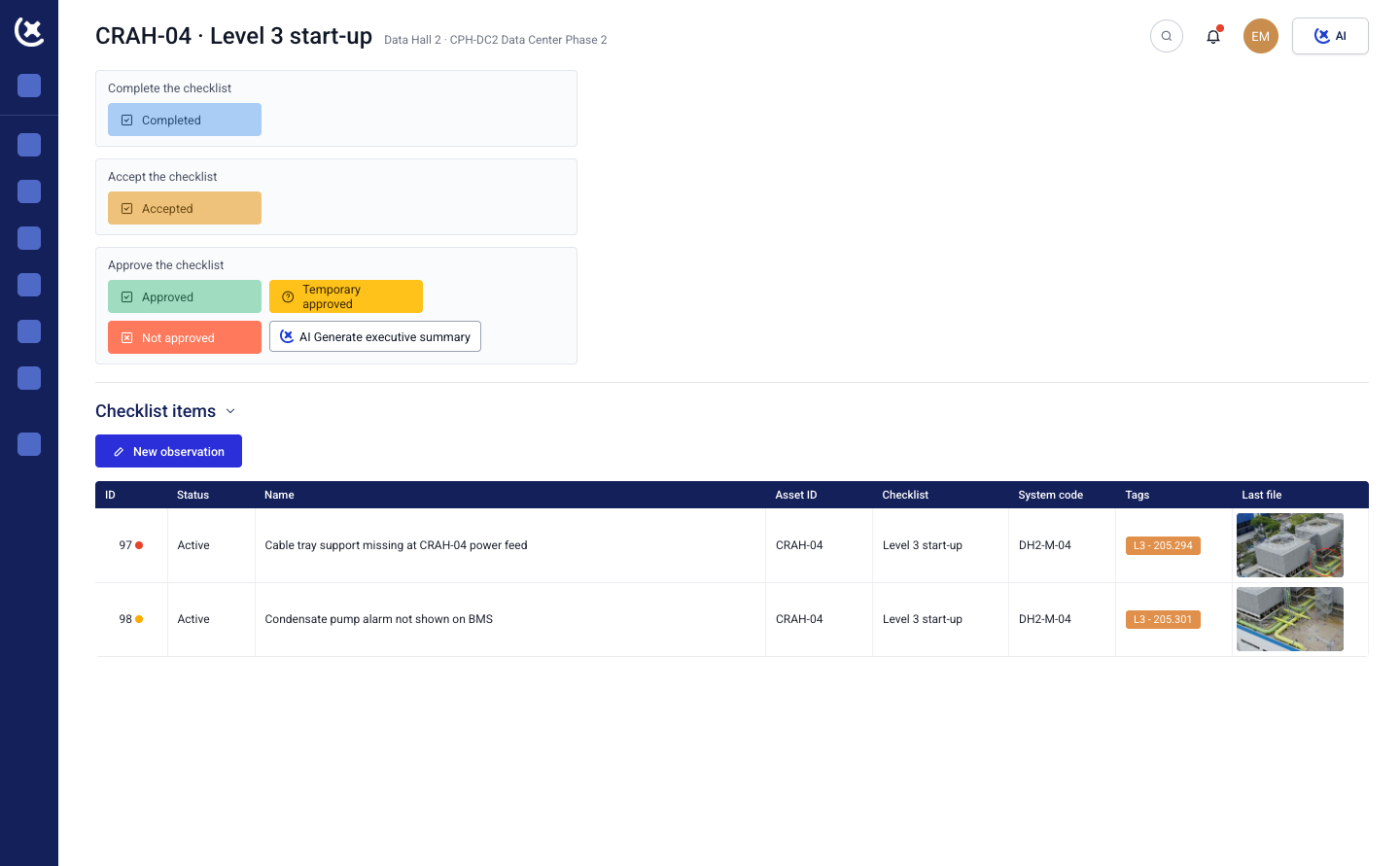
Hit the auto-generator, get the write-up
Open any checklist and run the auto-generator. CxAI reads every item, comment, photo, and test result on that checklist and writes a structured summary - what was checked, what passed, what's flagged.
- Key findings pulled straight from the checklist
- Missing documentation flagged automatically
- Ready to drop into a report
What's actually in the summary
Not one generic paragraph. CxAI structures the output the way a reviewer needs to see it.
Findings by category, documentation status, and what's still outstanding.
- Key findings per category
- Documentation status - what's missing before close-out
- Clear next steps on anything still open
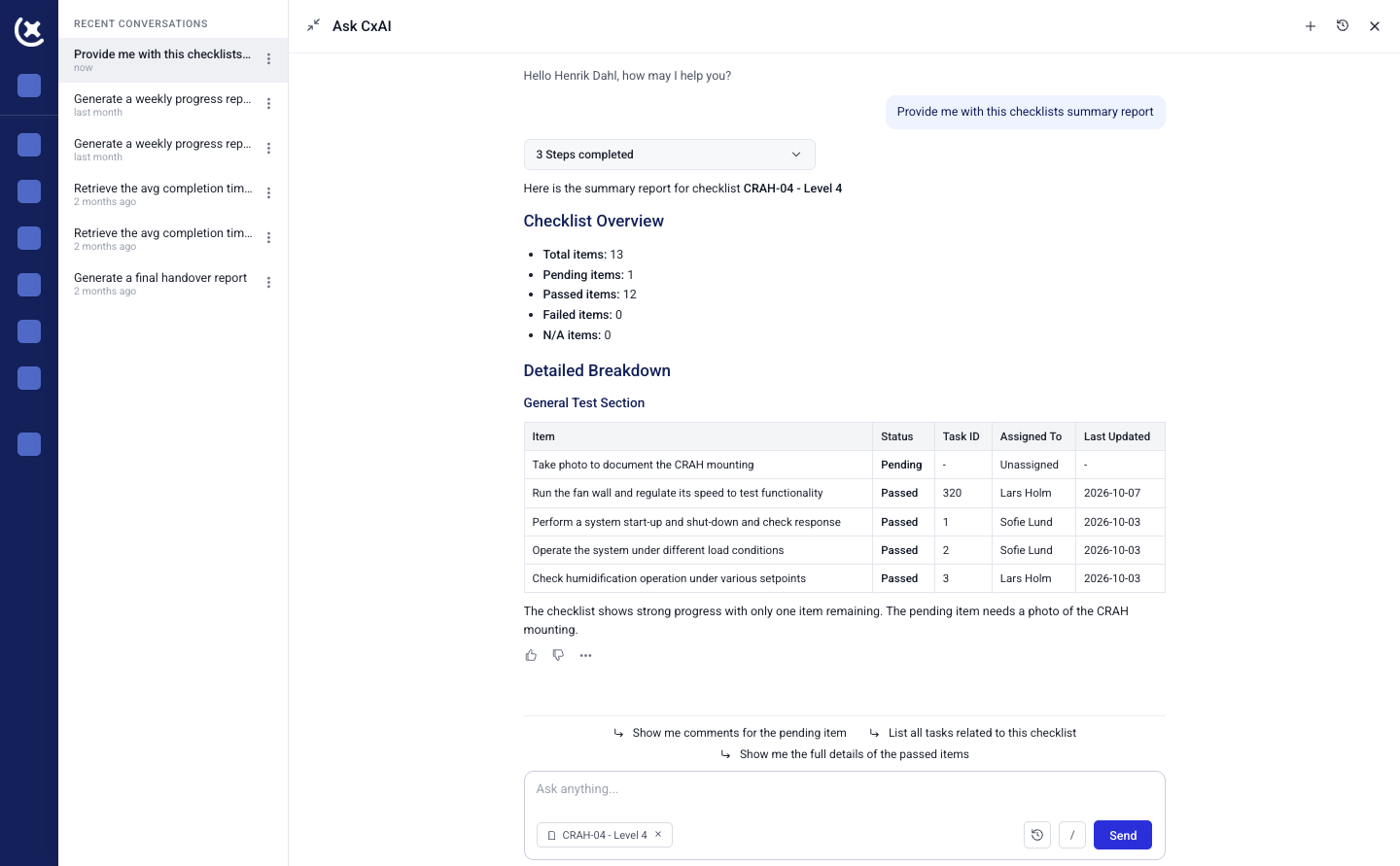
Or skip the button and just ask
Already have the sidebar open? Type "Summarize this checklist" or "What's outstanding here?" and CxAI answers in plain language, using the same checklist data.
No menus. No separate step.
Good for a quick answer to a specific question - not every ask needs a full written summary.
- Ask in plain language, no setup needed
- Same live checklist data behind every answer
- Get a quick answer instead of a full report
You still sign off on it,
before it goes anywhere
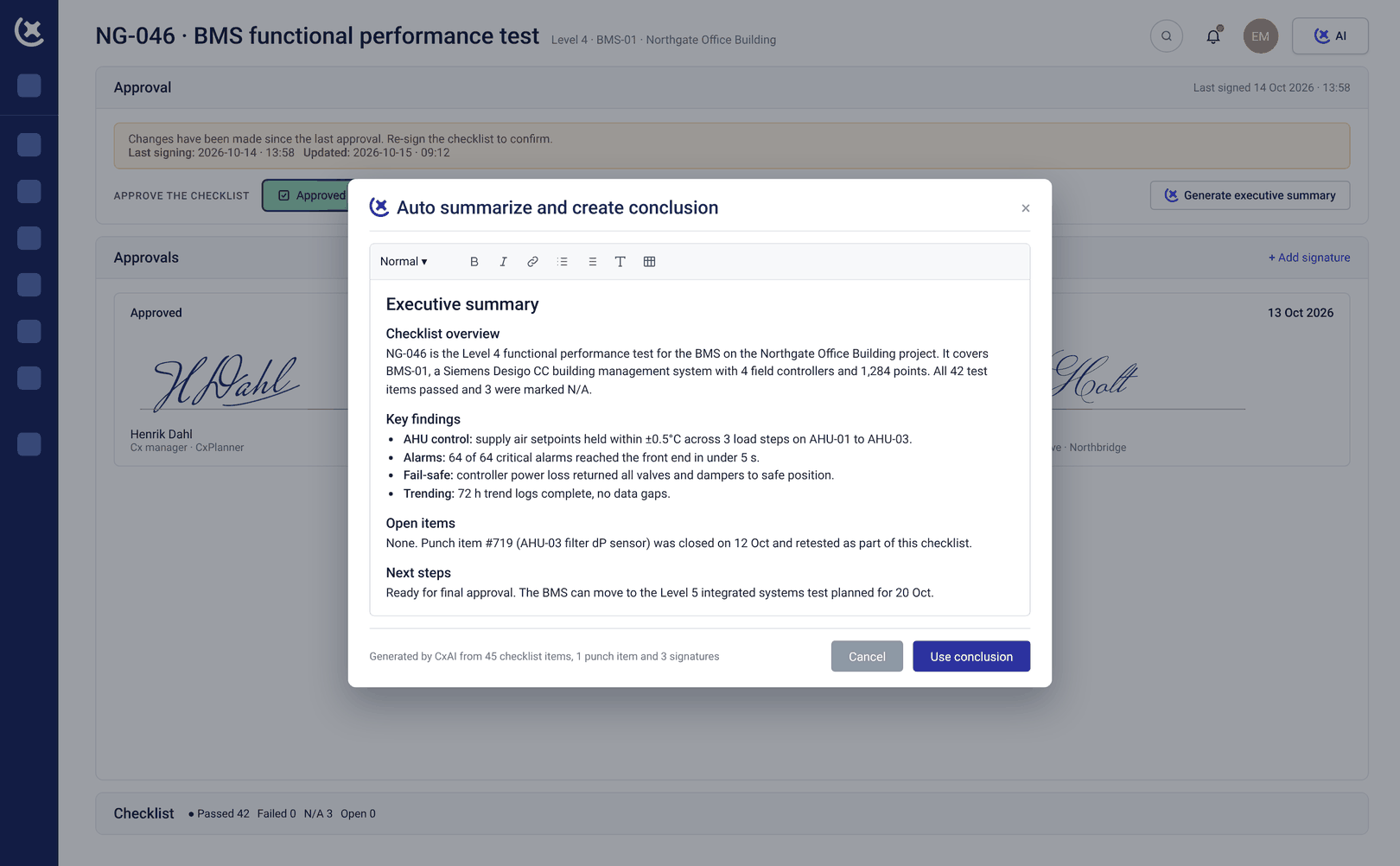
CxAI writes the summary. You review it, edit anything that needs your judgment, and approve it.
Nothing is saved or sent without you seeing it first.- Fully editable before it's used
- Your judgment decides what's ready
- The boilerplate gets written - the sign-off stays yours
Live checklist data.
Not last week's version.
CxAI reads the checklist as it stands right now - not a snapshot from when it was last opened. Whether you run the auto-generator or ask in the sidebar, the summary reflects the current state of the checklist.
Your summary stays accurate, even if the checklist changed five minutes ago.
- Pulls from the live checklist - no re-running, no syncing
- Always current - never an outdated write-up
- Works on desktop, tablet, and mobile
Stop writing checklist
summaries by hand
Run the auto-generator, or just ask. Either way, the write-up is done.
Curious to see CxPlanner in action?