Add your whole team
without the setup work
No inviting people one by one.
No chasing down email addresses and roles.
Get your team, contractors, and stakeholders onto the project in seconds.
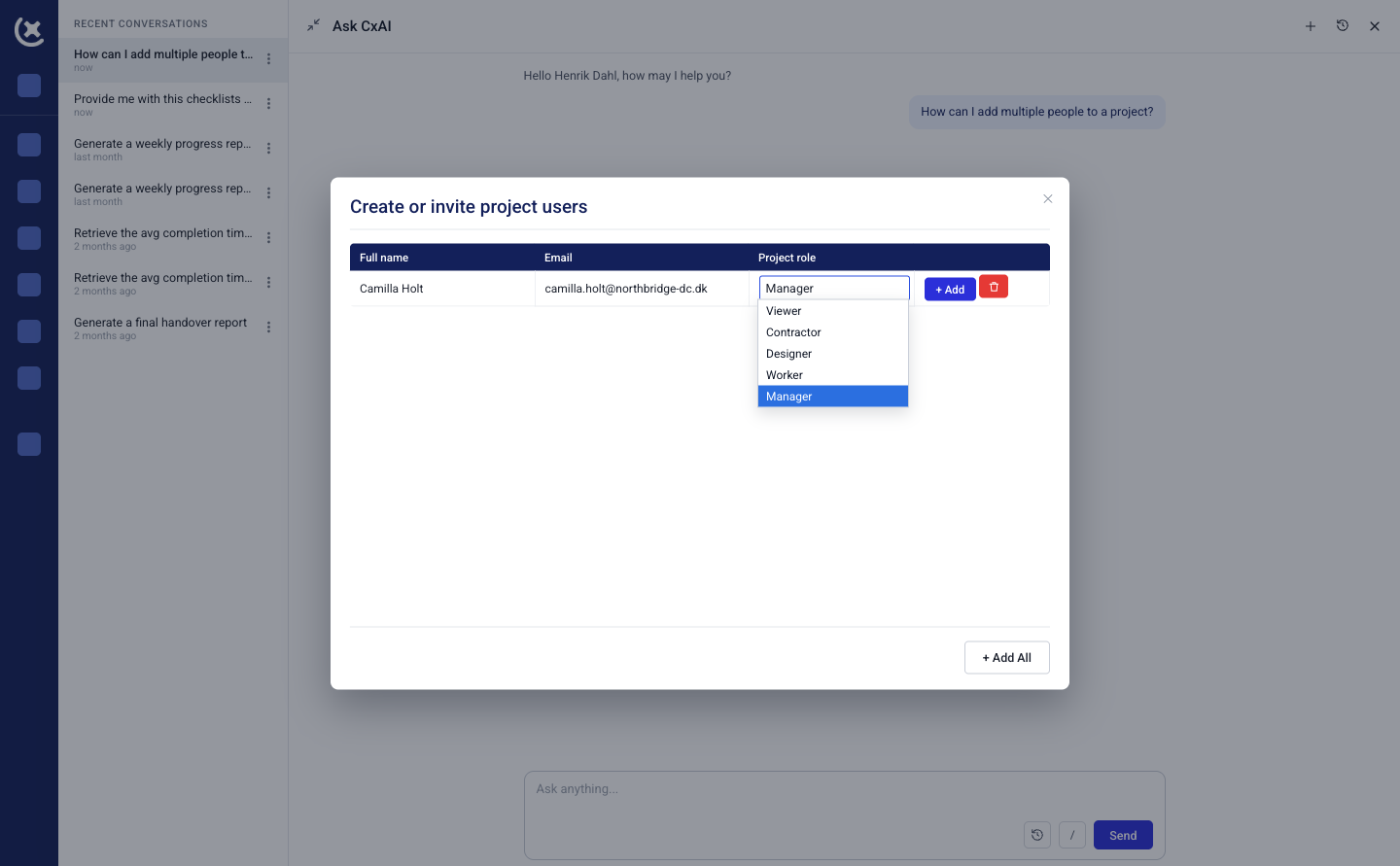
Every project starts the same way - a list of people to add
New project, new team. Owners, contractors, subcontractors, consultants - all needing access before work can start.
Adding them one at a time, setting roles individually, is admin that delays the actual commissioning.
- Add multiple users to a project in one step
- CxAI matches names and emails to the right roles
- Get from empty project to working team in minutes
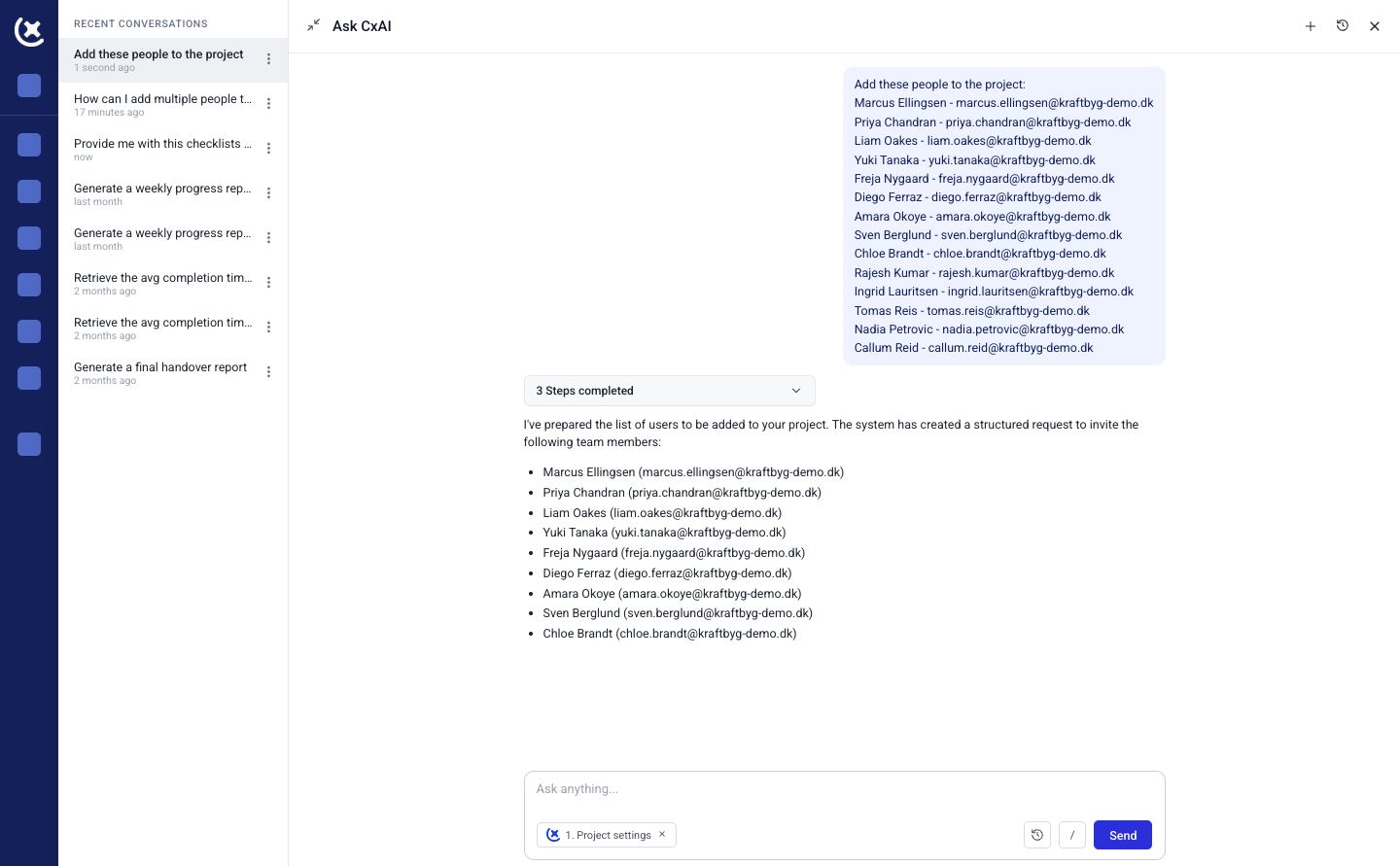
Paste the list, let CxAI sort it out
Drop in a list of names and emails - from a spreadsheet, an email chain, or a subcontractor's team roster - and CxAI reads it, matches each person to a role, and adds them to the project.
- Works from a pasted list, no manual entry per person
- Roles suggested based on context, not left blank
- Review before anything is added
What CxAI checks before adding anyone
Not just a name and an email address dropped into the project. CxAI checks for the details that actually matter before someone gets access.
- Duplicate accounts flagged, not added twice
- Role suggested from title, company, or existing project context
- Missing details called out instead of left blank
Or just ask CxAI to add someone
Already mid-conversation in the sidebar? Type "Add John from ABC Electrical as a subcontractor" and CxAI adds him with the role already set.
No separate screen, no extra clicks.
Good for the one-off addition that comes up mid-project - not everyone needs to go through a bulk import.
- Add a user in plain language, no forms
- Role and company picked up from what you type
- Works without leaving the conversation
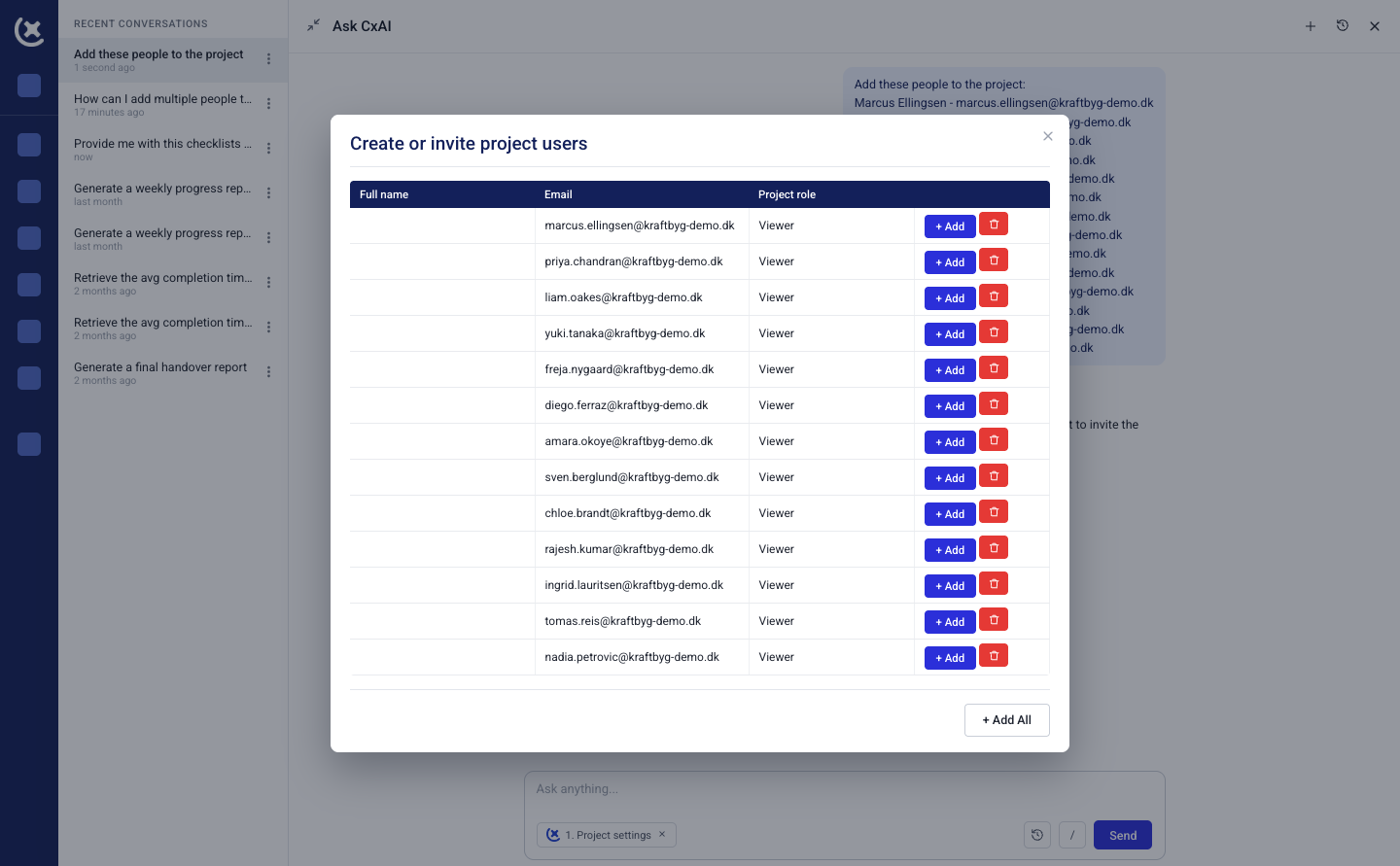
You approve every addition
before access is granted
CxAI prepares the list - names, roles, companies. You review it and confirm before anyone is actually added to the project.
No one gets access without you seeing the list first.- Full list shown before you confirm
- Edit any role or detail before adding
- Access control stays in your hands
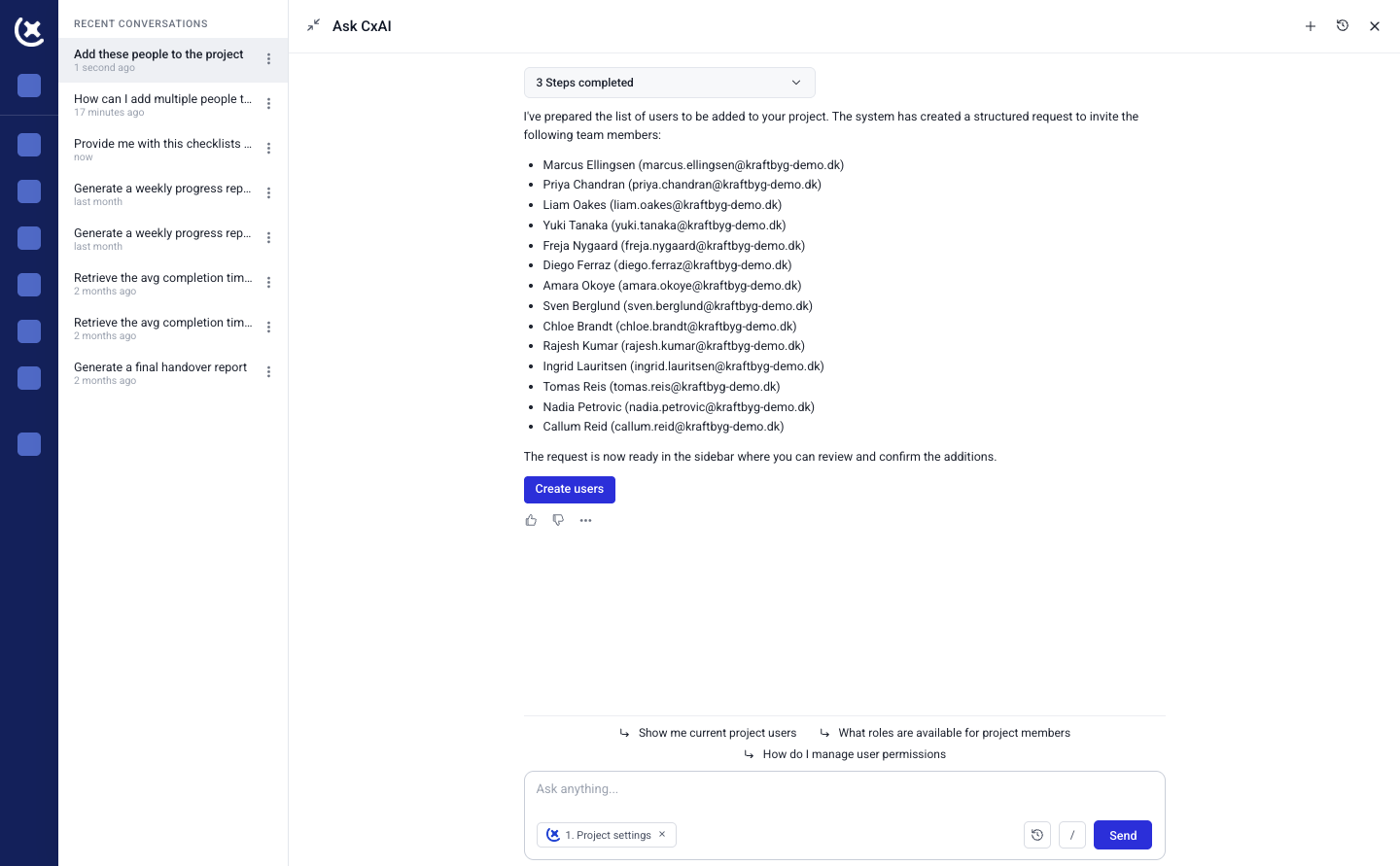
Built for the projects
with the biggest teams
Data center and large commissioning projects can mean dozens of stakeholders across owners, GCs, and subcontractors. Adding them one by one doesn't scale - and it's admin that has nothing to do with commissioning.
CxAI handles the bulk add so your team's first day on the project starts with access, not a support ticket.
- Built for large teams, not just small projects
- Same speed whether it's 3 users or 30
- Works on desktop, tablet, and mobile
Stop adding users
one at a time
Paste a list, or just ask. Either way, your team gets access in minutes.
Curious to see CxPlanner in action?