L1 to L5: Data center commissioning checklists and functional testing
A startup technician completing an L2 pre-functional check on a 500kVA UPS takes a picture of the nameplate from a mobile device, fills the required fields on site, and signs-off - a mobile workflow from start to finish. The final PDF is automatically generated in the company files with all attachments included and the checklist is sent to the CxAgent for review.
CxPlanner's data center commissioning checklists and test procedures are built to the program standard before any contractor sees them.
Book a demo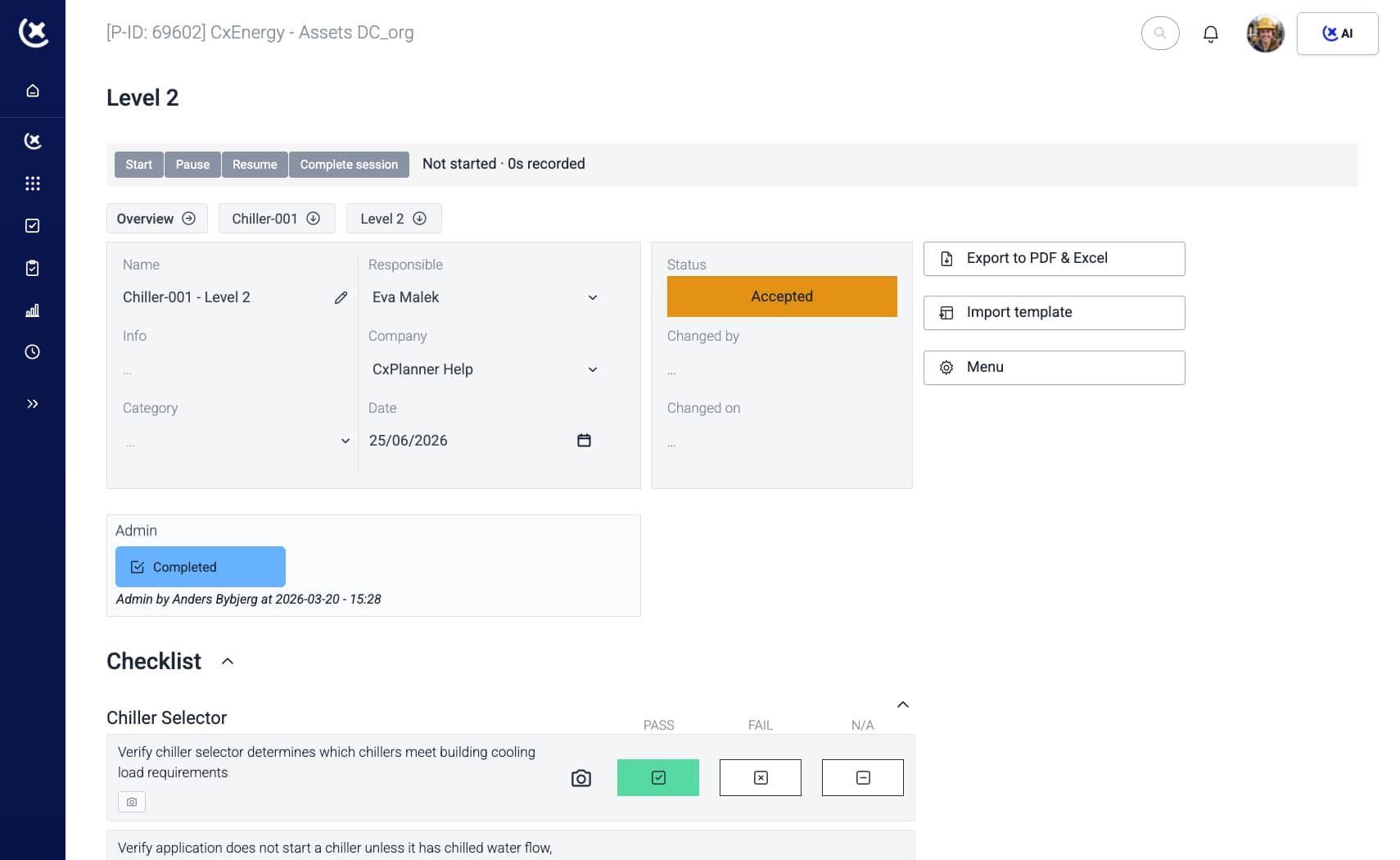
Most tools are not built for the documentation standard data center projects require
The documentation requirement on a data center project is demanding. Most tools were not built for it.
Check-sheets submitted in the wrong format.
Electrical and mechanical contractors bring their own check-sheet formats. The CxAgent spends hours reviewing and reformatting before sending back. Versions are flying back and forth via email and no one formal approval structure is enforced.
Missing fields delay Level 3 sign-off.
A data center commissioning checklist with incomplete data gets rejected. The subcontractor resubmits. The CxAgent re-reviews. The cycle costs days on a tight Level testing schedule and pushes back green tag delivery.
No single version of the test protocol.
Version control breaks down when check-sheets live in email chains and shared drives. By the time Integrated System Testing (IST) starts, the CxAgent cannot be certain which test script template each subcontractor used.
One shared platform with data center commissioning checklist built-in
CxPlanner's checklists are built around Level testing. Every data center commissioning checklist - L1 through L5 - lives in the same platform as the test program. Contractors complete them on site. The format is standardized: there is one version, and it is the one the CxAgent requires.
Here's how it works:
Build or generate the checklist
Use a pre-built commissioning checklist template from the library, import from Excel, or let CxAI generate one from project documentation (SSO automatically transformed to a L5 test).
Assign to the subcontractor
The check-sheet is assigned directly in CxPlanner - visible to the subcontractor on any device (mobile, tablet, Android, iPhone, etc.) the moment it is assigned.
Subcontractor completes on site
Fields are filled, photos attached, and the data center commissioning checklist submitted - without printing, emailing, or reformatting. If you need a serial-number - just take a photo of the nameplate and CxAI auto loads in the data.
CxAgent reviews and signs off
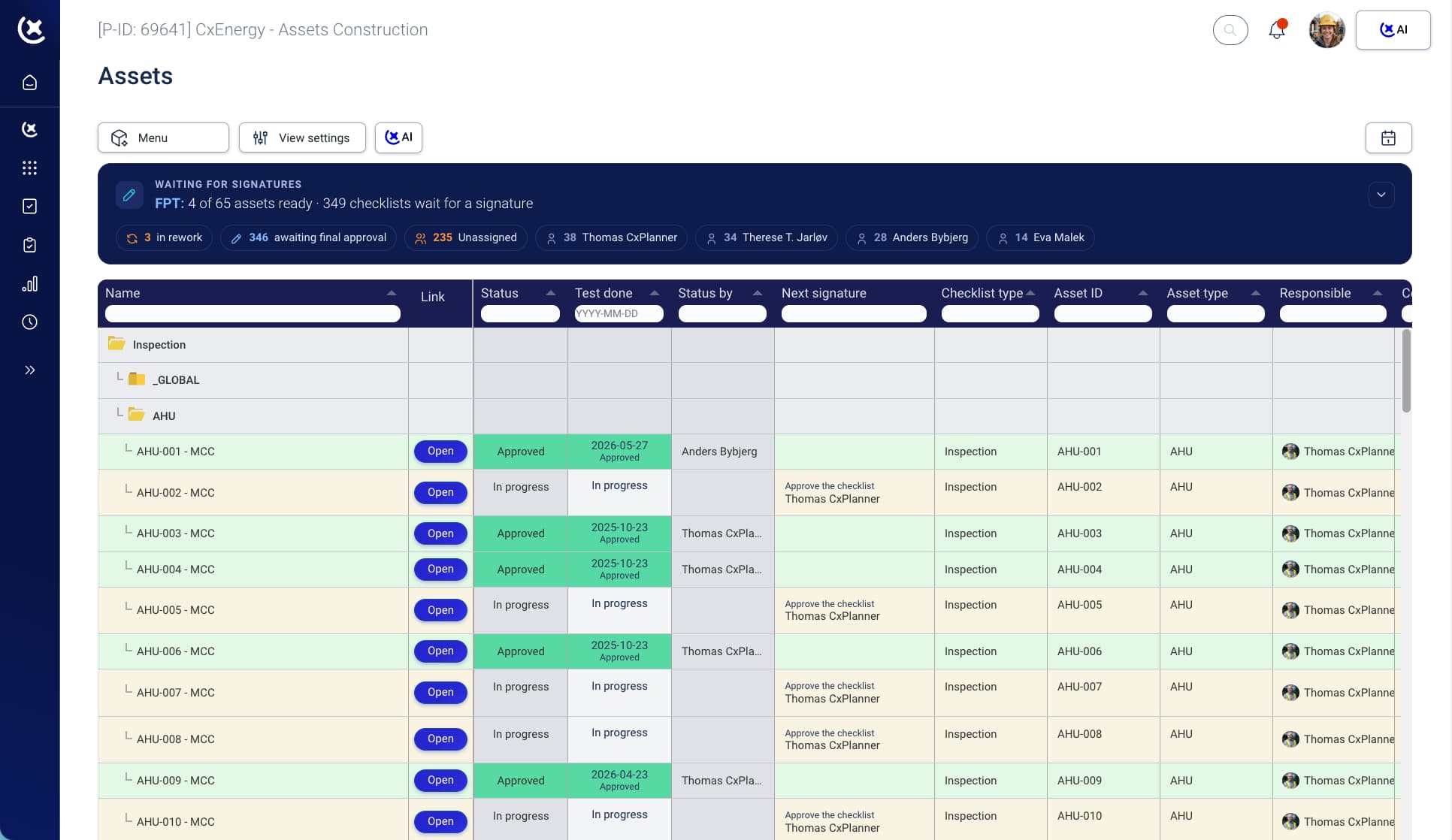
The submission lands in the CxAgent's review queue. If complete, it is signed off. If not, it is rejected with comments - the startup technician sees exactly what needs to change.
Approval flows ensure quality deliveries
When all the relevant parties have signed off, Contractor completion, Cx Agent reviewed, Owner Approved - the PDF report is automatically generated and stored against the individual asset and the system.
The capabilities that make each step work are below.
What CxPlanner covers across L1-L5 checklists and QA/QC
Every checklist type, every Level - in one system built for the documentation standard data center projects require.
L1-L5 commissioning checklist templates and test procedures
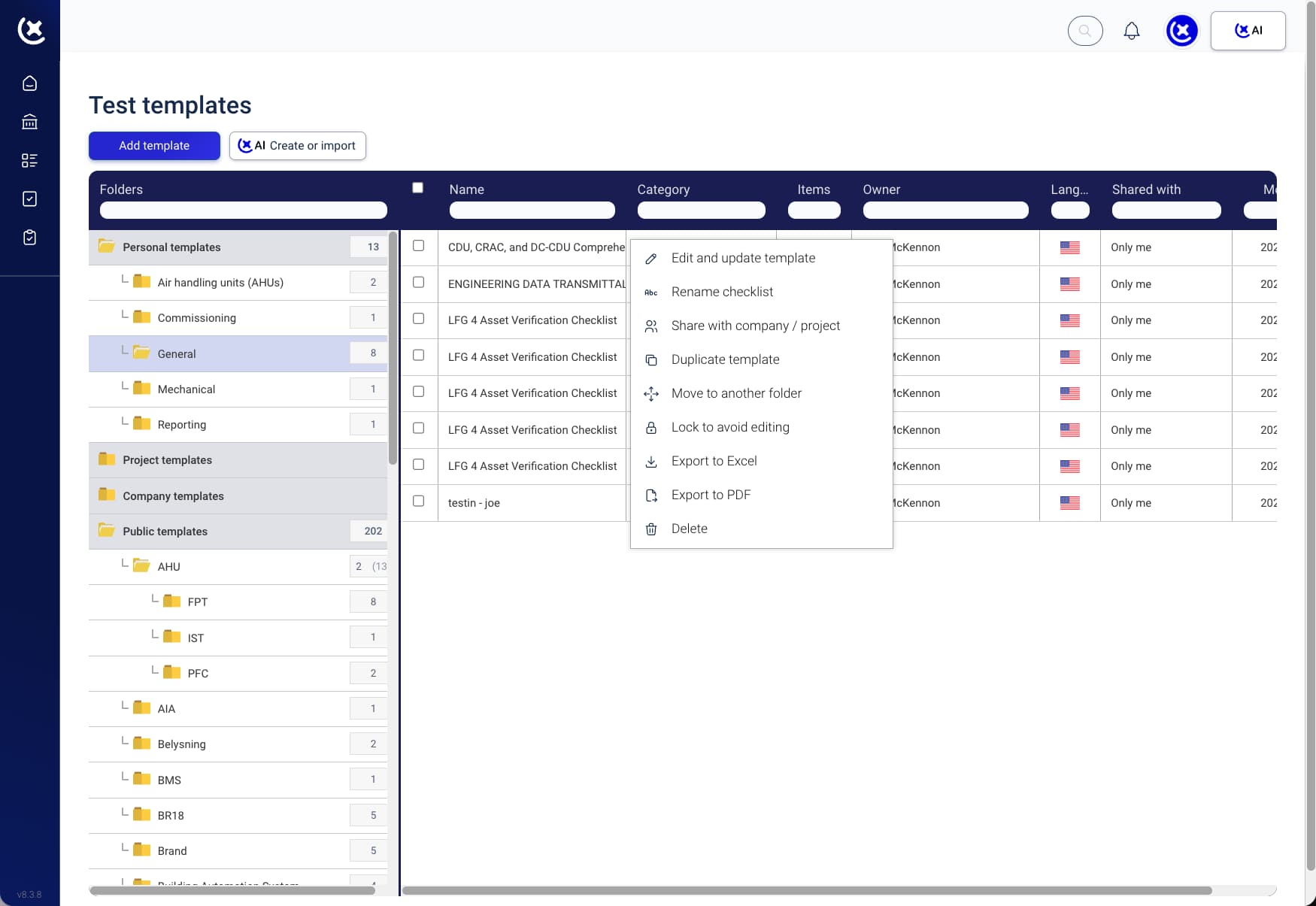
Use the pre-built commissioning checklist templates for FATs, SATs, Functional Tests and ISTs for the specific asset or system being tested, or import existing check-sheets from Excel.
Mobile and tablet completion on site
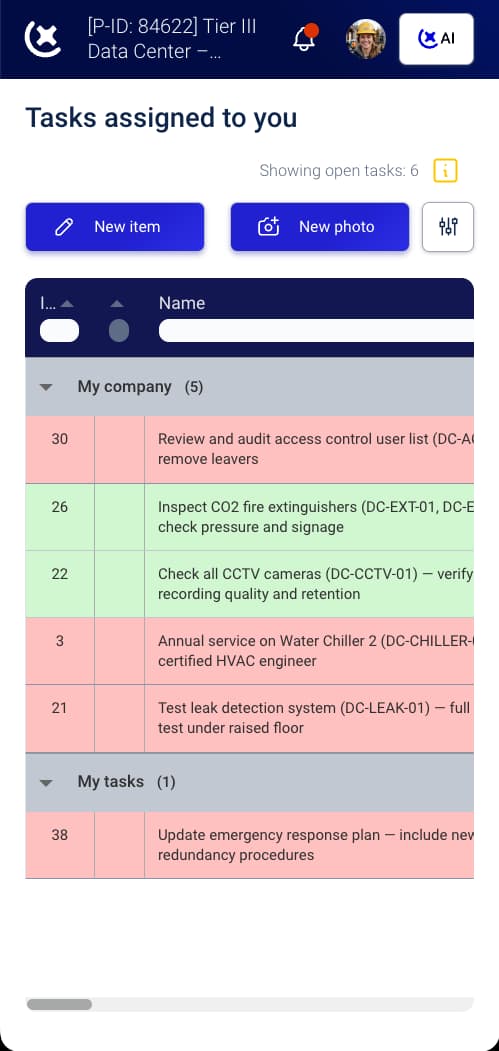
Technicians or contractors complete data center commissioning checklists on any device. The interface is smooth and fast, easy for execution with a single hand. Submissions meet documentation standards from the first entry - nothing gets lost.
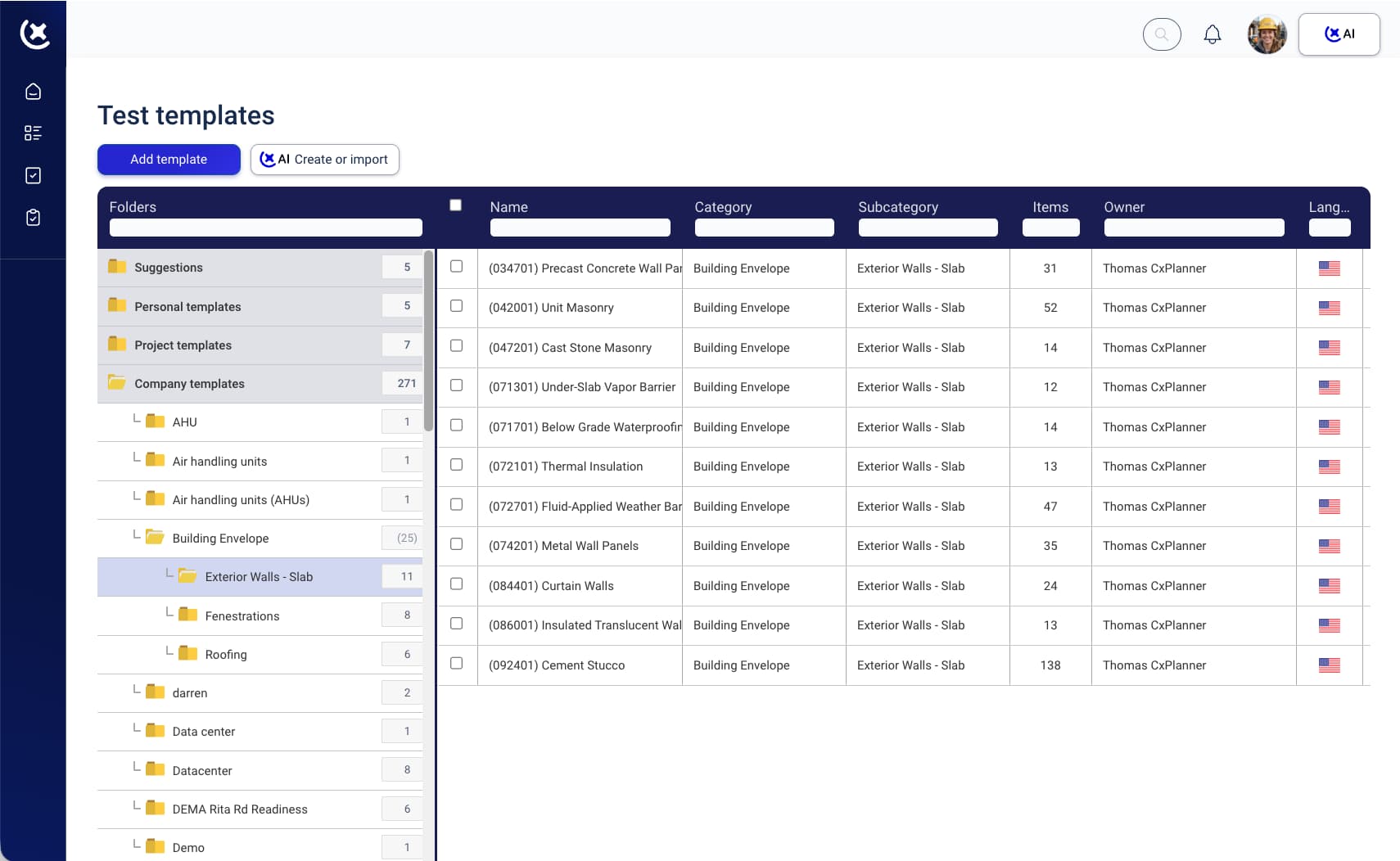
CxAI checklist generation
Point CxAI at project documentation, specifications, or equipment lists. It generates a complete commissioning checklist for the system being tested. Every item is customizable. Ready to assign.
QA/QC built into the checklist flow
Quality assurance and quality control steps are embedded in the checklist - not managed separately. Sign-offs tracked at every stage. The audit trail is automatic.
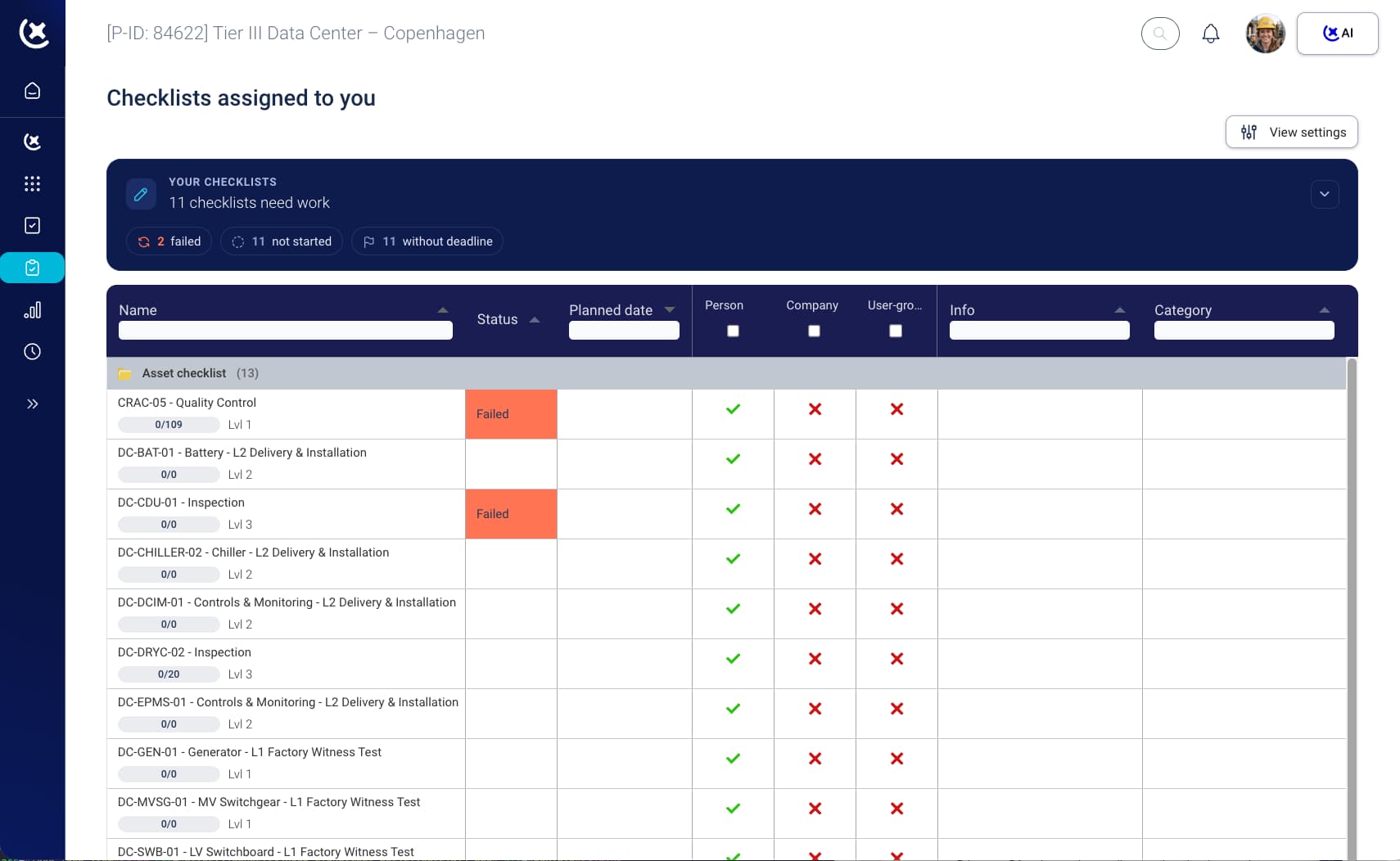
Data center commissioning checklist record, that is audit-ready from day one
Fewer rejections. Faster gates. Less time managing check-sheet versions. A benefit for the Cx team and the owner.
First-submission acceptance rates go up.
When the data center commissioning checklist is built to the right standard before the startup technician sees it, incomplete submissions drop. L2 and L3 gates close faster.
The commissioning checklist template library compounds over projects.
A commissioning checklist template built for a hyperscale UPS installation is ready for the next build. The team stops rebuilding check-sheets from scratch at the start of every project.
One version, every subcontractor.
One platform, one version. Every contractor completes the same data center commissioning checklist - not a version downloaded three weeks ago from a shared drive.
See how CxPlanner handles L1-L5 checklists on your project
If your electrical or mechanical subcontractors submit check-sheets in their own formats, the first round of rejections is already scheduled. Book a walkthrough and we will show you how the Level testing checklist flow works in practice.
If your existing checklists are in PDF, Word, or Excel, they can be imported directly into CxPlanner and converted to live digital check-sheets from day one.
Request a walkthroughSee how CxPlanner handles L1-L5 checklists on your project
If your electrical or mechanical subcontractors submit check-sheets in their own formats, the first round of rejections is already scheduled. Book a walkthrough and we will show you how the Level testing checklist flow works in practice.
If your existing checklists are in PDF, Word, or Excel, they can be imported directly into CxPlanner and converted to live digital check-sheets from day one.
Common questions about data center commissioning checklist
Can subcontractors use their own check-sheet formats in CxPlanner?
CxPlanner supports importing from Excel. The stronger workflow is to standardise on a commissioning checklist template from the start - so every startup technician completes the format the CxAgent requires. CxAI generates templates from project documentation to speed this up.
Does CxPlanner support QA and QC steps within the same checklist?
Yes. Quality assurance and quality control steps are embedded in the data center commissioning checklist flow - not managed in a separate system. Sign-offs are tracked at every stage and the audit trail is automatic.
How does CxAI help with commissioning checklist templates?
CxAI generates complete commissioning checklist templates from project documentation, specifications, or equipment lists. Every item is editable and rateable - so the template improves with each use.
Do checklists connect to the Level gate sequence?
Yes. Data center commissioning checklists are linked to the level they belong to. L3 cannot begin until the L2 check-sheets it depends on are signed off - gate enforcement is built into the platform.