Global data center testing visibility across teams and stakeholders
An L3 Startup issue buried in an email chain can sit undetected for days before the programme feels it. CxPlanner's global test view gives the Cx team a connected picture across every data center testing phase, with dedicated views for stakeholders.
Every system and trade scope is tracked in one place. The status you see is the live status on site.
Book a demo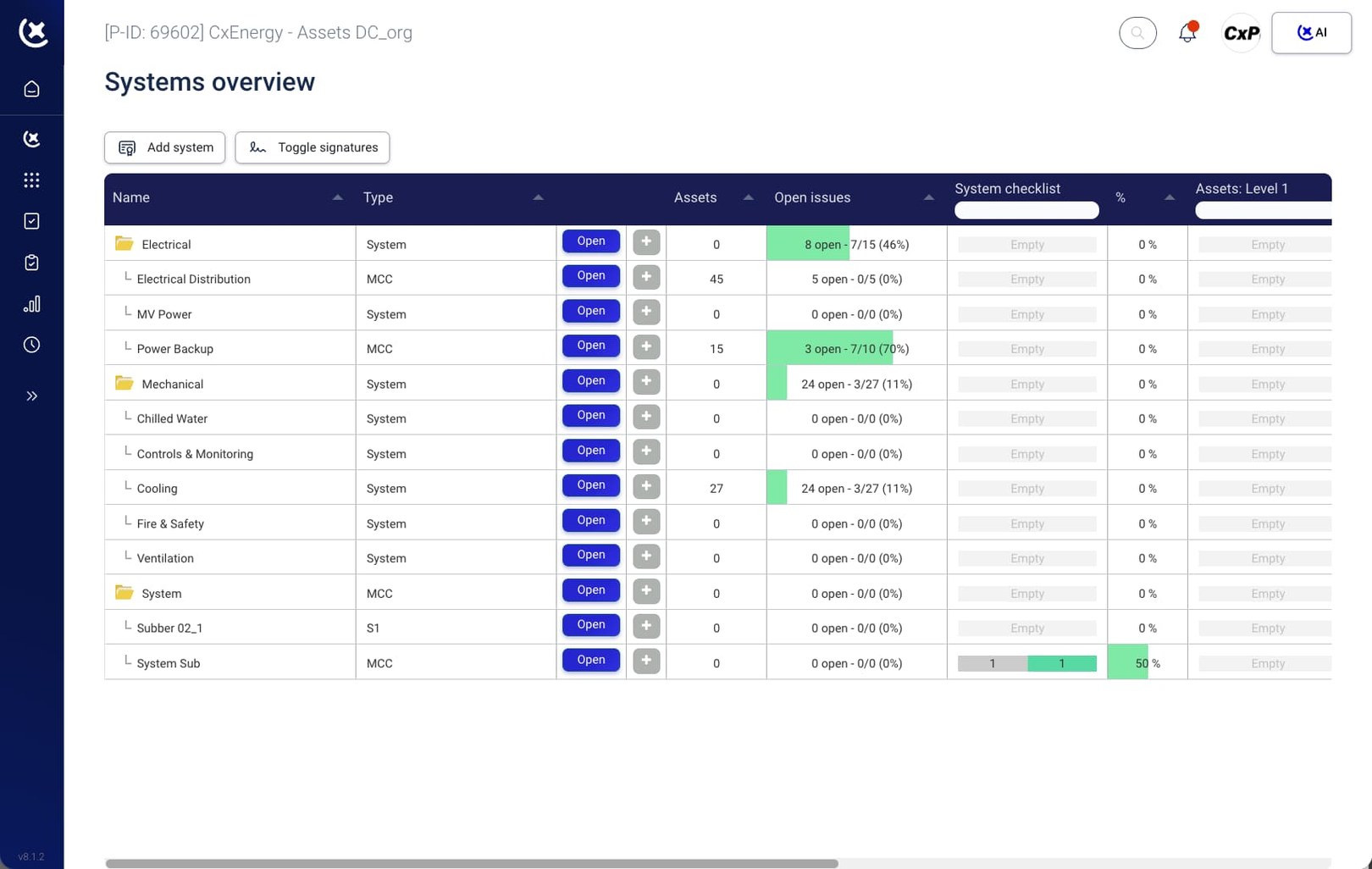
Test data scattered across systems and inboxes leaves the Cx Manager flying blind.
On a live data center build, the Cx Manager is accountable for the full data center commissioning process. The data is rarely in one place.
Walkdown records and test results live in disconnected systems.
L3 Startup sign-offs from the electrical contractor are in one system. Mechanical walkdown check-sheets for HVAC and BMS equipment are in another. Assembling a programme-wide picture by hand is where early warnings go undetected.
Weekly reporting cycles can't keep pace with a live commissioning programme.
A Friday status report says you're ready to start ISTs. By Monday, three functional tests have failed and field technicians are blocked. The report is stale before it reaches you - and you end up wasting time getting back on track.
Gate blockers are invisible until the gate review.
A missed EPMS dependency between contractors stays invisible until L4 System Testing is already underway. By then it's programme recovery, and the cost reflects that.
One view that connects status at every level of the data center commissioning process.
CxPlanner connects all systems and assets in the data center commissioning process with a single live data center testing view. Every L1 through L5 record is visible in real time - by system, level and phase.
Here's how it works
Assign responsibility at test or task level
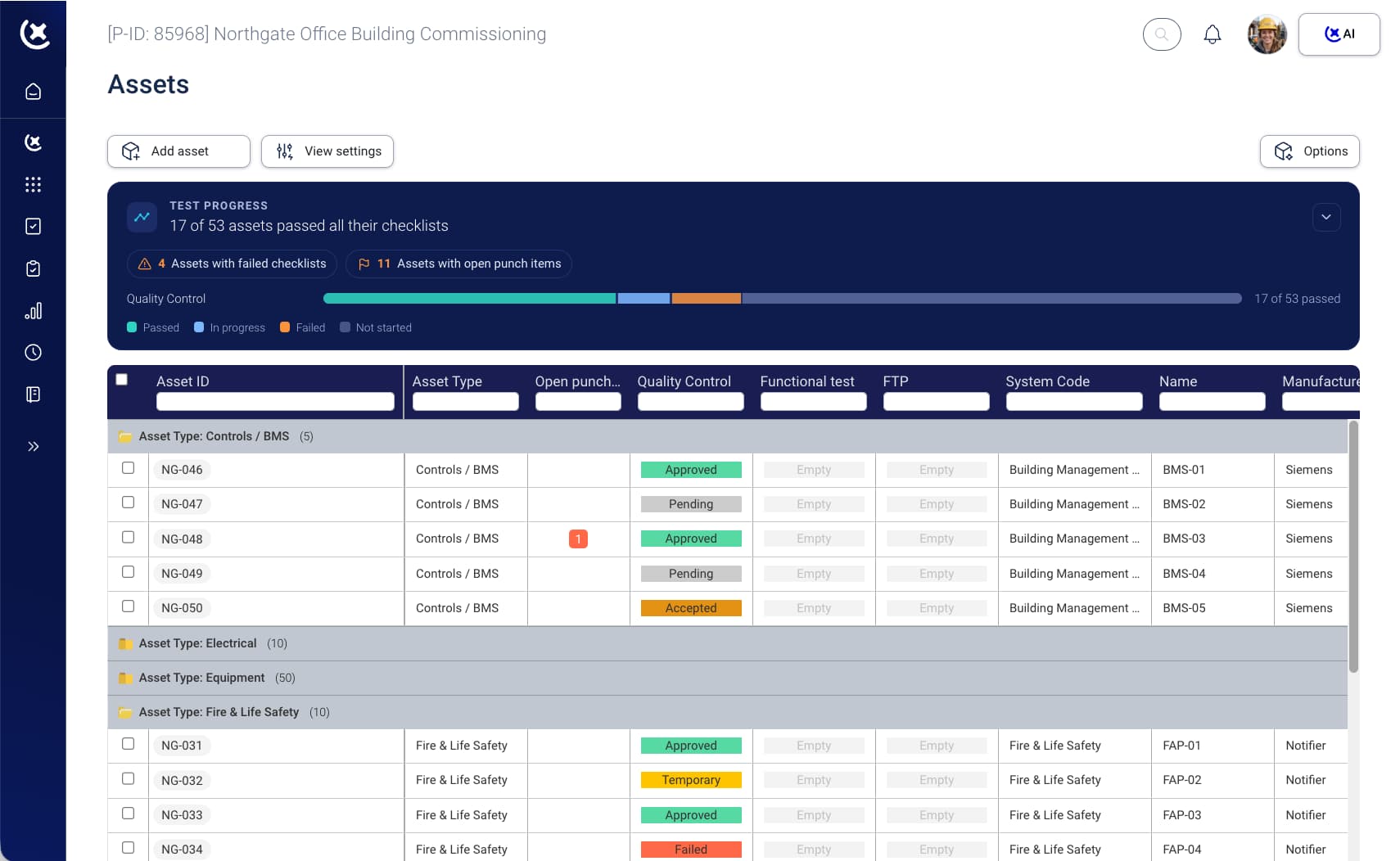
Electrical and mechanical subcontractors work directly in CxPlanner, submitting check-sheets and test results to the same system.
Assets and system testing all in one view
Every asset and system is assigned a test procedure, so the test view always shows complete progress.
Gate enforcement kicks in automatically
L3 cannot begin until L2 records are signed off. Dependencies are enforced in the platform.
Cx team sees live status
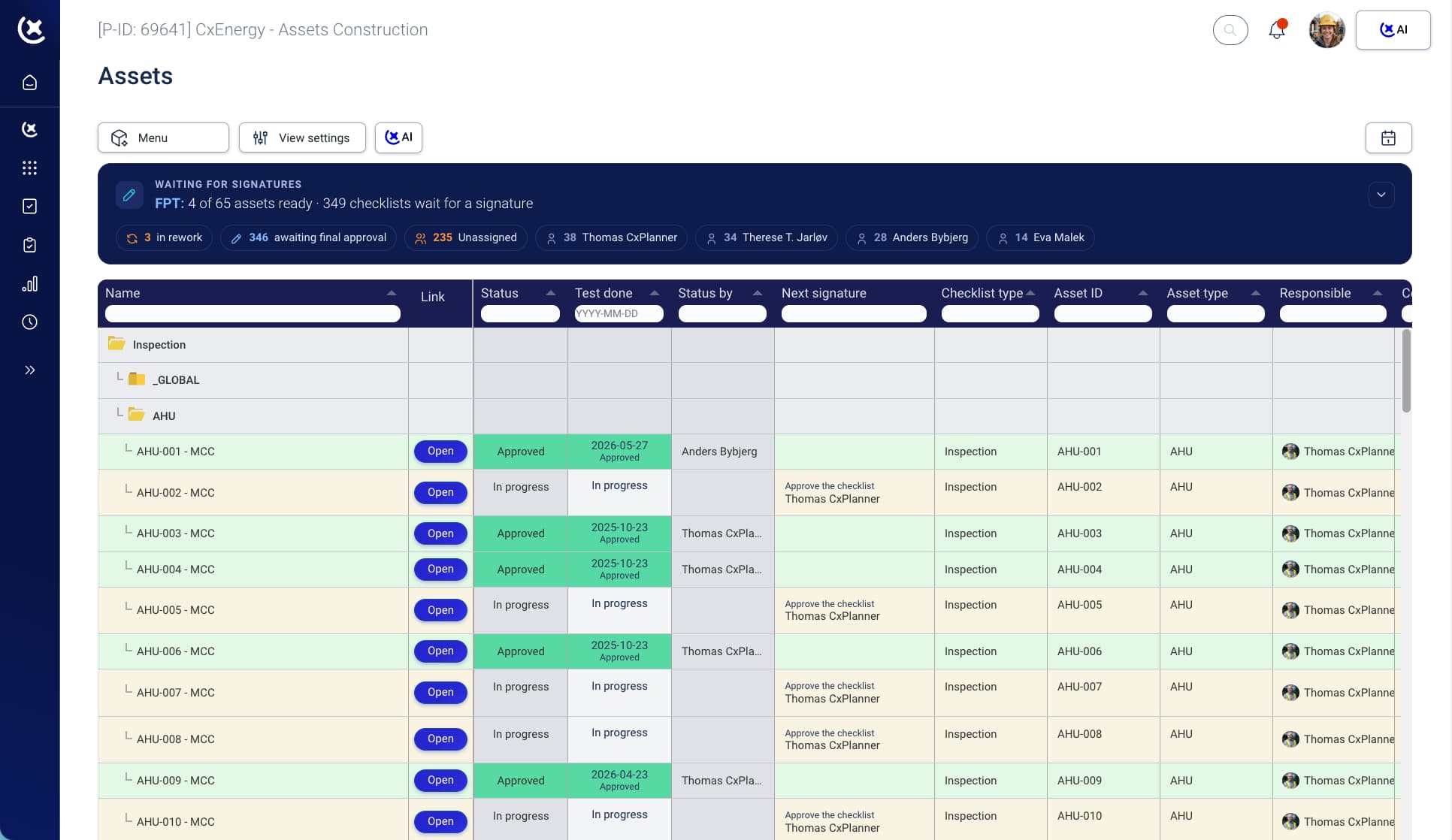
The global test view updates in real time as submissions come in on site, so the color tag in CxPlanner always matches the tag on the equipment.
Blockers flagged before they cause a delay
Overdue items and stalled dependencies surface automatically in the closeout overview and project dashboard.
From here, the specific capabilities that make each part of this work.
What the global data center test view covers across L1-L5
One view, every test, every level - across all subcontractor scopes.
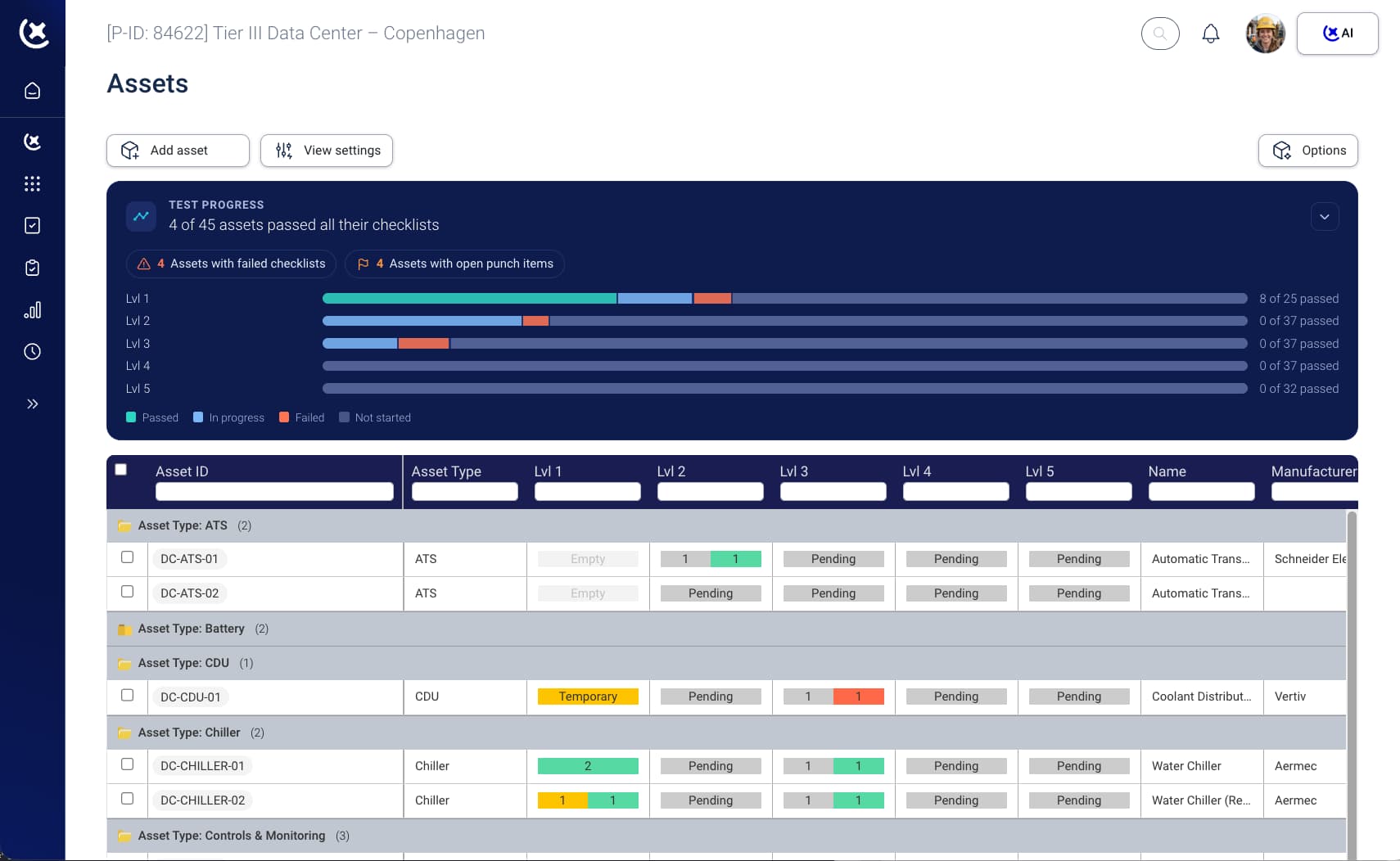
Full data center testing program in one view
FAT records, SAT reports, pre-functional checks, functional test results, and IST sign-offs are all visible in one place. Filter by level, system, contractor, or status.
Color tags, mapped to every level
Every level carries the color tag the industry uses in the field: L1 (Red), L2 (Yellow), L3 (Green), L4 (Blue), L5 (White). The global test view shows both the level and the tag, so the status is up to date whether the team is in the office or in the field.
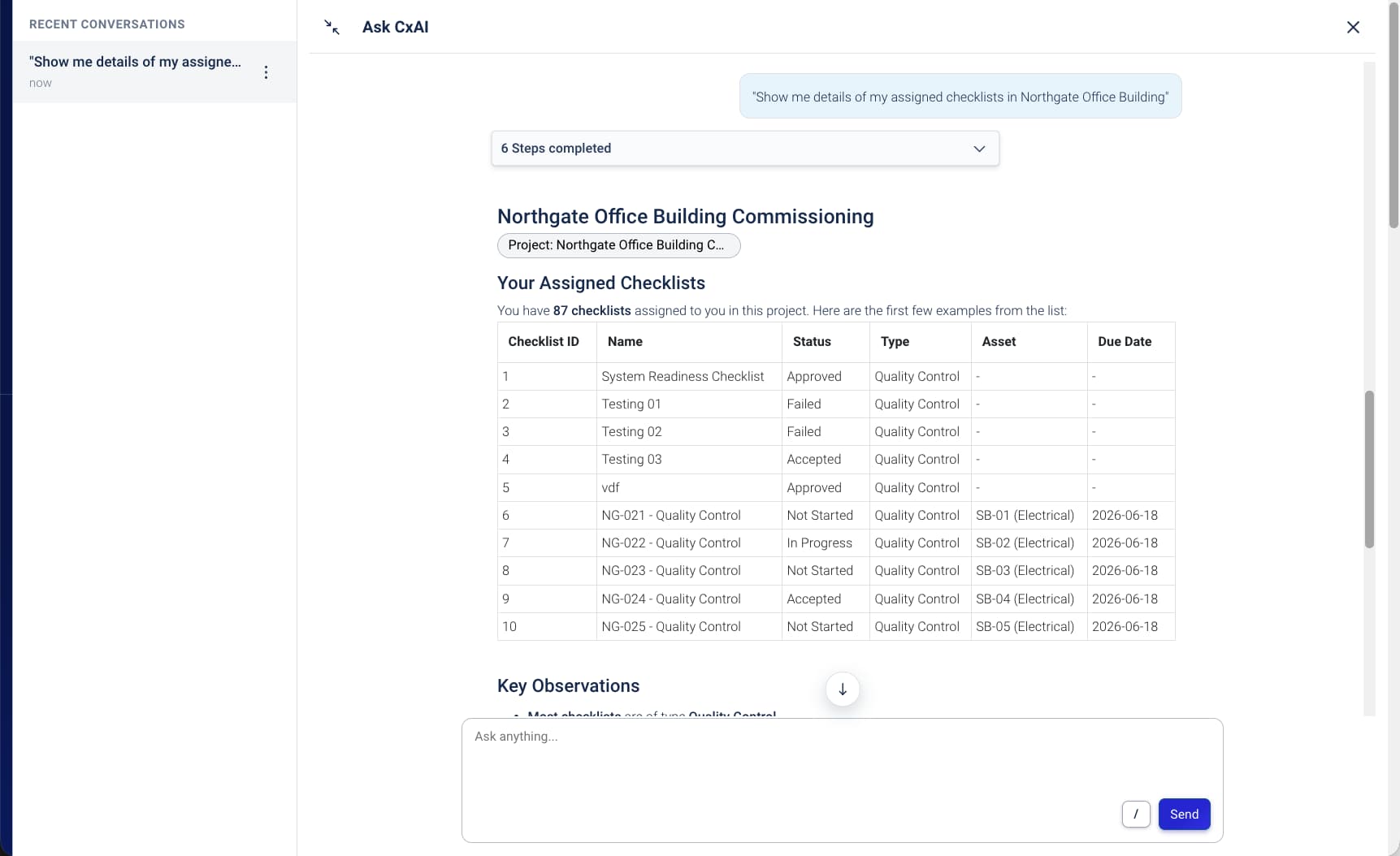
CxAI-assisted reporting
Ask CxAI in plain language: generate a status report, list overdue L3 items, show which systems are behind on L4. Reports drafted from live data - the CxManager reviews and sends with the click of a button.
Cross-subcontractor visibility
Electrical and mechanical scopes tracked in the same live view. L3 Startup falls behind, the knock-on effect on dependent System Tests surfaces immediately.
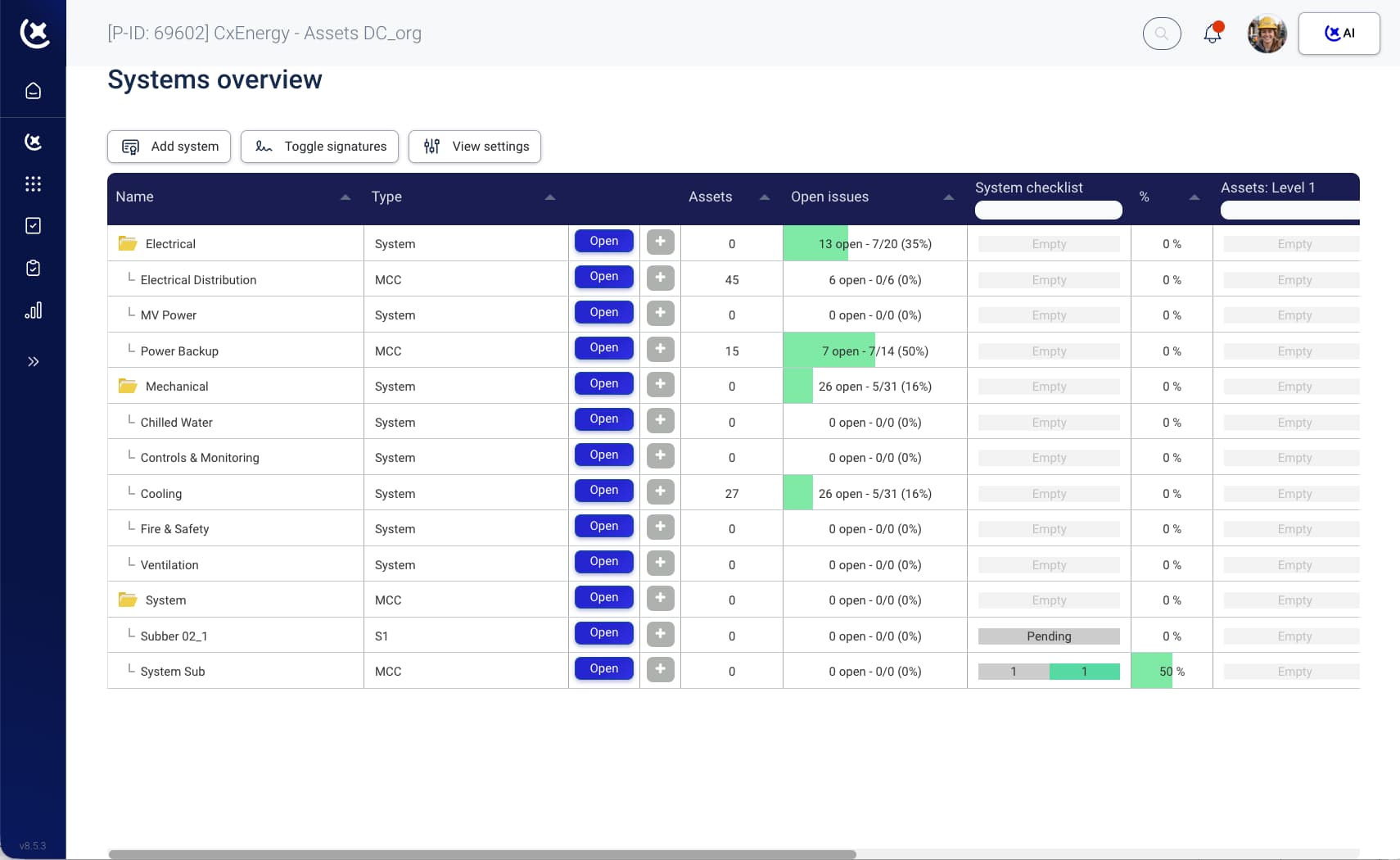
Live data that drives action, not admin.
CxPlanner automates the status picture and surfaces actionable insights in real time - so the Cx team has its finger on the pulse throughout the entire data center commissioning process.
Fewer gate-day surprises.
Dependencies are enforced in the platform - blockers surface before they become recovery problems.
Shorter commissioning programmes.
When the status picture is always current, decisions happen faster and delays get caught earlier.
Audit-ready documentation at every stage.
Every sign-off, test result, and level gate is recorded in real time.
Subcontractor accountability without the admin.
Electrical and mechanical trade contractors submit directly into the same system.
Owner visibility without a report request.
Stakeholders see live programme status on demand - the Cx team stops spending time answering status questions.
Reduced cost of programme slippage.
A missed L3 dependency caught early is a scheduling conversation. Caught at the gate review, it's a recovery budget.
See what your L1-L5 data center testing programme in one view
If your Cx team is managing data center testing across two or more tools, the global test view is worth 20 minutes of your time.
Book a walkthrough and bring your current test schedule - we'll load it into CxPlanner and show you how quickly you can get up and running.
Book a demoRequest a walkthroughCommon questions about the global test view
Does the global test view support all five testing levels?
Yes. L1 FAT records through L5 IST sign-offs are all tracked - and you can add more if needed. Each level can be gated - the view shows what is complete, what is in progress, and what is blocked at every stage of the data center commissioning process.
Can multiple trade contractors see their own assigned work within the same view?
Yes. Electrical and mechanical trade contractors each work within their own scope in CxPlanner, and their progress is visible to the CxManager and CxAuthority across all trade scopes in the global view.
How does the platform handle commissioning dependencies?
Dependencies between levels are configured by the CxAuthority and enforced by the platform. The next level of testing cannot begin until the records it depends on are signed off and approved - removing the manual dependency tracking that otherwise sits in a spreadsheet.
Does the view update in real time or on a reporting cycle?
Real time. When a field technician submits a check-sheet or a test result is recorded on site, the global data center testing view updates immediately.
Does CxPlanner support color tagging?
Yes, CxPlanner supports:
- Red Tag (Factory Testing)
- Yellow Tag (Pre-Installation)
- Green Tag - (Pre-Commissioning)
- Blue Tag - (Functional Performance Testing)
- White Tag - System Integrated Testing
And can be configured to match your exact testing and tagging requirements. See more here: https://cxplanner.com/data-centers/resources/data-centers-level-testing