Data center planning software that connects your schedule to real project data
On a hyperscale build, the three week lookahead lives in a spreadsheet with no connection to live test data. When a L2 test date is missed but no one finds out, the lookahead isn't updated and the schedule slips. In CxPlanner, live and dynamic updates and automated checklist assignment, allows the schedule to keep moving and the yellow tag stays on schedule.
CxPlanner is data center planning software that builds the commissioning schedule directly from asset and test data. Dependencies between levels and contractor scopes are tracked in one system.
Book a demo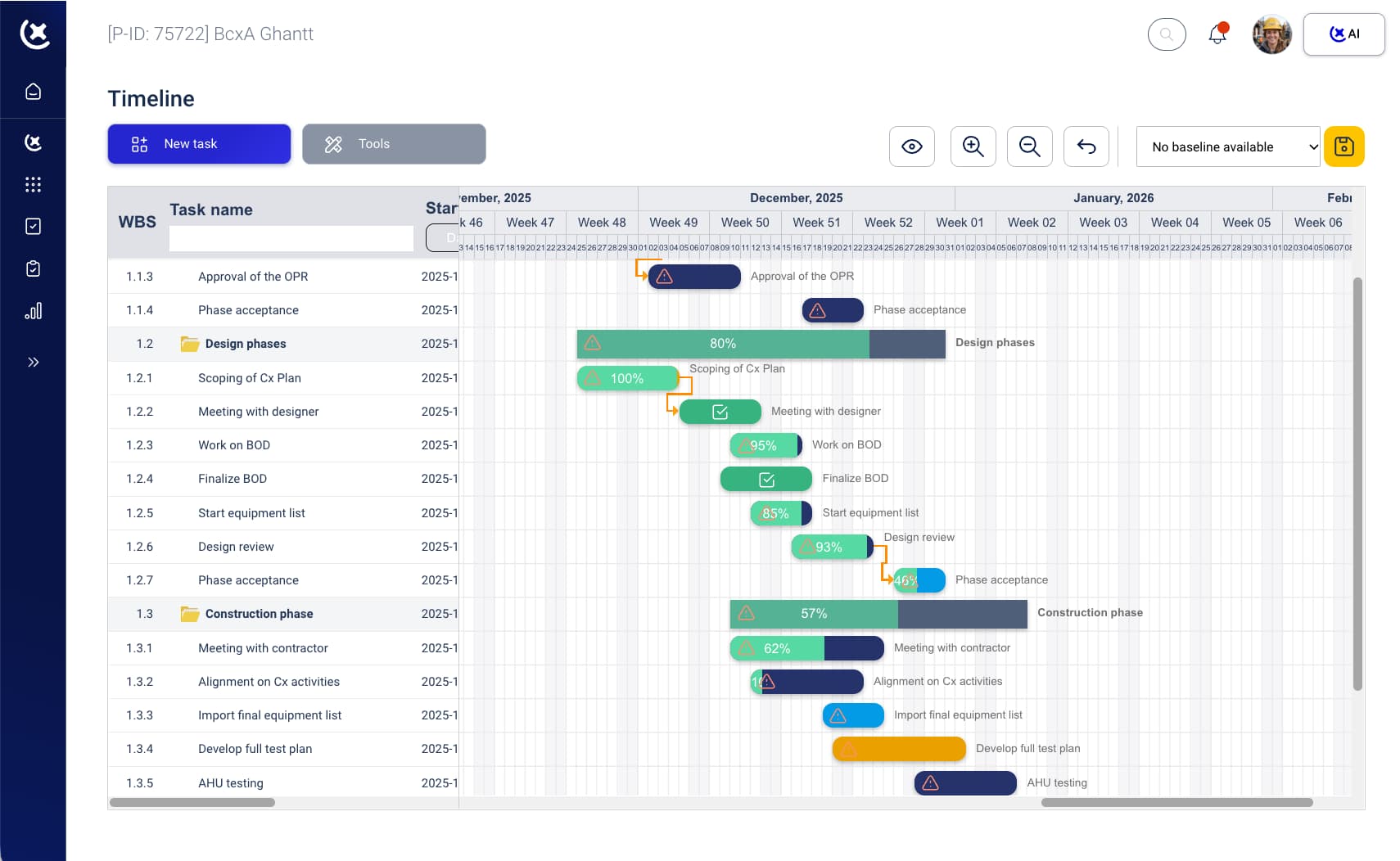
The bigger the project, the wider the gap between schedule and reality
On a live commissioning programme, the schedule is never quite current. Something changes on site before the update gets made.
The commissioning schedule and test programme live in different tools.
The schedule is in Smartsheet. Tests and assets are in the commissioning tool. When a gate slips, someone tries to reconcile the two - and the schedule is always slightly out of date.
Dependencies across contractors are managed informally.
The electrical scope feeds into L4 before the mechanical tests are done. That dependency lives in someone's head instead. When it breaks, the L4 sequence slips, and delivery is pushed back.
Schedule updates require re-entry across multiple systems.
A change to the L3 completion date needs updating in the commissioning tool, the schedule, and the status report - manually, in each place. On a hyperscale data center project management programme, that overhead compounds every week, leaving managers frustrated and owners over budget.
Data center planning software that schedules from real assets and tests
CxPlanner data center planning software builds the commissioning schedule from the assets, systems, and tests already in the platform. There is no separate scheduling tool to maintain. When an L3 test is completed or a gate is signed off, the schedule reflects it automatically. Dependencies between levels and systems are tracked in the same platform as the tests themselves.
Here's how it works:
Build the asset and test register
Assets, systems, and tests are entered or imported into CxPlanner - this becomes the foundation for the schedule.
Define Level gates and dependencies
Gate prerequisites are set in the platform - which L2 records need to be signed off before L3 can begin, which deliveries feed into each other.
Generate the schedule
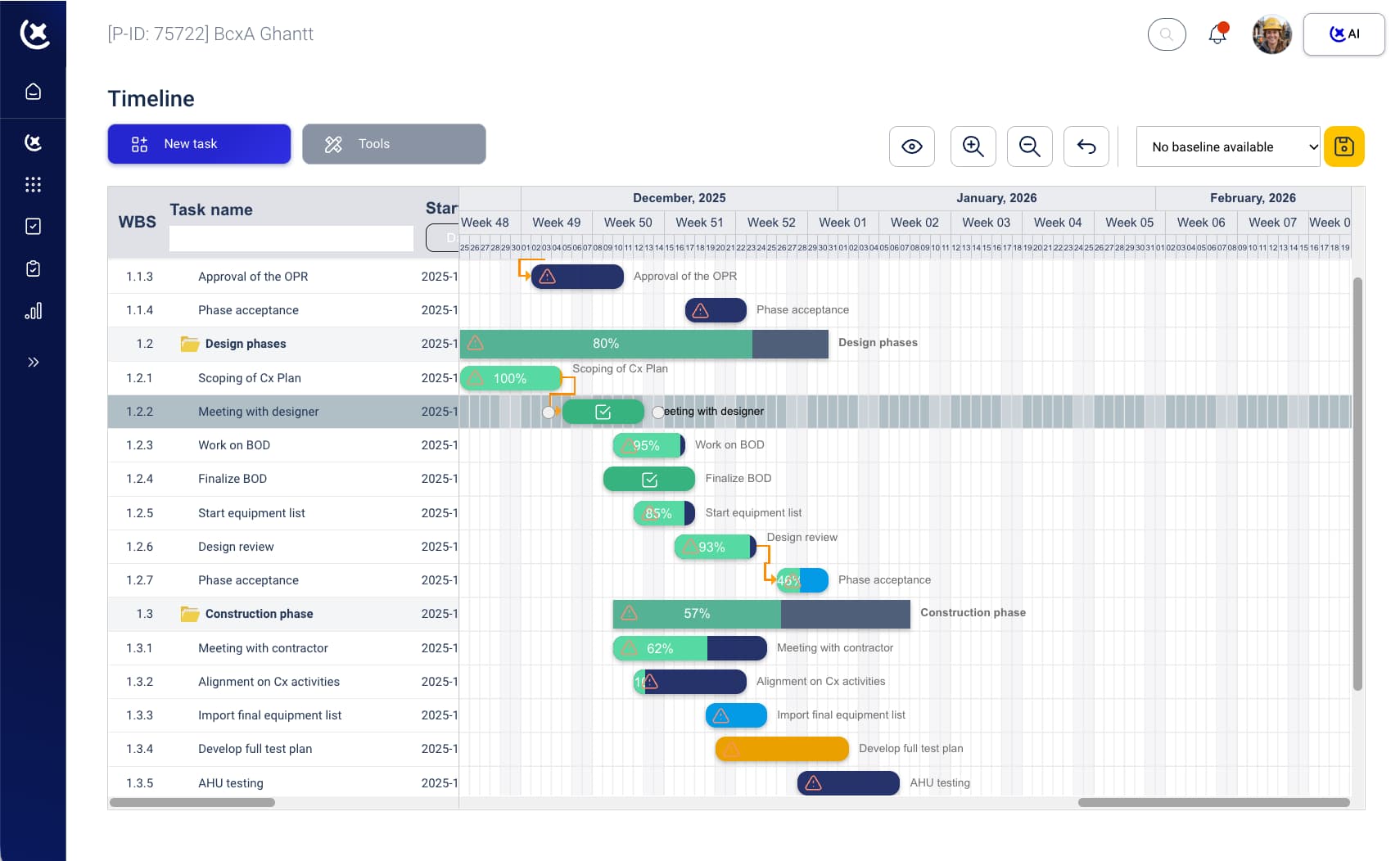
The data center planning software builds the Gantt view from the asset and test data already in the system - no separate P6 schedule to maintain.
Execute and update in real time
As tests are completed and gates are signed off on site, the schedule updates automatically across all views.
Identify slippage before it cascades
The CxManager sees where the project programme is ahead and where it is slipping - without pulling data from two systems.
The capabilities that support each step of the planning and scheduling workflow are below.
What CxPlanner covers in data center planning
Build phases, assets and system tests - all connected in one central platform.
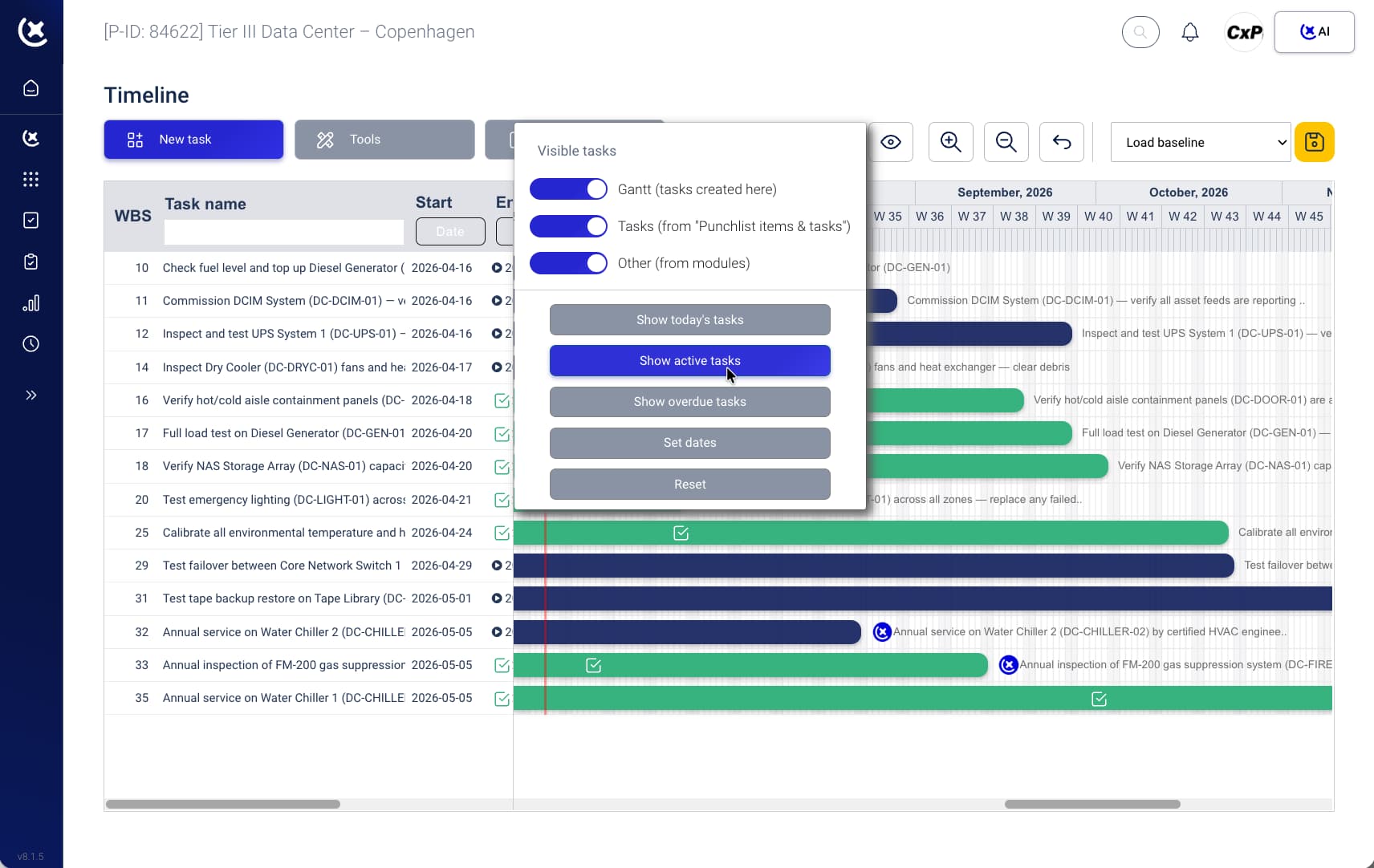
Commissioning schedule built from real project data
The schedule is built from assets and tests already in CxPlanner - not created separately and synced manually. A schedule that starts from real data stays aligned with real progress.
Gantt-style views for data center project management
System completion milestones, Level gate dates, and subcontractor scope timelines in one Gantt view. The Cx lead sees where the data center project management programme is ahead, where it is slipping, and what comes next.
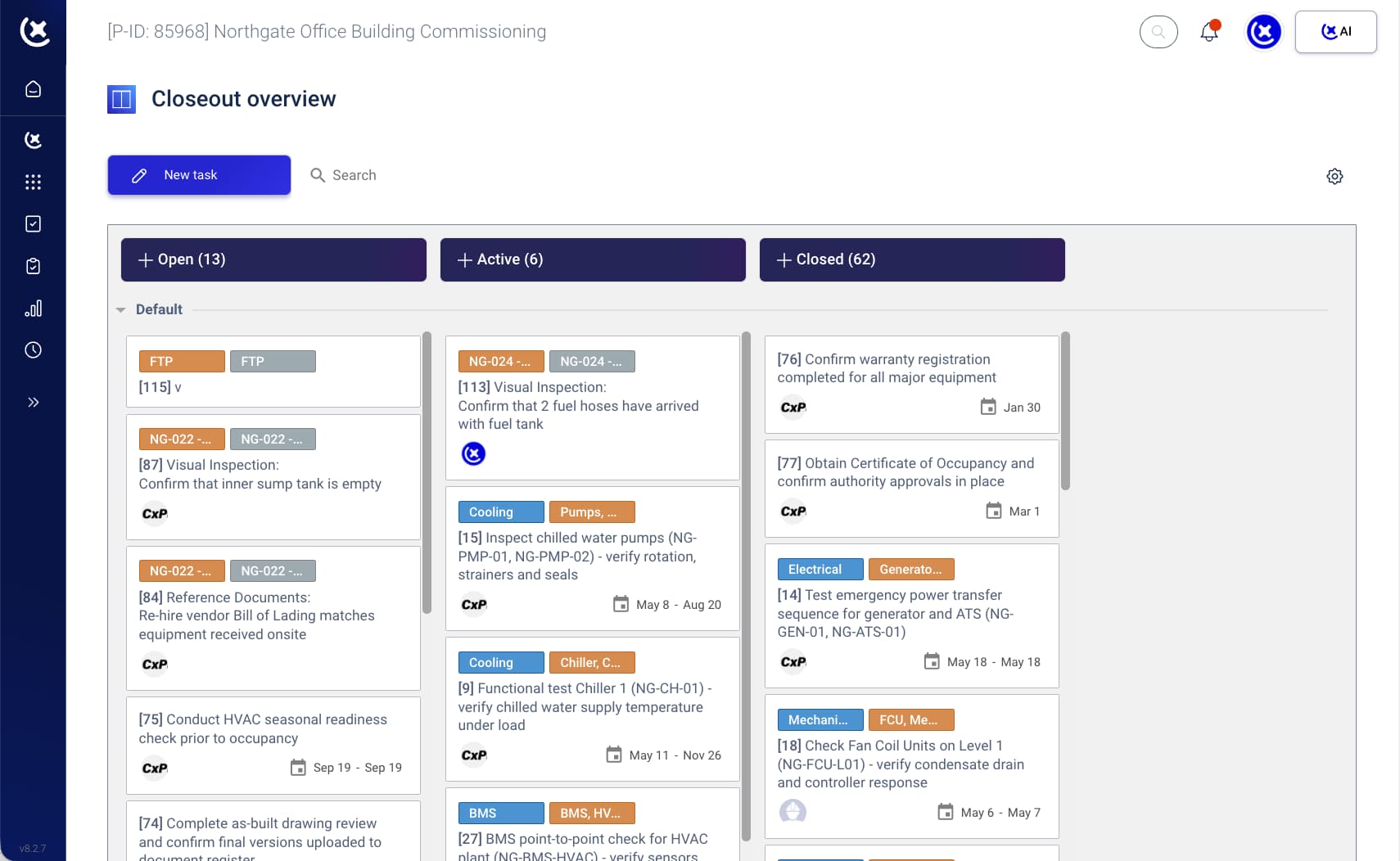
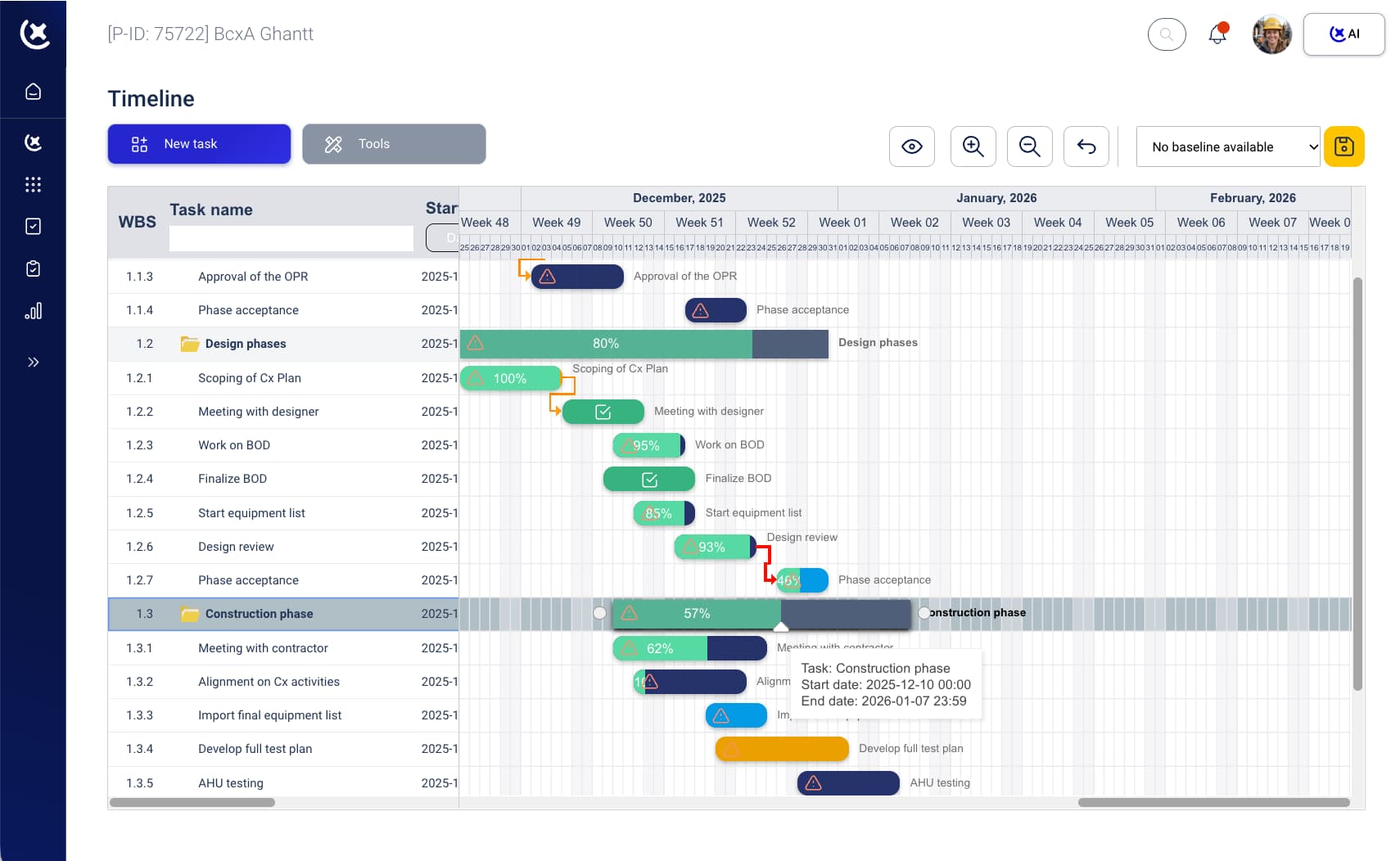
Level gate dependency tracking
Dependencies between levels and between delivery teams are tracked in the platform. A gate cannot open until its prerequisites are complete - enforced in the data center planning software.
Scheduling across trades and phases
Hyperscale builds run multiple delivery phases in parallel. CxPlanner handles overlapping scopes and different data halls at different Levels simultaneously without losing visibility across the full programme.
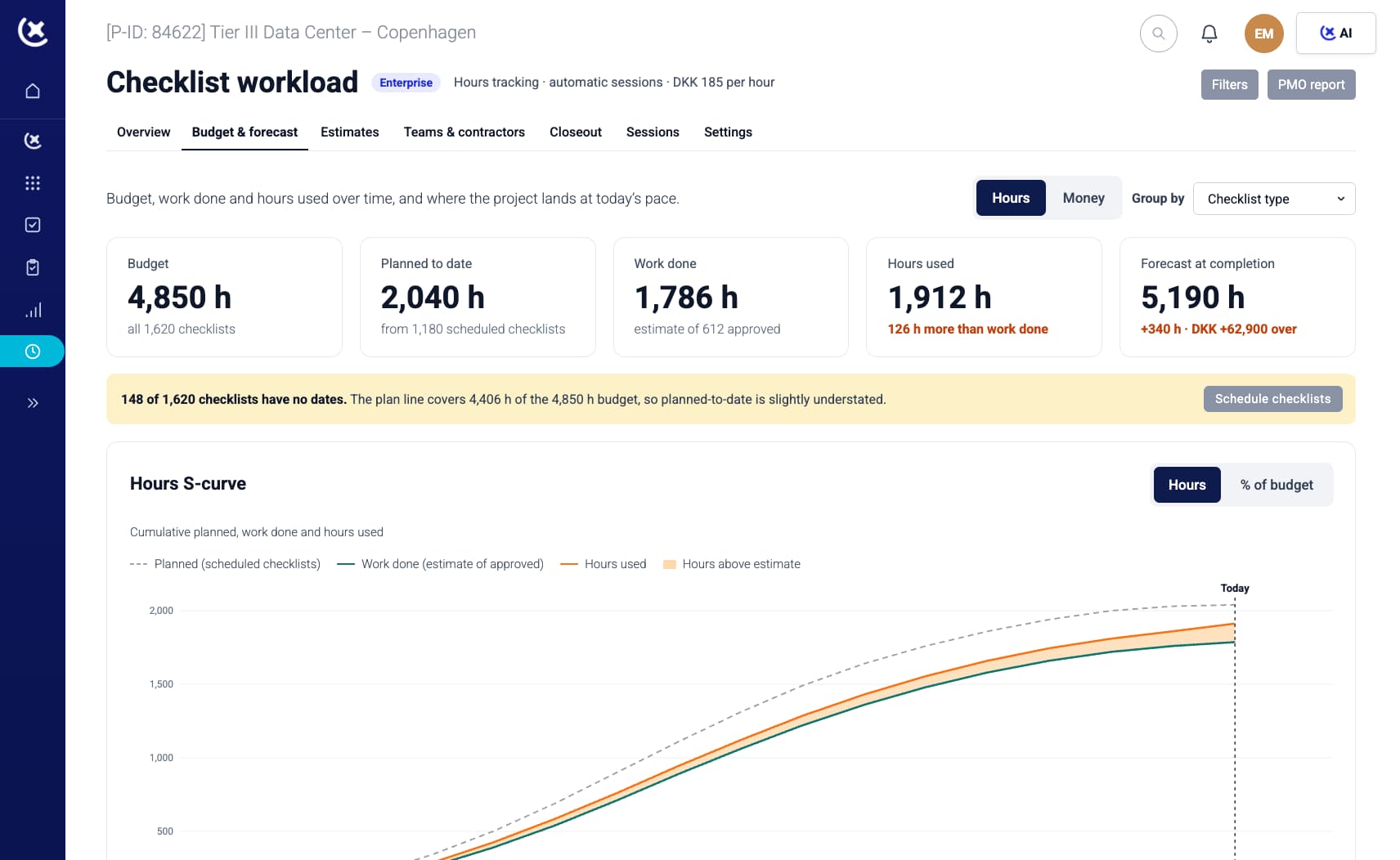
Key benefits from data center planning software
With CxPlanner data center planning software, the Cx team stops managing the gap between the planning tool and the commissioning tool.
Missed dependencies caught before they cascade.
A dependency between an electrical L2 and a mechanical L3 scope that would have slipped through an informal handoff surfaces automatically. Finding it before the gate costs an afternoon. Finding it during L4 costs weeks.
The commissioning schedule reflects what is actually happening.
Not what was projected six weeks ago. Not what was entered into Smartsheet last Tuesday. The schedule is built from live data - updated in real time.
One fewer system to maintain.
CxPlanner replaces Smartsheet for commissioning scheduling on data center builds. No separate systems to reconcile - one fewer place for a dependency to get lost.
Build your project schedule from real project data
If your schedule lives in Smartsheet while your test programme lives somewhere else, the reconciliation cost is already in your week. Book a walkthrough - bring your current schedule and we will show you how it maps into CxPlanner.
Request a walkthroughCommon questions about scheduling in the data center planning software
Does CxPlanner replace Smartsheet for scheduling?
For most data center projects, yes. CxPlanner builds the commissioning schedule directly from asset and test data in the platform - so there is no separate scheduling tool to maintain or sync with.
How does CxPlanner handle multiple trade contractors running in parallel?
Each subcontractor responsibility is tracked separately in the data center planning software, and dependencies across deliveries are enforced by the platform. When electrical L2 needs to complete before mechanical L3 begins, that dependency is in the system.
Can CxPlanner handle hyperscale projects with multiple simultaneous delivery phases?
Yes. Data center project management at hyperscale involves multiple data halls or pods at different Level testing stages simultaneously. CxPlanner handles overlapping scopes and phased delivery across the full programme.
What happens to the schedule when a test fails?
The schedule is built from live data. When a test result changes - pass, fail, or re-test required - the schedule reflects it. The Cx lead does not need to manually update Smartsheet after each change on site.