Site acceptance testing and quality management in one platform
Site acceptance testing on a data center project is only as good as the documentation behind it. CxPlanner gives commissioning teams the platform to run SAT and QA/QC with check-sheets built to the required standard, issues logged from site the moment they are found, and an audit trail that is complete from the first submitted record - not assembled at closeout.

Quality problems surface late. Documentation gaps surface later.
Managing quality across a data center commissioning programme is a documentation and coordination problem as much as a technical one.
Book a demoCheck-sheets that do not meet the required standard.
Subcontractors submit commissioning checklists in their own formats. The Cx team spends time reformatting, chasing missing fields, and rejecting submissions - before the site acceptance testing cycle can begin.
Issues raised on site lose context by the time they are logged.
A quality issue found during a site walkthrough gets described in text, passed to the Cx team, and manually entered into the issue log - often hours later, without the photo or floor plan location that would make it straightforward to resolve.
The audit trail is compiled at the end, not tracked throughout.
When QA/QC documentation lives in spreadsheets and shared drives, the audit trail required at handover has to be assembled from scattered sources in the final weeks. By then, gaps in the commissioning checklist record are expensive to close.
One system with a predefined format meeting every standard. Issues logged in seconds.
CxPlanner's site acceptance testing workflow starts with check-sheets built to the documentation standard the Cx team requires - not the format the subcontractor brought from their last project. Submissions meet the standard from the first entry. Rejections come back with specific comments so the subcontractor knows exactly what to fix.
Issues are logged from mobile at the point of discovery - photo attached, floor plan location marked, responsible party assigned. The commissioning checklist record and the issue log are in the same platform, so the quality picture is always complete and always current.
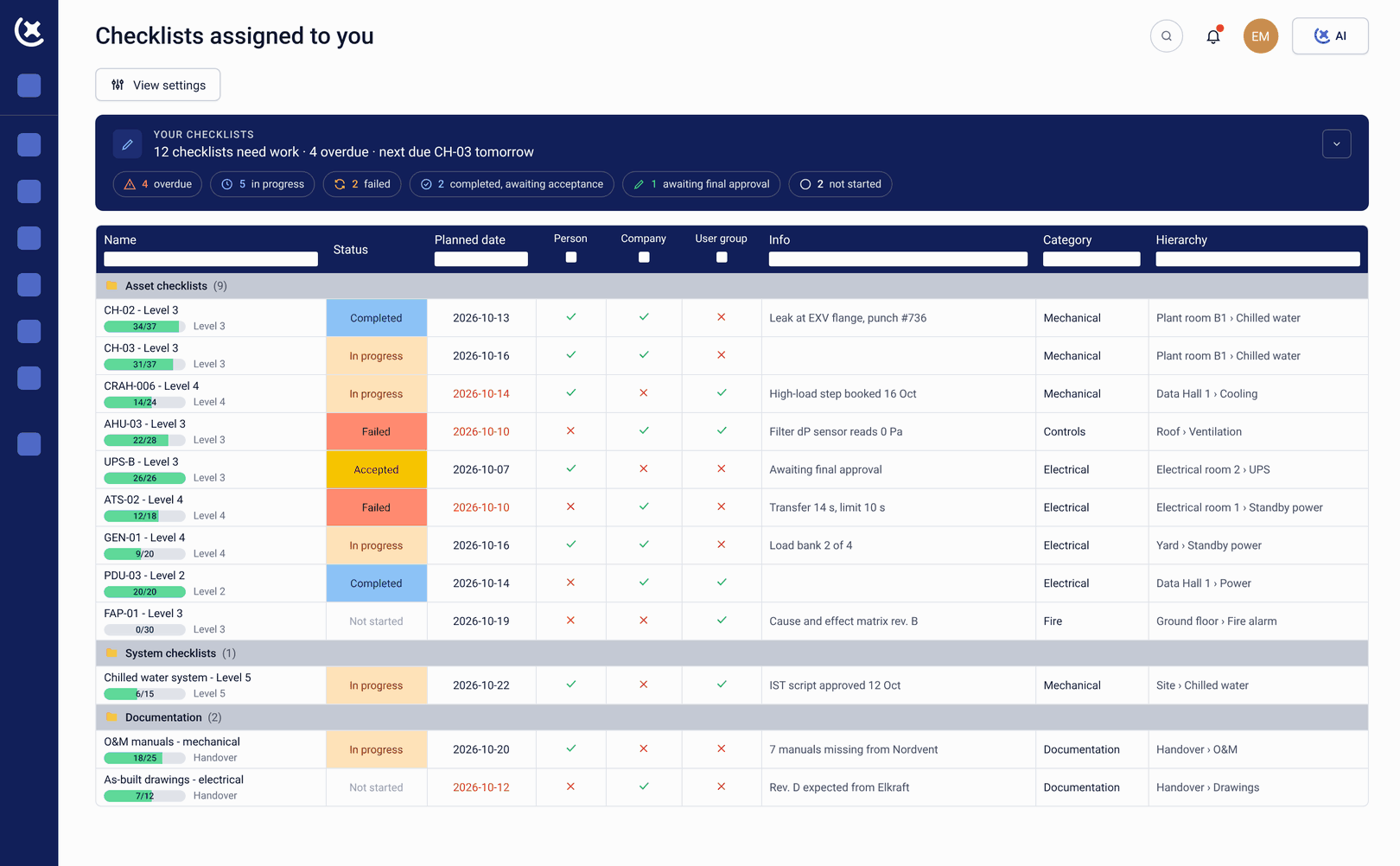
What CxPlanner covers for quality and issue management
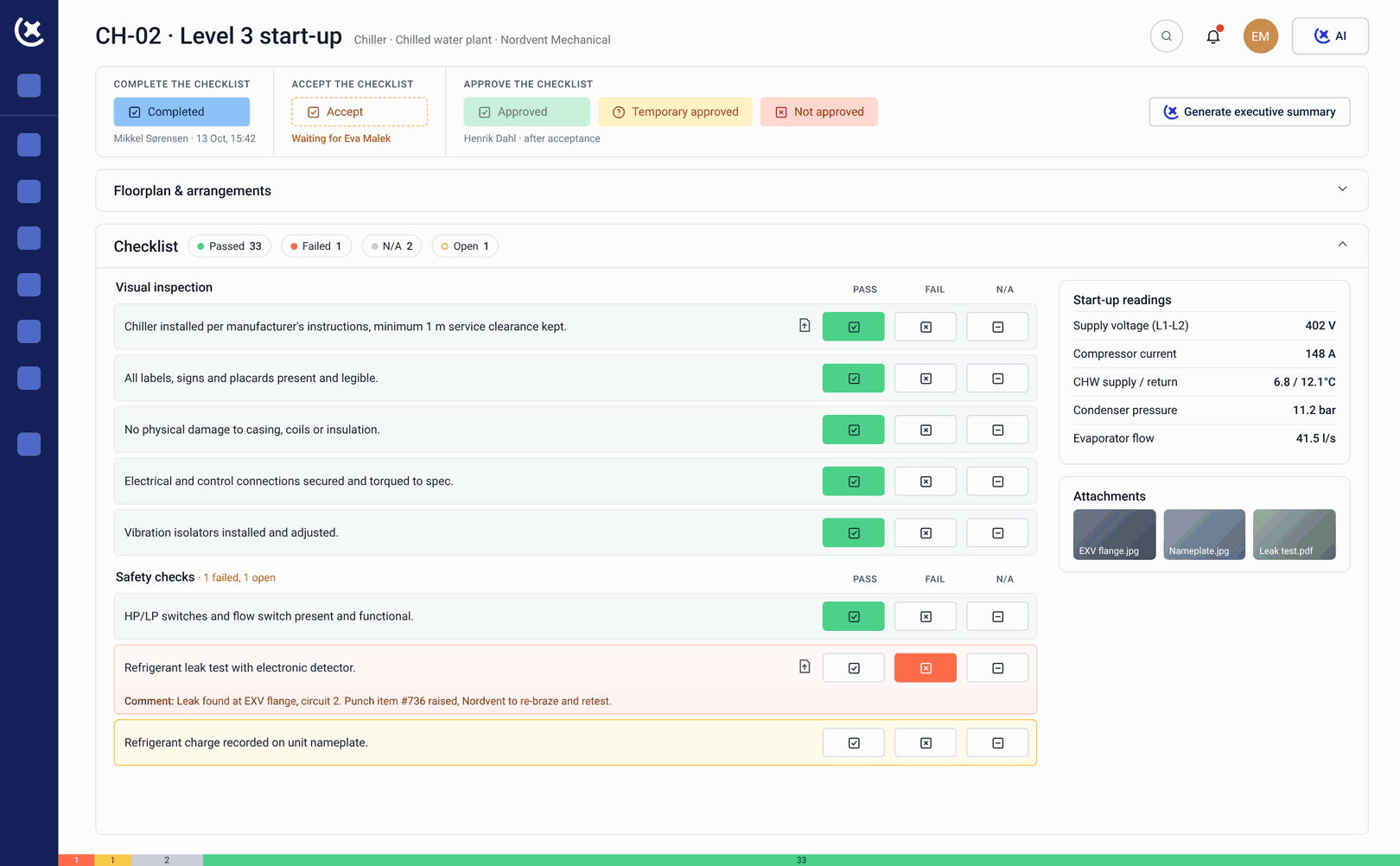
Site acceptance testing check-sheets to standard
Site acceptance testing check-sheets are built to the documentation standard the Cx team requires and completed by subcontractors directly in CxPlanner - on mobile or tablet, on site. SAT records are linked to the asset and level they belong to.
Commissioning checklist library for L1-L5
Pre-built commissioning checklist templates for every Level - customisable for any system, generated by CxAI from project documentation when the library does not already cover what is needed. The right check-sheet for every scope, every time.
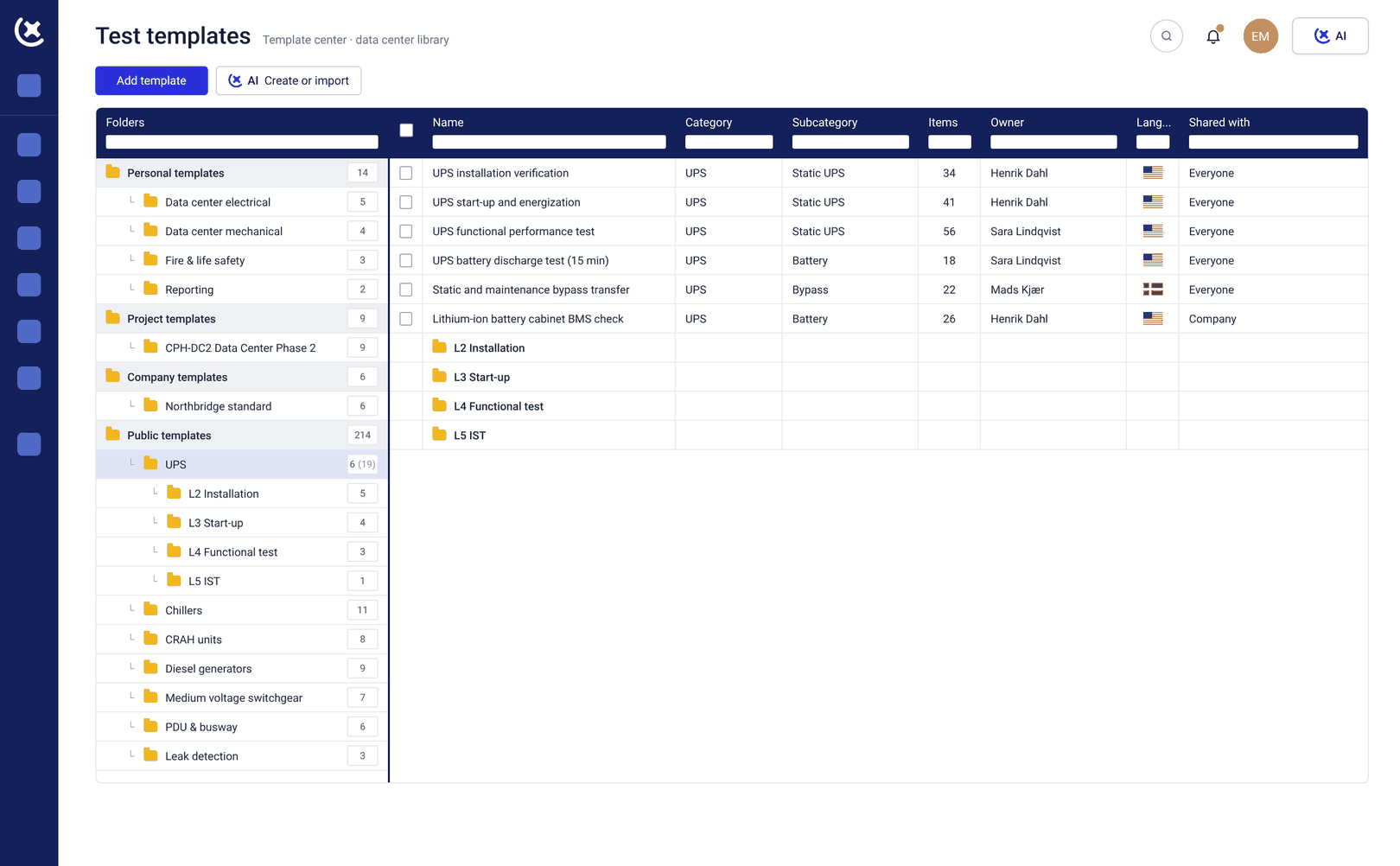
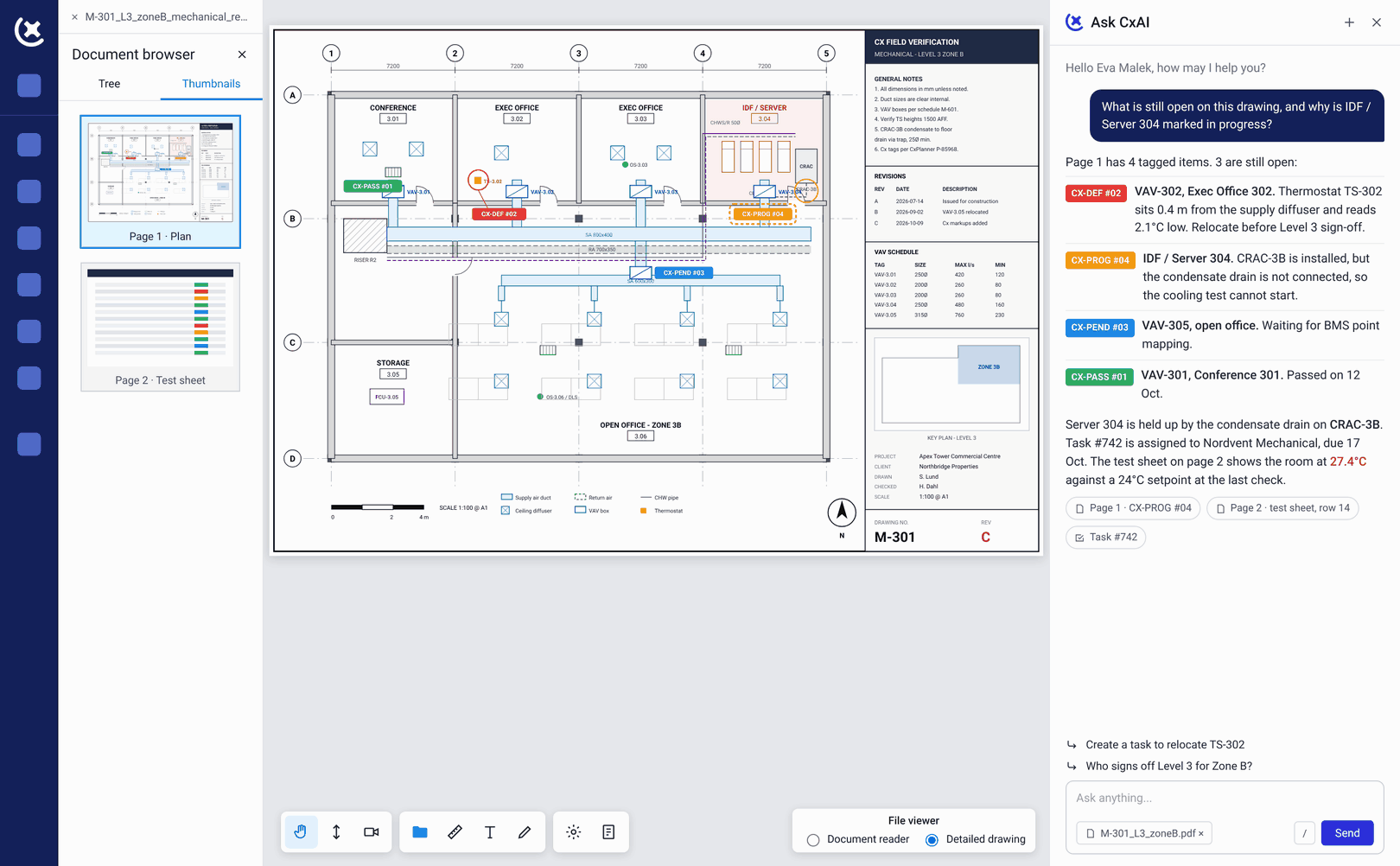
Live issue logging from site
Issues logged from mobile with photos and floor plan location attached at the point of discovery. They enter the live issue log immediately - assigned, tracked, and visible to the owner Cx team in real time throughout the site acceptance testing programme.
QA/QC built into the check-sheet flow
Quality assurance and quality control steps are embedded in the commissioning checklist - not managed separately. Sign-offs are tracked at every stage. The audit trail is automatic and complete from the first submission.
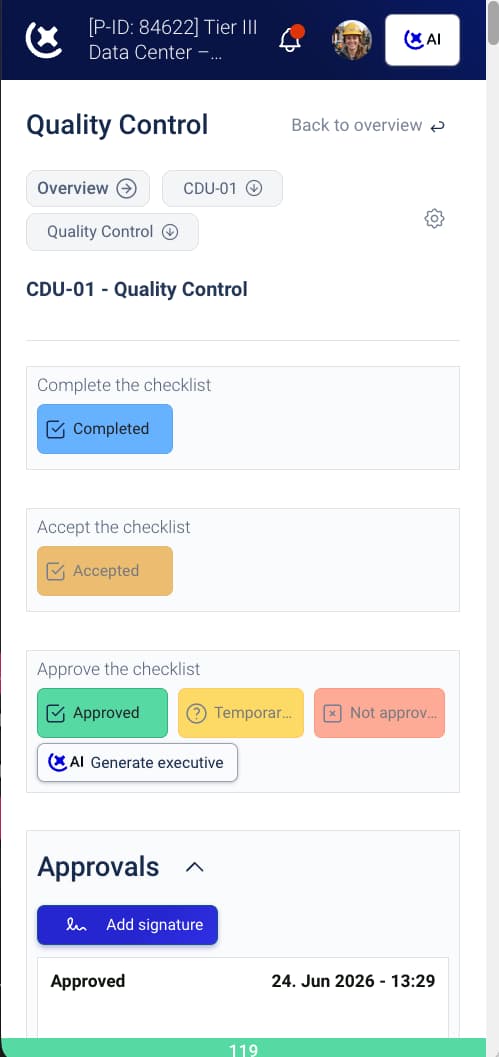
Rejection with specific comments
When a commissioning checklist submission does not meet the standard, it is rejected with specific comments. The subcontractor fixes the right thing and resubmits - without a separate conversation or reformatting step that costs days on the site acceptance testing schedule.
Benefits from tracking quality consistently throughout the programme
Fewer rejections, faster gates, and an audit trail that is always ready.
First-submission acceptance rates go up.
When site acceptance testing check-sheets are built to the required standard before the subcontractor sees them, incomplete submissions drop. L2 and L3 gates close faster and the rejection cycle stops eating programme time.
Issues close faster with context at logging.
A quality issue logged with a photo, floor plan location, and assigned contractor closes faster than one described in text. The responsible party has everything they need to act without a follow-up call - critical during site acceptance testing when time is tight.
The audit trail is ready at handover - not compiled for it.
Because commissioning checklist records, sign-offs, and issue resolutions accumulate in CxPlanner throughout the programme, the audit trail is complete at closeout - drawn from data already in the system.
Run site acceptance testing with an automatic audit trail
If your quality documentation is currently assembled at closeout rather than tracked throughout, book a walkthrough. We will show you how site acceptance testing and QA/QC work in CxPlanner on a live project.
Request a walkthroughCommon questions about site acceptance testing in CxPlanner
Does CxPlanner support site acceptance testing documentation?
Yes. Site acceptance testing check-sheets are built to the documentation standard the Cx team requires and completed by subcontractors directly in CxPlanner - on mobile or tablet, on site. SAT records are linked to the asset and level they belong to.
How does CxPlanner handle commissioning checklist rejections?
Rejected commissioning checklist submissions come back with specific comments explaining what needs to change. The subcontractor fixes the right thing and resubmits - without a separate conversation or reformatting step.
Is the QA/QC audit trail automatic or does it need to be compiled?
Automatic. Sign-offs, test records, and issue resolutions accumulate in CxPlanner throughout the site acceptance testing programme. The audit trail is complete at closeout - drawn from data already in the system, not assembled from scattered sources.
Can issues raised during SAT walkthroughs be logged directly on mobile?
Yes. Issues are logged from mobile at the point of discovery - photo attached, floor plan location marked, responsible party assigned. They enter the live issue log immediately and are tracked from that moment to verified closeout - no delay in the commissioning checklist workflow.