Run meetings.
Skip the paperwork.
CxPlanner turns every commissioning meeting into a structured record - auto insert participants, a signed summary sent in one click, and CxAI ready to answer any status question the moment the meeting ends.

One meeting flows into the next - notes, actions, and knowledge carried forward automatically

CxAI
Ask for a status.
Get the full picture.
No more digging through old minutes to write a summary. Ask CxAI for a project status, a specific system, or a single asset, and get a complete, accurate answer instantly - pulled straight from the checklists, punch lists, and meetings already logged in CxPlanner.
Drop it straight into your meeting notes and move on to the next agenda item.
![[PLACEHOLDER: screenshot of CxAI inserting a project status summary into meeting notes]](https://deyesjf32y8q6.cloudfront.net/images/general-platform/meeting-module-4-cxai.jpg)
CxAI already has the answer - you just have to ask it.
Ask about one asset and get its checklist status, open items, and outstanding punch list points. Ask about the whole project and get real progress: what's complete, what's in progress, what's still open. Same question, either level.
That's why a status update isn't something you prepare before the meeting. Ask CxAI in the room, drop the answer straight into your notes, and move on to the next agenda item.
Schedule your Cx meetings, link them to the systems and checklists they cover, and keep every decision tied back to the work it affects.
No more meeting notes stuck in a separate doc. Action items, attendees, and outcomes stay attached to the project record.
Meetings that update your commissioning log automatically.
![[PLACEHOLDER: screenshot showing notes and actions carried from one meeting into the next]](https://deyesjf32y8q6.cloudfront.net/images/cxplanner_general/cxplanner-meeting-details-1620w.png)

Meeting sequences
Start the next meeting already caught up
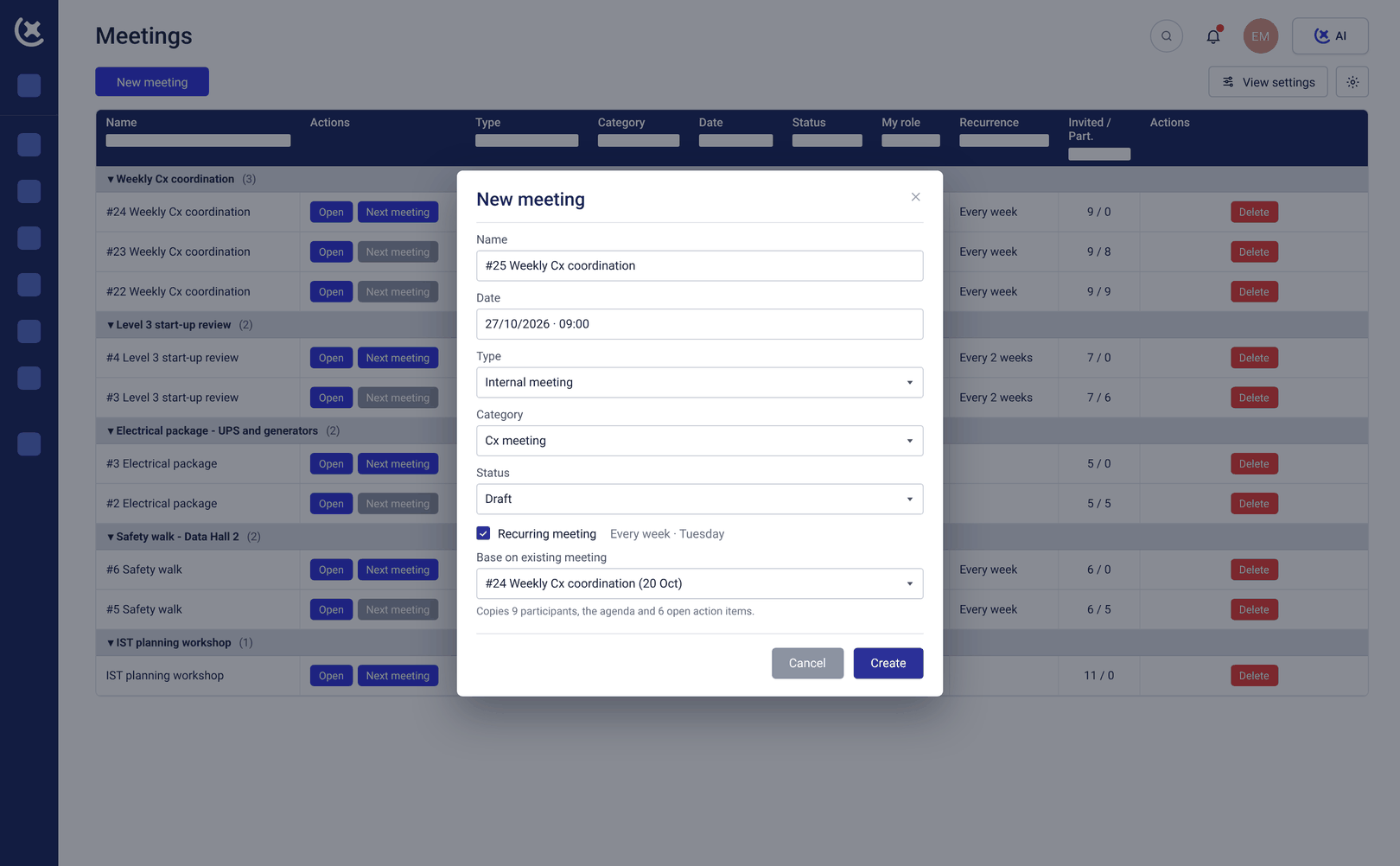
Commissioning is rarely a single meeting - it is a sequence. CxPlanner starts the next meeting on the back of the last one, carrying over open actions, notes, and decisions automatically.
No one opens a new meeting starting from a blank page.

Send out
Close the meeting.
Send it signed.
Meeting is done - one click signs it and sends it to every participant. No exporting, no formatting, no separate email.
![[PLACEHOLDER: screenshot of one-click send flow with signature confirmation]](https://deyesjf32y8q6.cloudfront.net/images/cxplanner_general/cxplanner-meeting-send-notes-on-email-1620w.png)
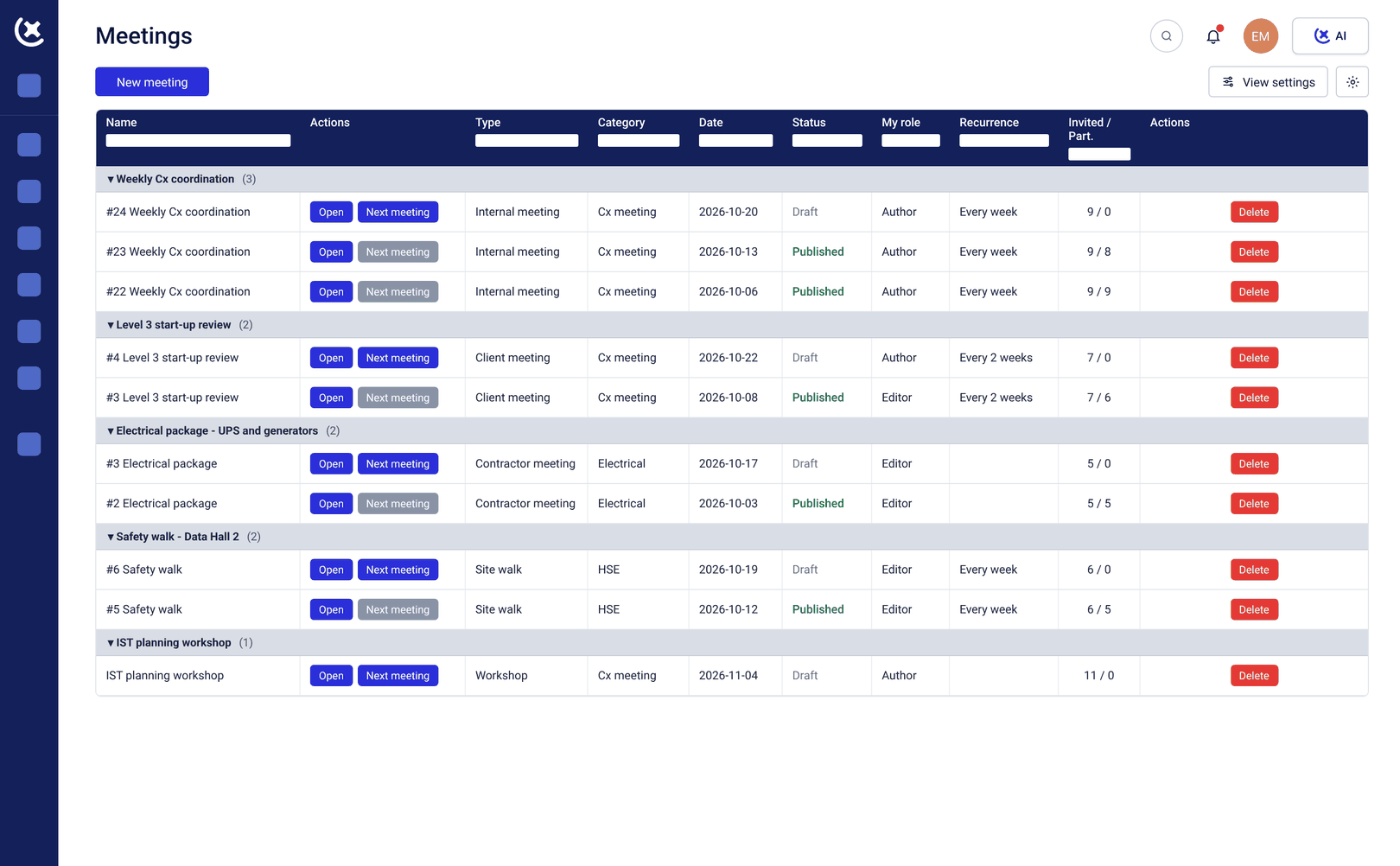
![[PLACEHOLDER: screenshot of the meetings overview list for a project]](https://deyesjf32y8q6.cloudfront.net/images/cxplanner_general/cxplanner-meeting-minutes-tasks-1620w.png)
Meetings
See every meeting on the project. At a glance.
All meetings live in one place - a fast overview of what happened, what is open, and what is next, without digging through folders or inboxes.
"Get a preview on how easy it is to run a meeting in CxPlanner."
- Thomas T. Jarloev
Founder & CEO of CxPlanner, QCxP, CxM, CxA
15+ years in commissioning · CxAP · CxM · QCxP · First in the EU to hold both CxM and CxAP · Author of commissioning books + guidelines
Curious to see CxPlanner in action?
Book a demo with Thomas