Management software for subcontractors working on data center projects
You are on site to do the work - not to spend half your day reformatting check-sheets and resubmitting documentation that got rejected for a missing field. CxPlanner is management software for subcontractors on data center projects.
Built for the documentation demands of data center commissioning. Complete check-sheets on mobile, to the standard the Cx team requires, and get through L2 and L3 without a rejection cycle.

The work is done. The check-sheet gets rejected anyway.
The documentation requirement on a data center project is higher than most trade teams encounter anywhere else. The tools usually are not.
Book a demoCorrect work still gets rejected for formatting.
You complete the check-sheet correctly. The work is done. But the format does not match what the Cx team requires, so it gets rejected. You reformat, resubmit, and wait for another review cycle that costs days on a tight Level testing schedule.
Manual asset data entry slows every L2 cycle.
Typing manufacturer, model, and serial number for every piece of equipment by hand takes time. On a large L2 scope with hundreds of assets, it is a significant part of the program's first weeks.
It is hard to know what is outstanding without asking.
Without a clear view of which check-sheets are submitted, which are under review, and which have been rejected, your team is often waiting, or working on something that has already come back with comments.
One system with a shared check-sheet format, meeting every documentation standard
CxPlanner is commissioning software the data center contractor uses directly - on mobile, on tablet, on site. Check-sheets are assigned by the Cx team on the platform and arrive in the contractor's queue ready to complete.
The format is set: it is the one the Cx team requires, so submissions meet the documentation standard from the first entry. CxAI scans equipment nameplates and populates asset records automatically - a reported 75% time saving on data capture from large equipment volumes.
The contractor points a phone at the nameplate and the record is filled. The manual typing that slows every L2 cycle gets shorter.
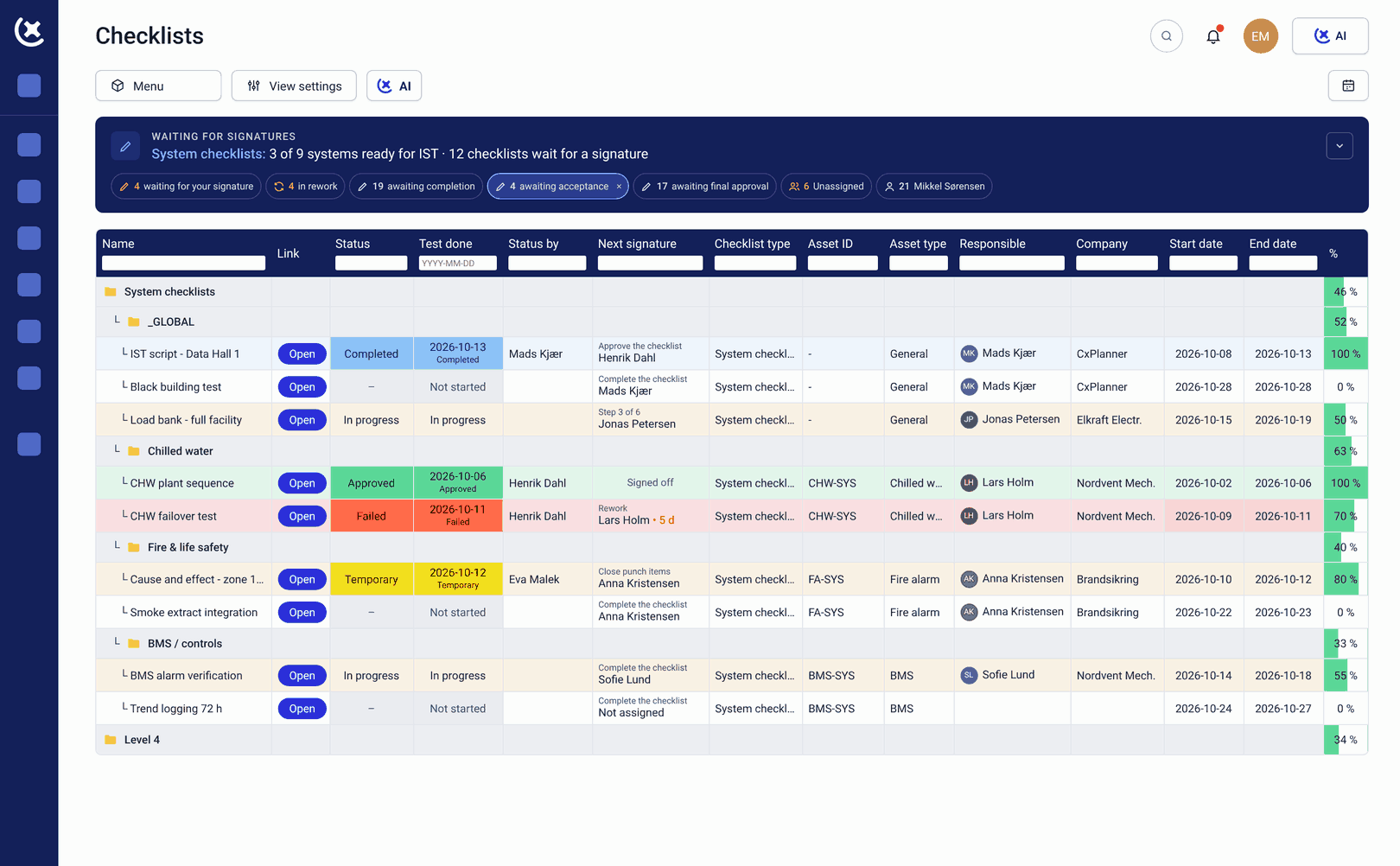
What CxPlanner covers for subcontractors on data center projects
From asset registration to check-sheet submission: on site, on mobile, to the standard the Cx team requires.
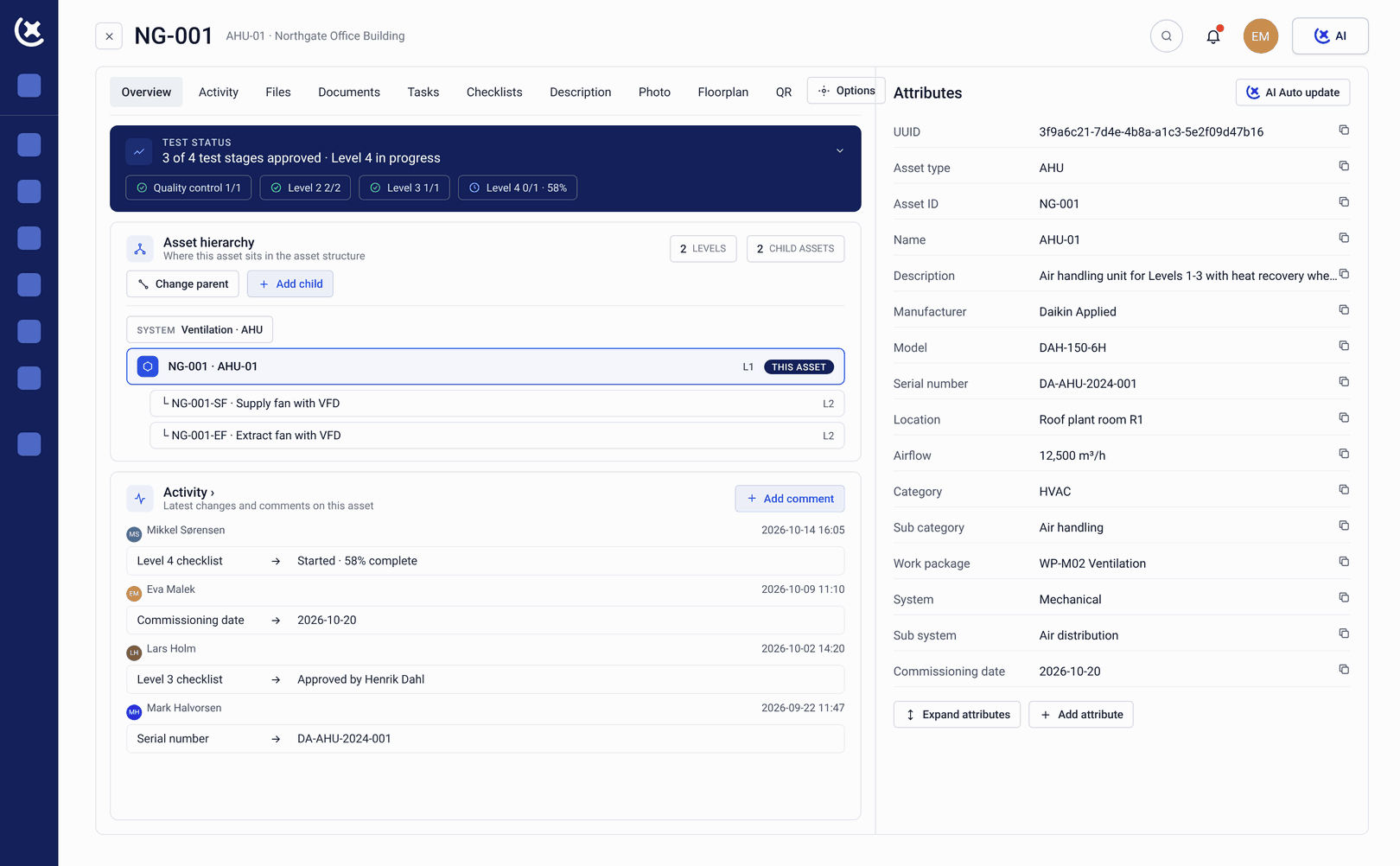
Check-sheets on mobile and tablet
Complete L1 through L5 check-sheets on any device. The management software for subcontractors interface works in a plant room. Submissions go in the moment the work is done.
CxAI nameplate scanning
Point a phone at the nameplate. CxAI extracts manufacturer, model, and serial number and updates the asset record. A reported 75% time saving on data capture from large equipment volumes in real project usage.
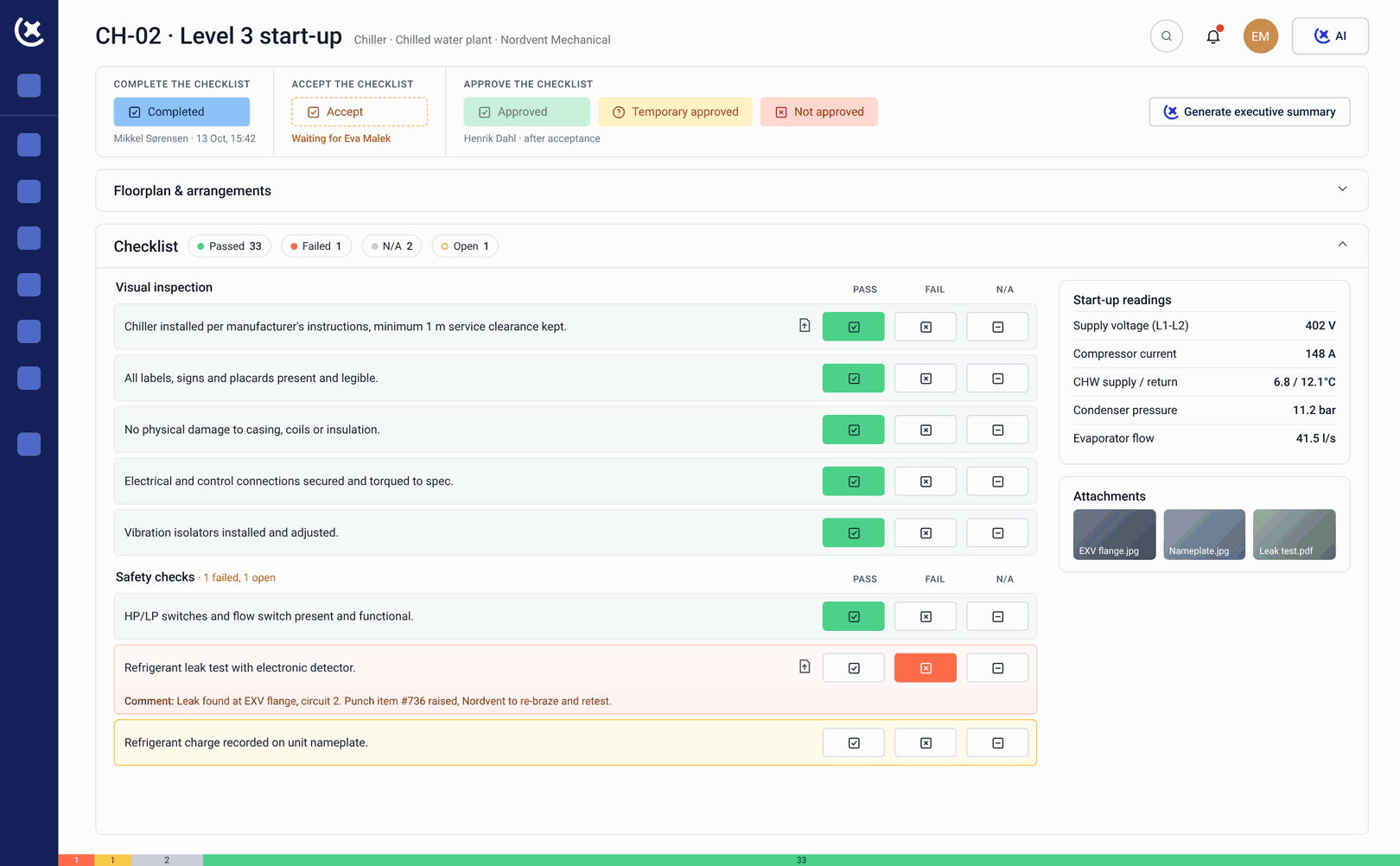
Clear submission status at all times
Every check-sheet in your queue has a visible status: assigned, in progress, submitted, under review, approved, or rejected with comments. No need to ask the Cx team what is outstanding.
Rejection with specific comments
When a submission does not meet the documentation standard, it comes back with specific comments explaining what needs to change. You fix the right thing and resubmit, without a separate conversation.
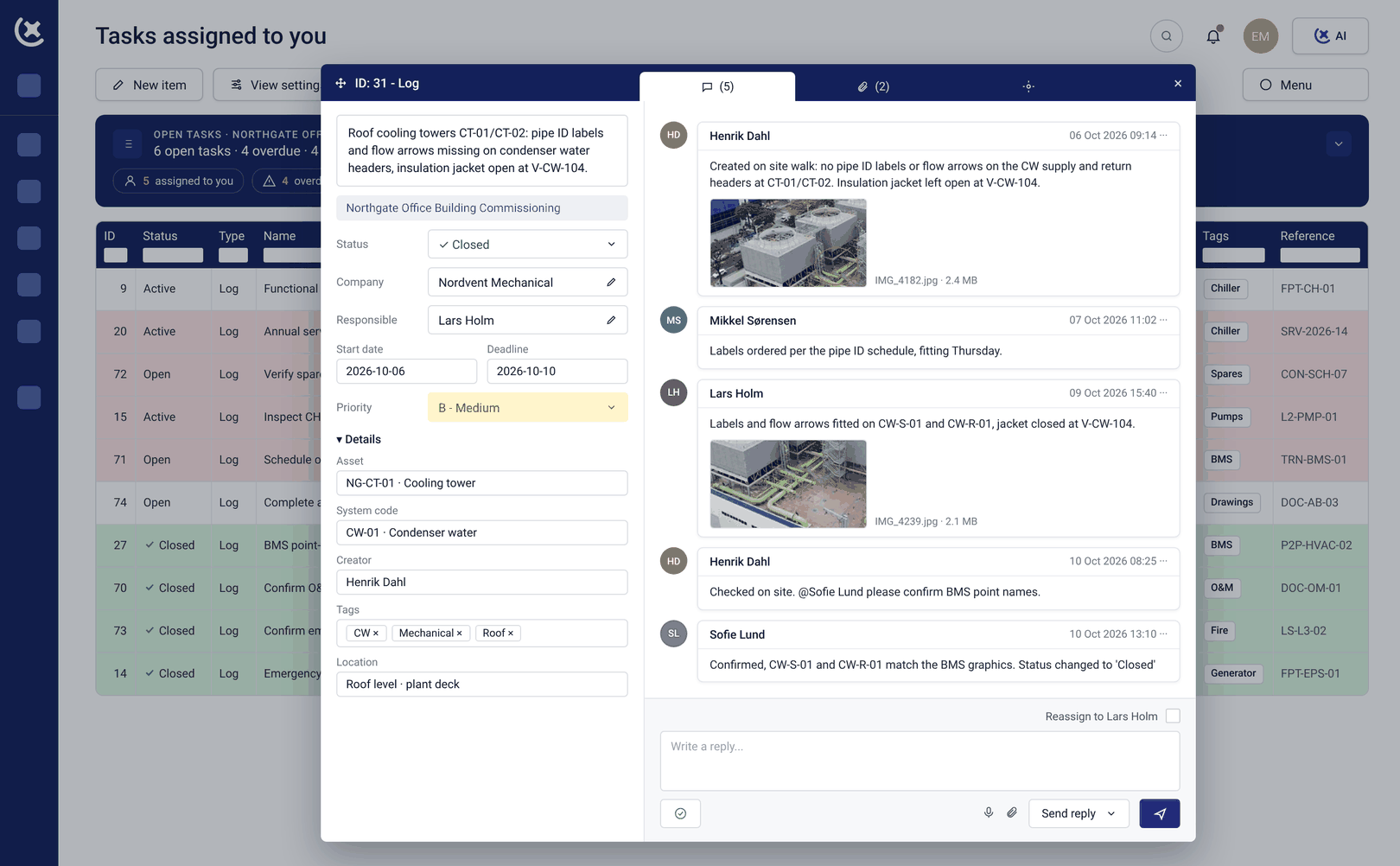
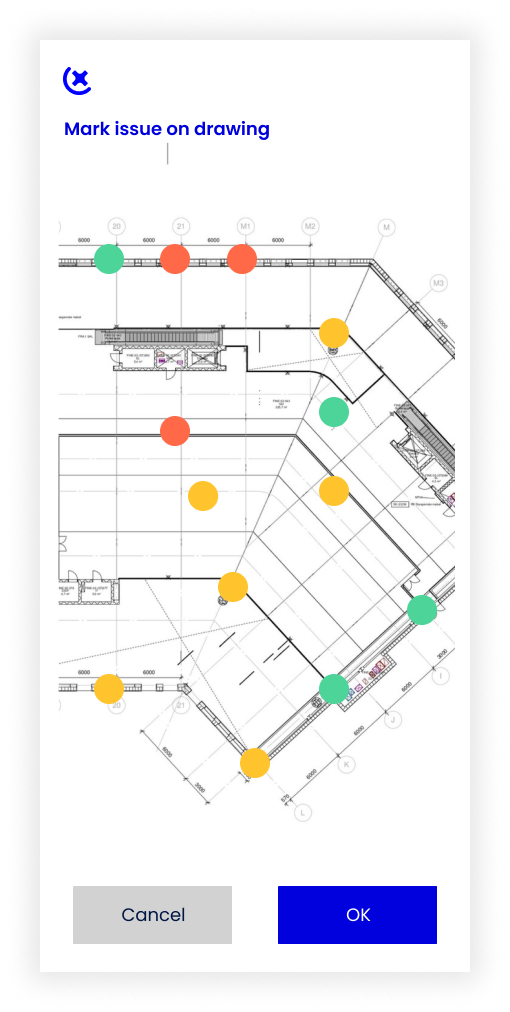
Issue logging from site
Raise punch items and flag issues directly from mobile, with a photo attached and the floor plan location marked. Issues go into the live program immediately, without a separate report to the Cx team.
What changes for data center contractors when the check-sheet process works
Less time on documentation admin, and more time on the work that requires your trade skills.
First-submission acceptance rates go up.
When the check-sheet is built to the Cx team's standard before you see it, incomplete submissions drop. The rejection and resubmission cycle that adds days to L2 and L3 gets shorter.
Asset data entry goes from hours to minutes.
CxAI nameplate scanning removes the manual typing that fills the early weeks of an L2 scope. On a large data center project with hundreds of assets, the time saving is significant and documented from real project usage.
You always know what is outstanding.
The subcontractor management software queue shows every check-sheet: its status, what is due, and what has come back with comments. Your team stops waiting to find out what needs doing next.
Skip the rejection-and-resubmission cycle
If your team is spending time reformatting check-sheets and resubmitting documentation, book a walkthrough. We will show you how CxPlanner works on site for an electrical or mechanical contractor on a data center project.
Request a walkthroughCommon questions from contractors about CxPlanner
How long does it take our team to get up and running in CxPlanner?
A few minutes. CxPlanner is designed so a contractor's team can complete their first check-sheet after a short introduction, not after a training course. The interface is built for field use.
Can we use CxPlanner on our phones and tablets on site?
Yes. Check-sheets, asset records, issue logging, and nameplate scanning all work on mobile and tablet. The subcontractor management software is built for on-site use, and submissions go in the moment the work is done.
What happens when a check-sheet is rejected?
Rejected submissions come back with specific comments explaining what needs to change. Your team fixes the right thing and resubmits, without a phone call or email to find out what the Cx team wants.
Do we need to use CxPlanner if the Cx team has their own system?
If the Cx team uses CxPlanner, you work in the same platform. Check-sheets are assigned in CxPlanner and completed in CxPlanner, so there is no separate submission step or format to translate.