Execute your data center commissioning plan without losing track
A solid data center commissioning plan only delivers if the execution matches it. CxPlanner gives commissioning teams the platform to run the test programme in real time: L1-L5 progress tracked as work happens, subcontractor submissions visible the moment they land, and every gate sign-off documented without a separate compilation step.

The plan is there. Tracking execution lives in scattered reports. All with their own delay.
Execution breaks down when the tools cannot keep up with the pace of the commissioning programme.
Book a demoProgress is reported, not tracked.
The data center construction management team gets weekly updates from subcontractors. By the time those updates arrive, two tests have failed, one scope is behind, and the picture in the report is already out of date.
Issues raised on site take days to reach the right people.
A punch item flagged during a site acceptance testing walkthrough gets written on paper, photographed, emailed to the Cx lead, and manually entered into the issue log - if it makes it that far. By then, the context that would have made it easy to resolve is gone.
The commissioning plan and actual progress diverge silently.
Without live tracking, the gap between the data center commissioning plan and what is actually happening on site grows quietly. It only becomes visible at a gate review - when the cost of closing the gap is highest.
Live tracking directly from site, with every task status centred in one system
CxPlanner tracks the data center commissioning plan in real time. Test results are submitted on site from mobile - they appear in the programme the moment they land. Issues are logged with photos and floor plan location at the point they are found.
The owner Cx team sees current progress across all subcontractor scopes without waiting for a weekly update. Data center construction management across multiple subcontractor scopes is visible in one live view - what is signed off, what is in progress, what is blocked, and where the next gate risk is coming from.
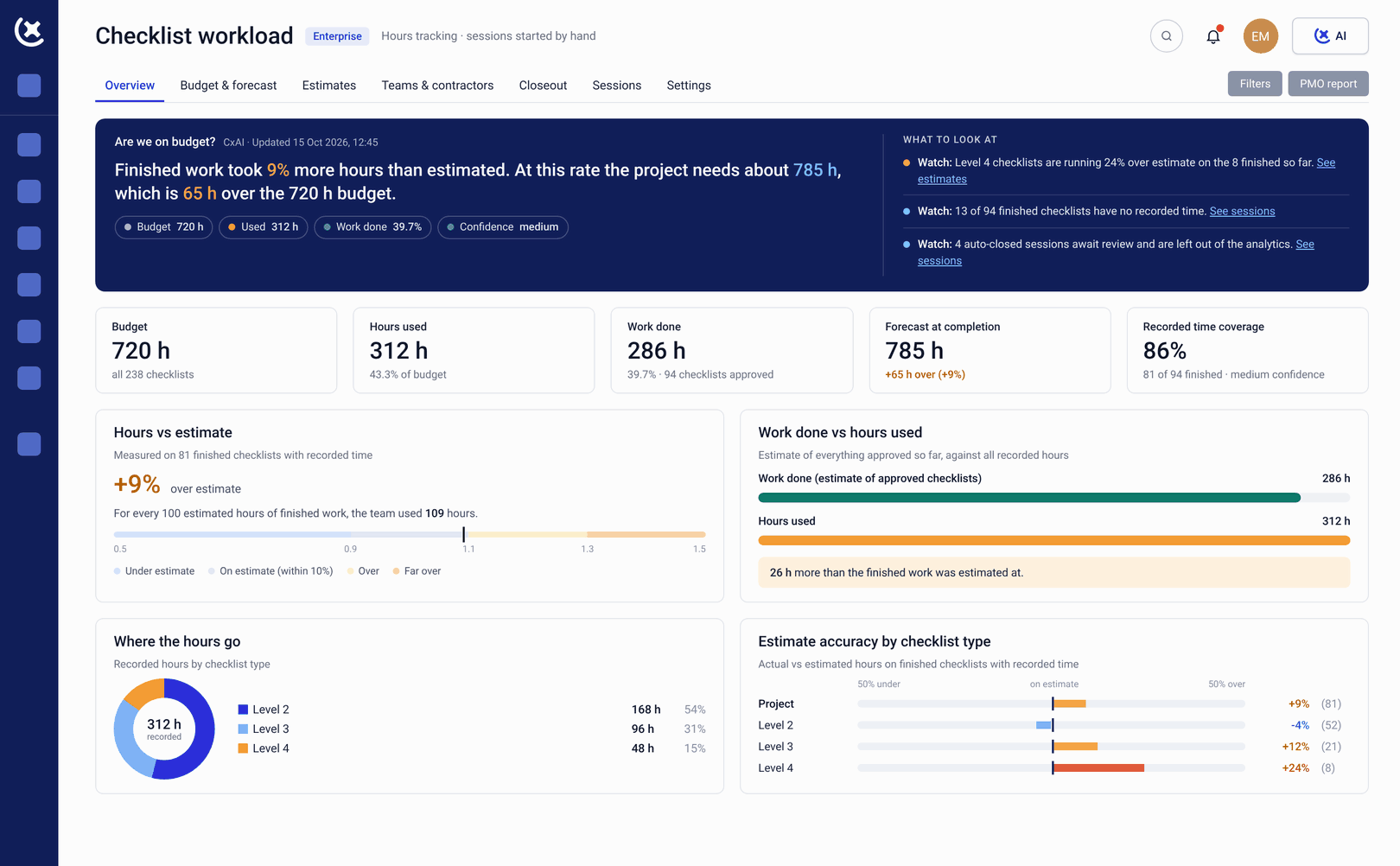
What CxPlanner covers for execution and tracking
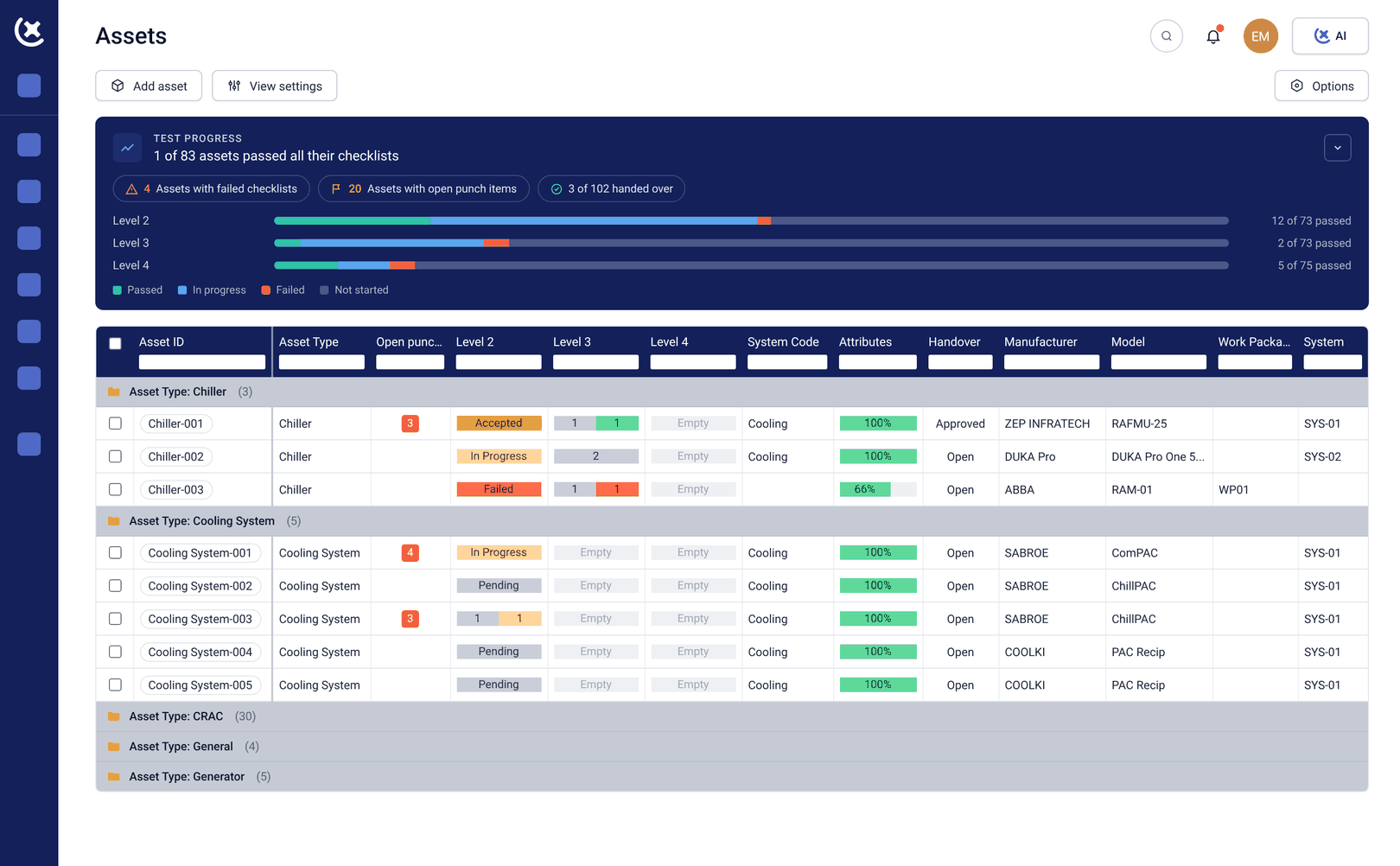
Global test view across L1-L5
Every test result visible in real time - by level, system, and subcontractor scope. The data center commissioning plan and actual progress are always the same picture - no reconciliation step required.
Mobile check-sheet submission on site
Subcontractors complete and submit check-sheets directly from mobile. Submissions land in the data center commissioning plan immediately - no paper, no email, no end-of-day data entry slowing the programme down.
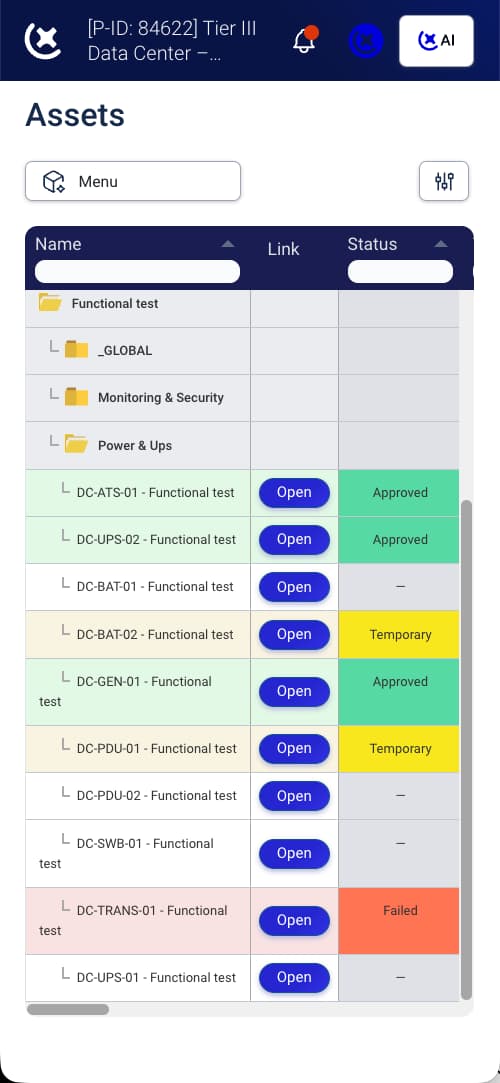
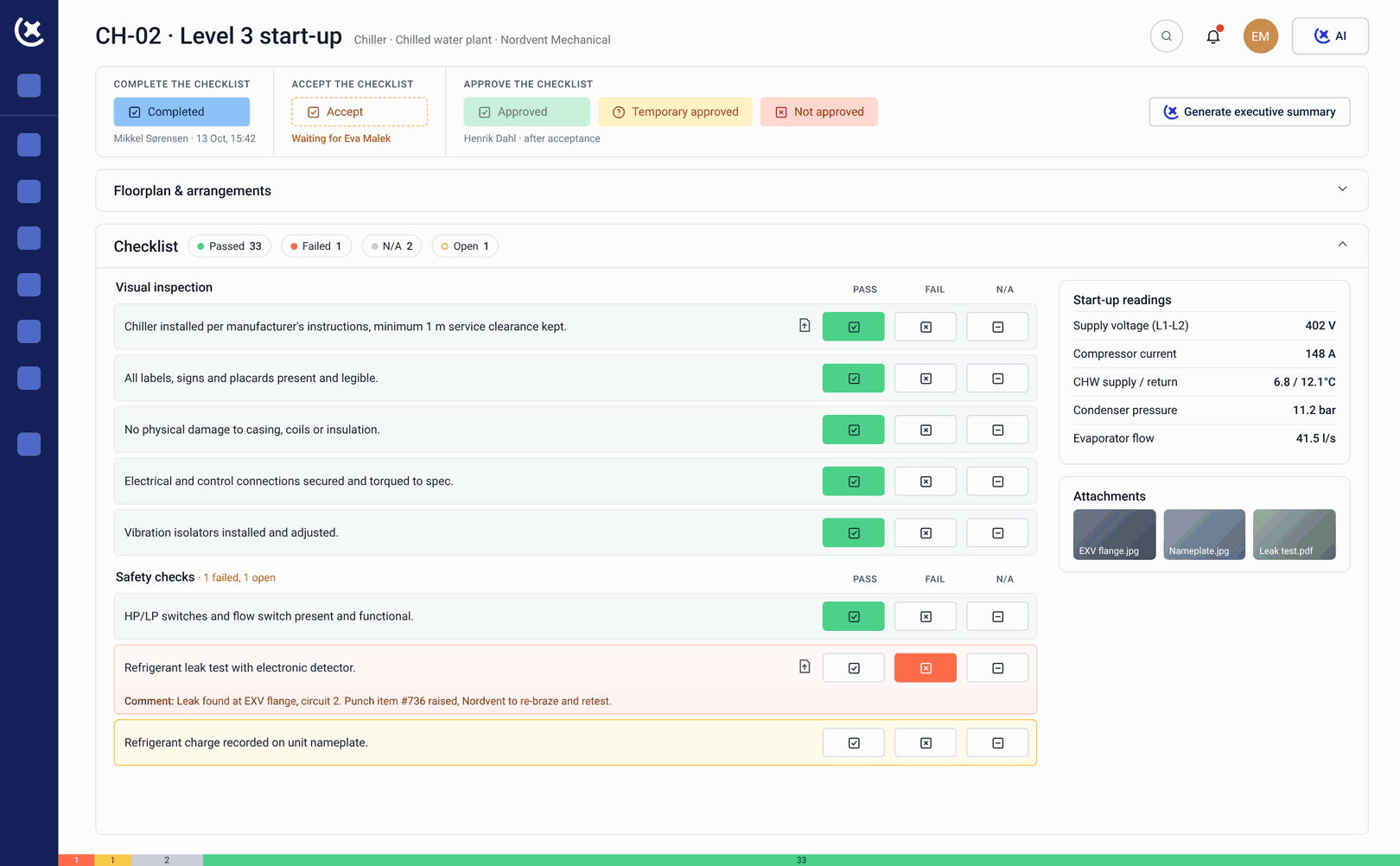
Site acceptance testing documentation
Site acceptance testing records captured and tracked directly in CxPlanner - linked to the asset, the level, and the subcontractor scope they belong to. SAT documentation is audit-ready from the moment it is submitted.
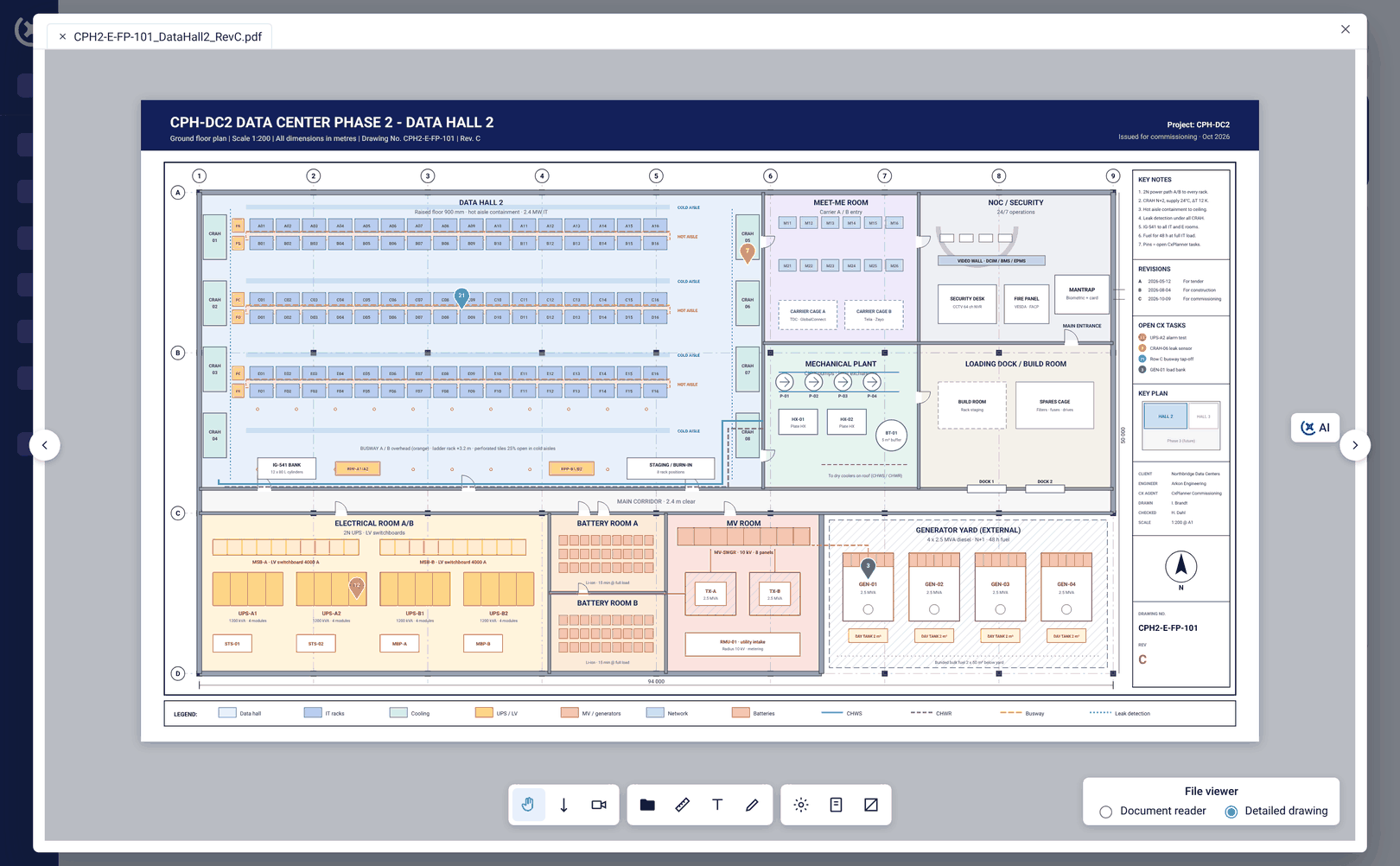
Live issue logging with floor plan location
Issues raised on site are logged from mobile with photos and floor plan location attached at the point of discovery. They enter the live issue log immediately and are assigned to the responsible party - no separate step, no lost context on the data center construction management programme.
Gate progress and blocker visibility
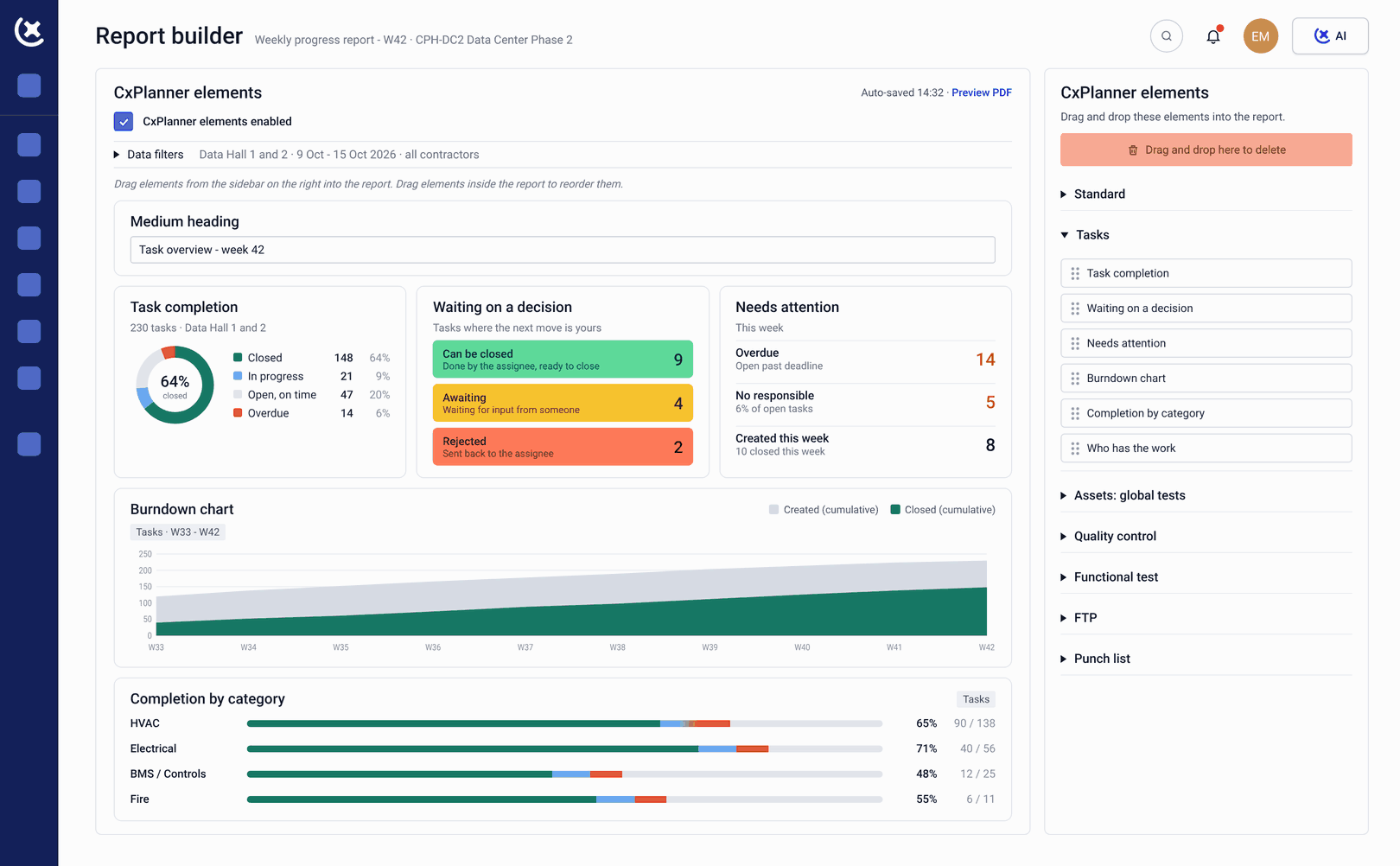
Every Level gate tracked against the data center commissioning plan. Overdue items and gate blockers surface automatically - before the gate review, not during it. The Cx team acts on the day the issue appears, not the day it costs a gate.
Benefits from keeping execution tracked in real time
The Cx team stops reconstructing the programme picture and starts managing the programme.
The plan and reality are always the same view.
Because test results and check-sheets are submitted directly into CxPlanner, the data center commissioning plan view always reflects actual site progress - not a weekly report compiled from subcontractor updates.
Issues resolved faster with full context at logging.
A punch item logged with a photo, floor plan location, and assigned contractor closes faster than one described in an email. Particularly critical during site acceptance testing where turnaround time directly affects the programme.
Gate blockers caught before they delay the programme.
An overdue check-sheet that would hold up an L4 gate surfaces in the data center construction management dashboard the day it is overdue - not the day the gate review is scheduled.
Track your commissioning programme as it happens
If your current view of execution is a weekly report from each subcontractor, book a walkthrough. We will show you what live tracking looks like on a data center build.
Request a walkthroughCommon questions about data center commissioning execution
How does CxPlanner track test results in real time?
Subcontractors submit test results and check-sheets directly from mobile or tablet on site. The result appears in the data center commissioning plan view immediately - no import step, no end-of-day data entry.
Can issues raised during site acceptance testing be logged on mobile?
Yes. Site acceptance testing issues are logged directly from mobile - with photos and floor plan location attached at the point of discovery. They enter the live issue log and are assigned to the responsible party immediately.
How does CxPlanner surface gate blockers before the gate review?
Overdue check-sheets, failed tests, and outstanding sign-offs appear automatically in the dashboard - flagged against the Level gate they belong to. The Cx team sees the blocker the day it appears, not the day of the data center commissioning plan gate review.
Does CxPlanner work for data center construction management across multiple subcontractors?
Yes. Each subcontractor scope is tracked separately in CxPlanner, and data center construction management visibility across all scopes is available in one live view - without pulling updates from each subcontractor individually.