Data center owners who need to see the full commissioning program
As a data center owner, you are accountable for what happens on Day 1. The commissioning program is running across three subcontractor scopes, two tools, and a weekly status report that is already out of date by the time it reaches you.
CxPlanner is data center management software that gives owners live visibility across the full commissioning program without having to ask anyone for an update.

You might be making decisions on last week's data - without knowing it
The problem is not that owners are uninvolved. It is that the tools were not built to include them.
Book a demoThe weekly report is already out of date.
The PDF tells you where the program stood on Friday. By the time you read it, three L3 tests have failed and one subcontractor is behind on L2. You are making schedule and resource decisions on a picture that no longer exists.
You cannot see what is actually blocking progress.
The Cx lead knows which open issue is holding up the L4 gate. You do not, until it becomes a schedule conversation. By then, the delay is already in the program.
Day 1 readiness is invisible until it is a problem.
SLA-credible operations on Day 1 are contractually required, but whether Day 1 actually works is often not tracked as its own deliverable. It is assumed to follow once commissioning closes out.
The program picture is live. You see it the same moment the Cx lead does.
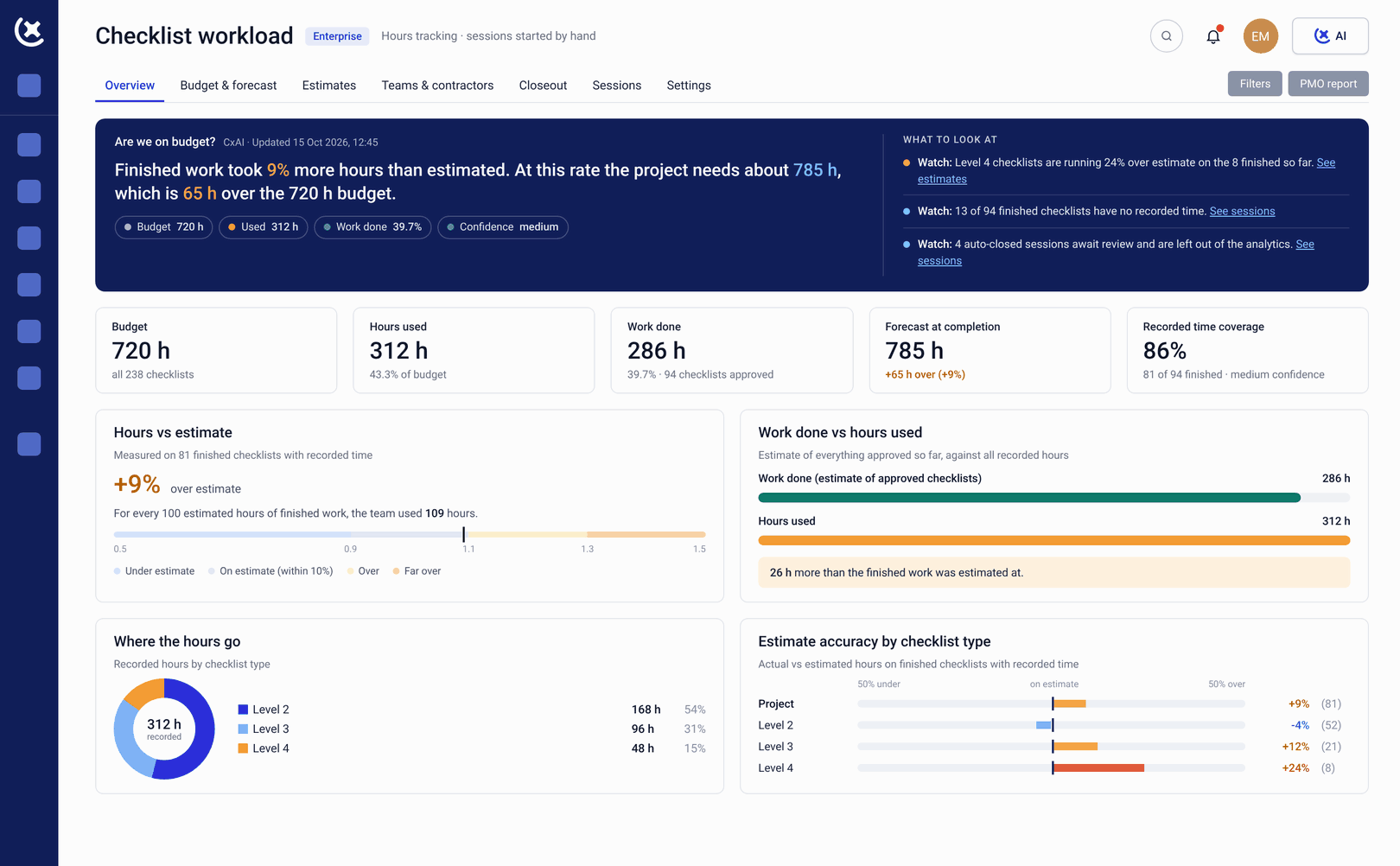
CxPlanner gives owners the same live view the Cx lead has, without a reporting cycle in between. Progress across all subcontractor scopes, all Levels, and all open issues is visible in real time.
CxPlanner shows where the program is ahead and where it is slipping, built from live asset and test data rather than a separately maintained schedule. When a gate is at risk, you see it the day it becomes a risk, and when a subcontractor scope is behind, it surfaces in the dashboard automatically.
Data center operations software that connects commissioning progress to Day 1 readiness means what the operator inherits is visible throughout the program.
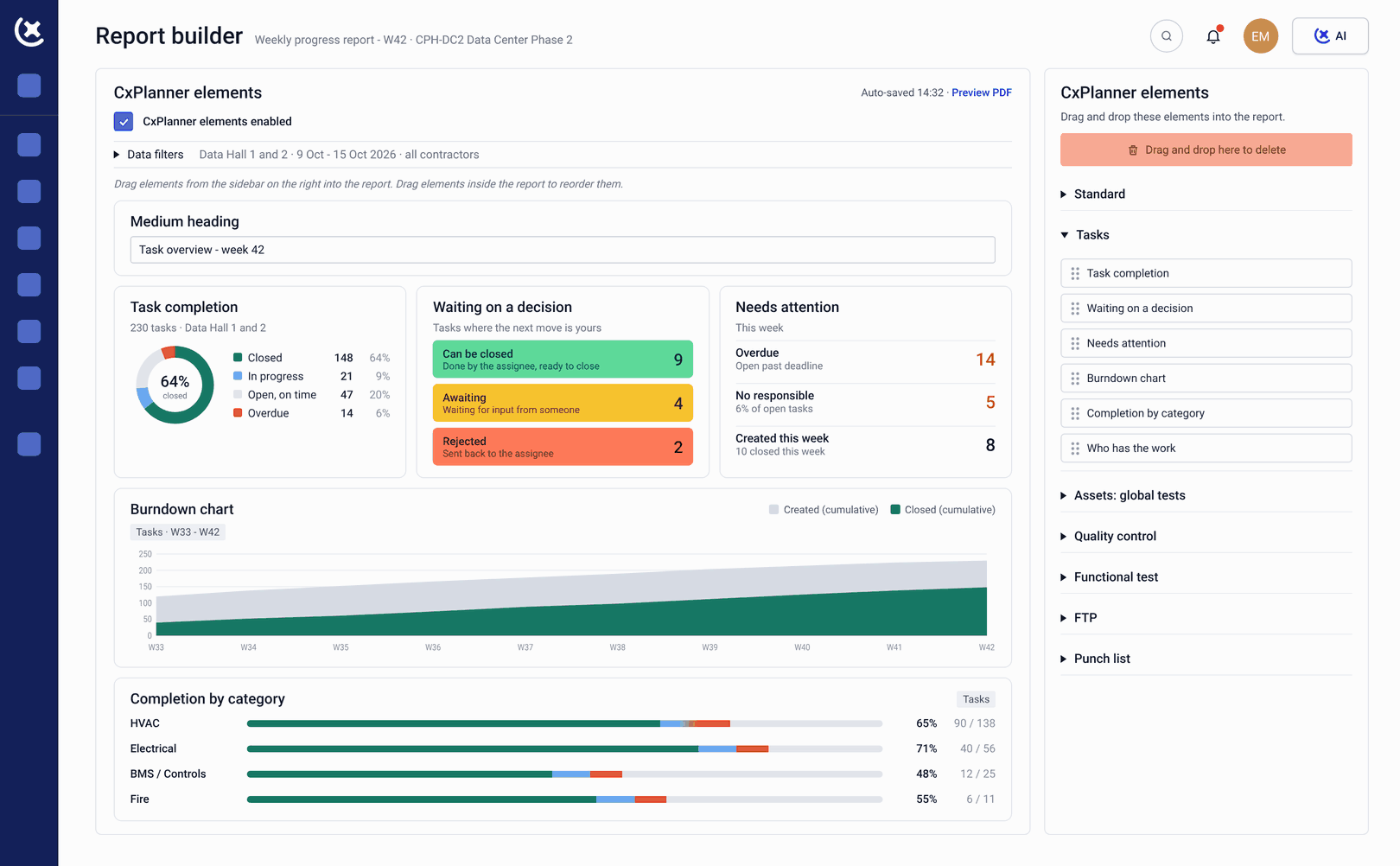
What CxPlanner gives owners across the commissioning program
Live visibility, not compiled reports, across the full program from L1 to handover.
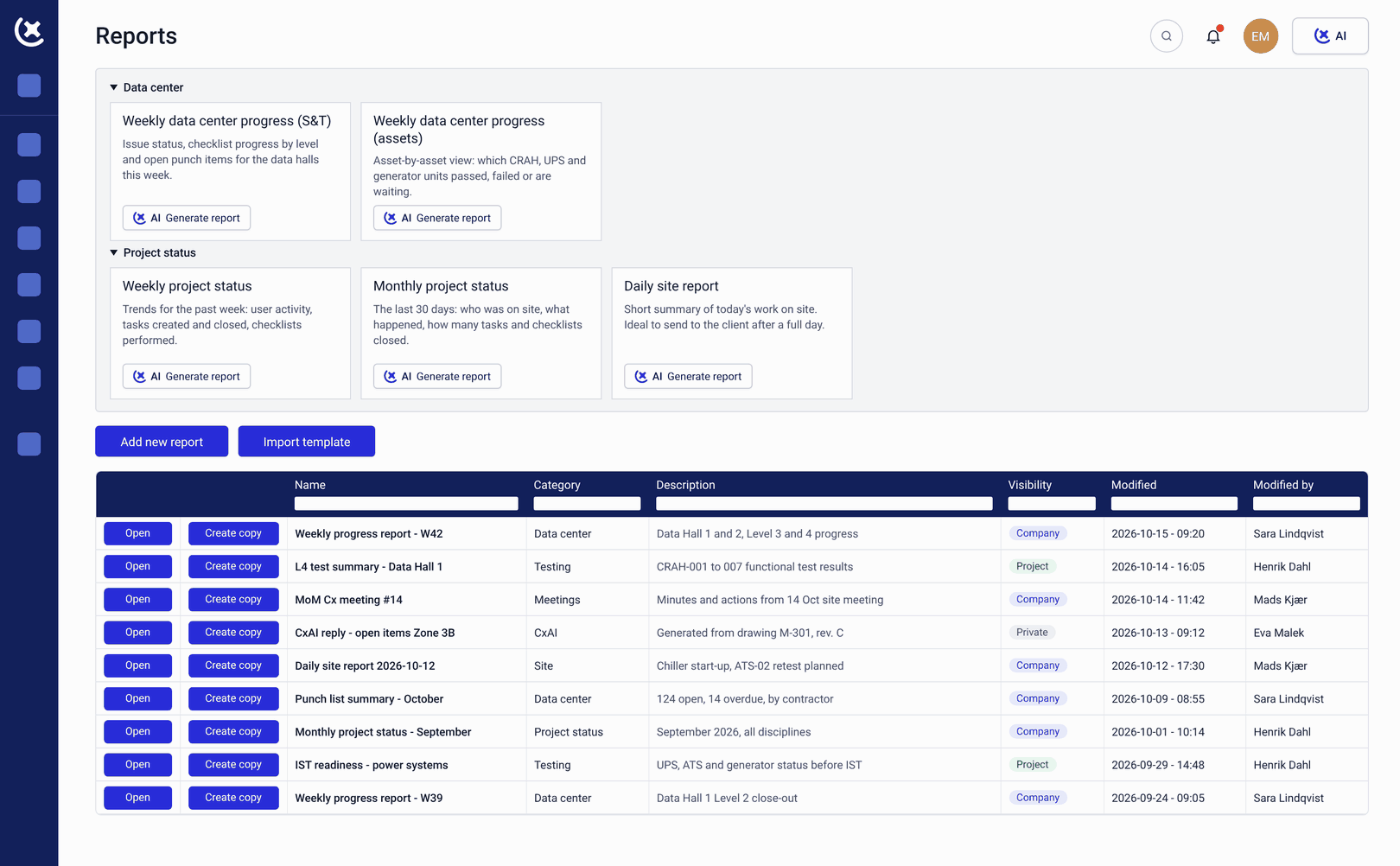
Live L1-L5 progress dashboards
Current progress across all Levels, all systems, and all subcontractor scopes in one view. The dashboard updates in real time as work happens.
Gate and milestone tracking
Every Level gate from L1 FAT through L5 IST tracked against the commissioning schedule. You see which gates are on track, which are at risk, and which are blocked, without asking the Cx team.
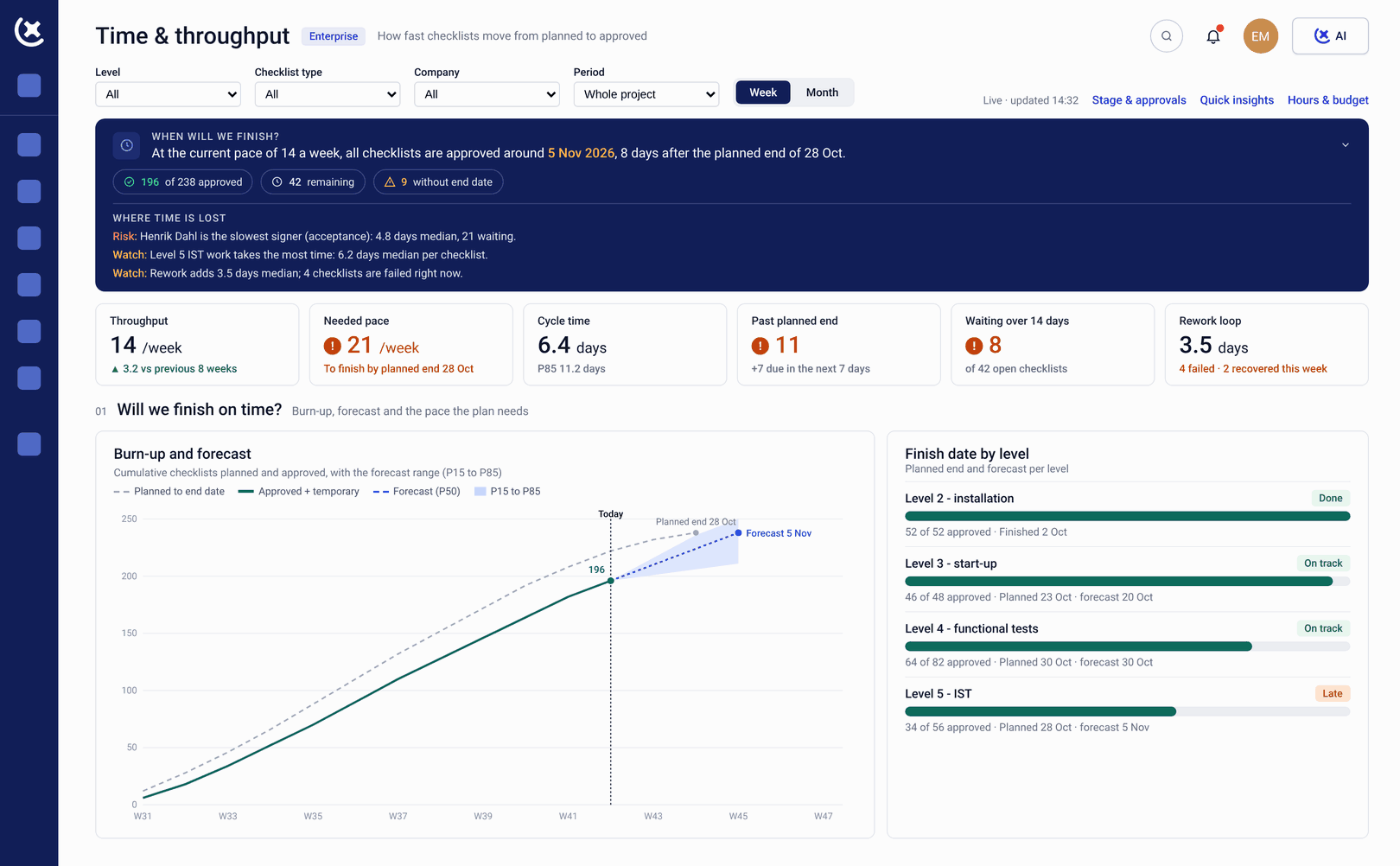
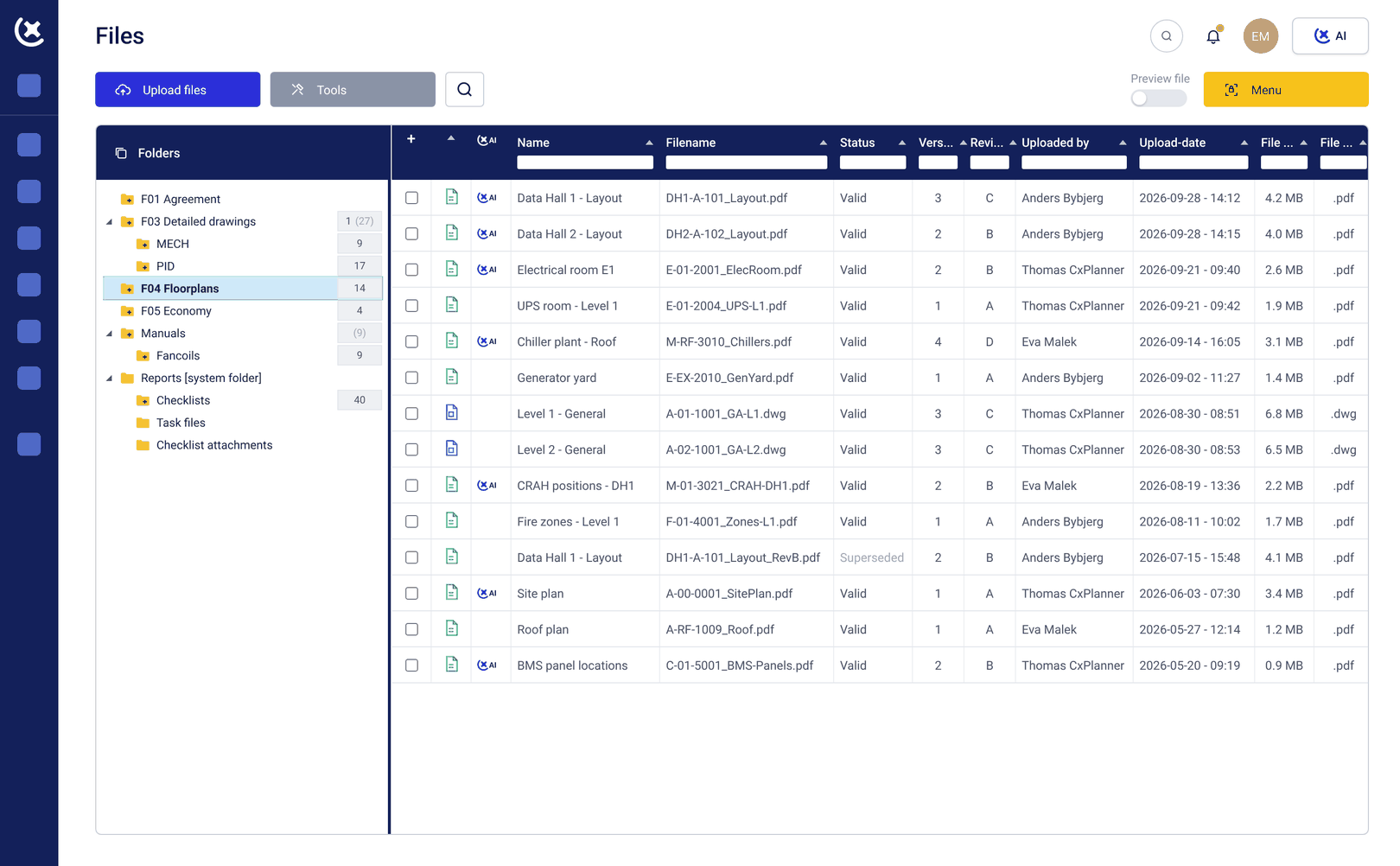
Direct platform access
Owners access CxPlanner directly, the same platform the field teams and Cx lead use. No separate reporting tool, no secondary login. The same data, the same view, at the same time.
Day 1 readiness visibility
The commissioning program connects to operational readiness, so you can see whether the facility is on track to run from Day 1 as well as on track to be handed over.
What changes for owners when the program is visible in real time
You stop managing the gap between what the Cx team knows and what you know.
Decisions made on current data.
When the program picture is live, you stop making schedule and resource decisions based on compiled information that is already out of date. The conversation with the Cx team starts from the same data.
Gate risks surface before they become schedule conversations.
An issue blocking an L4 gate sign-off appears in your dashboard the day it is raised. You have time to act before it becomes a schedule conversation.
Handover reflects a program closing out.
When documentation gaps, outstanding sign-offs, and open punch items are visible throughout the program, the final weeks before handover reflect real progress rather than a scramble to compile everything at once.
Work from a shared and current commissioning program
If your current view of the commissioning program is a weekly PDF, book a walkthrough. We will show you what live ownership visibility looks like on a data center build.
Request a walkthroughCommon questions from data center owners about CxPlanner
Do I need to be involved in the day-to-day commissioning work to use CxPlanner?
No. Owners access the same live dashboards the Cx team uses, without participating in the day-to-day test program. You see progress, gate status, and blockers in CxPlanner's data center planning software, without being in the workflow.
Can I see subcontractor progress directly, or only the Cx team's summary?
Directly. Electrical and mechanical subcontractor progress is visible in the dashboard at the scope level, the same data the Cx lead sees.
How does CxPlanner connect to Day 1 operational readiness?
The commissioning program in CxPlanner feeds directly into the Operational Readiness product, so Day 1 performance is tracked as its own deliverable throughout the program.
Does CxPlanner work for owners managing multiple data center projects simultaneously?
Yes. CxPlanner gives cross-project visibility, so an owner overseeing multiple builds or delivery phases can see program status across all of them without separate reporting from each Cx team.