Replace Excel with commissioning management software built for data centers
Excel works until the project gets complex. Then it becomes the problem - version conflicts, manual data entry, and a programme picture that is always slightly out of date.
Commissioning management software built specifically for the Level testing model gives data center teams live programme visibility, standardised check-sheets, and documentation that is audit-ready throughout the programme - not assembled in the final week.

Excel is heavily relying on manual work. Leaving less time for actual commissioning.
The limitations of manual workflows are predictable. They still catch most teams by surprise.
Book a demoOne person owns the spreadsheet. Everyone else waits.
When the test programme lives in Excel, only one person can update it at a time. Subcontractors email their check-sheets. The Cx lead enters the data. Progress is always one step behind what is happening on site - and commissioning software is nowhere in the picture.
Version control breaks down under multiple contributors.
Three subcontractors. Two Cx engineers. One shared Excel file. By L3, nobody is certain which version is current - and the commissioning management software the owner expects to see at handover is a folder of spreadsheets with conflicting data.
Manual data entry fills time that should go to commissioning.
Typing serial numbers, copying test results between documents, formatting check-sheets to match what the Cx team requires - on a large data center project, this overhead is measured in weeks, not hours.
One automated platform connecting every commissioning step. Updated in real time.
CxPlanner replaces the Excel-based commissioning workflow with commissioning software purpose-built for the Level testing model. Subcontractors complete check-sheets directly in the platform - on mobile, to the standard the Cx team requires, without a separate submission step. Test results appear in the programme the moment they are submitted.
CxAI scans nameplates and extracts tag data from P&IDs - removing the manual data entry that fills the early weeks of L2. The commissioning management software picture is always current. There is one version. Nobody is waiting for the Cx lead to update the spreadsheet.
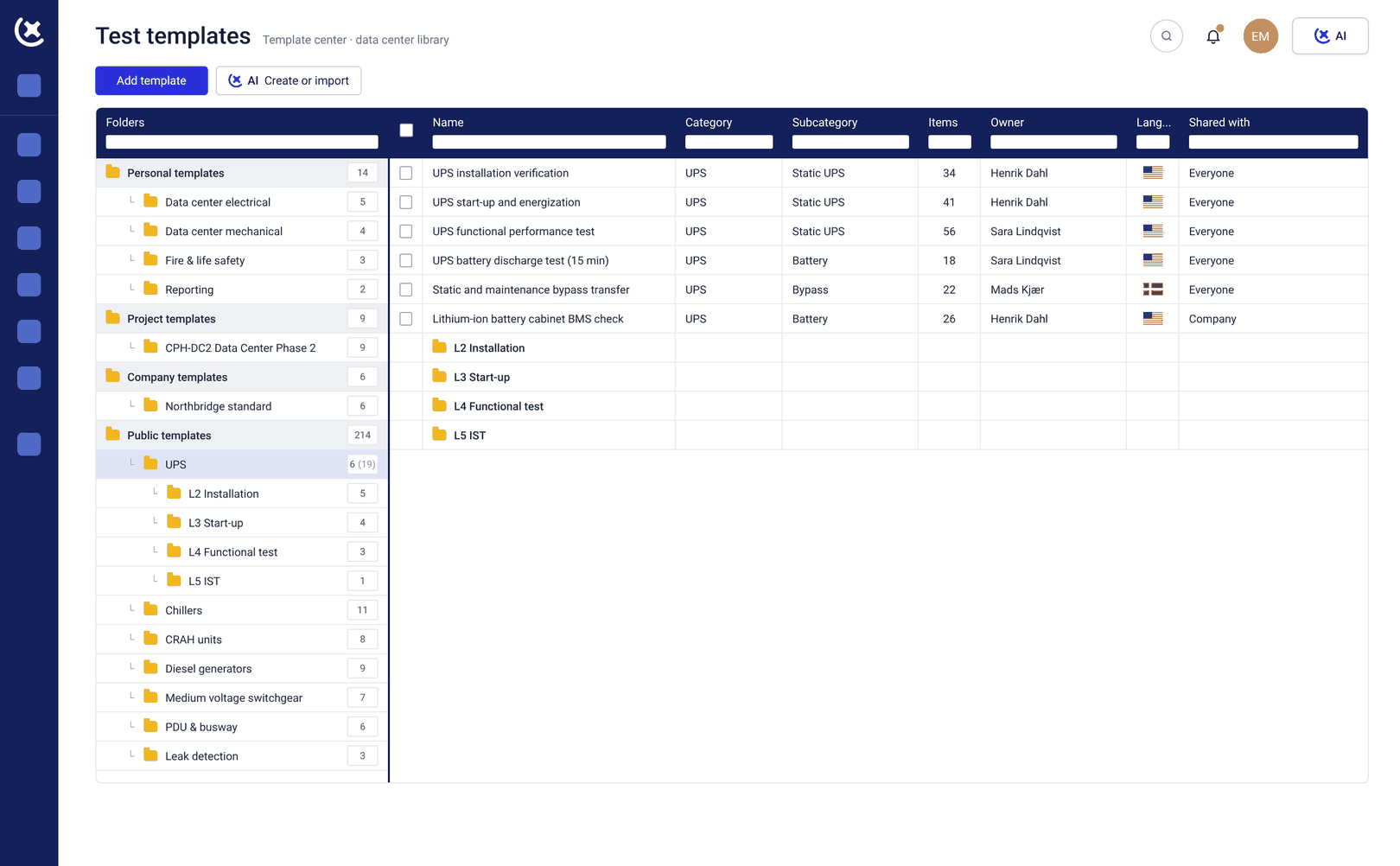
What CxPlanner replaces in a manual workflow
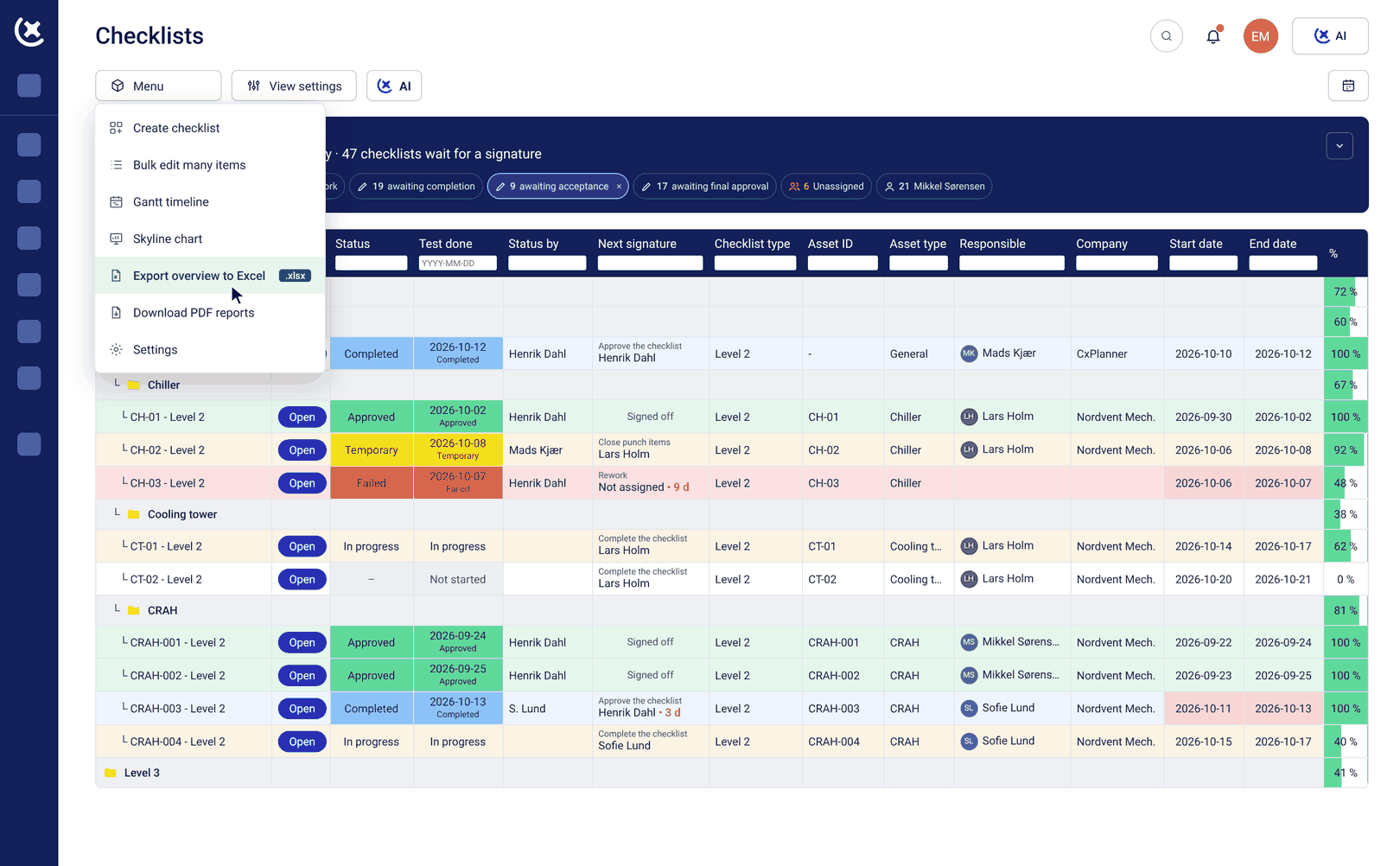
Check-sheets completed in the platform, not emailed in
Subcontractors complete check-sheets directly in CxPlanner - on mobile or tablet, to the format the Cx team requires. No email, no reformatting, no manual entry by the Cx lead. Commissioning software that closes the gap between site and system.
CxAI nameplate scanning replaces manual asset entry
Point a phone at the nameplate. CxAI extracts manufacturer, model, and serial number and updates the asset record. A reported 75% time saving on data capture from large equipment volumes in real project usage - the manual entry that fills L2 is gone.
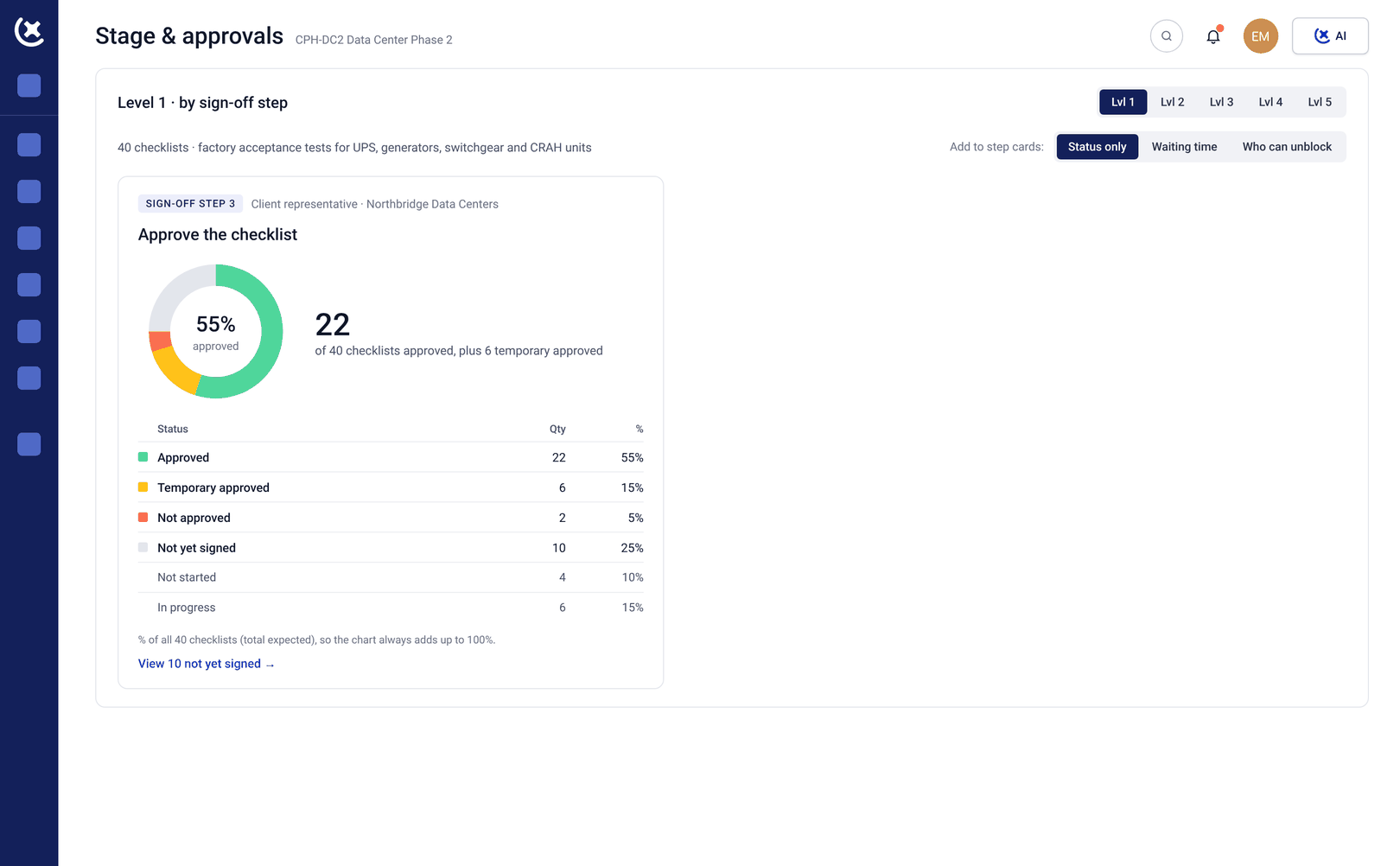
Live dashboards replace the weekly compiled report
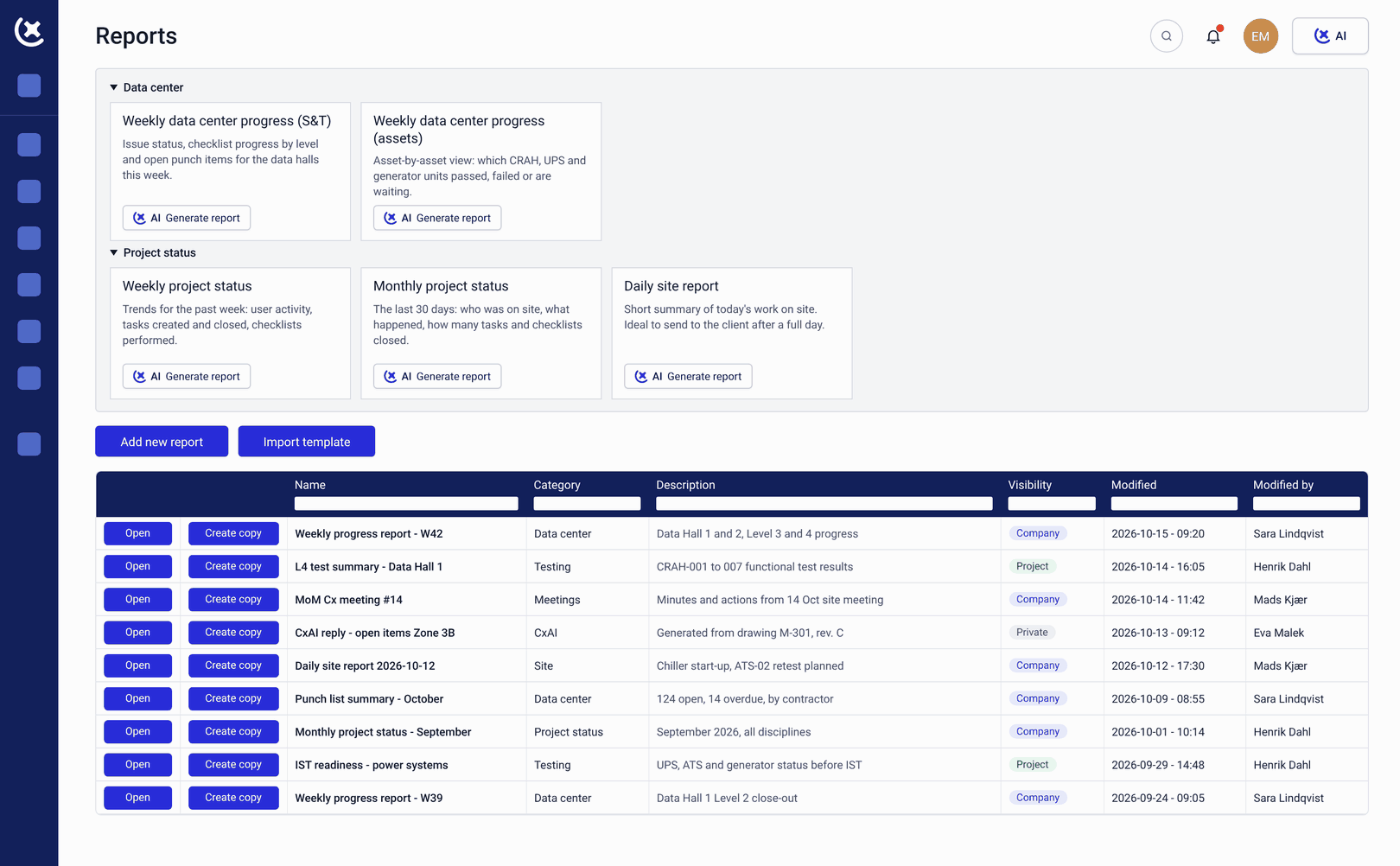
Current progress across all subcontractor scopes, all Levels, and all systems in one live view. The weekly status report that took a Friday afternoon to compile is replaced by commissioning management software dashboards that update in real time.
Automatic follow-up replaces manual chase emails
CxAI identifies overdue items and drafts a personalised follow-up to each responsible party. One click to generate, one to send. The commissioning software handles the communication - the Cx team reviews and sends.
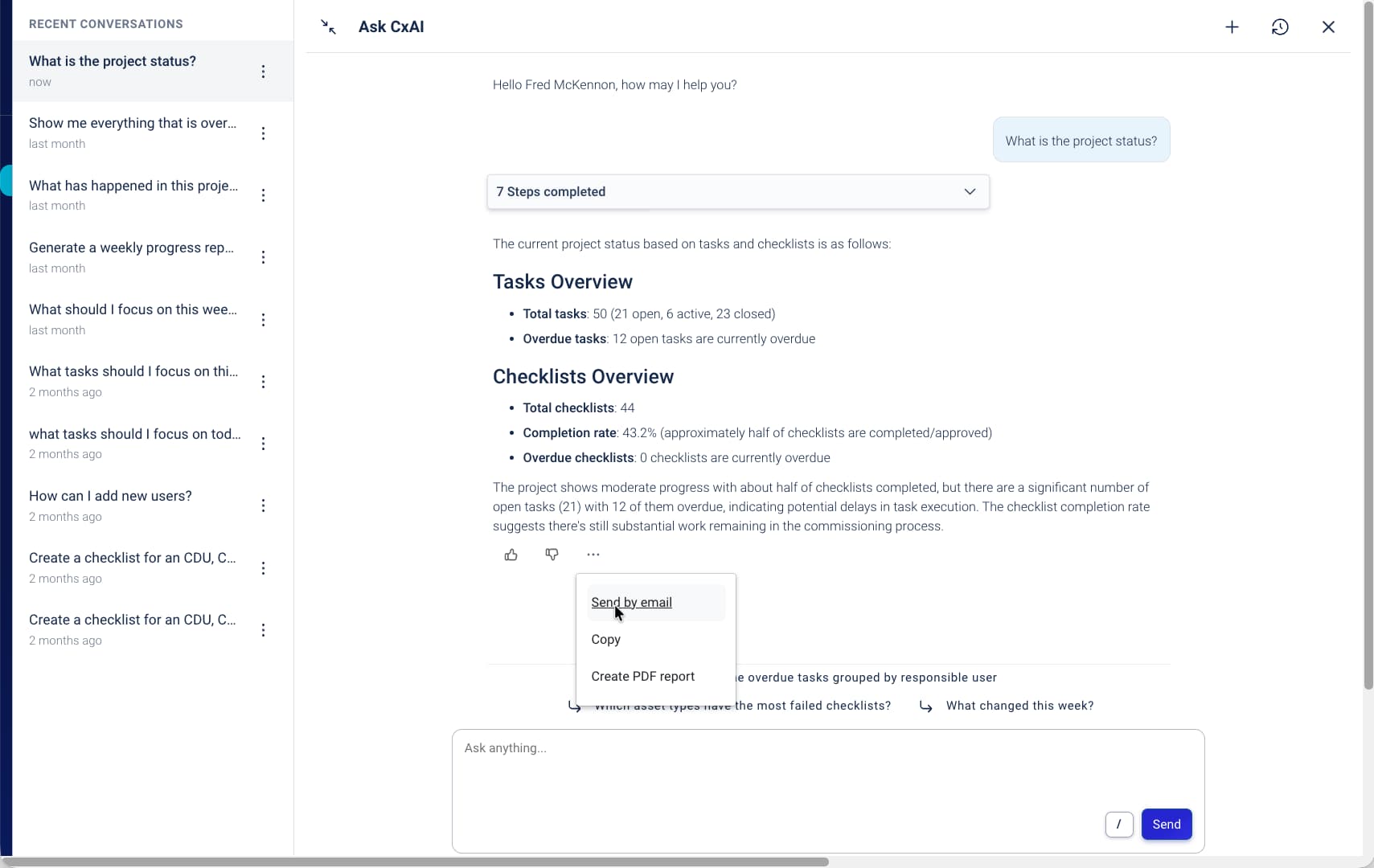
Audit-ready documentation throughout
Test records, check-sheets, and sign-offs accumulate in CxPlanner throughout the programme. The handover documentation package is drawn from the data already in the commissioning management software - not compiled from a folder of spreadsheets.
What the team gets back when Excel is gone
The hours that went into managing the spreadsheet go back to the commissioning programme.
60-70% of commissioning project time goes into admin. CxPlanner brings that down.
Manual data entry, formatting check-sheets, chasing updates, compiling reports - this is what fills most of a commissioning project. Commissioning software that handles the repetitive work gives skilled people their time back.
One version. Always current. No reconciliation.
When the test programme lives in commissioning management software rather than Excel, there is one version - updated in real time by the people doing the work. The Cx lead stops maintaining the spreadsheet and starts managing the programme.
Handover documentation is ready when the work is done.
Because documentation accumulates throughout the programme rather than being assembled at the end, the handover package reflects the actual commissioning record - not what could be reconstructed from a folder of spreadsheets in the final week.
See what your programme looks like without the spreadsheet
If your data center commissioning programme runs on Excel and email, book a walkthrough. We will show you what the same programme looks like in commissioning management software built for Level testing.
Request a walkthroughCommon questions about replacing Excel in data center commissioning
Can we migrate our existing Excel check-sheets into CxPlanner?
Yes. Existing check-sheets in Excel can be imported and converted into CxPlanner templates. The format your team already uses becomes the starting point - available to the whole team on every subsequent project.
How long does it take to move from Excel to CxPlanner on a live project?
Most teams are up and running within a day. CxPlanner is designed so subcontractors can complete their first check-sheet after a short introduction - not after a training course. The commissioning software is built for field use from day one.
Does CxPlanner integrate with other tools the team already uses?
CxPlanner exposes an MCP server that connects to Claude and ChatGPT - so teams can build their own workflows on top of CxPlanner data. For most data center projects, the commissioning management software replaces the scheduling, check-sheet, and reporting tools rather than integrating with them.
What happens to the audit trail when we move from Excel to commissioning management software?
Test records, check-sheets, and sign-offs in CxPlanner are tracked automatically from the first submission. The audit trail is complete and time-stamped - drawn from live data rather than reconstructed from a folder of spreadsheets at handover.