Every team on the project in one live programme
A data center commissioning project involves owners, general contractors, electrical subcontractors, mechanical subcontractors, and consultants - each with their own scope, their own tools, and their own view of the programme.
Data center management software that gives every team access to the same live programme removes the coordination overhead that fills the edges of every commissioning week.

Five teams, five tools and different versions compromising the actual plan and progress
Collaboration on a data center commissioning project breaks down when each team works from a different version of the programme.
Book a demoEach team has a different picture of where the programme stands.
The owner sees last week's PDF. The general contractor sees the Cx lead's Smartsheet. The electrical subcontractor sees their own check-sheet tracker. None of them are the same picture - and no data center management software connects them.
Status calls exist to reconcile what the tools should be doing.
The weekly programme call is not a decision-making meeting. It is a reconciliation exercise - each team reporting their version of progress until the group agrees on one picture. That picture is out of date by Thursday.
Issues raised by one team take days to reach another.
A punch item logged by the mechanical subcontractor needs to reach the electrical subcontractor before the L4 gate can be signed off. In a multi-tool environment, that information travels by email - if it travels at all.
One live platform connecting every team around the same source of truth
CxPlanner gives every team on the project - owner, general contractor, electrical subcontractor, mechanical subcontractor, consultant - access to the same live programme in one platform. Commissioning management software where the data the field teams use to execute the work is the same data the owner sees in their dashboard.
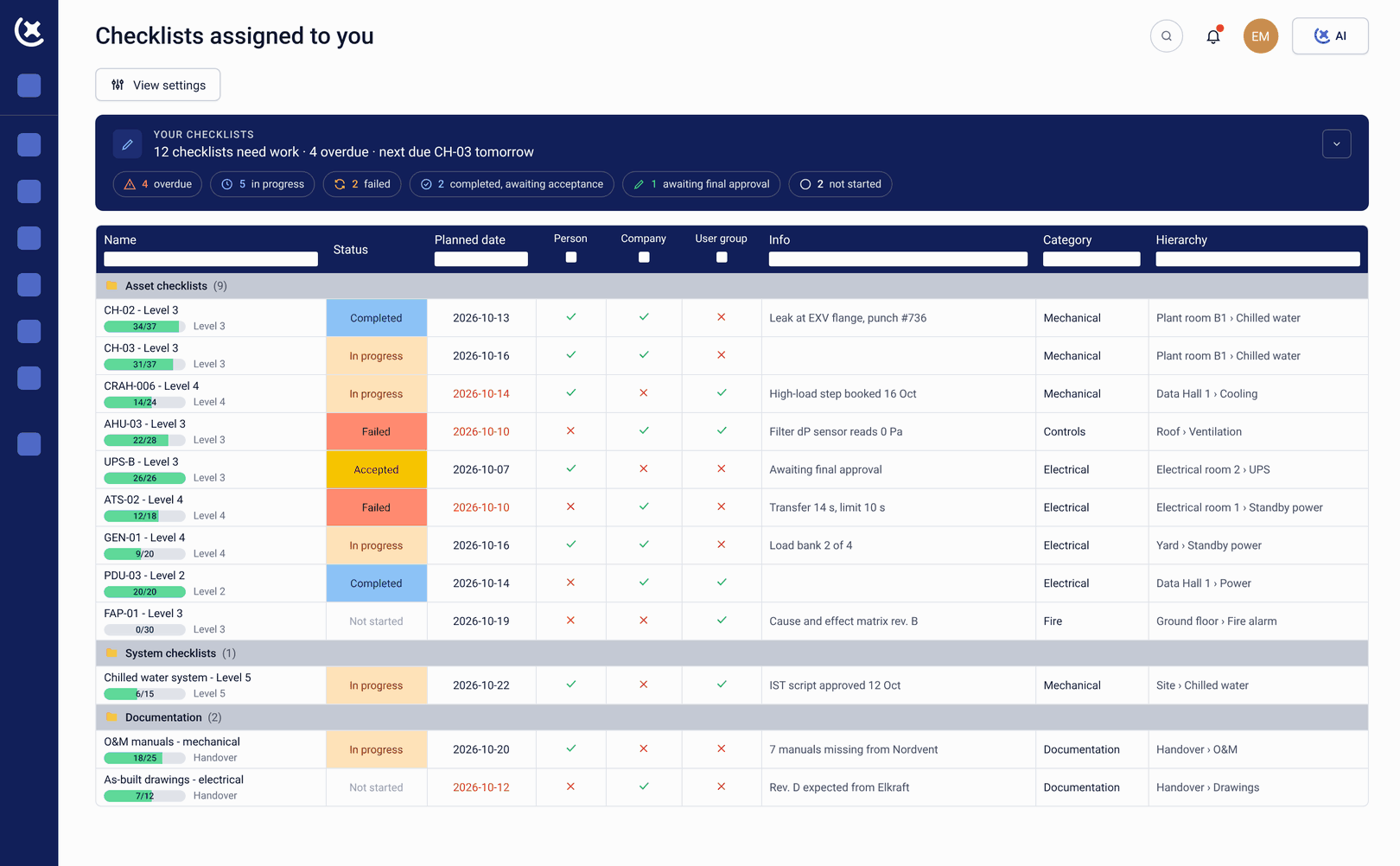
There is no reconciliation step. When the electrical subcontractor submits a check-sheet on site, the general contractor, the owner Cx team, and the consultant all see it the moment it lands. The data center planning software view updates automatically. The status call becomes a decision-making meeting instead of an alignment exercise.
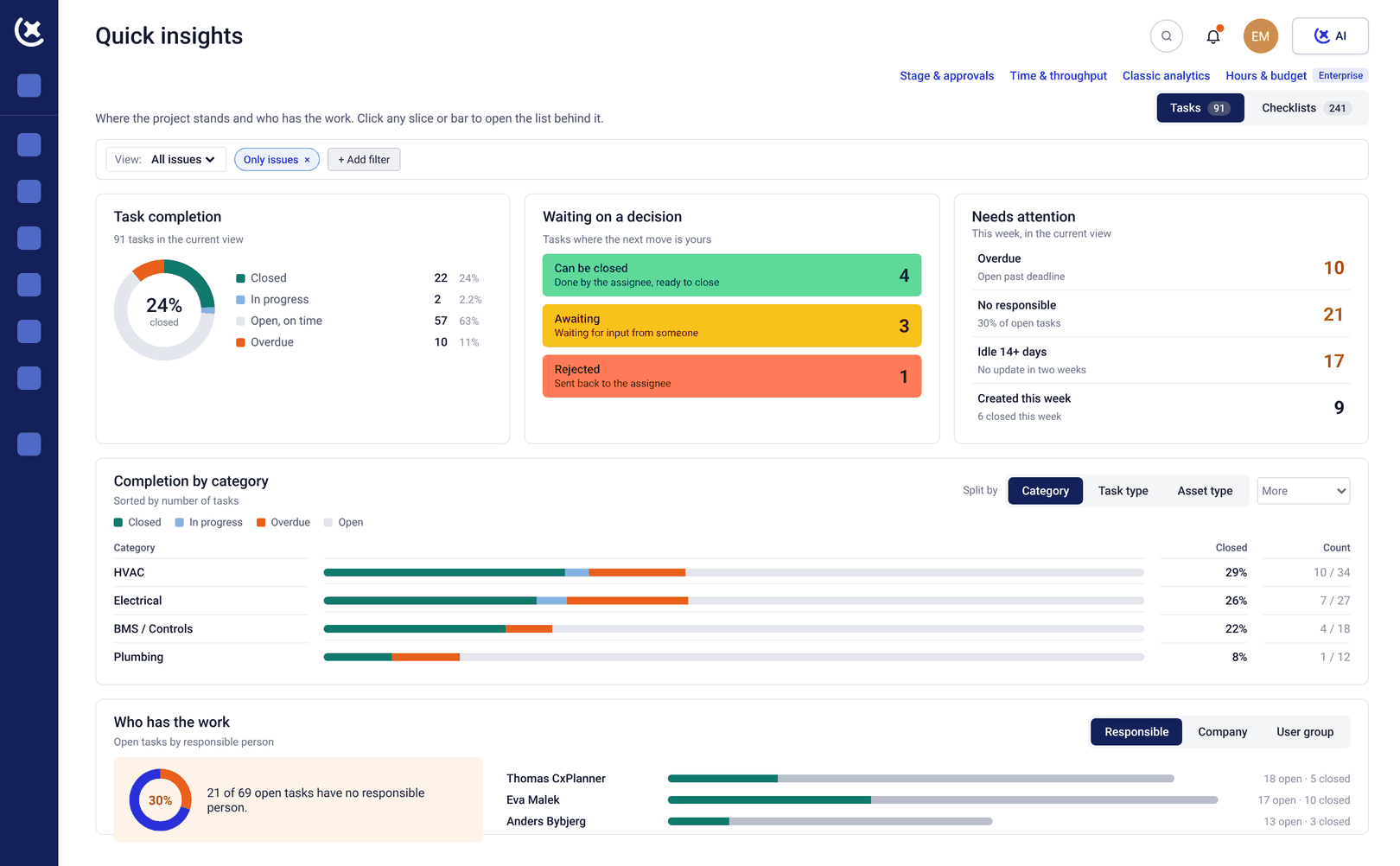
What CxPlanner covers for collaboration across teams
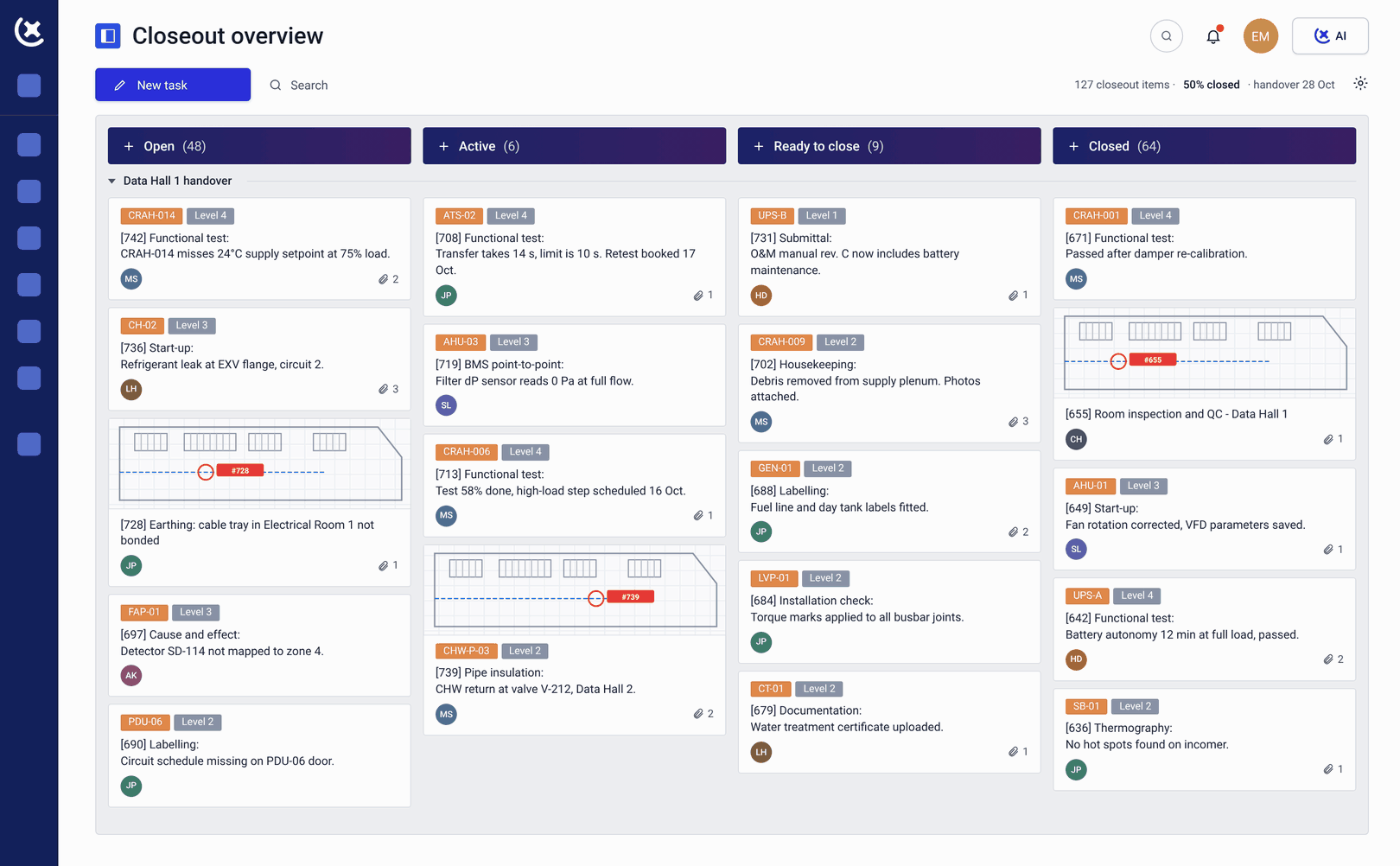
Role-based access for every team
Owners, general contractors, subcontractors, and consultants each have access to the scope and data relevant to their role. The owner sees the full programme. Each subcontractor sees their own scope. Data center management software where every team has the view they need - and only that.
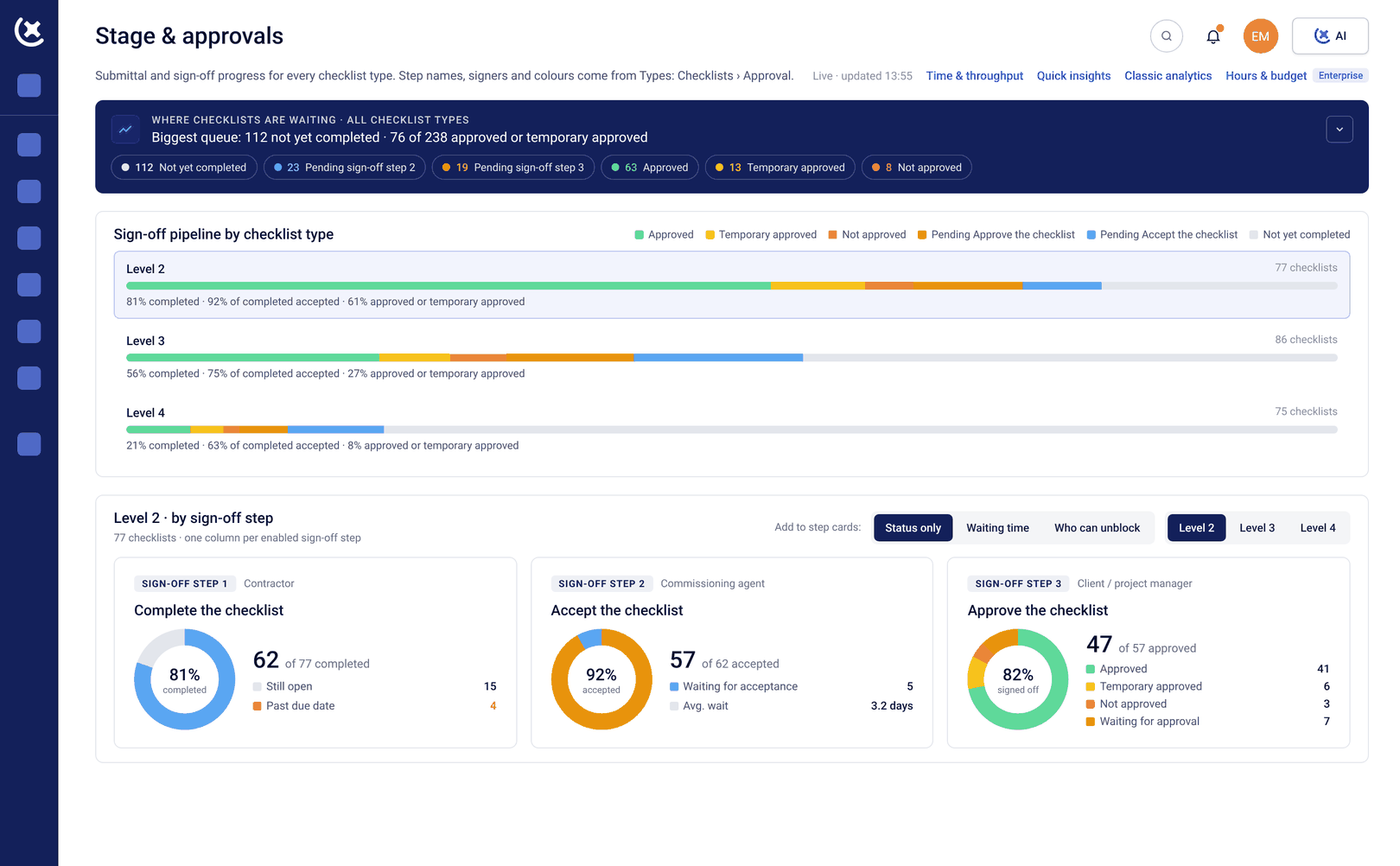
Live dashboards visible to all stakeholders
Current progress across all Levels, all systems, and all subcontractor scopes in one live view - available to every team with access. Commissioning management software where the programme picture is always current for everyone, without a compilation step.
Cross-scope issue visibility
Issues raised by any team are visible to the teams that need to act on them - immediately, in the same live issue log. No email chain required to route a punch item from one subcontractor scope to another in the data center management software.
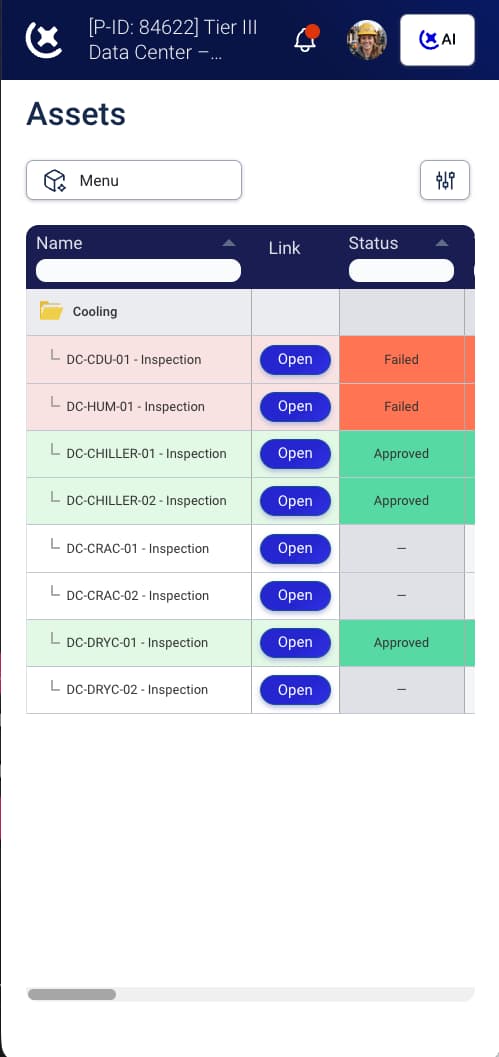
Shared check-sheet standards across all subcontractors
Every subcontractor completes check-sheets in CxPlanner, to the format the Cx team requires. One standard, every submission - so the general contractor and owner see consistent documentation across all scopes in the data center planning software.
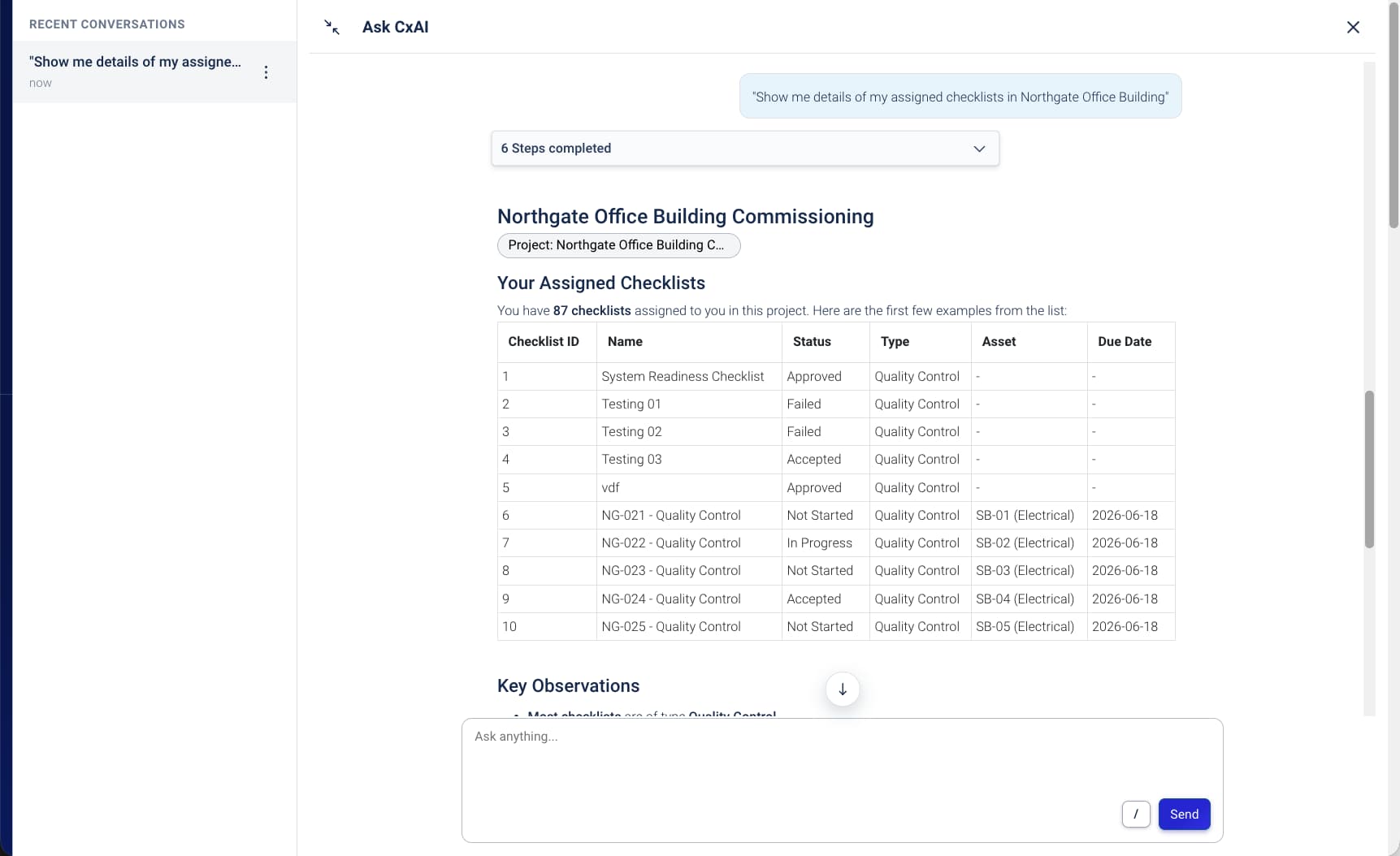
CxAI status reporting for any stakeholder
Ask CxAI to generate a status summary, list overdue items, or report on a specific subcontractor scope. Reports drafted from live programme data - available to any stakeholder with access to the commissioning management software, without a separate compilation step.
Key benefits from having every team working from one programme
The coordination overhead that fills the edges of every commissioning week gets shorter.
The status call becomes a decision-making meeting.
When every team sees the same live data center management software view before the meeting, the call starts from shared data - not from five different versions of the programme that need to be reconciled first.
Issues reach the right team the moment they are raised.
A punch item logged by the mechanical subcontractor appears in the issue log immediately - visible to the general contractor, the owner Cx team, and any other team with access. No email chain, no delay in the commissioning management software.
The owner stops chasing the Cx lead for updates.
When the owner has direct access to the live programme view, the weekly update call becomes optional. The conversation happens when there is something to decide - not to share information that data center management software already shows.
Give every team one view of the programme
If your weekly status call exists to align five different versions of the programme, book a walkthrough. We will show you what a shared live programme looks like in CxPlanner.
Request a walkthroughCommon questions about collaboration in CxPlanner
Can different teams have different levels of access to the programme?
Yes. Role-based access means owners see the full programme, subcontractors see their own scope, and general contractors see across all scopes. Data center management software where every team has the view they need - and only that.
Can subcontractors and owners be in the same platform without seeing each other's data?
Yes. Each subcontractor's scope is access-controlled separately. The owner and general contractor see across all scopes. Subcontractors see only their own. There is no risk of one subcontractor's data appearing in another's view of the commissioning management software.
Does CxPlanner eliminate the need for weekly status calls?
It eliminates the need for the part of the status call that exists to align everyone on the current programme picture. When every team sees the same live data center management software view, the call can focus on decisions - not on catching up.
How does CxPlanner handle issues that affect multiple subcontractor scopes?
Issues are logged in a single live issue log visible to all teams with access. When a punch item raised by one subcontractor affects another scope, it appears in both teams' views immediately - without an email chain to route it through the commissioning management software.