Issue resolution log built for data center commissioning at scale
On a data center build with three subcontractor scopes running simultaneously, a shared spreadsheet is not an issue resolution log - it is a missed deadline waiting to happen.
CxPlanner tracks every deficiency from first observation through to verified closeout, assigned to the right contractor, visible to the Cx team in real time. Nothing falls through between handoffs.
Book a demo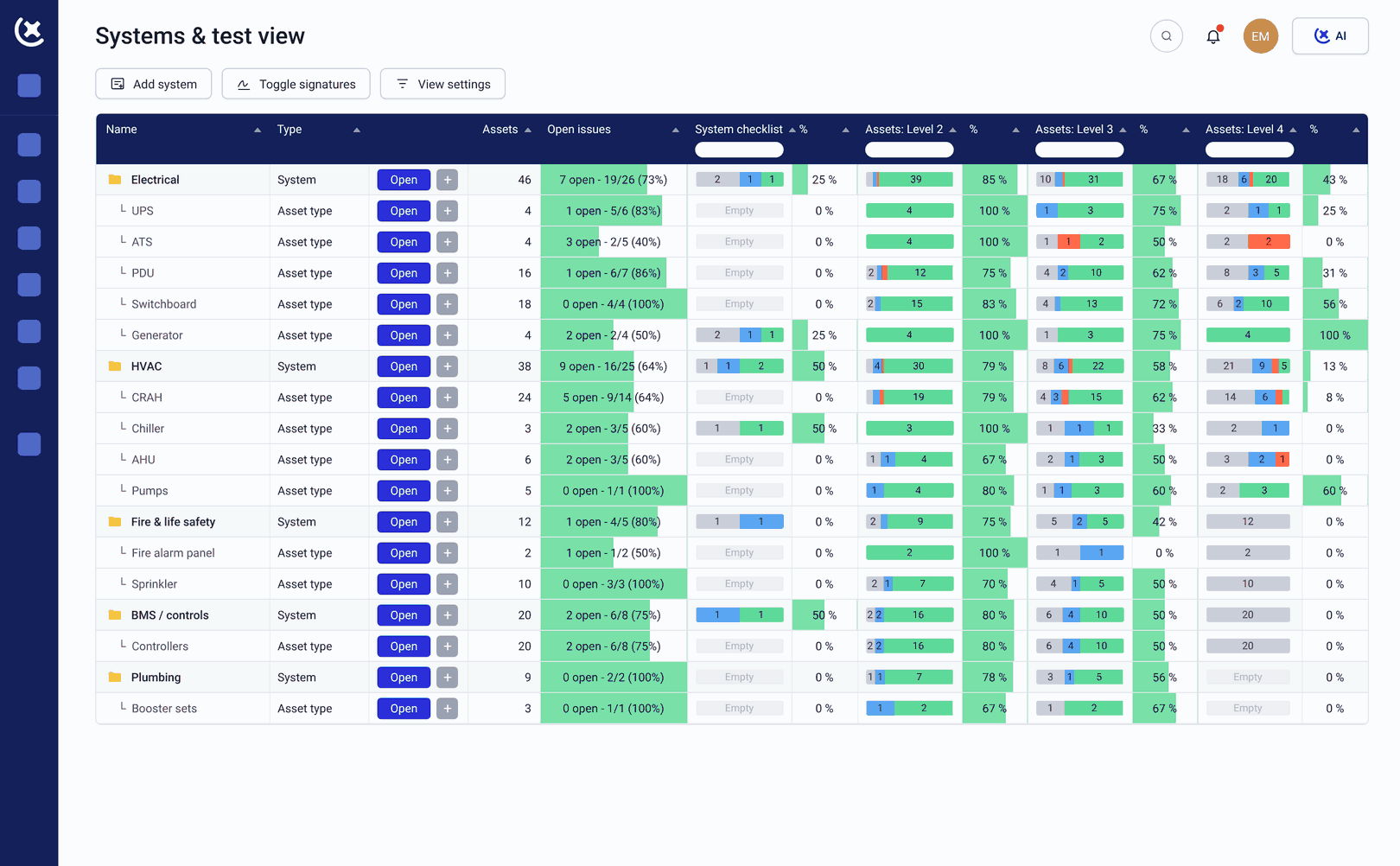
The volume of issues on data center projects is high, because the logs are inconsistent
The volume of deficiencies on a data center commissioning program is high. The tools most teams use were not built for it.
The punch list lives in a shared spreadsheet.
One person owns the spreadsheet. When two subcontractors update it at the same time, only one version survives. By L4, the punch list no longer reflects the actual state of the program.
Issues are raised without enough context to close them.
A punch item logged as "door seal issue near power" takes longer to locate than one logged with a photo and floor plan location. Without full context at first entry, the issue resolution log creates rework instead of preventing it.
Closeout status is invisible until the gate review.
The Cx team does not know how many open issues are blocking L5 until the gate review is already scheduled. By that point, the delay is already in the program.
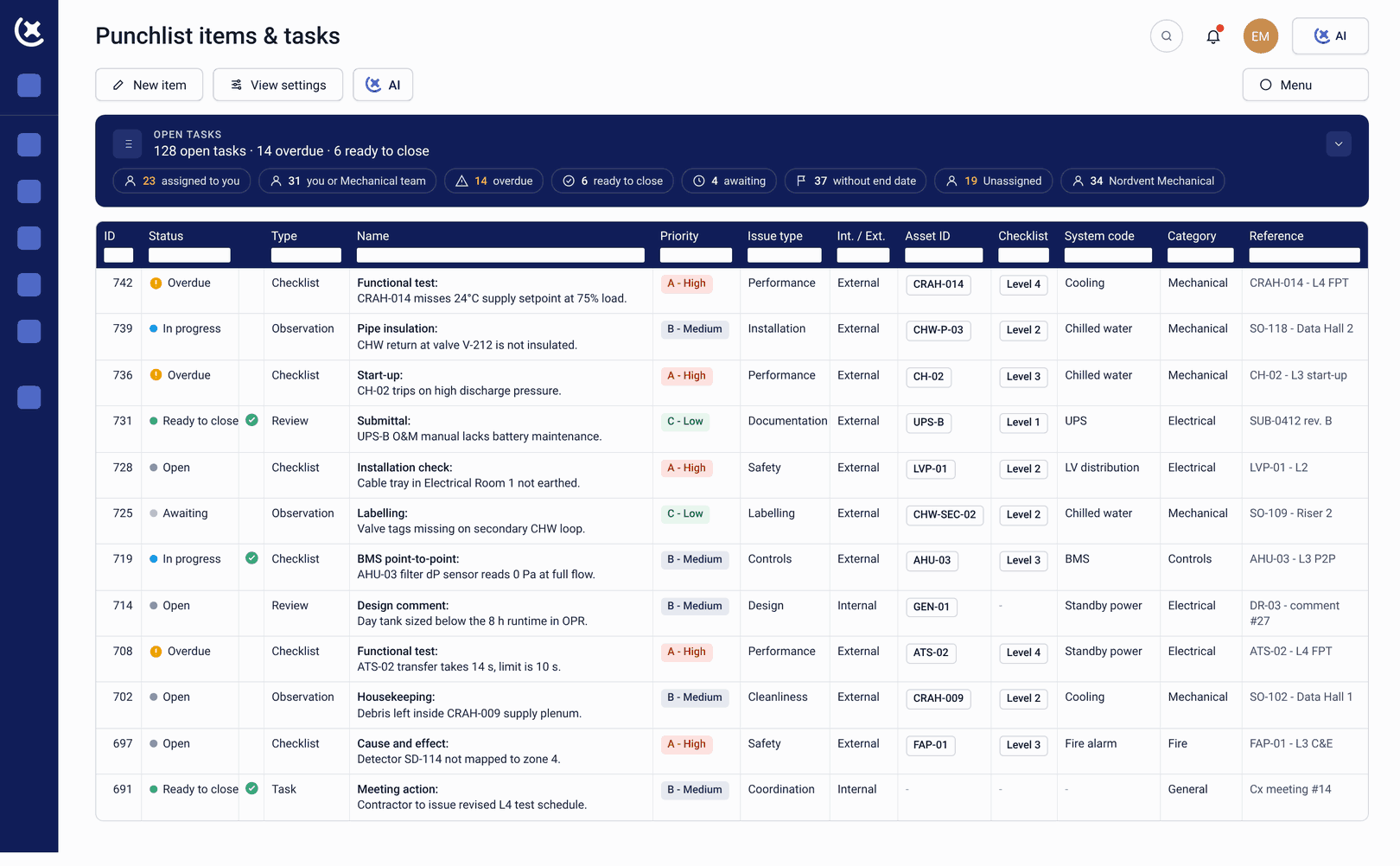
One live punch list where every deficiency is collected, assigned, and tracked.
CxPlanner replaces the shared spreadsheet with a live issue resolution log and punch list. Issues are raised on site from any device - with photos, floor plan location, assigned contractor, priority, and due date attached at the point of logging.
Here's how it works:
Raise the issue on site
The CxAgent or startup technician logs the item in the log directly from mobile - photo attached, location marked on the floor plan, responsible party assigned.
Issue enters the live log
The punch list updates immediately. The Cx team sees the new item the moment it is submitted - no email, no spreadsheet update required.
Responsible party notified
The assigned contractor receives the item in their CxPlanner queue with everything needed to act - location, description, photos. CxAI can draft a follow-up if the item goes stale.
Contractor resolves and resubmits
The startup technician or commissioning engineer marks the issue resolved in the log - adding photos and notes confirming the fix.
Cx team verifies and closes
The Cx team reviews the resolution, verifies on site if needed, and closes the item. The issue log audit trail is complete and automatic.
What CxPlanner covers in the issue resolution log
From first observation to verified closeout - tracked in one place across all subcontractor scopes.
Issue logging from site on any device
Raise an item from mobile, tablet, or desktop. Attach photos, mark the floor plan location, assign the responsible contractor, set priority, and add a due date - directly from the site.
Full lifecycle tracking from open to verified
Every status change from open to in-progress to resolved to verified is tracked in the issue log. The audit trail is complete and automatic - no manual update steps.
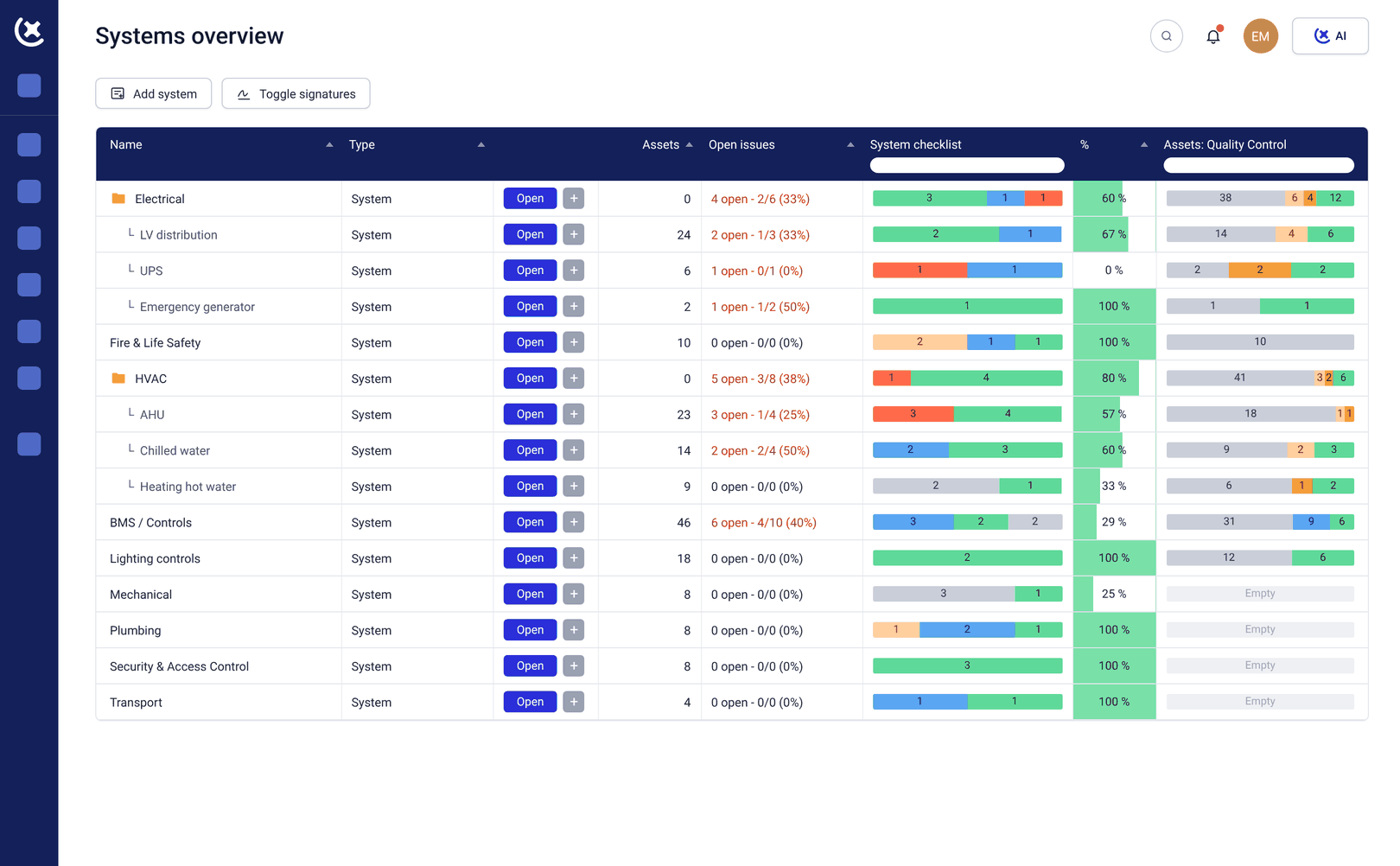
Cross-scope visibility in one log
Electrical and mechanical subcontractor issues tracked in the same issue resolution log the Cx team monitors. No separate email chain or spreadsheet for each scope.
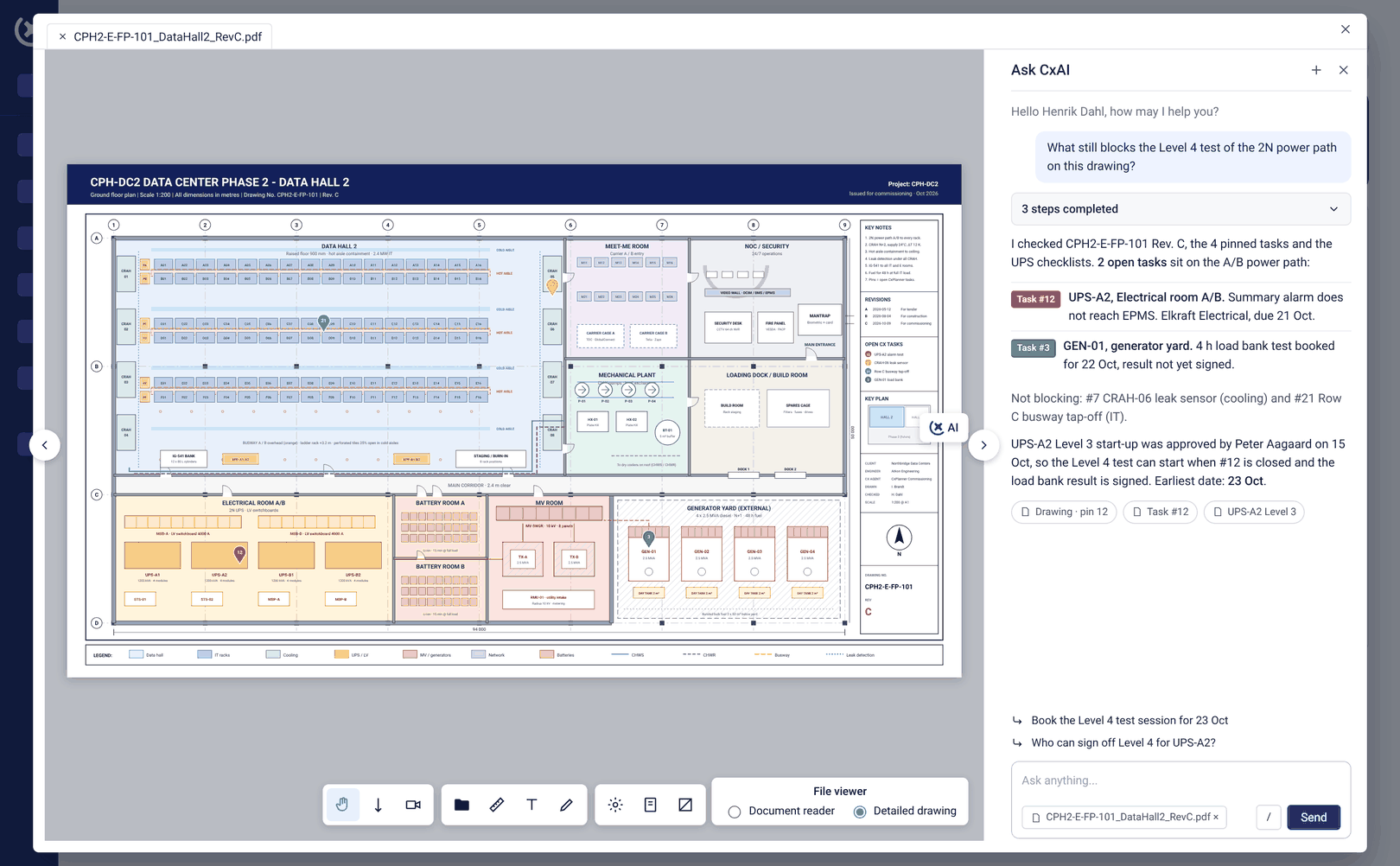
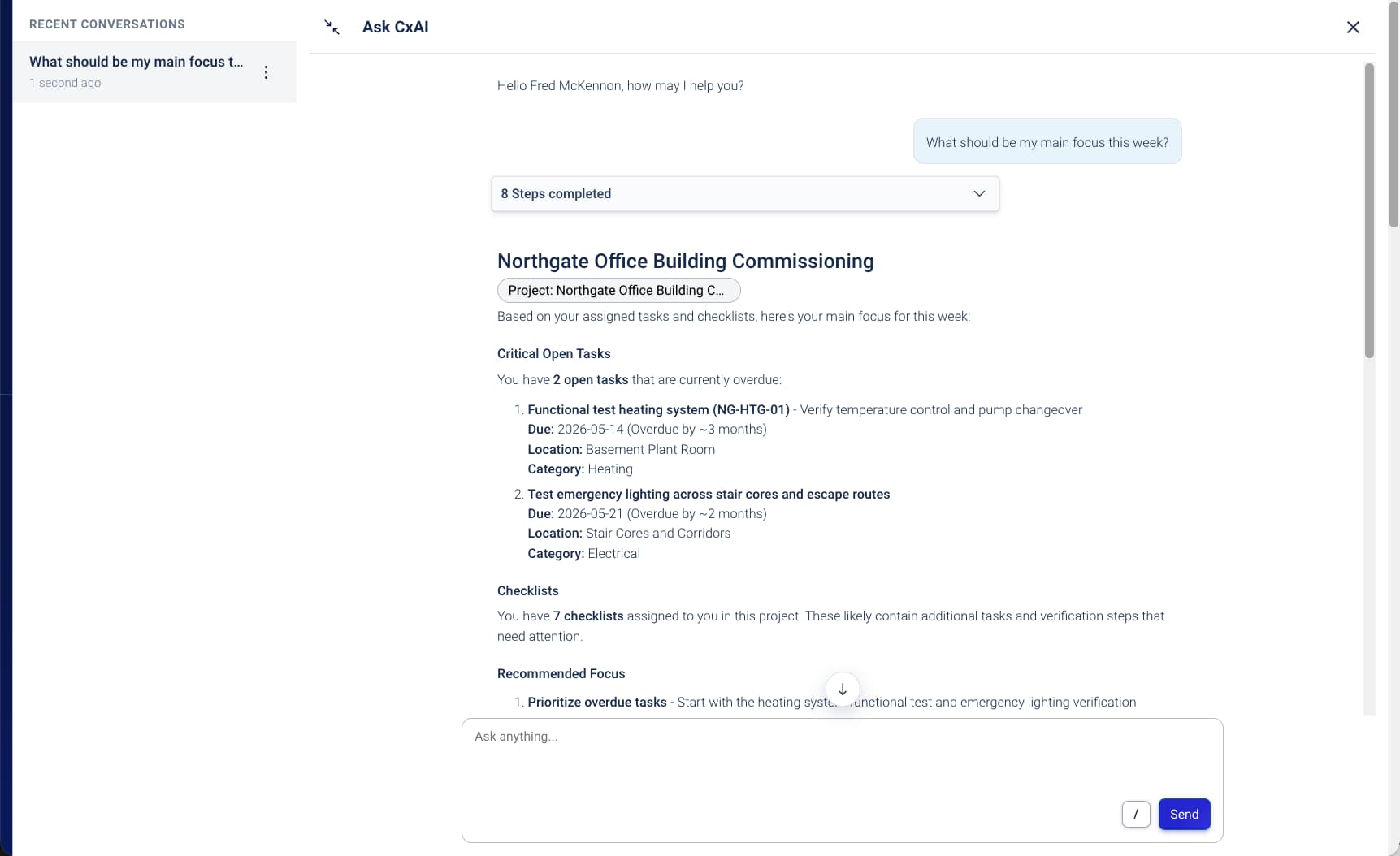
CxAI automated follow-up
CxAI identifies stale or overdue items in the log and drafts a personalized follow-up to each responsible party. One click to generate, one to send.
Key benefits from a live and cross-scope punch list
The Cx team stops managing the gap between where issues are and where they need to be.
Gate blockers surface before the gate review.
An open item in the issue log that blocks an L4 sign-off appears the day it is raised - not the day the gate review is scheduled. The team has days to resolve it instead of hours.
Issues close faster with full context at logging.
A punch list item logged with a photo, floor plan location, and assigned contractor closes faster than one logged as text. The startup technician or commissioning engineer has everything they need to act.
The audit trail is automatic.
Every change to every item in the issue log is recorded. When the client asks for the full commissioning deficiency history at handover, it is already there.
Replace the shared spreadsheet with a live issue resolution log
If your data center commissioning program tracks issues in a spreadsheet that multiple subcontractors access at the same time, the version control problem is already in your program. Book a demo or a walkthrough - we will show you how the issue resolution log works on a live project.
Book a demoRequest a walkthroughCommon questions about the issue log for data center projects
Can all subcontractors work in the same issue log?
Yes. Electrical and mechanical subcontractors, the owner Cx team, and the project manager all work in the same live log. Each sees their own scope by default - the Cx lead sees the full picture across all scopes.
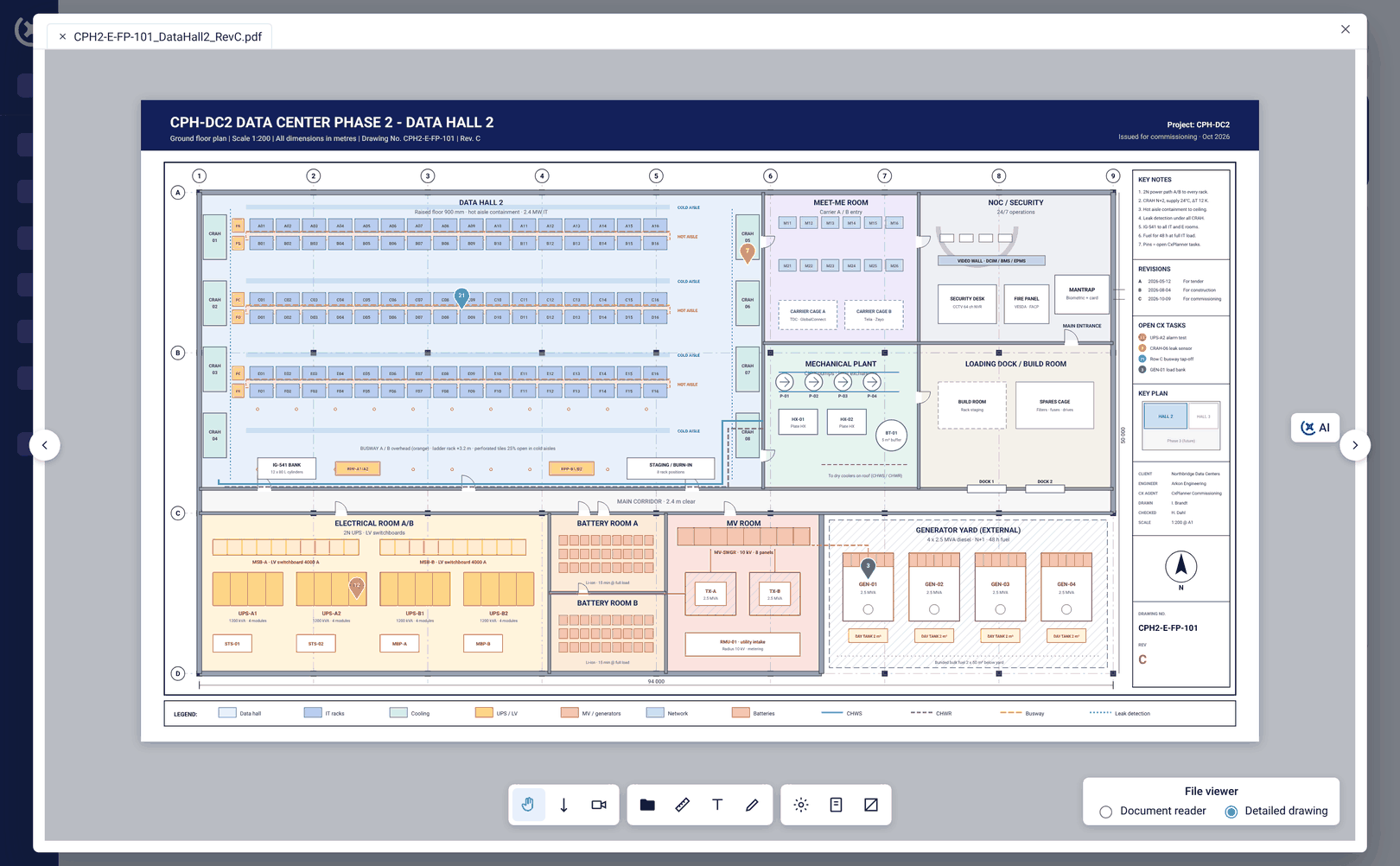
Does the issue log connect to the floor plan?
Yes. Issues can be marked directly on the data center floor plan or P&ID at the point of logging. The location on the drawing is attached to the issue log entry - so finding the issue on site takes seconds.
How does CxAI help with overdue items?
CxAI identifies stale or overdue items in the log and drafts a personalized follow-up to each responsible party. The Cx team reviews and sends - instead of manually writing chase emails across multiple subcontractor scopes.
Is the issue resolution log exportable for handover documentation?
Yes. The full issue resolution log - including every status change, photo, and resolution - is exportable as part of the handover package. The audit trail is automatic from the first logged item.