Describe the job once.
CxAI agents run it every morning.
Overdue tasks, checklists due today, who is behind on which project.
Write the commissioning job in plain words, pick when it runs, and get the result by email or as a task.
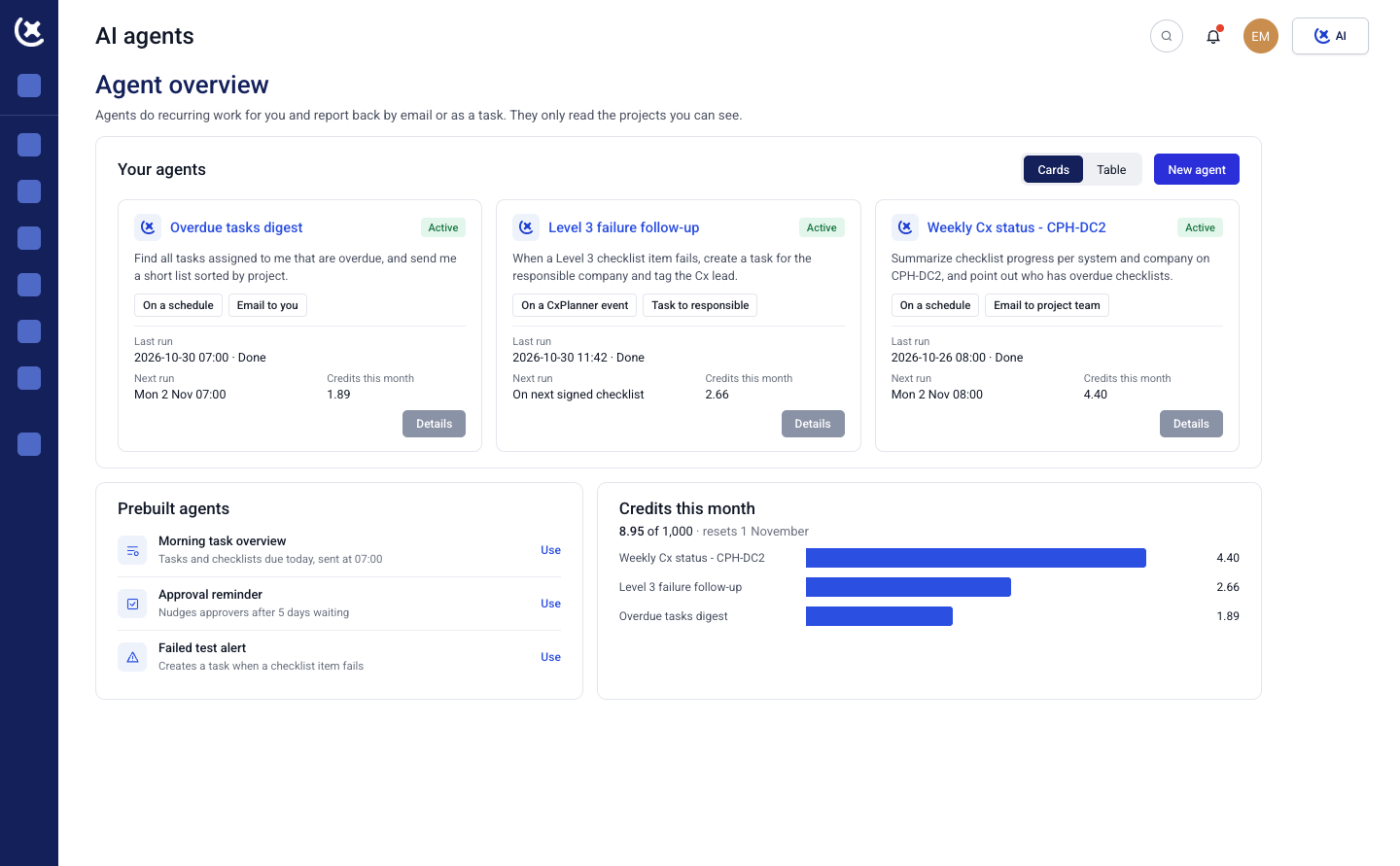
Write it like you would to a colleague
No setup screens, no filters to build. Tell the AI agent what you need from your commissioning projects.
"Find all tasks assigned to me that are overdue, and send me a short list sorted by project."
CxAI turns that sentence into steps you can read before anything runs. Find your ongoing projects, keep the ones with overdue tasks, pull your tasks, group them by project, write the email.
You see exactly what the agent will do. No black box.
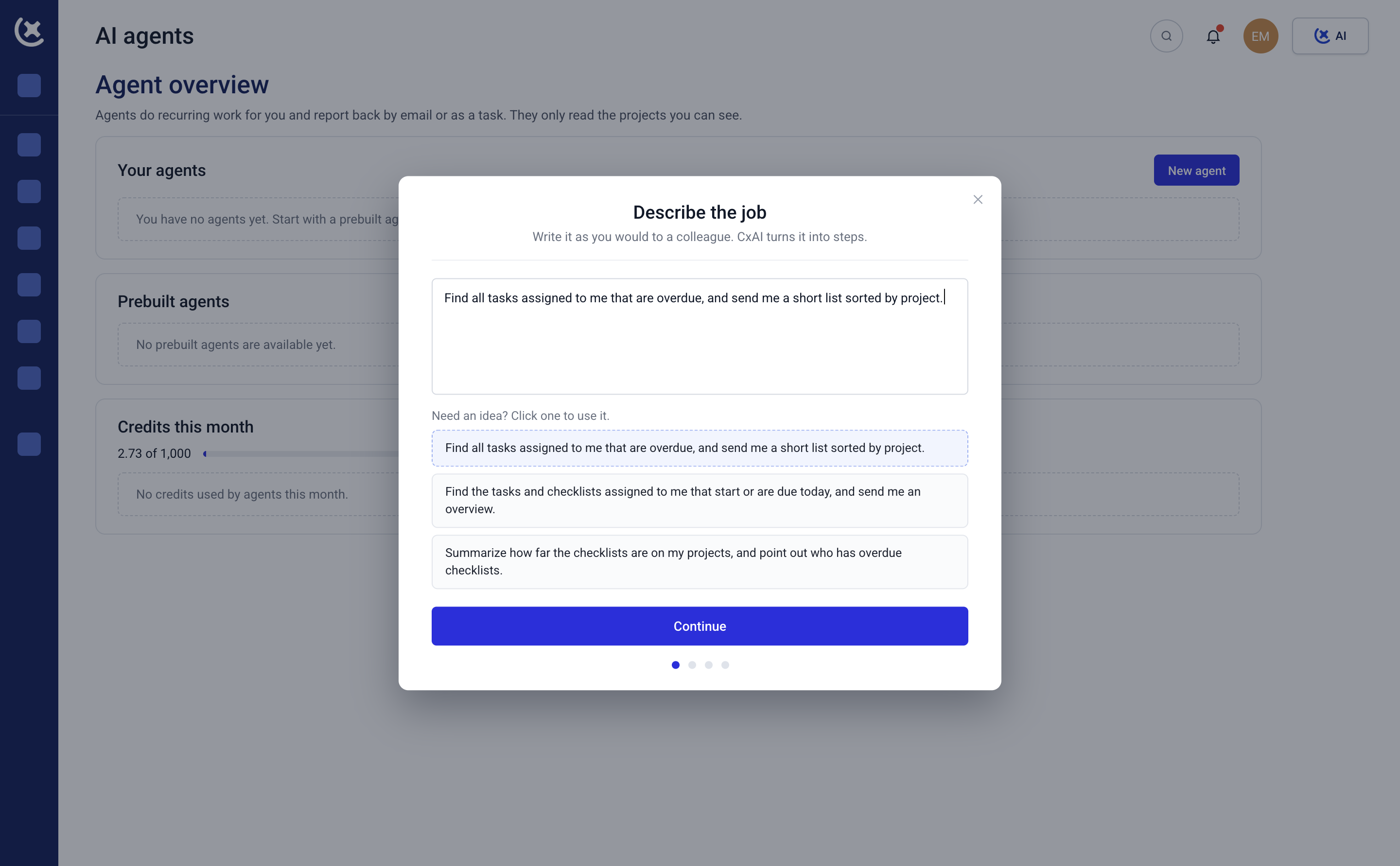
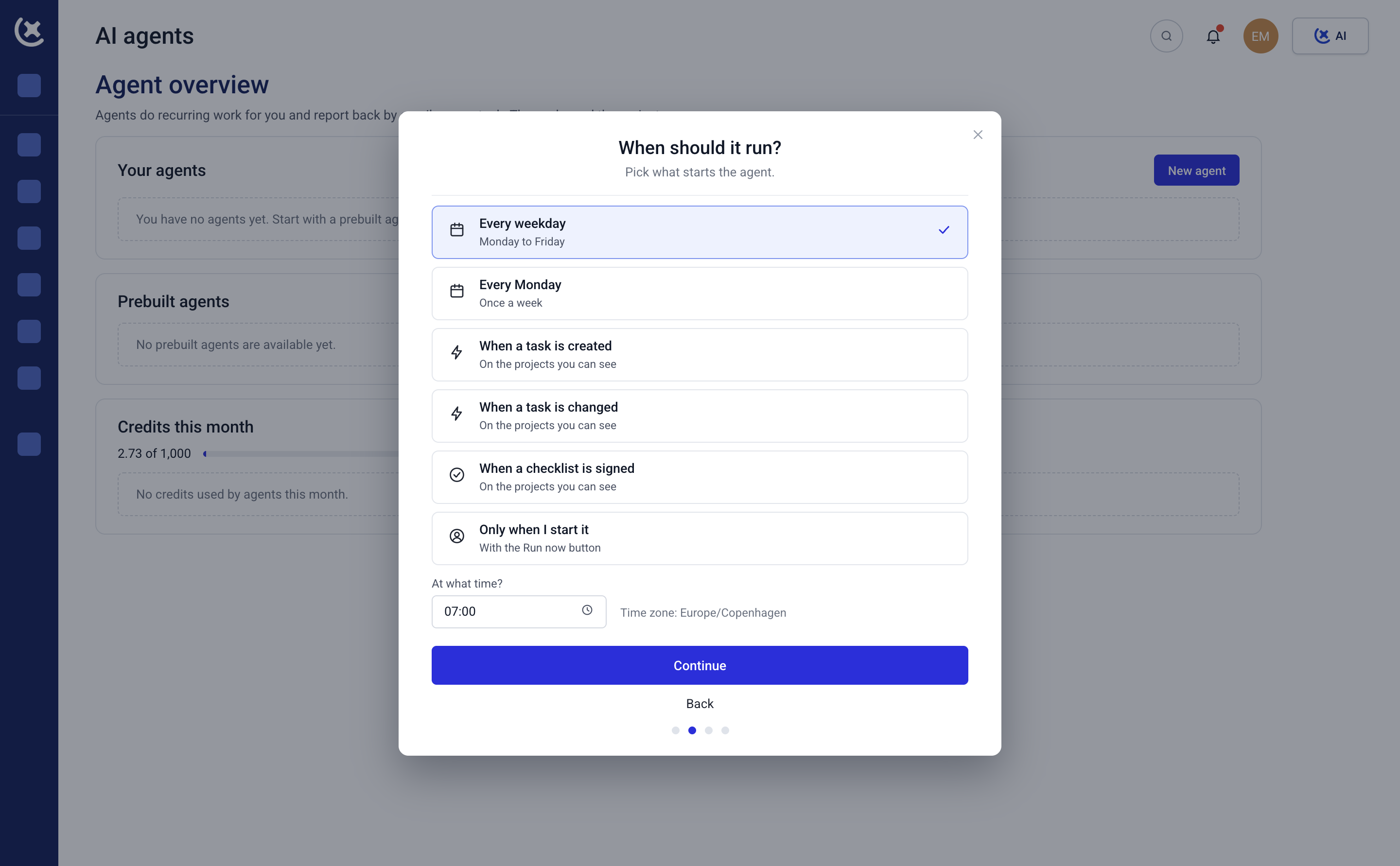
Run it on a schedule or when something happens
Pick what starts the agent. The overdue list lands in your inbox at 07:00, before you reach site.
Every weekday or every Monday, at the time you set
When a task is created or changed on your projects
When a checklist is signed
Only when you start it with Run now
The result comes back the way you work. As an email to you, or as a task in CxPlanner.
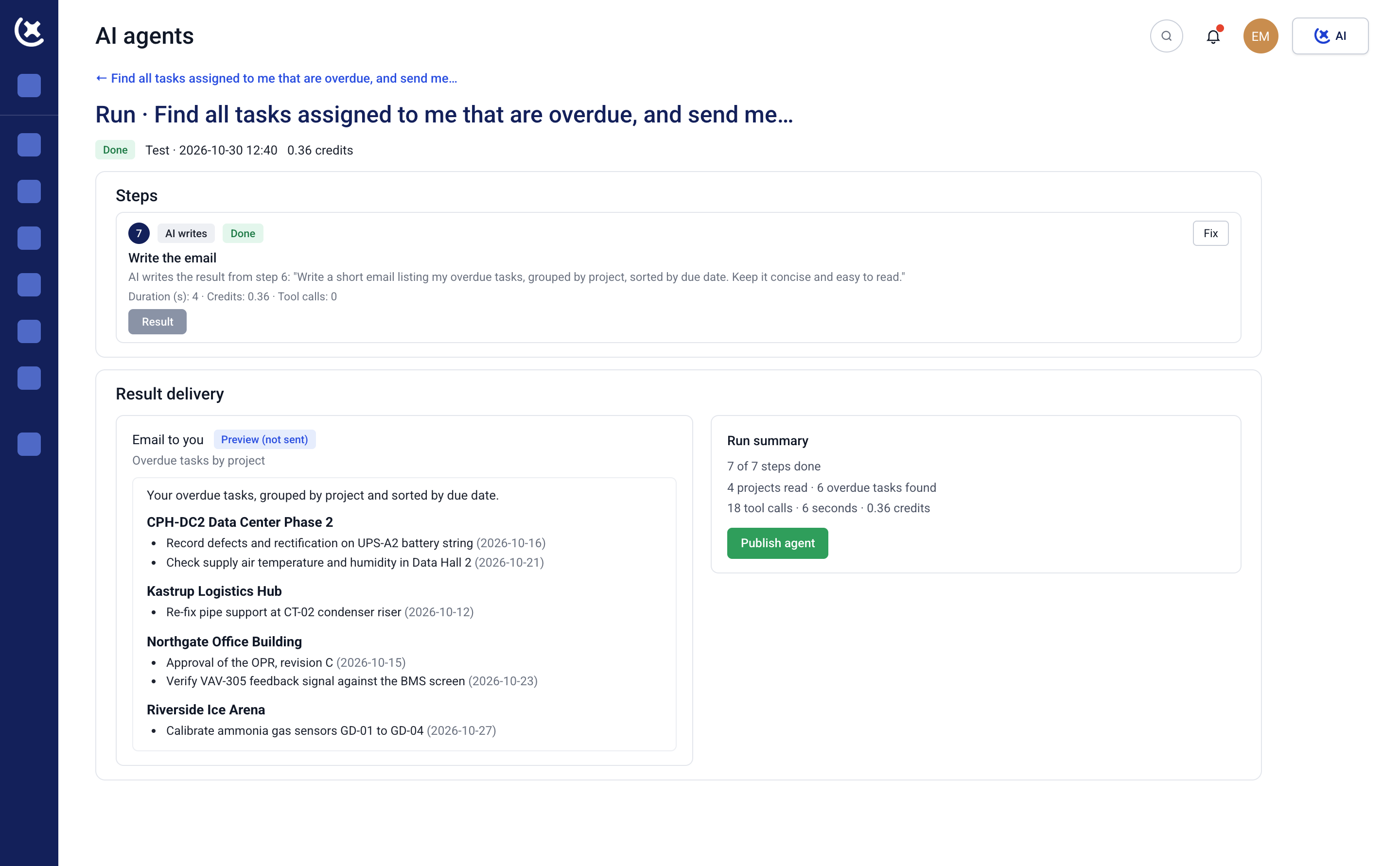
Test it before it reaches your inbox
Every agent starts as a draft. Run a test and see the result of each step, plus a preview of the email before anything is sent.
Something off? Fix that one step and test again. When the output is right, switch it on with Publish.
The agent only reads the projects you already have access to. Set a credit limit per run and per day, and check every run in the run history. You stay the operator.
Stop building the same list every morning.
Let an agent send it.
Overdue tasks, due checklists and blockers, ready before your first coffee.
Less admin.
More commissioning.
Curious to see CxPlanner in action?