Asset management - one place for every piece of equipment on your project
Attributes, photos, QR codes, linked checklists. Everything tied to the asset. Nothing lost between systems.
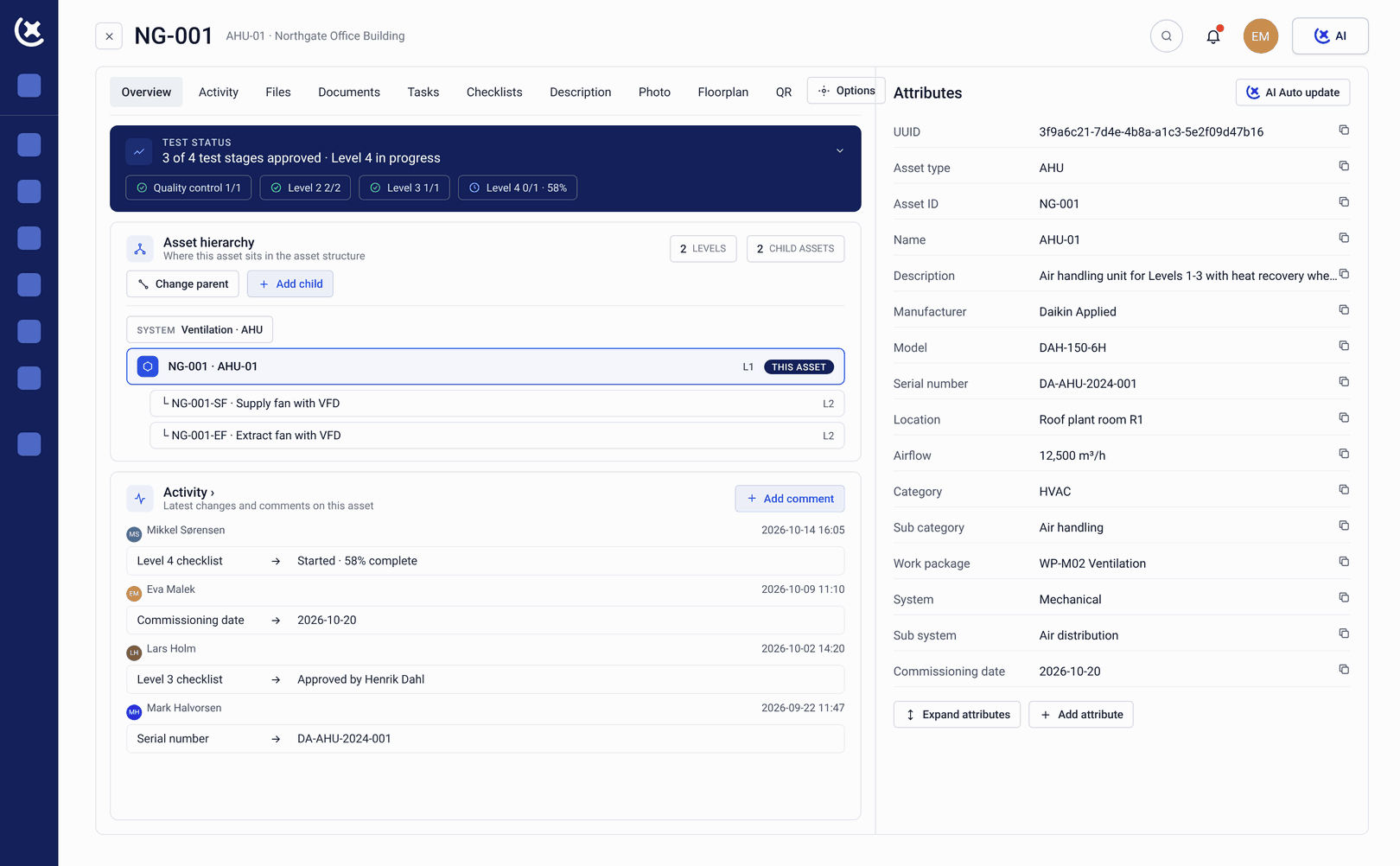
Every asset. Every attribute. Every status - in one view.
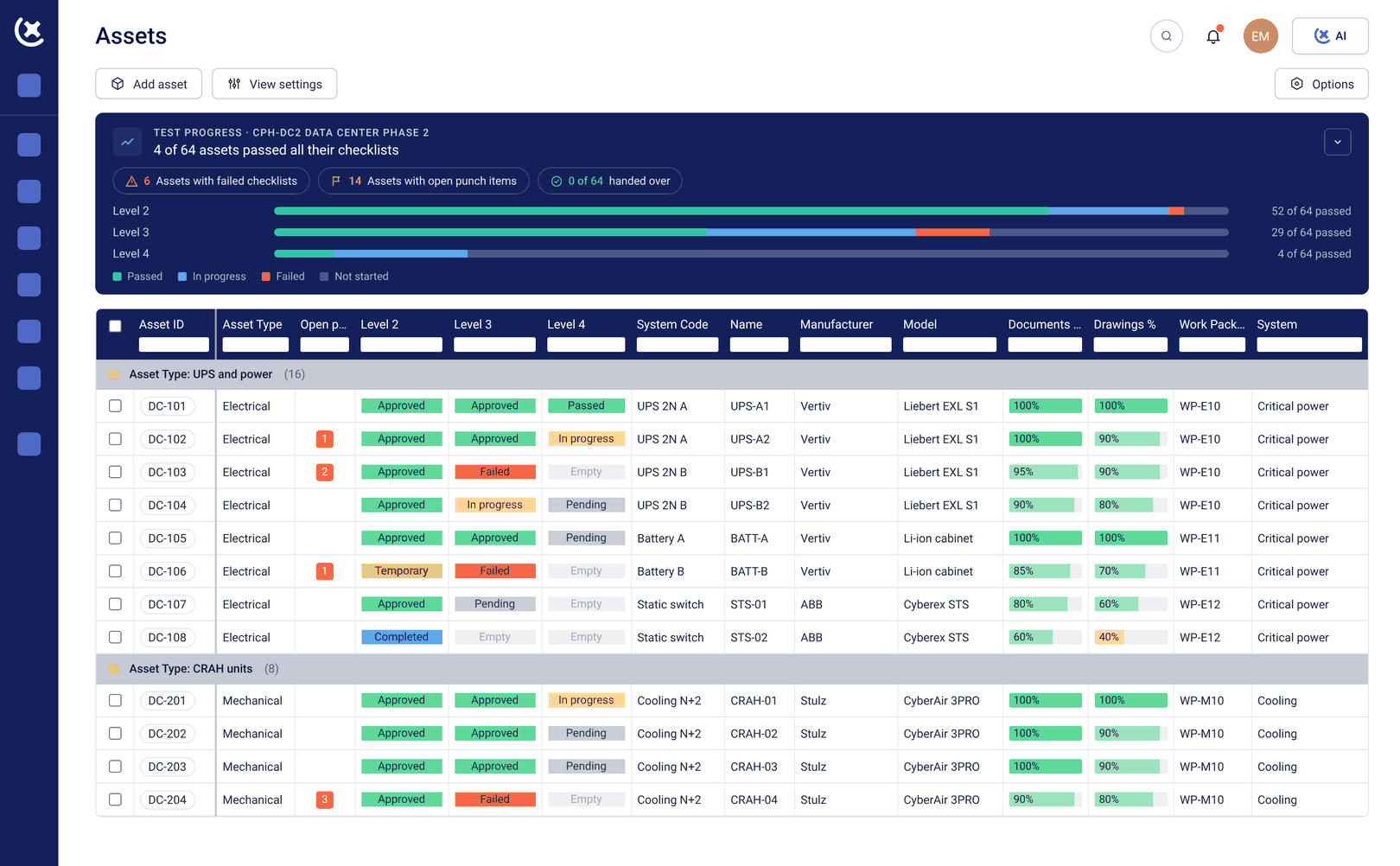

Asset register
The asset register your team will actually keep up to date.
Every piece of equipment on your project gets its own record. Manufacturer, model, serial number, location, system, tag - all stored against the asset and available to anyone who needs it.
Custom attributes let you capture exactly what your project requires. No generic fields that don't match your workflow. You define the structure, the team fills it in.
When the asset moves, changes status, or gets handed over - the record reflects it. One source of truth, not four spreadsheets.
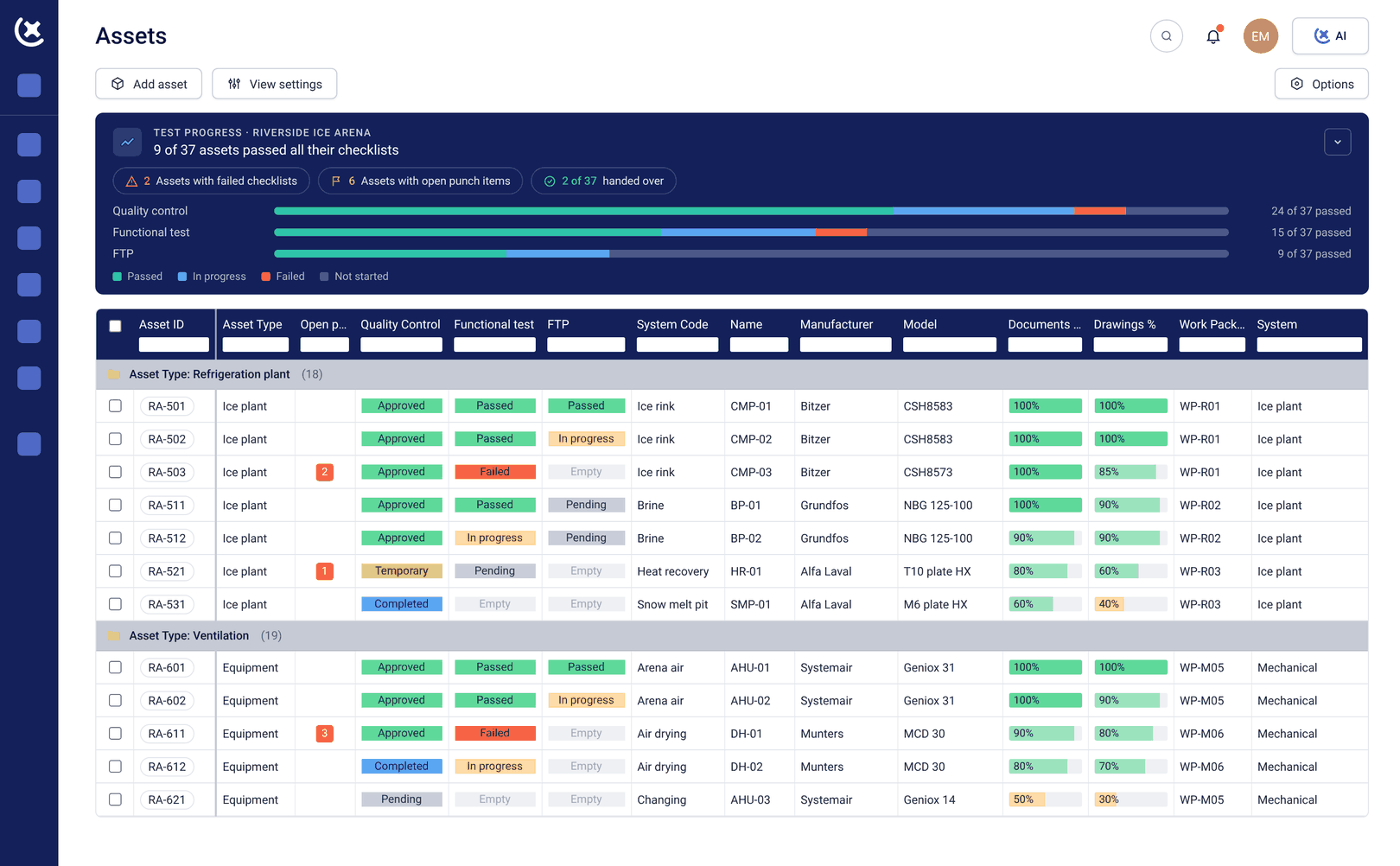
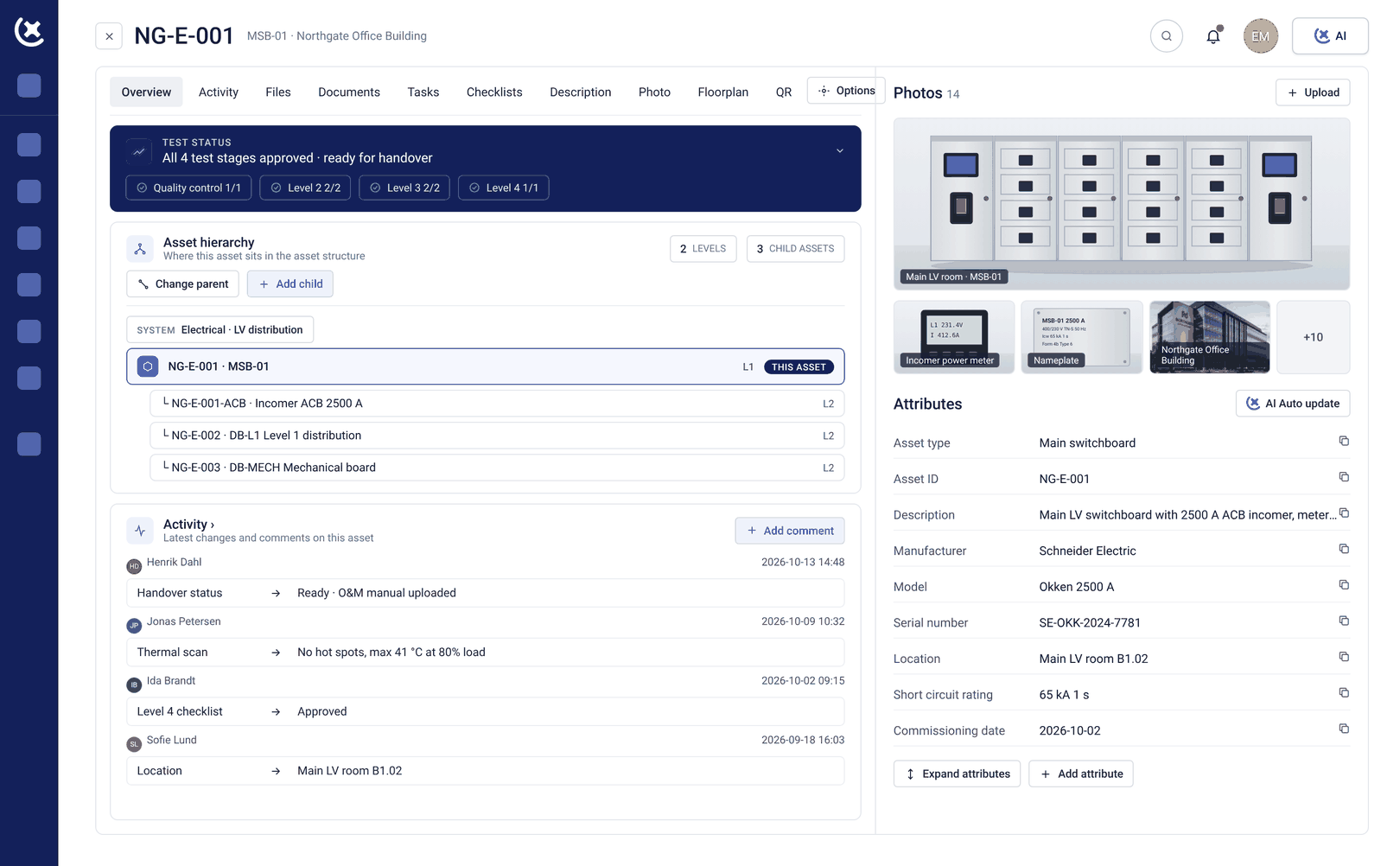

Photo documentation
A photo attached to the asset. Not buried in a folder.
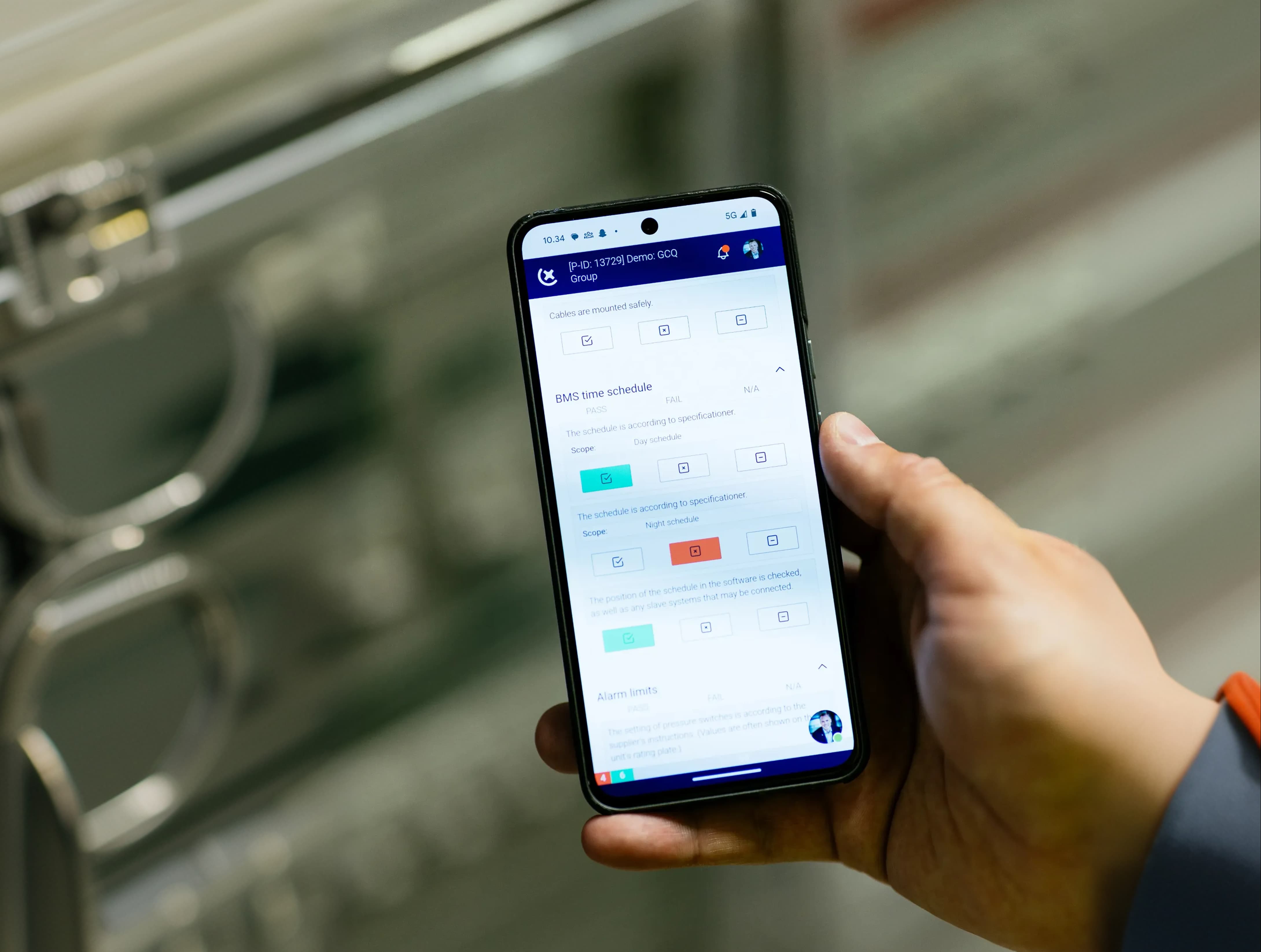
Take a photo of the installed equipment, attach it directly to the asset record, and it stays there. No naming conventions to remember. No shared drive to navigate. No question of which photo belongs to which pump.
When a subcontractor says the unit was installed correctly, the photo on the asset record either confirms it or it doesn't. That's the kind of documentation that holds up at handover.

QR codes
Scan the asset. Open the record. No typing required.
Every asset gets a QR code. Print it, attach it to the equipment, and anyone on site can scan it with a phone to pull up the full asset record - attributes, checklists, photos, status.
No login friction for subcontractors who don't have a CxPlanner account. Scan the code, submit the information, and the record updates. The commissioning team sees it in real time.
QR codes don't go stale. The link stays the same. The data behind it is always current.
Assets are the centre of your commissioning workflow - not a separate list.
Checklists run against assets. Issues are raised against assets. Handover packages are built from assets. When the asset record is complete and current, everything connected to it is too.
That's why asset management in CxPlanner isn't a module you open separately. It's woven into the work - from first tag creation through to final turnover package.
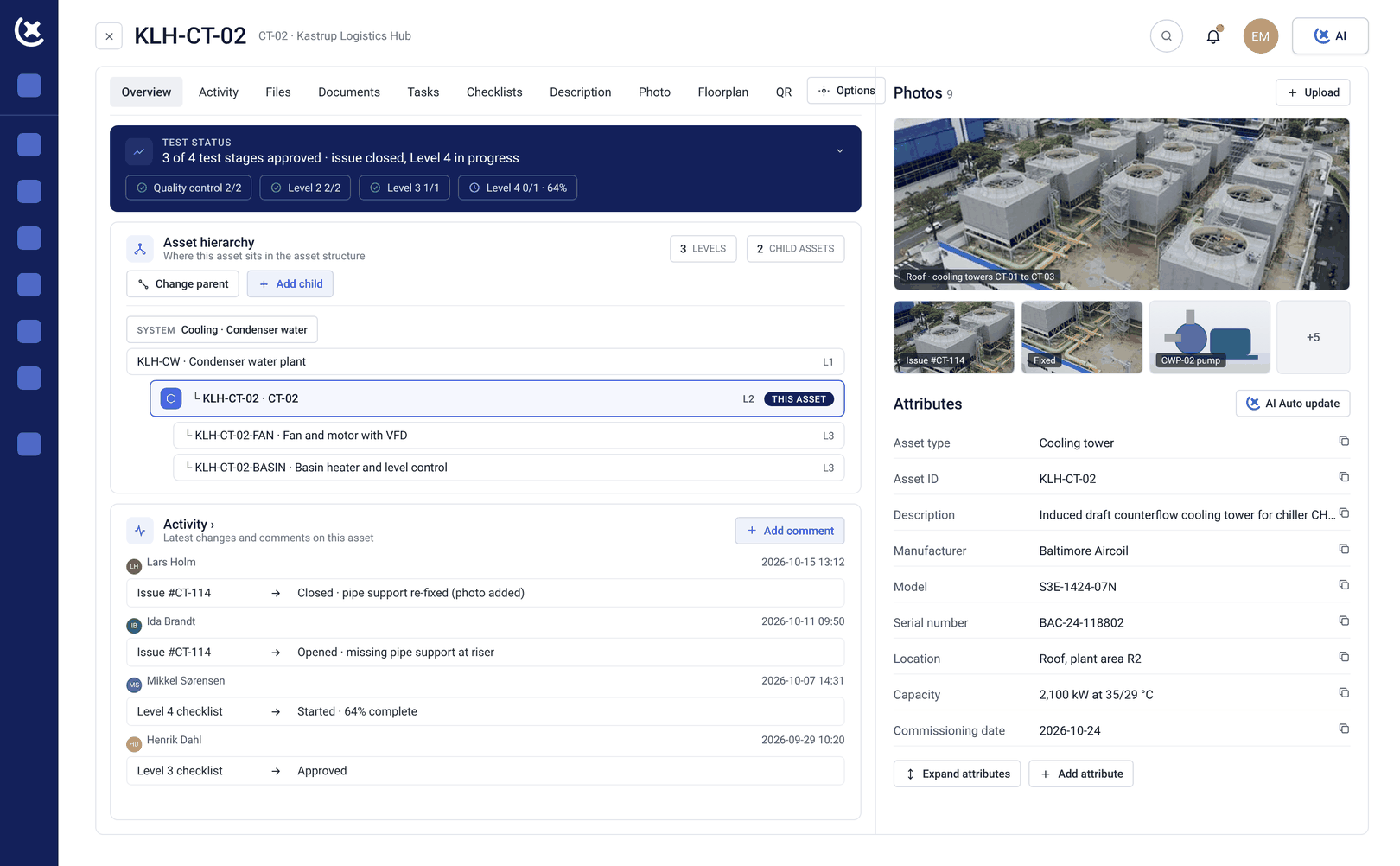

Linked checklists
Open an asset. See exactly where it stands.
Every checklist tied to an asset is visible on the asset record. Pre-functional checks, functional tests, inspections - each one with its current status. Nothing has to be looked up separately.
When a test fails, it's recorded against the asset. When it passes, that passes too. The asset record becomes a live commissioning log, not a static data sheet.
"On a large project, the asset register is either your foundation or your problem. There's no in between."
- Thomas T. Jarloev
Founder & CEO of CxPlanner, QCxP, CxM, CxA
15+ years in commissioning · CxAP · CxM · QCxP · First in the EU to hold both CxM and CxAP · Author of commissioning books + guidelines
Want to see how asset management works in practice?
Book a demo with Thomas