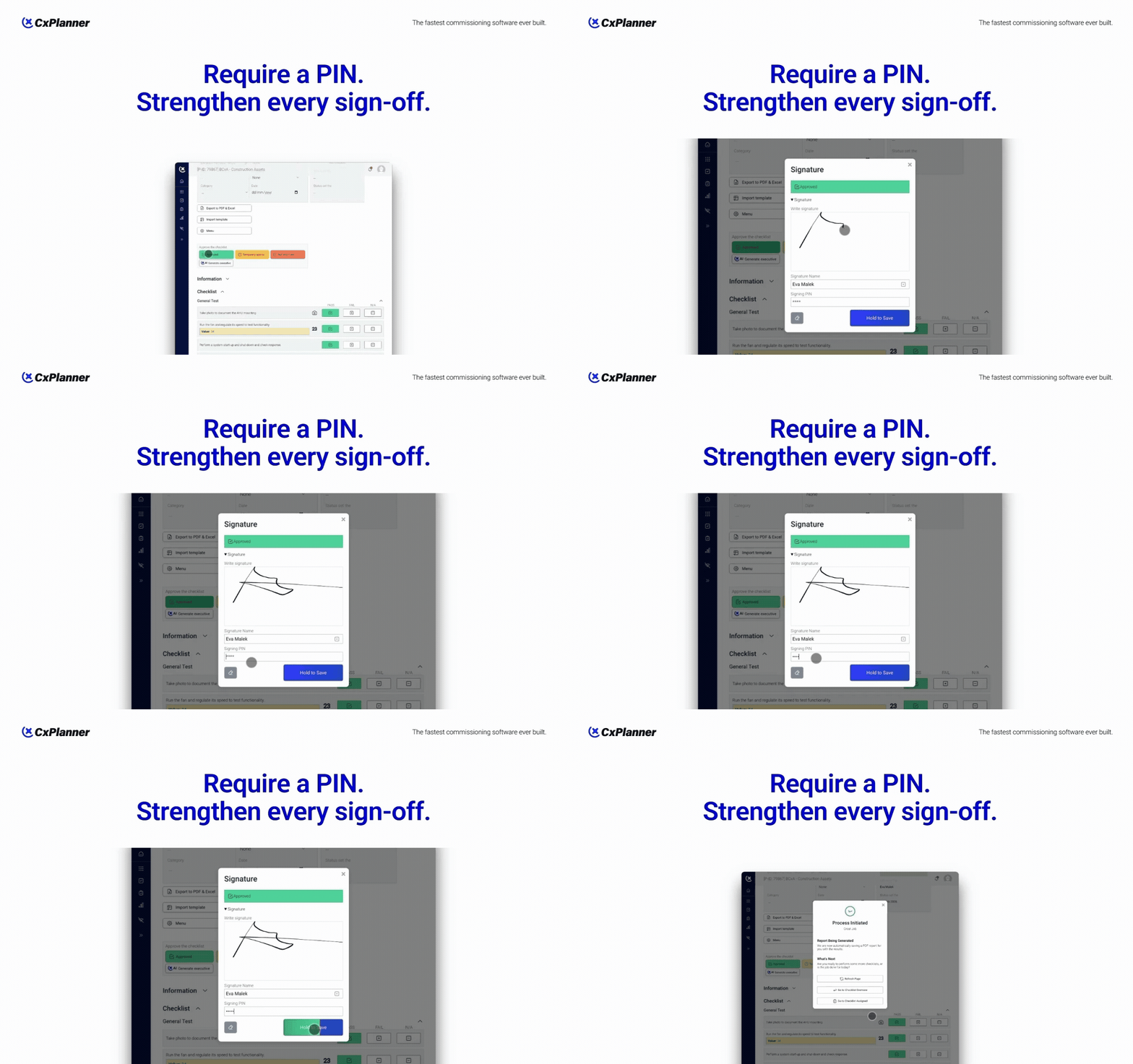
Secure checklist sign-off with PIN verification
Commissioning documentation only works if the sign-off process can be trusted.
When a checklist is marked as complete, it should clearly show who approved the work and confirm that the approval was intentional. That is why CxPlanner now includes PIN-protected checklist sign-off.
This feature adds an extra layer of verification when users complete checklists, ensuring that sign-offs are deliberate, traceable, and secure.
Why secure sign-off matters
In commissioning projects, checklists often represent critical verification steps. Functional tests, installation checks, safety confirmations, and quality documentation all rely on accurate sign-off.
Without proper verification, problems can arise:
- Someone signs off using another person's device
- A checklist is approved too quickly without proper review
- Accountability becomes unclear during audits or handovers
For data centers, energy infrastructure, and complex facilities, these situations can create unnecessary risk. Secure sign-off helps protect the integrity of the commissioning process.
How PIN verification works
When enabled, users must enter their personal PIN code when signing a checklist.
The workflow is simple:
- Complete the commissioning checklist
- Apply the digital signature
- Enter the PIN code to confirm the approval
This ensures that the person signing the checklist actively verifies the action, strengthening the reliability of the documentation.
Why secure sign-off matters
In commissioning projects, checklists often represent critical verification steps. Functional tests, installation checks, safety confirmations, and quality documentation all rely on accurate sign-off.
Without proper verification, problems can arise:
- Someone signs off using another person's device
- A checklist is approved too quickly without proper review
- Accountability becomes unclear during audits or handovers
For data centers, energy infrastructure, and complex facilities, these situations can create unnecessary risk. Secure sign-off helps protect the integrity of the commissioning process.
Secure commissioning documentation
Commissioning teams rely on accurate documentation throughout installation, testing, and project handover. Secure checklist approvals help ensure that commissioning records remain trustworthy and audit-ready.
With signature and PIN code verification, CxPlanner provides an additional level of protection for commissioning documentation without slowing down project workflows.
Enabling PIN code verification
Project administrators can enable PIN verification directly in the project settings.
To activate the feature:
- Open Project settings
- Navigate to the Advanced tab
- Enable PIN code verification for checklist sign-off
Once enabled, users will be prompted to enter their personal PIN code when signing checklists. The PIN is required in addition to the digital signature, adding an extra layer of validation to the approval process.
This setting can be applied to projects that require stronger documentation control, validation compliance, or additional security for checklist approvals.
Secure commissioning documentation
Commissioning teams rely on accurate documentation throughout installation, testing, and project handover. Secure checklist approvals help ensure that commissioning records remain trustworthy and audit-ready.
With signature and PIN code verification, CxPlanner provides an additional level of protection for commissioning documentation without slowing down project workflows.