Meeting notes shouldn't live in someone's inbox
Every commissioning project runs on meetings. Kickoff, weekly Cx team syncs, safety meetings, inspection check-ins, OPR sessions. Somebody takes notes. Those notes end up in a Word doc, an email thread, or a folder nobody opens again until there's a dispute about who said what. 👷
We built the Meetings module to fix that. It's not a calendar add-on. It's a record that lives with the rest of your project - linked to the same participants, the same tasks, and now, the same CxAI that already knows your project.
Recurring meetings stay connected, not scattered
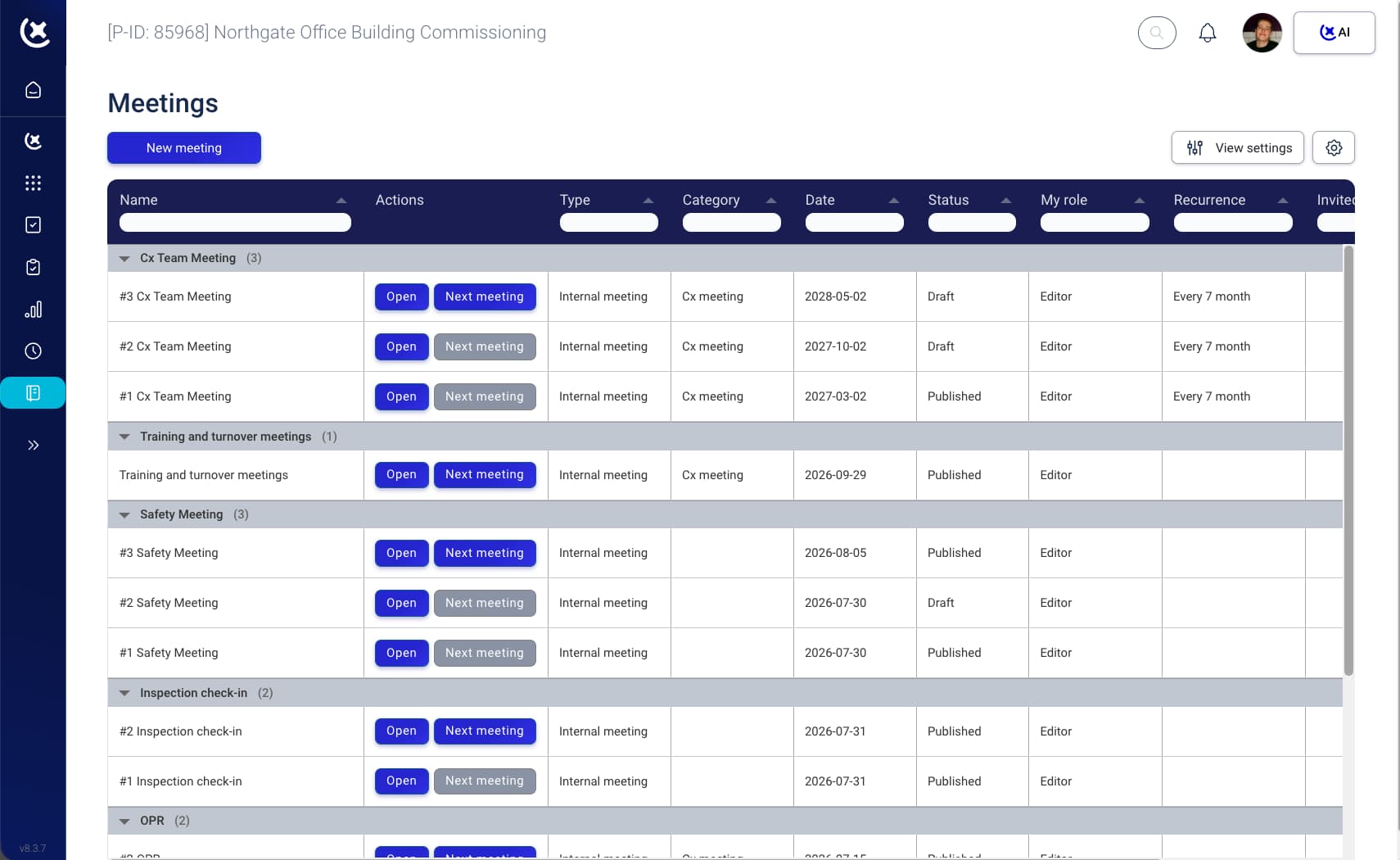
A Cx Team Meeting that runs every seven months isn't a new document each time. It's meeting #3 continuing meeting #2, continuing meeting #1. Open any meeting and you see exactly which one it continues, so nobody has to ask "wait, did we cover this already?"
Group by series - Cx Team Meeting, Safety Meeting, Inspection check-in, OPR, Training and turnover - and see status, draft or published, across the whole project at a glance.
The full context in one card
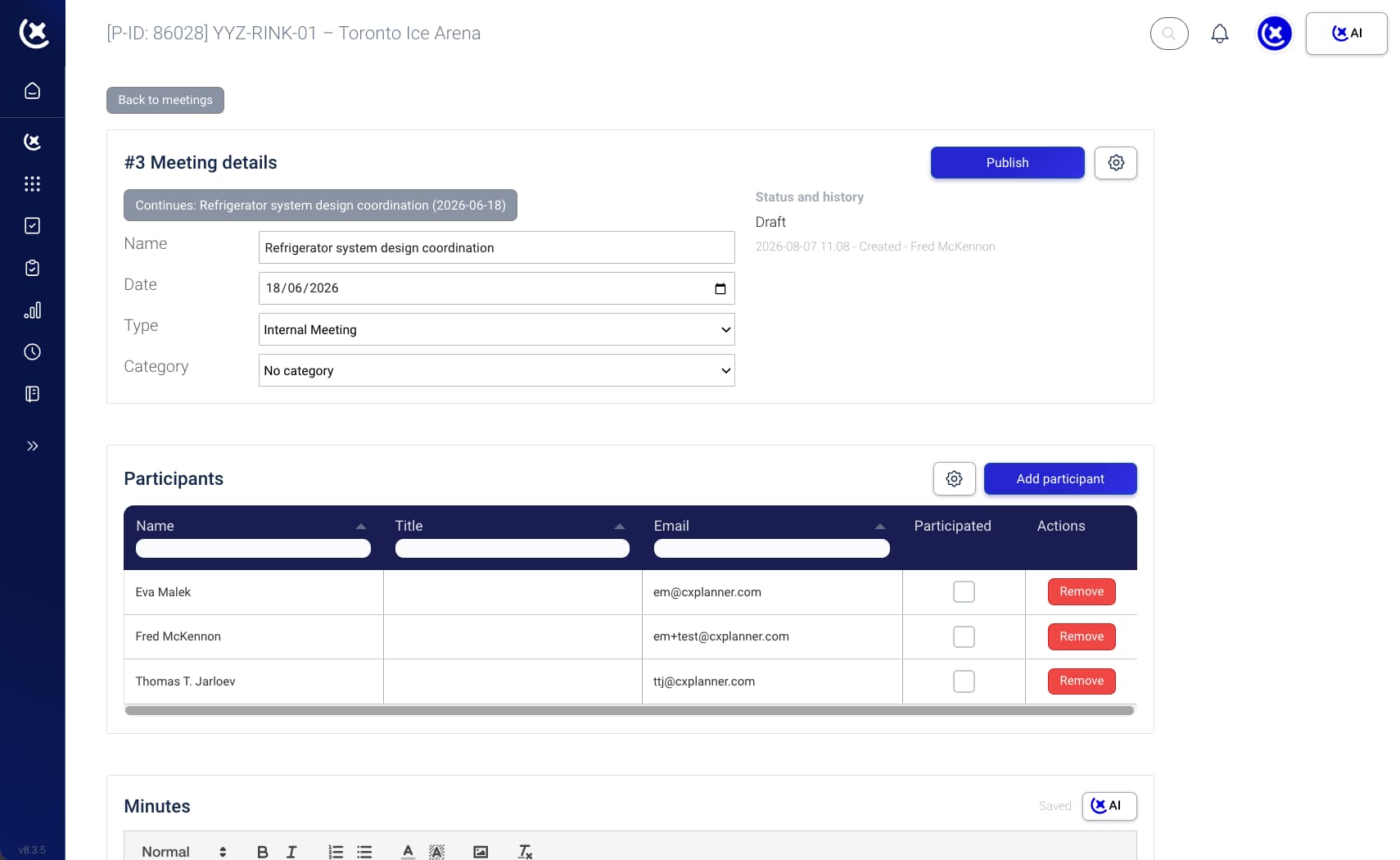
Name, date, type, category, and what it continues from. Set it once and every attendee, every follow-up email, and every AI-generated summary pulls from the same source - not whatever version happened to survive in someone's inbox.
Meeting #3 of the refrigerator system design coordination series, continuing meeting #2 from June 18. No renaming, no re-explaining the context on a call.
Attendance that actually means something
Add participants once, mark who actually showed up, and CxPlanner remembers. When it's time to publish, that "participated" checkbox decides who gets the notes by default - not a guess about who was in the room.
Name, title, and email in one table. Add or remove people without leaving the page.
Minutes, with CxAI
The minutes editor is a real editor - headings, tables, images, formatting - not a text box that mangles your notes. But the part that actually saves time is the CxAI button sitting right above it.
Status on the project since the last meeting. Overdue and risk items, pulled straight from your task data. Status on tasks assigned to the meeting, so action items from last time don't quietly disappear. You still decide what goes in. CxAI just stops you from starting at zero.
Publish and distribute
Publish a meeting and CxPlanner asks who should get it by email. Attendees only, by default. Need to loop in the people who missed it? One checkbox sends it to every participant instead.
Meetings stay editable while you're still writing them up. Publishing locks in the record and triggers distribution - no separate export, no copy-pasting into an email client.