Asset registration is one of the most repeated tasks in commissioning. It is also one of the most manual.
You walk the site. You read the nameplate. You type the manufacturer. Model. Serial number. Capacity. Voltage. Airflow. You switch between camera, notes, and forms. Then you repeat the process for the next asset.
Multiply that by hundreds or thousands of components, and asset creation becomes a significant time investment. It also becomes a risk point. Manual entry introduces inconsistencies, missing attributes, and downstream documentation gaps.
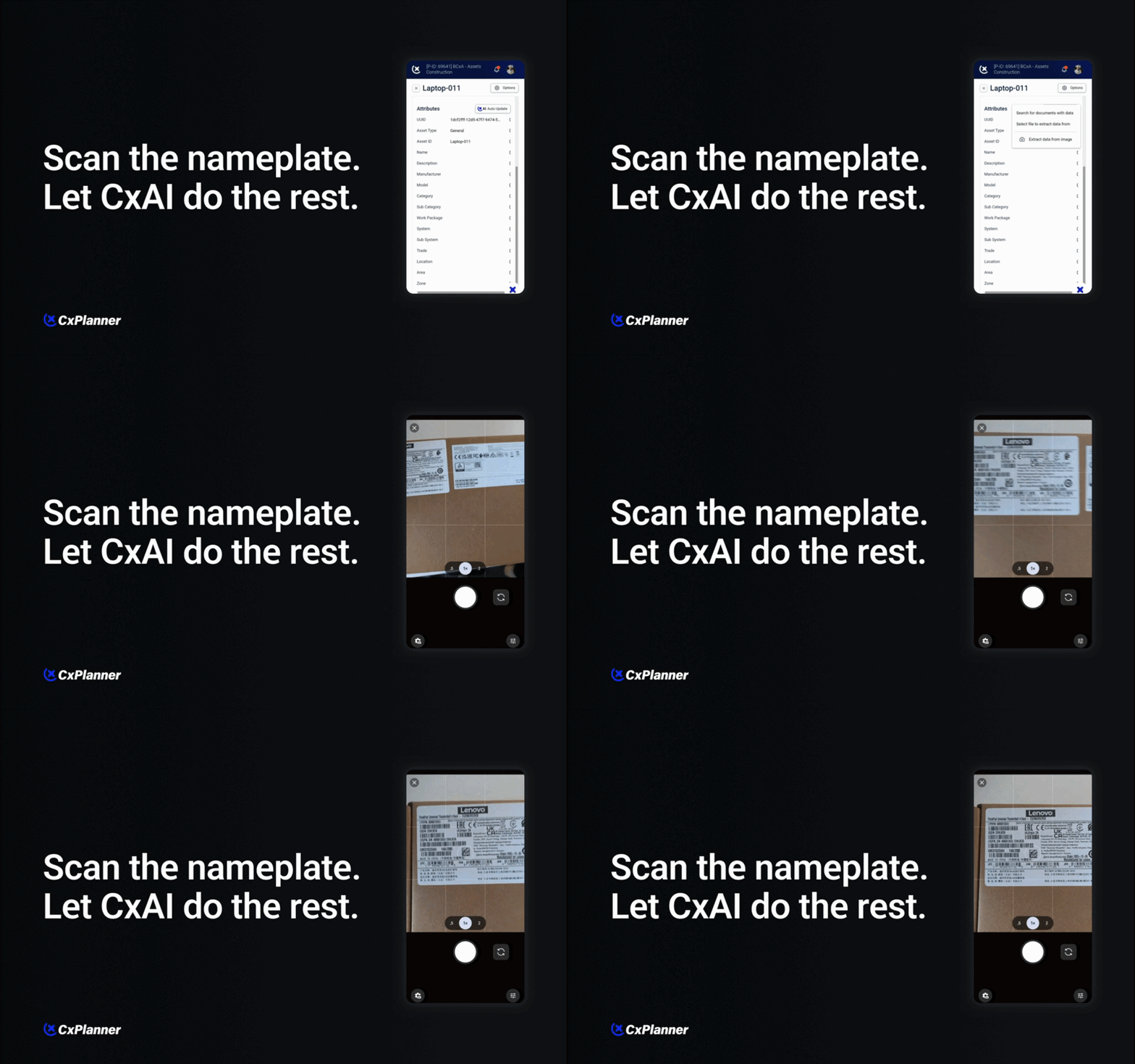
Scan the nameplate. Populate the attributes.
With CxAI, asset attributes are generated directly from a scan of the equipment nameplate.
No QR code required. No pre-applied barcode needed. No predefined tagging structure on site.
You simply scan the nameplate using your device. CxAI reads the data and converts it into structured asset attributes inside CxPlanner.
It identifies relevant information and:
- Suggests the correct asset name
- Pre-fills key attributes such as manufacturer, model, and serial number
- Recognizes technical data from the plate
- Recommends additional attributes you may want to include
- Offers the option to register barcode data if appropriate
You remain in control of what gets saved. But the heavy lifting is automated.
Structured data from the start
In commissioning, asset structure is not cosmetic. It directly impacts:
- Test forms
- Issues tracking
- Reports
- Turnover documentation
- Ongoing facility management
Incomplete or inconsistent attributes create friction later in the project. Missing voltage ratings. No capacity values. Different naming conventions across systems. These details surface during review, handover, or audits.
By generating structured attributes at the point of capture, CxAI reduces those gaps early. The data originates from the physical equipment itself, not from memory or handwritten notes.
That improves consistency across projects and strengthens documentation quality.
Reducing manual entry on site
Time on site is limited. Commissioning teams are coordinating with contractors, reviewing installations, logging issues, and preparing for testing. Manual typing is not where value is created.
CxAI reduces:
- Repetitive data entry
- Transcription errors
- Context switching between tools
- Post-site data cleanup
Instead of typing out every attribute, you validate and adjust what CxAI suggests. The workflow shifts from manual input to quality control.
For larger projects, the time savings are cumulative and significant. Even small reductions per asset scale quickly across hundreds of components.
Smarter attribute recommendations
Beyond simply reading the nameplate, CxAI can recommend additional attributes based on the asset type.
For example:
- Suggesting electrical characteristics relevant to testing
- Prompting you to include barcode data for traceability
- Identifying attributes commonly required for reporting
This helps standardize asset data across the project portfolio. It also supports better preparation for commissioning documentation and handover requirements.
Rather than discovering missing data during report generation, you address it during asset creation.
Designed for real commissioning workflows
This feature is built around how commissioning professionals actually work:
- On active construction sites.
- With varying lighting and conditions.
- Across mechanical, electrical, and specialty systems.
It does not rely on ideal tagging strategies or pre-configured labels. It works directly with the physical information available on the equipment.
That makes it practical. And scalable.A structural improvement, not just a shortcut
TThe goal is not just speed. It is better structure.
When asset attributes are created accurately and consistently from the beginning, everything downstream becomes smoother:
- Test scripts align with real equipment data
- Issues logs reference properly defined assets
- Reports pull structured, complete information
- Handover packages are stronger
Commissioning is complex enough. Asset creation should support the process, not slow it down.
CxAI turns a simple scan into structured, documented asset attributes.
Less manual entry.
More consistency.
Stronger documentation from day one.
If you would like to see how this works in practice, we are happy to walk you through a live example.